





Tips Index

Numbers of people like sharing funny content, food vlogs, news, anything that interests them on the web with others like images or memes, articles, and some video clips. Well, there is a website service that provides platforms for users to share and upload, content such as videos and images called NowVideo.
It is actually really famous among those users who like sharing unforgettable moments via videos with others. When you suddenly see a great video clip while scrolling up and down, you might want to keep it in your local drive and watch it offline in your free time.
But, you can’t download those downloadable videos because it is exclusively for VIP accounts that pay a premium fee every month. Additionally, the downloaded format of all the videos from Nowvideo will be saved as a flash video format that is not suitable for most media players like Windows Media Player and others.
Now we introduced you to the most versatile, fastest, and reliable Nowvideo downloader called VideoPower RED. It is a one-stop video downloader that can download videos automatically. It can also download videos from any video sharing sites including Facebook, Twitter, Naver, Dailymotion, Lynda, YouTube, Vevo, Vimeo, Crunchyroll, etc.
What makes this tool more powerful is that it can detect and download videos automatically. Furthermore, it has many built-in tools such as Screen Recorder, Video, and Audio Editor, Video Converter.
This software delivers satisfying results as it assimilates an advanced feature that makes your downloading experience more convenient and faster. With VideoPower RED’s built-in detector, you can now download Nowvideo videos while streaming for other videos to download.
This software can detect the video you are watching and will show it to the download queue. You won’t have to do anything, just sit back, surf some more videos, and relax while waiting for it to finish downloading. And before the movie or video will end, the downloaded video will be saved straight right onto your Desktop. It also can download a maximum of 20 videos simultaneously when it is activated. And by using the built-in browser, you can open as many tabs as you like, open a new video sharing site and play videos to download them.
Now you won’t have to bother about finding a reliable and fast downloader for the Nowvideo website. Just click the link below to download its free trial version and follow through the guide on how to download videos from Nowvideo.
Method 1: Copy and paste the URL to download Nowvideo videos
Step 1: Copy and Paste URL
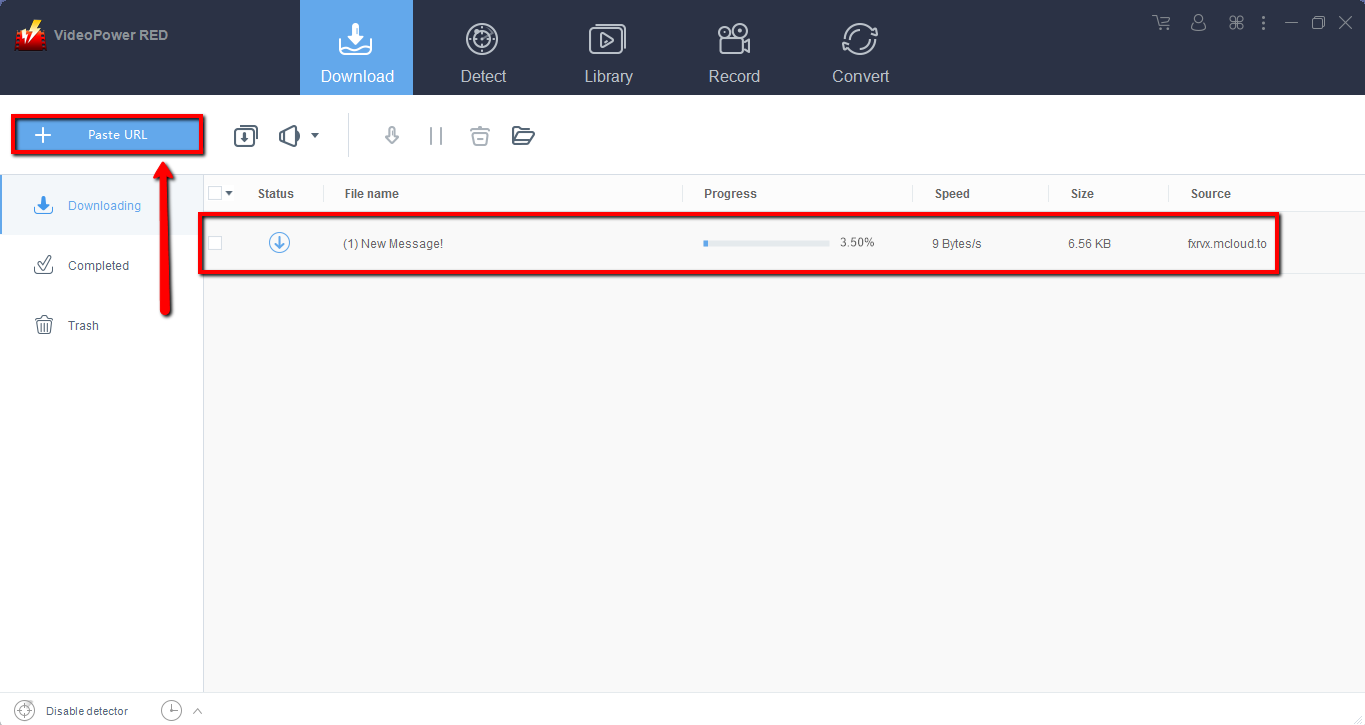
Copy the link to download videos from Nowvideo and then paste it into the program by clicking the “Paste URL” button. After that, you will see the video is downloading in the download control panel.
Step 2: Check the downloaded Nowvideo file
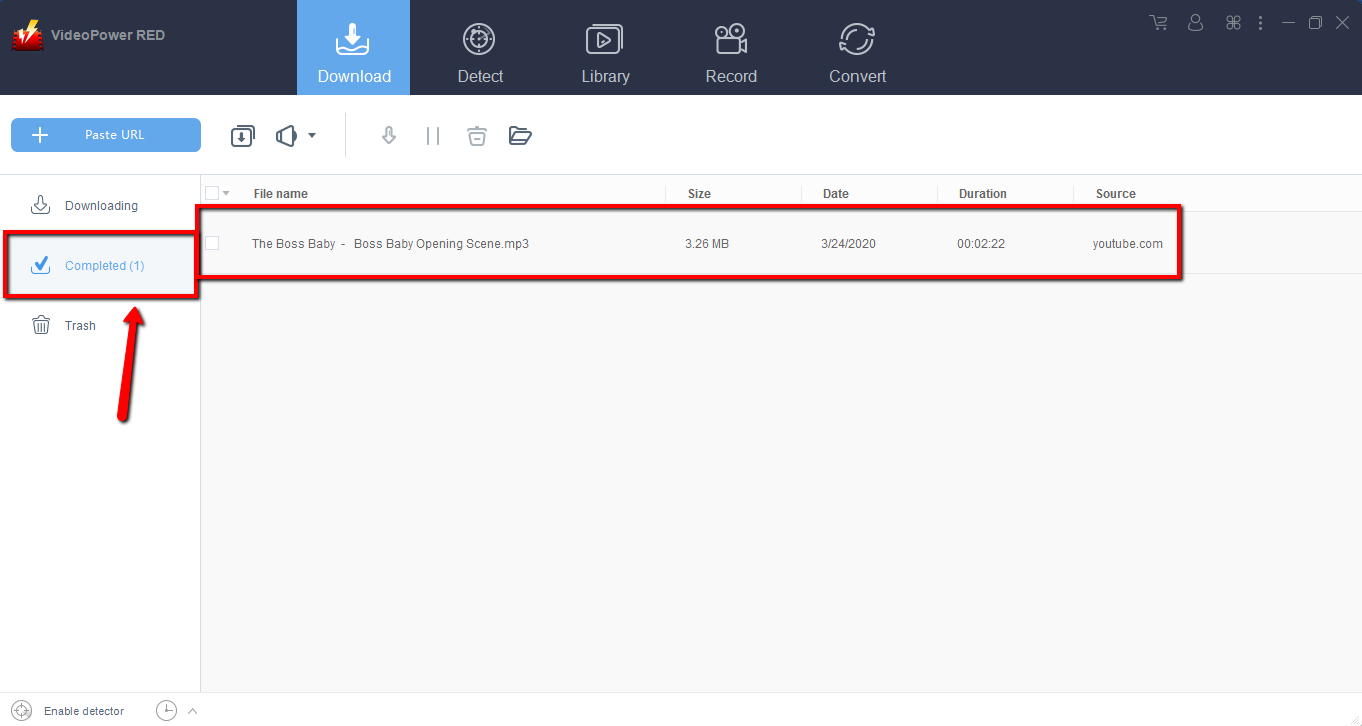
Wait for the Nowvideo downloader to finish, and then go to the “Complete” section to find the downloaded video. Right-click to do more operations and double-click to preview.
Method 2: Use the embedded browser to download videos from Nowvideo
Step 1: Open the video page via an embedded browser
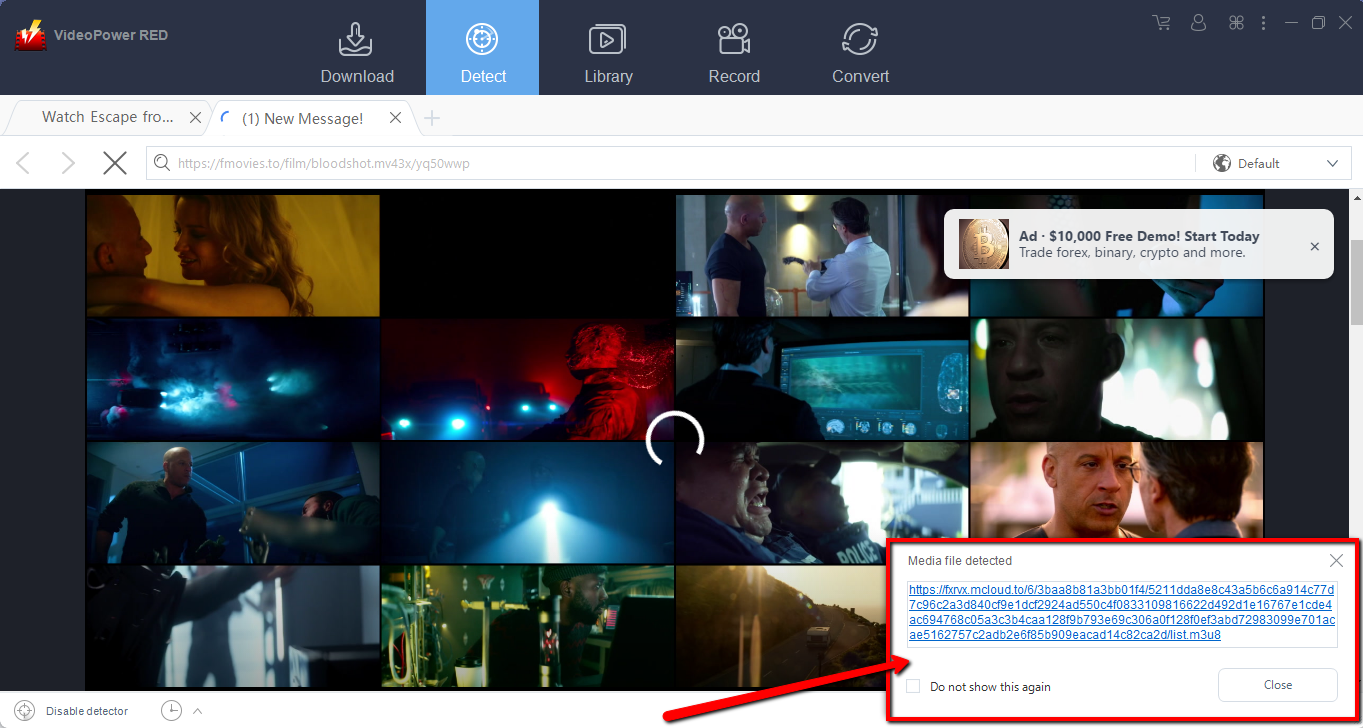
If the program supports the site, it will automatically download the videos from Nowvideo.
Step 2: Check the downloaded Nowvideo file
Wait for the download to finish, and then go to the “Completed” section to find the downloaded file. Right-click to do more operations and double-click to preview.

Method 3: Record videos from Nowvideo
Sometimes because of the web update or slow internet connection, the program can’t download the videos from the Nowvideo website anymore but you can still save the video by using the recording function.
Step 1: Set Recording Mode
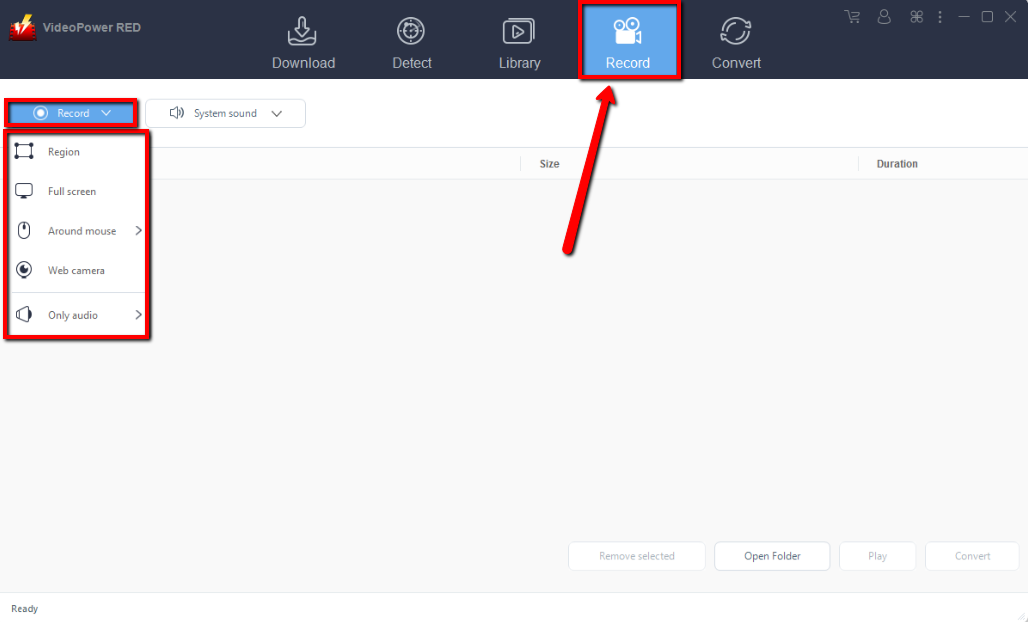
Click the “Record” tab to open the record window and select among the following recording modes such as “Region, Fullscreen, around mouse, and Web camera” to capture the exact and desired range of your screen. Click the preferred one to start the recording.
Step 2: Check the Recorded Nowvideo file
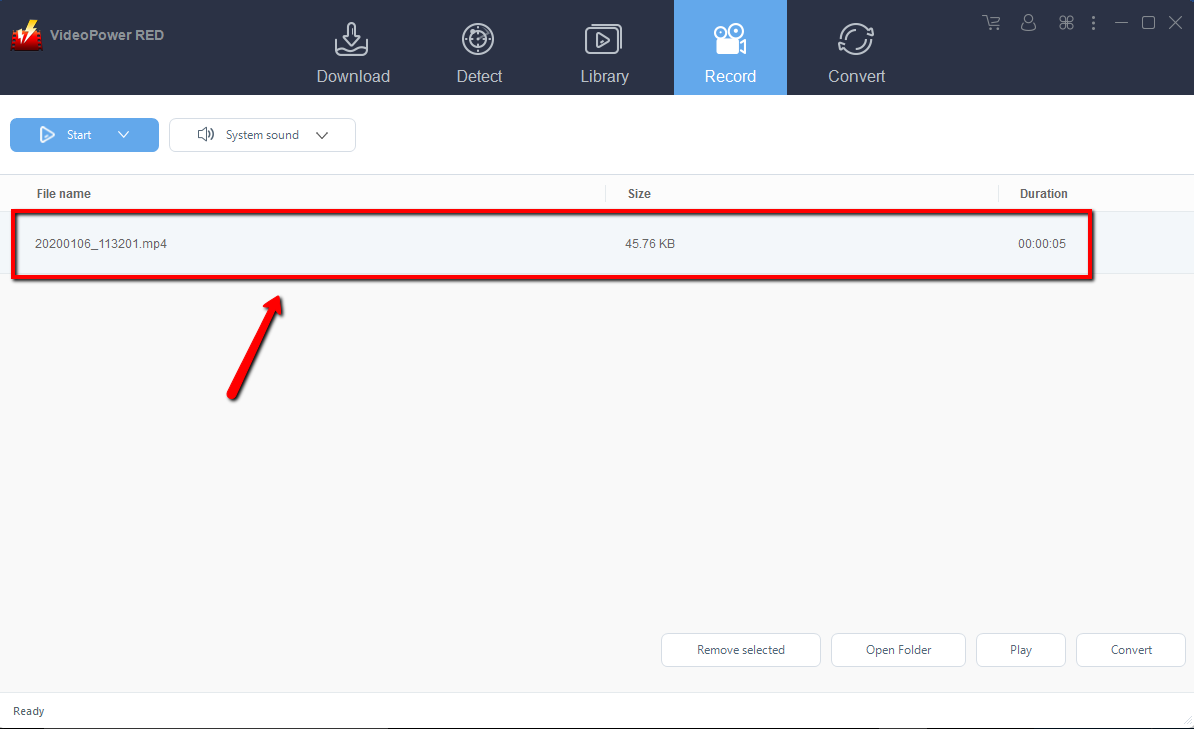
After recording, the recorded file can be seen in the record interface. Right-click to do more operations and double-click to preview.
Conclusion:
VideoPower RED is the best bet for downloading videos from Nowvideo. Now you don’t have to worry about grabbing videos from websites that need to pay before downloading their videos, this software will totally get it for free. Download now its trial version to test the power of this amazing Nowvideo Downloader.


