





Tips Index
YouTube is a video sharing site jam-packed with awesome and different kinds of contents like prank videos, news about politics and sports, different kinds of vlogs, and music. It is a great way to kill some time by sitting around and watching videos But sometimes, we feel like we would really want to watch videos in high resolution to experience the highest possible quality display, with crystal clear playback.
But to watch high-quality videos requires a stable internet connection. What video format actually suits a high-quality video when you download it? Can it be downloaded and saved in case of certain low frequency or internet access problems? The answer to your problems is here. Use VideoPower RED to download and preserve all the videos you desire online and watch it offline.
VideoPower RED is a powerful application that can Download youtube to MKV online and convert youtube to MKV. It can also download videos from different video sharing sites like YouTube, Twitch, Facebook, Twitter, Dailymotion, TED, Vevo, Vimeo, Instagram and many more. With this product, you can now enjoy the YouTube to MKV downloading process.
Just click the link below to download this app and follow through the guide below on How to Download YouTube Video in MKV Format.
Part 1: Download Video
In downloading a video from YouTube, you can use 4 methods with VideoPower RED product. The Copy and Paste, Embedded Detector, External Detector, and Recording methods. In downloading the YouTube video to be converted to MKV format, you can use 2 of the four methods that are discussed below.
Method 1: Copy and Paste URL
Step 1: Paste URL and download video.
Copy the link of the YouTube video that you want to download and then paste it into the program by clicking the “Paste URL” button. After that, you will see the video is downloading in the download control panel.
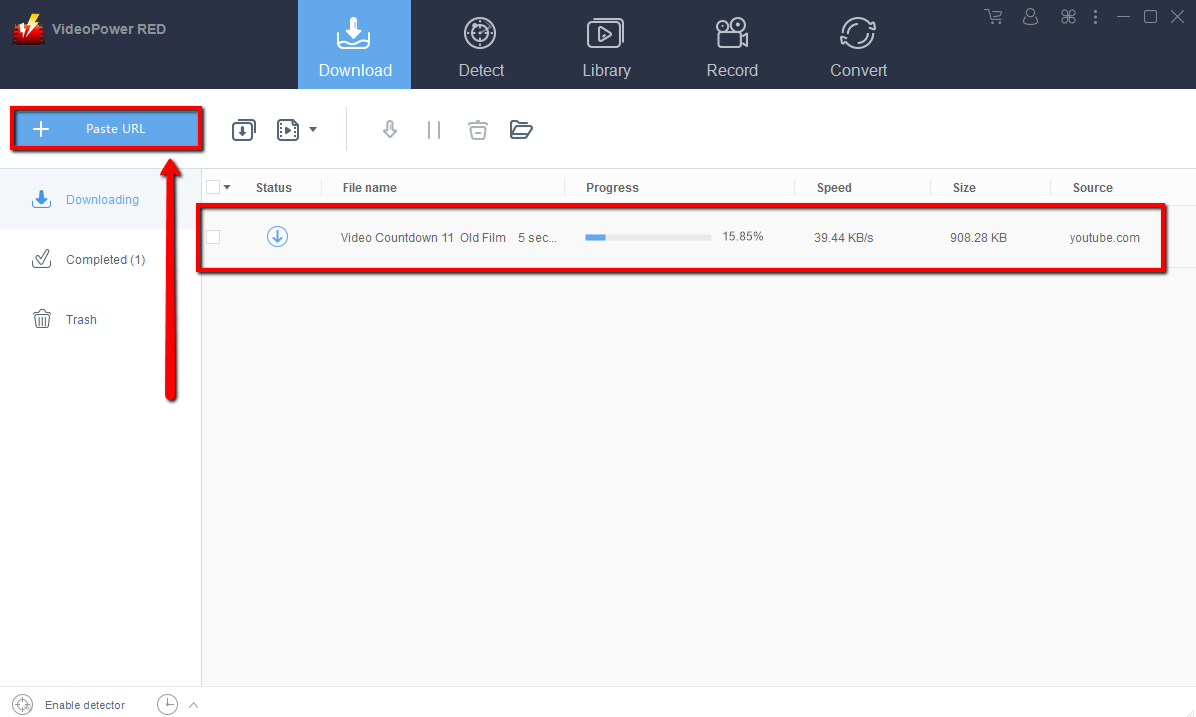
Step 2: Check the downloaded file
Wait for the download to finish, and then go to the “Completed” section to find the downloaded video. Right-click to do more operations and double-click to preview.
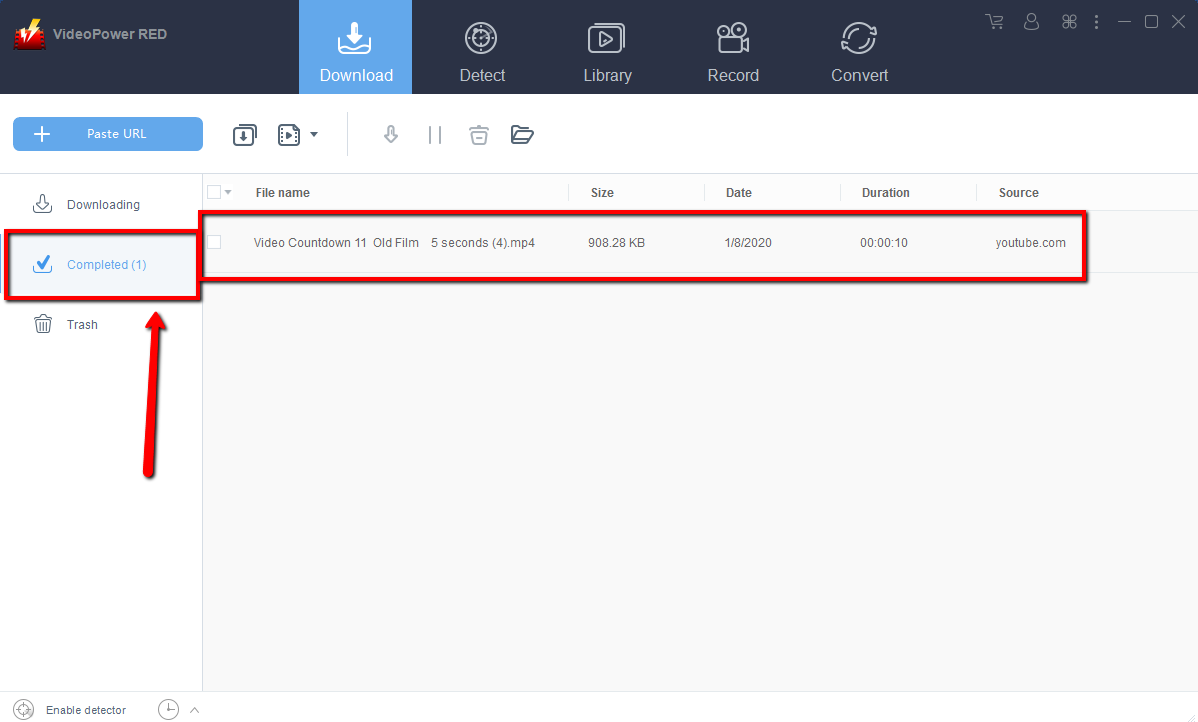
Method 2: Use the Embedded Browser
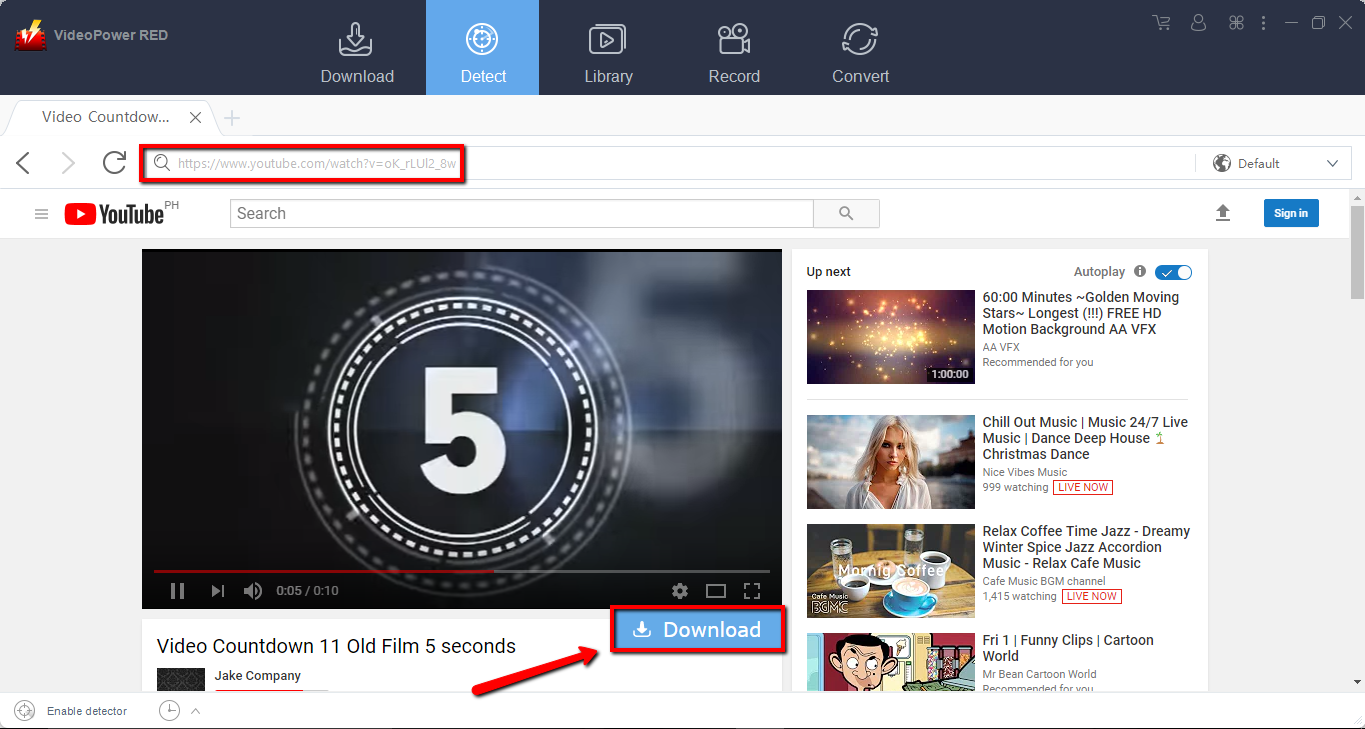
Step 1: Open the video page via an embedded browser
If the program supports the site, the video will be downloaded by clicking the download button below.
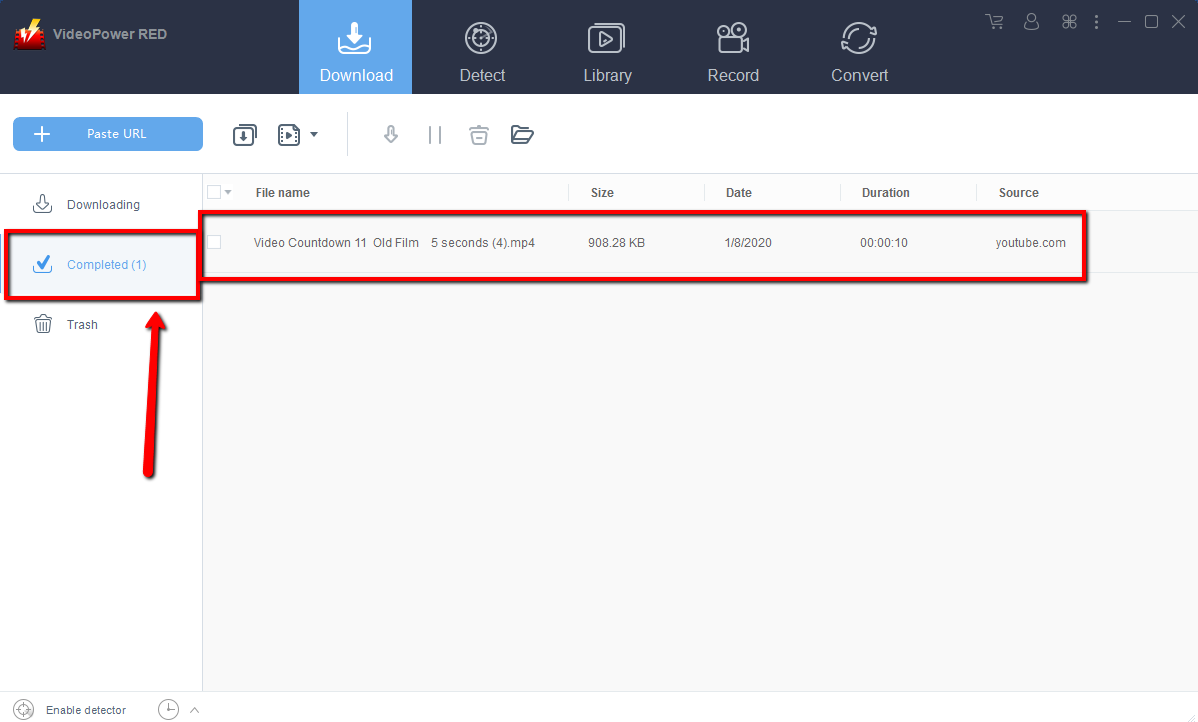
Step 2: Download Complete
Wait for the download to finish, and then go to the “Completed” section to find the downloaded video. Right-click to do more operations and double-click to preview.
Part 2: Convert Video to MKV
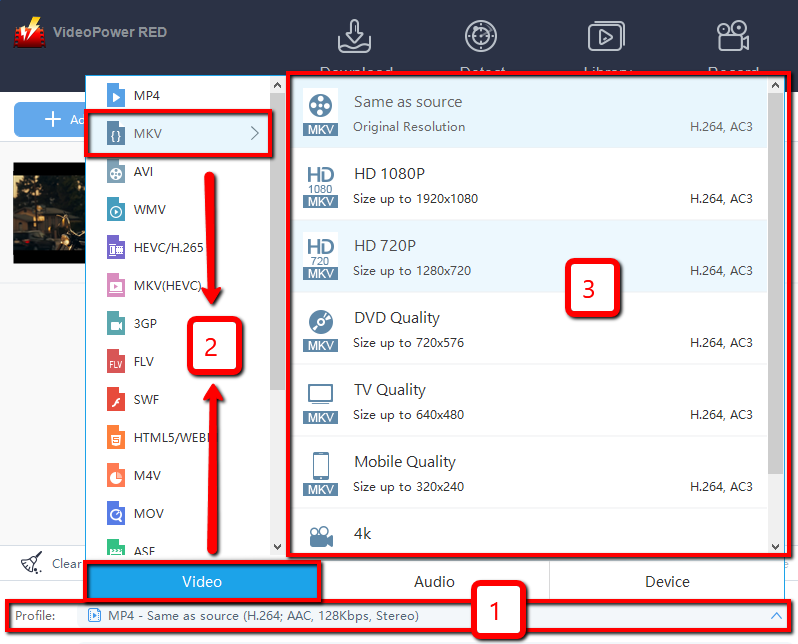
Step 1: Set the output format
1) Click the “Profile” drop-down menu, then choose the format you want from the profile list.
2) Here you can click “Video” and then “MKV”.
3) You may now choose the quality you prefer.
Step 2: Start Conversion
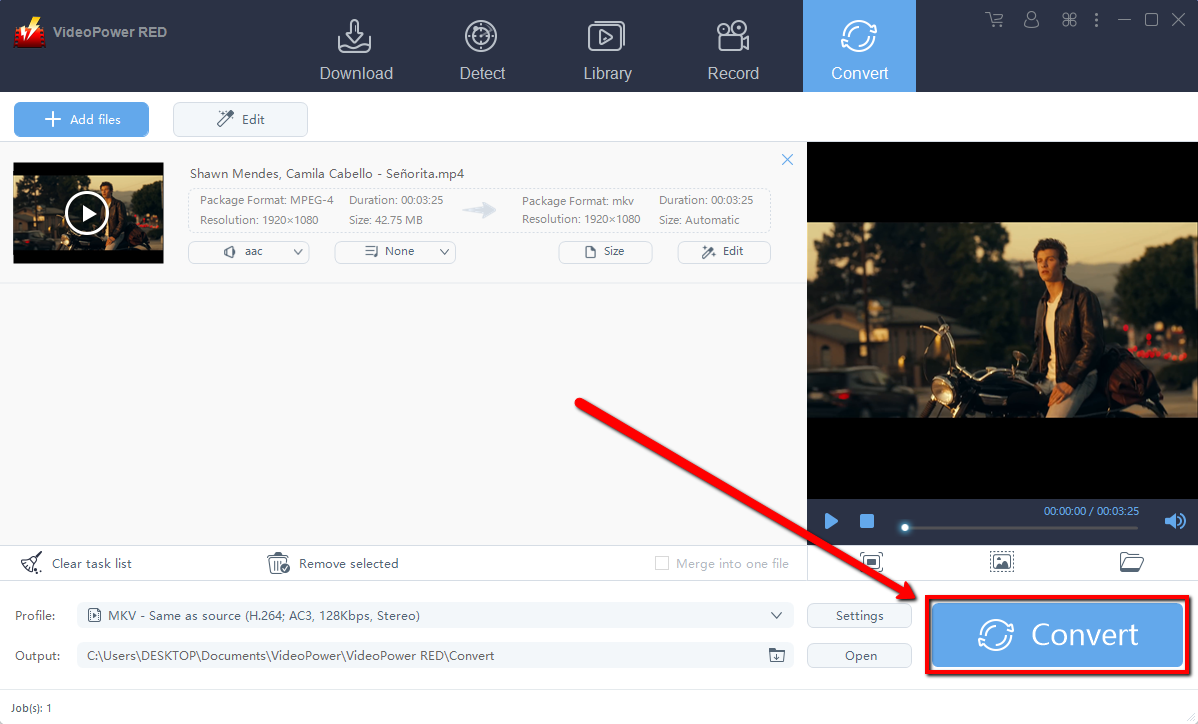
Return to the file list. Click the “Convert” button to start the conversion. After the conversion, the converted file will be saved in the default output folder.
Step 3: Find the Converted files
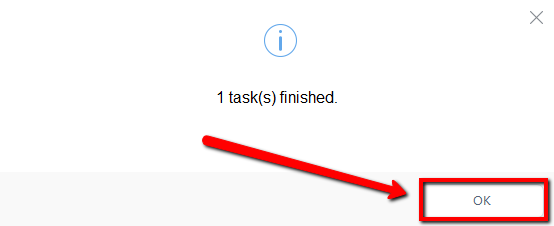
A pop-up window from the program will appear informing you that the conversion is complete. Click “OK” to open the output folder and find the MKV video.
Conclusion:
Introducing one of the fastest reliable video downloader software called VideoPower RED. The best in video downloading performance high-quality resolution results. Not just downloading, the app is very versatile that it can also record and convert files into different kinds of formats like MP4, MKV, AVI, WMV, and ETC.
It is quite simple to use with an easy-to-understand interface. the conversion and downloading speed are very high. One of its most highlighted features is it supports nearly all types of video/audio files to be converted. Batch conversion, basic video editing, and screen recording are available on it.
Isn’t it amazing to have VideoPower RED? Now, downloading videos is just a piece of cake. So what are you waiting for? Download now.


