





Tips Index
YouTube has been a very important household for years now. It generates thousands of videos every year with new genres being created every season. It has become a need especially when it comes to entertainment, information and news, and education. We often visit youTube for entertainment to unwind, watch movies, and documentaries but more to that is the content videos such as tutorials and news.
Since YouTube needs an internet connection to secure out viewing needs, software over time has been made to download from the site. But with the strict copyright that Youtube now implements it is almost impossible for some to download, although loopholes on the web are still available in the form of websites or software.
YouTube by Click is a software that runs only in macOS, it has the ability to surpass restrictions of Youtube and be able to download and convert videos through its interface. But the downgrade to this app is that it can’t run on the Windows operating system.
VideoPower RED is a powerful alternative to Youtube by Click on Windows and to any free video downloader in the market. It performs specific functions like YouTube by Click and surpassing it by extra amenities available on its interface. It can download streaming video from any website.
Method 1: Copy and Paste URL
Step 1: Copy and Paste the URL and download the video.
Copy the link of the video that you would like to download, for this example we will try youtube, then paste it into the program by clicking the “+ Paste URL” button. After that, the video will be downloaded into the program.

Step 2: Check the downloaded file.
Wait for the download to finish, and then go to the “Completed” tab to find the downloaded video. Right-click to do more operations and double-click to preview.

Method 2: Use the Embedded Browser
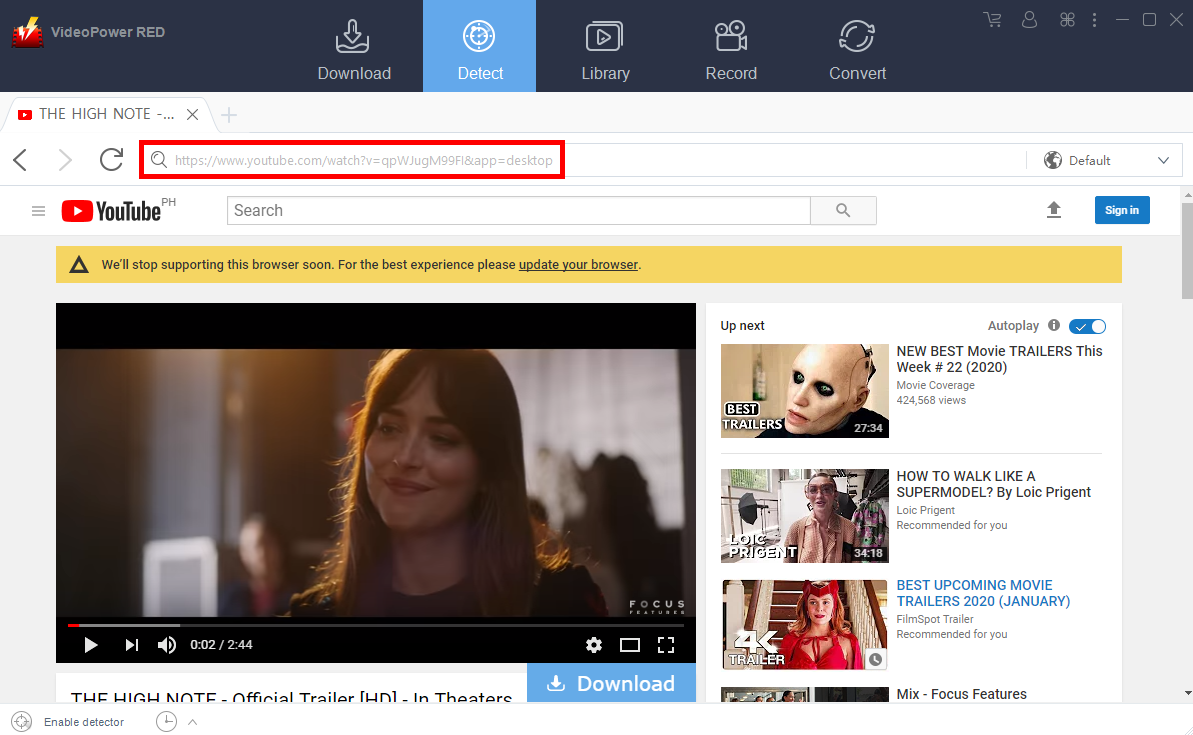
Step 1: Open the Youtube video page via an embedded browser
Open YouTube website that contains the video you desire to download. Copy the link of the video and paste the link by clicking the “+ Paste URL” button. The download will start automatically.
Step 2: Check the Downloaded File
Wait for the download to finish, and then go to the “Completed” tab to find the downloaded video. Right-click to do more operations and double-click to preview.
Method 3: Screen Record the Youtube video
For people in areas with a slow internet connection, you may opt to use the record function instead. It also best for protected files that cannot be downloaded.
Step 1: Set Recording Mode
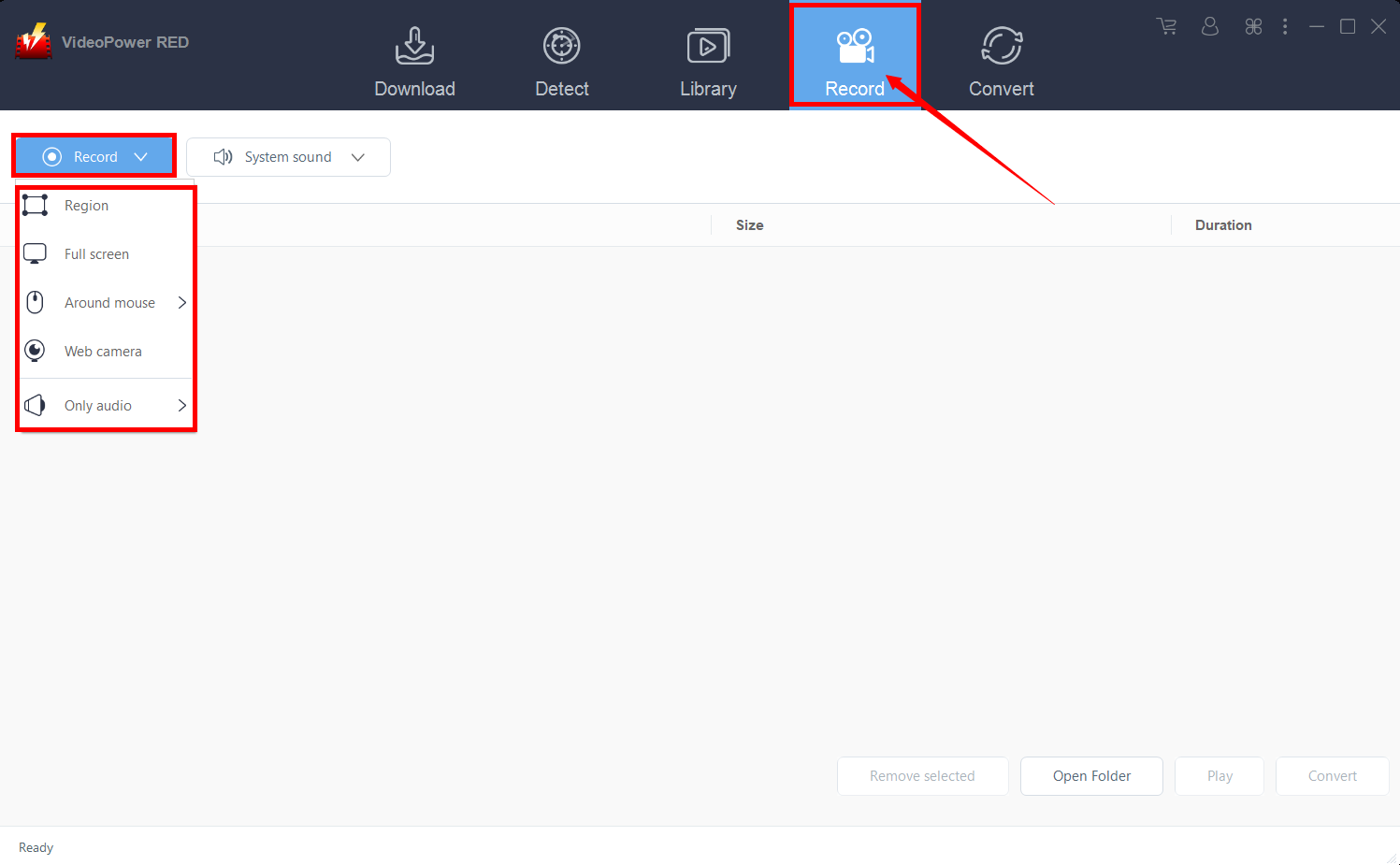
Click the “Record” tab to open the record window and select among the following recording modes such as “Region, Fullscreen, around mouse, and Web camera” to capture the exact and desired range of your screen. Click the preferred one and start recording.
Step 2: Check the recorded video.
After recording, the recorded file can be seen in the interface of the “Record” tab. Right-click to do more operations and double-click to preview.

Conclusion:
Youtube by Click’s availability has always been an issue for those who want the same access to youtube but sadly it is only for mac users. But, VideoPower RED has been an alternate software to Windows that can even surpass Youtube by click by its extra features that go beyond download and conversion. It has editing tools and a dedicated search engine within its interface, more to that it can record screens and audio for your extra tasks.


