





Tips Index
MTV is an American cable television channel, popular for its original airing of MTV music videos from featured artists where watchers can be updated on the latest music news and enjoy its original TV shows.
Over the years, the TV channel has also evolved into a website. MTV.com serves as the Internet hub for all MTV Channel and MTV News content making it their official website. The site MTV.com includes contents such as an online version of MTV News, podcasts, a commercial streaming service, movie features, profiles, and interviews with recording artists and from MTV’s television programs and some exclusive performances of artists.
As much as MTV.com is packed with all these videos, it doesn’t allow users to download MTV videos on their computers or mobile offline playback. If you want to download videos from MTV for later offline viewing, using a professional video downloader becomes a priority.
There are tons of free and online MTV downloaders available, but it can be difficult to choose the right solution for your needs. Online downloaders are a bit of a hassle if your internet connection is a little’ bit unstable’ because it results in poor output video quality.
A recommended software, VideoPower RED is a hassle-free and trusted MTV downloader application software that is useful for downloading original MTV shows, MTV music videos, news, TV series, live, streamings, interviews, etc. from its website.
This software will give you a great downloading experience that it’s hard to stop because the convenience it brings to its users is overwhelming. Store your favorite online MTV video with this software into your local storage that you can play on your PC or mobile phones.
Try using VideoPower RED to download MTV videos and enjoy unlimited offline playbacks. Click the download button below to install.
Method 1: Copy and Paste to Download MTV Videos
Step 1: Copy and paste URL of the video.
To start downloading MTV videos, go to its official website MTV.com, and copy the link of the video that you need to download.
Next, go to VideoPower RED, and click the “Paste URL” button at the upper leftmost part of the “Download” section. After pasting, the video will be processed in the “Downloading” tab.

Step 2: Check the Downloaded Video File.
Go to the “Downloaded” tab to see and check the downloaded MTV videos. Right-click to do more operations and double-click to preview.

Method 2: Auto-Detect (Embedded Detector)
Step 1: Open MTV on an embedded browser
Navigate to the “Detect” section to open up a browser to open MTV.com.
With this embedded browser comes an embedded detector which means the software will start analyzing the video file on the web page browser and automatically download the video.
1) Go to MTV.com and search for the MTV video that you want to download.
2) Play the video and a “Media File Detected” notice will appear to notify that the chosen file has been detected and will be downloaded automatically.

Step 2: Check Downloaded File
Go to the “Downloaded” tab to see and check the downloaded MTV videos. Right-click to do more operations and double-click to preview.
Method 3: External Detector
Step 1: Enable Advanced Detector
Activate the “Enable Advanced Detector” and start downloading.
1) Click the settings menu bar on the upper-right corner of the interface and navigate to the “Download” tab.
2) Set “Enable Advanced Detector” on the download settings and click “OK”.

3) Enable the detector located on the lower-left corner of the software interface.
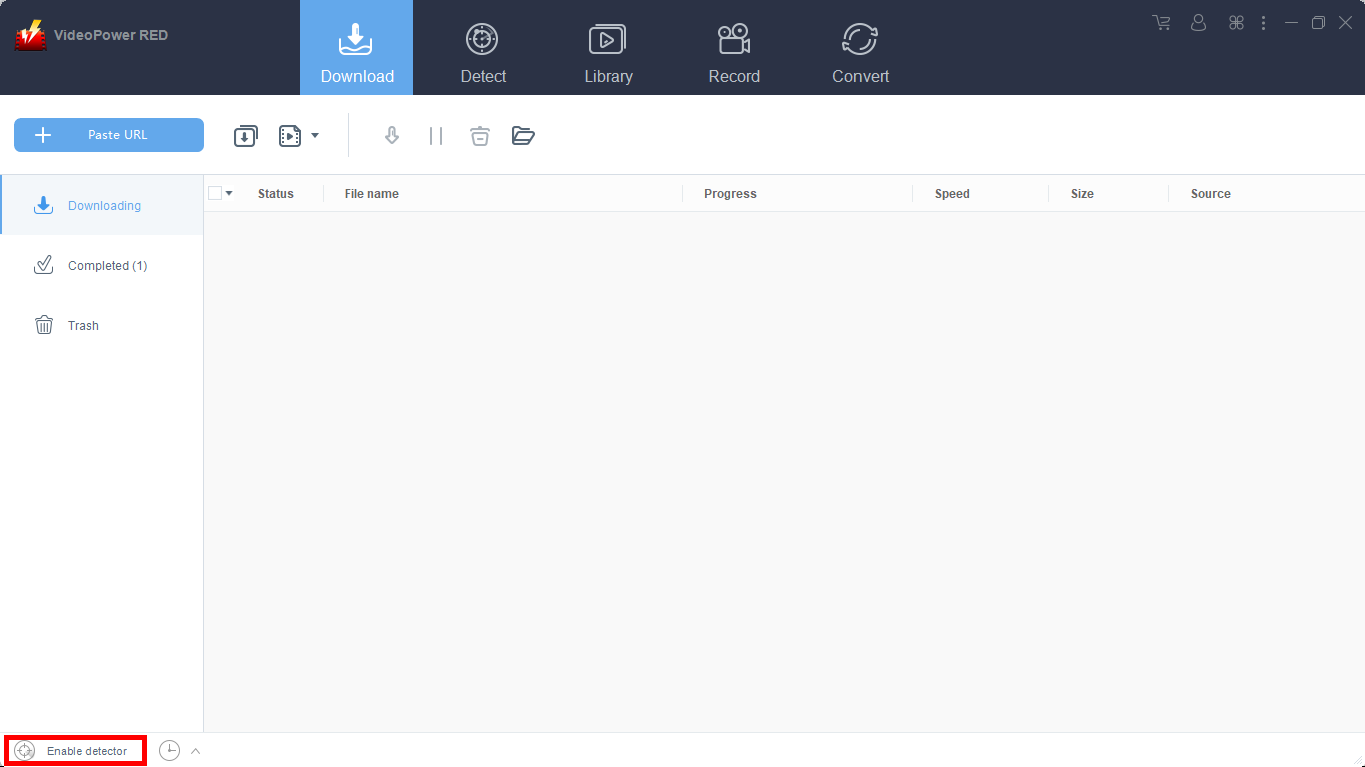
Open your preferred website to search for your favorite MTV Video. Play the video and it will be downloaded automatically.
Step 2: Check Downloaded File
Go to the “Downloaded” tab to see and check the downloaded MTV videos. Right-click to do more operations and double-click to preview.
Method 4: Screen Record
Note: This method is best for protected video files and slow internet connection areas.
Step 1: Choose a recording mode
Screen record MTV videos in five different modes; Region, Full screen, Around mouse, Web camera, Only audio. Choose one that you prefer and the recording will start automatically.
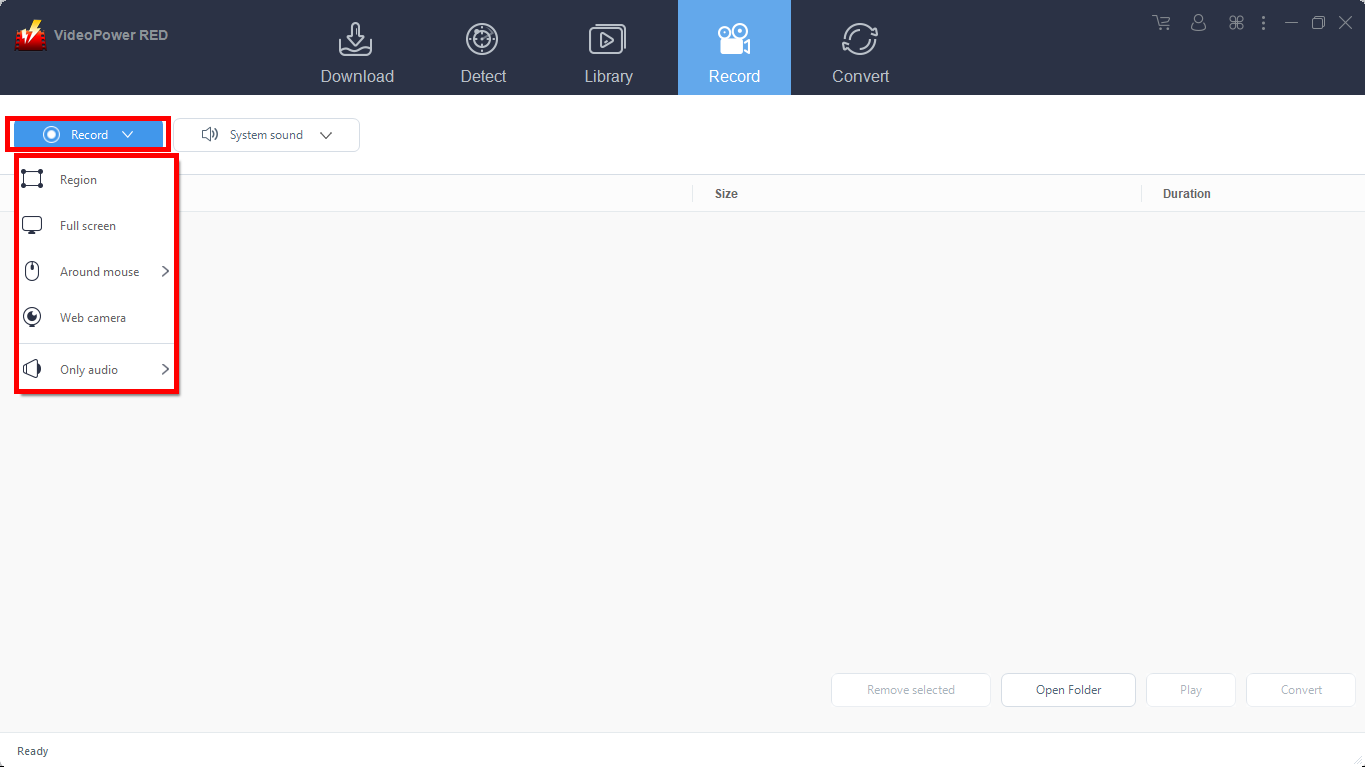
Step 2: Recorded File List
Recorded videos are displayed in the Record section. Right-click the file and do more operations if necessary.
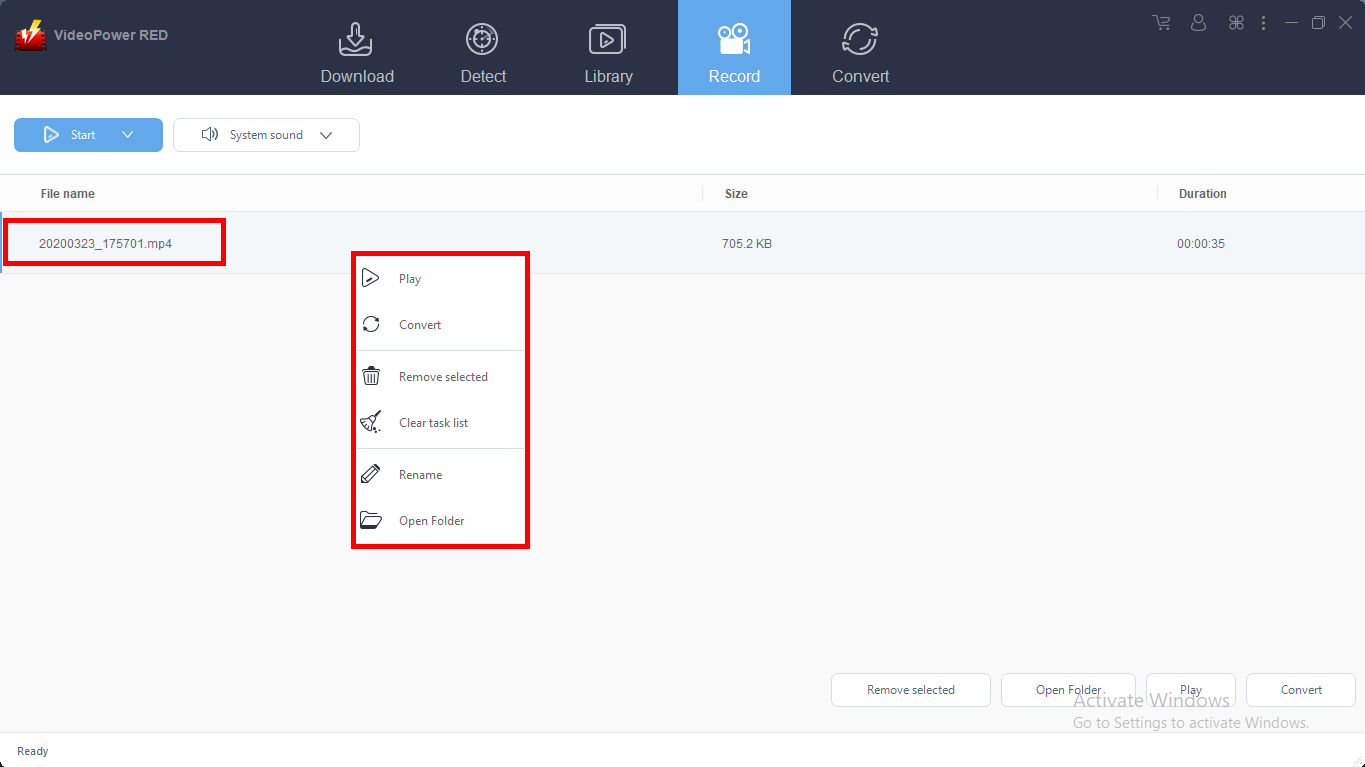
Conclusion:
And that is how simple to download MTV video and videos from any video sharing websites and VideoPower RED is known to be an excellent and easy application software that is best in downloading online videos. This product also has various useful and professional features such as; converting, recording and detecting multimedia files.


