





Tips Index
Do you want to download a video thumbnail from YouTube?
You might think that it’s impossible but don’t lose hope because you have come to the right place. You need to consider if the video is public if it is then there’s no problem that you can download YouTube thumbnail.
In doing this, you have to be careful about the reasons why you’ll want to download a video thumbnail. If you just want it for your own personal use, then that’s fine. It’s when you want to use it for broadcast or commercial purposes that you can be sued for copyright so just be careful.
So without further ado, let’s get on it.
Part 1: Download Thumbnail
Step 1: Paste the Video ID
To download thumbnails from a YouTube video, go to the watch page URL and the video ID will look like a random collection of numbers and letters, it’s after the equal symbol. Highlight all of that and copy it.

Step 2: Open a new browser tab
1) Type in the following URL on your internet browser tab. After that, all you need to do is replace the paste-youtube-video-id with the actual video ID.
Once the video ID is in place, you should press “ENTER” or click go and the thumbnail from that video will load.
https://img.youtube.com/vi/youtube-video-id/maxresdefault.jpg

2) To download the online thumbnail just right click on the image and click ‘Save Image As’ and then ‘Save’ to save it to your computer.

So that’s how you download any thumbnail from any video on YouTube.
Part 2: Download YouTube Video
If you want to download the videos where you got the thumbnail, then look no further because VideoPower RED is the ultimate video downloading solution.
The software has a lot of functions and features that could record and download videos easily. YouTube, one of the largest online video sharing websites has billions of content. If you want to download videos not just video thumbnails, then this software is perfect for you. One of the perks of watching videos on YouTube is the amount of diversity in the content – you can listen to music, podcasts, interviews, news, tutorials, etc.
When you download a video or videos from any website with VideoPower RED application software, you’ll be given 4 methods on how to do it easily. It is through, “Copy and Paste”, “Embedded Detector”, “External Detector” and “Screen Record” methods. To learn more about it, read the steps below.
Method 1: Copy and Paste URL
Step 1: Process Download
Go to the website where you want to download Youtube videos. Copy the URL of the selected video file that you want to download and then paste it on VideoPower RED by clicking the “Paste URL” button.
After this, the video will be processed in the “Downloading” control panel.

Step 2: Check the downloaded Video
After the downloading process is complete, go to the “Downloaded” control panel to see if the download video is completed. Right-click to do more operations and double-click to preview.

Method 2: Use Embedded Detector
Step 1: Start Downloading
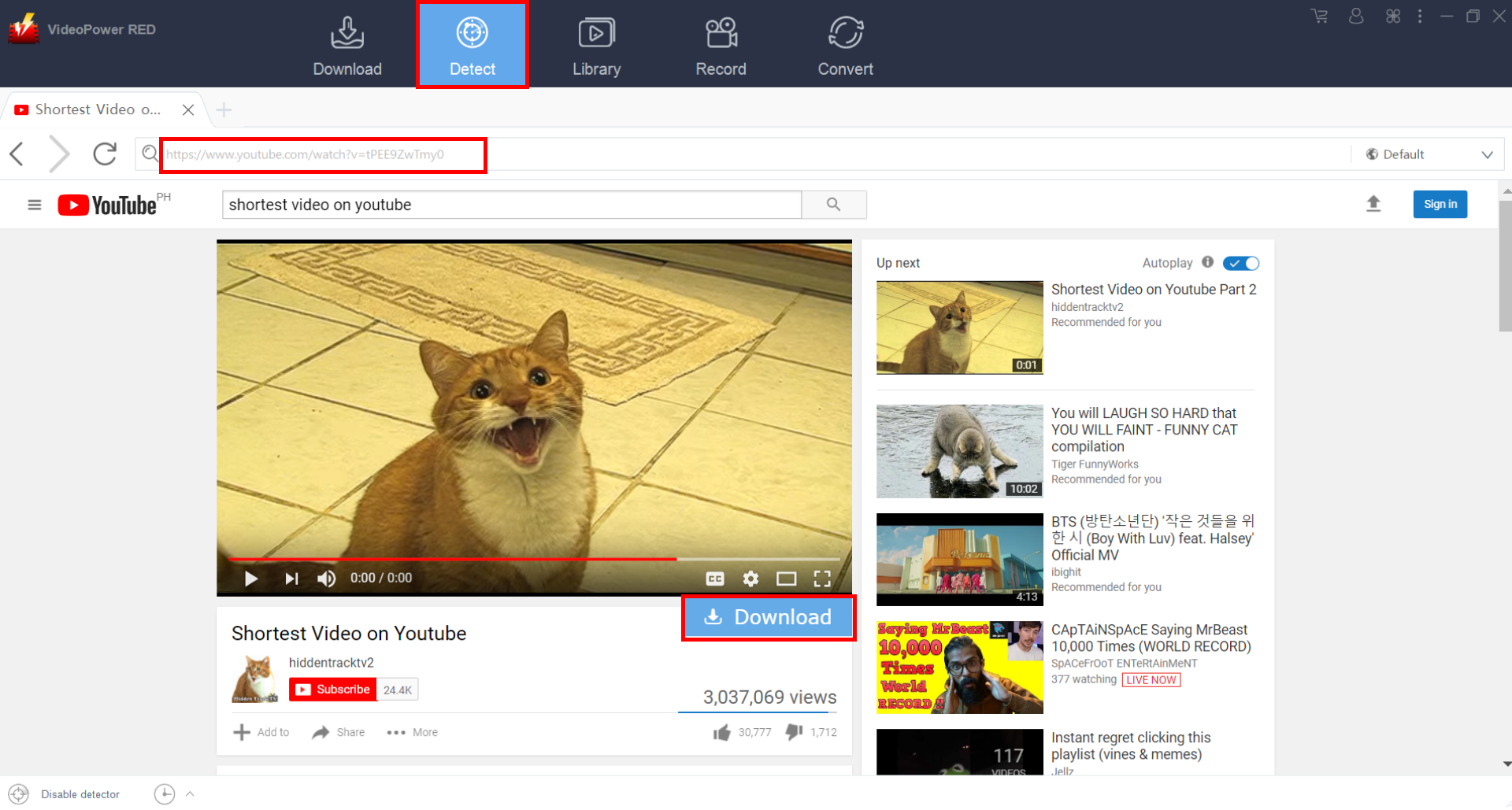
Open the video page via an embedded browser to Download the desired videos. If the program supports the site, the videos will be downloaded by clicking the download button below.
Step 2: Check the downloaded Video
After the downloading process is complete, go to the “Downloaded” control panel to see if the download video is completed. Right-click to do more operations and double-click to preview.
Method 3: Screen Record YouTube video
For people in areas with a slow internet connection, you may opt to use the record function instead. It is also best suited for protected videos that cannot be downloaded.
Step 1: Record video.
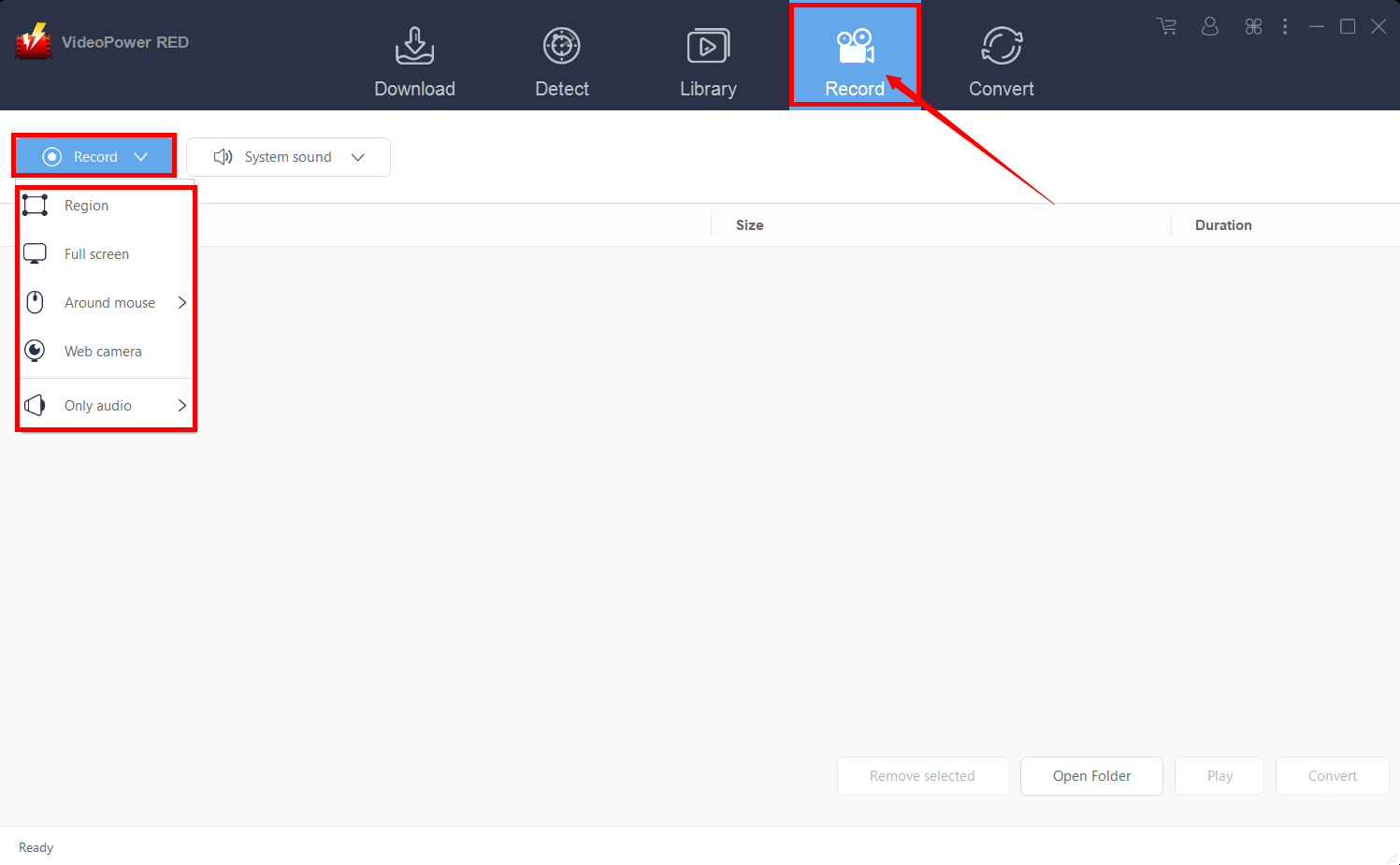
Click the “Record” tab to open the record window and select among the following recording modes such as “Region, Fullscreen, around mouse, and Web camera” to capture the exact and desired range of your screen. Click the preferred one and start recording.
Step 2: Check the recorded file.
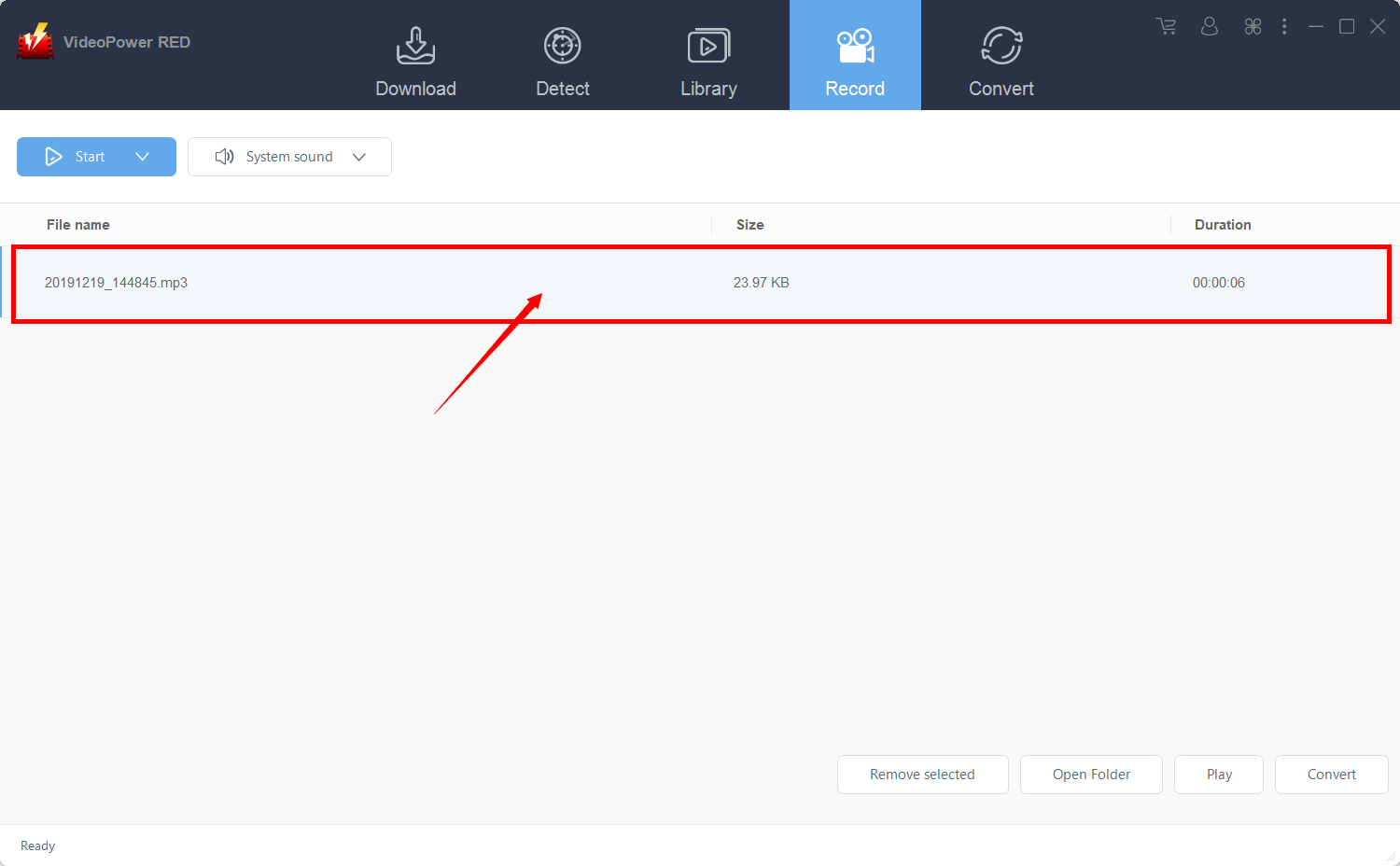
After recording, the recorded file can be seen in the record interface. Right-click to do more operations and double-click to preview.
Conclusion:
By the guide above is a simple & effective way to download Youtube thumbnail and to save the image file on your PC or smartphone. Always remember that a creator’s video on Youtube is their own copyrighted material and that says the same thing for their Youtube thumbnail.
In downloading Youtube videos, using VideoPower RED could save you tons of time. An effective video downloader with a built-in video editor, conversion tool, and screen recording function.
Download the trial version to try its awesome features!


