





Tips Index
Blogs are web logs that are updated regularly by the content authors. It usually contains helpful information like instructions or tutorials about a specific topic or things that you want to know more about or just for entertainment.
Most blog articles have embedded videos. These video blogs serve a great deal in making a blog more interesting and entertaining. Videos from these blogs are often found on social media platforms where they are shared with users all over the world.
Video blogs are embedded in sites like Twitter, Tumblr, Facebook, Vine, and many others and you might want to share it with your friends. If you want to keep a copy of these blog videos, you need an online video downloader. Bloggers can easily delete videos from their blogs and you will miss the chance to play these videos forever.
Given in this situation, you need to download videos using a Vlog (Video and Blog) Downloader to keep them on your computer for future sharing and viewing. Most blog sites do not have the option of downloading the video. But here, we will make the impossible, possible.
A popular third-party tool to download blog videos in 4 methods so there’s no way that it is impossible to keep a copy of your favorite video online.
Download online videos from anywhere on the web with VideoPower RED. A recommended software useful for downloading any blog video, news, TV series, live, streamings, interviews, etc.
Save your favorite blogger’s vlog video with this software into your local storage that you can play on your PC, mobile phones, or any device you want.
Click the download button below to install.
Method 1: Copy and Paste
Step 1: Copy and Paste the link and download a video blog
To start downloading videos from a blog site, copy the link of the video that you need to download and launch VideoPower RED.
Click the “Paste URL” button at the upper left most part of the “Download” section and video will be processed in the “Downloading” tab.

Step 2: Check the downloaded file
Go to the “Downloaded” tab to see and check the downloaded blog videos. Right-click the file if you want to do more operations like “Play” to watch the video playback.

Method 2: Auto-Detect (Embedded Detector)
Step 1: Open Video through an Embedded Detector
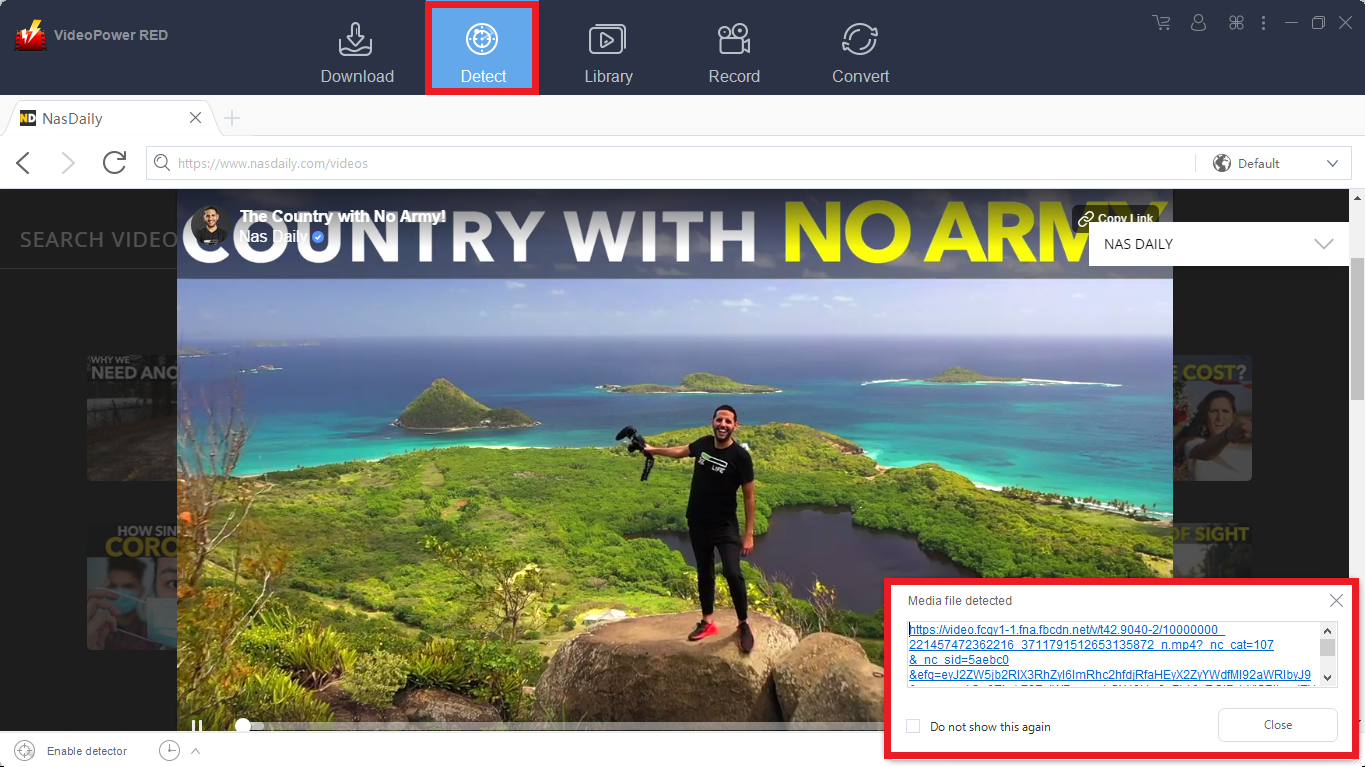
This embedded browser has an embedded detector that could analyze the video file on the browser and automatically download the video.
1) Open your preferred blog site and look for the video that you want to download.
2) Play the video and a “Media File Detected” notice will appear to notify that the chosen file has been detected and will be downloaded automatically.
Step 2: Check Downloaded File
Go to the “Downloaded” tab to see and check the downloaded blog videos. Right-click the file if you want to do more operations like “Play” to watch the video playback.
Method 3: External Detector
Step 1: Activate the “Enable Advanced Detector” and start downloading
Activate the “Enable Advanced Detector” and start downloading.
1) Click the settings menu bar on the upper-right corner of the interface and navigate to the “Download” tab.
2) Set “Enable Advanced Detector” on the download settings and click “OK”.

3) Enable the detector located on the lower-left corner of the software interface.
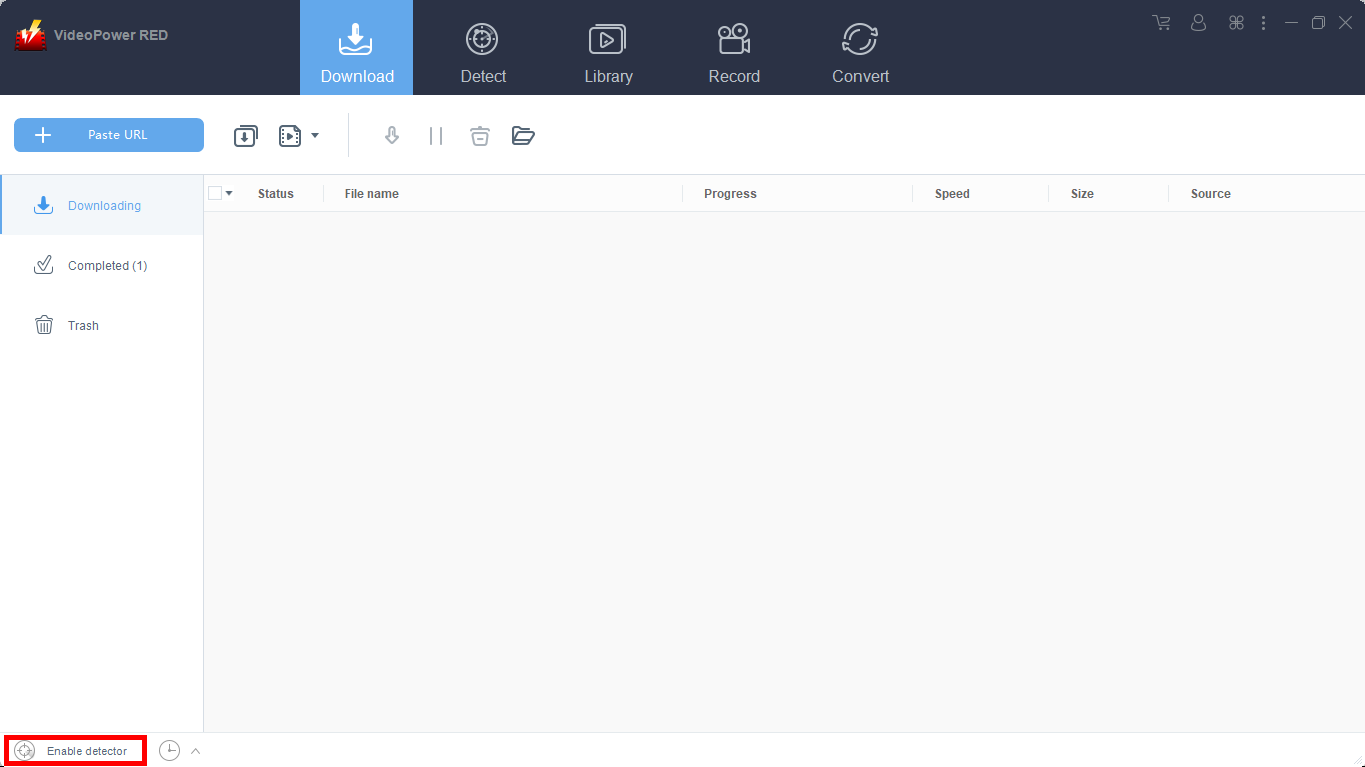
Open your preferred website to search for your preferred Video. Play the video and it will be downloaded automatically.
Step 2: Check Downloaded File
Go to the “Downloaded” tab to see and check the downloaded blog videos. Right-click the file if you want to do more operations like “Play” to watch the video playback.
Method 4: Screen Record
Note: This method is best for protected video files.
Step 1: Choose a recording mode
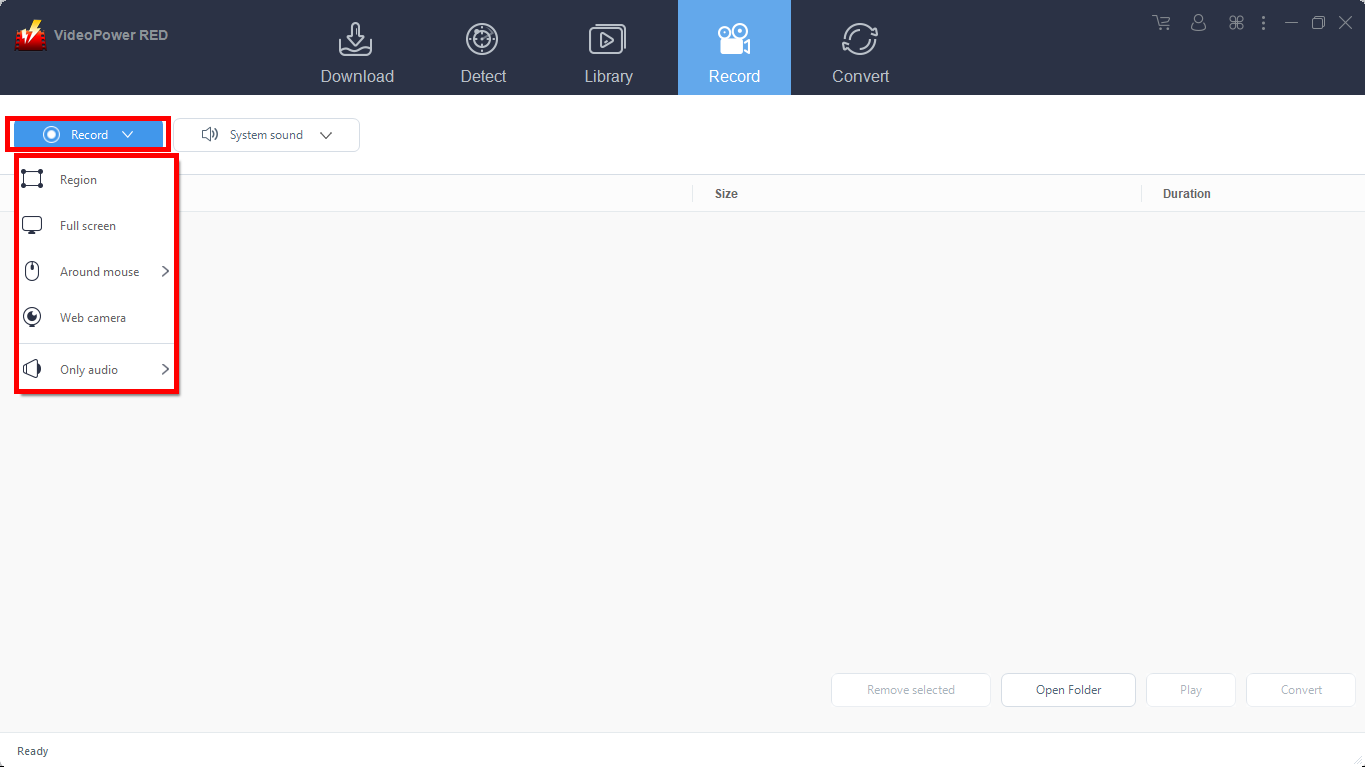
Screen record any video blogs in five different modes; Region, Full screen, Around mouse, Web camera, Only audio. Choose one that you like best and the recording will start automatically.
Step 2: Recorded File List
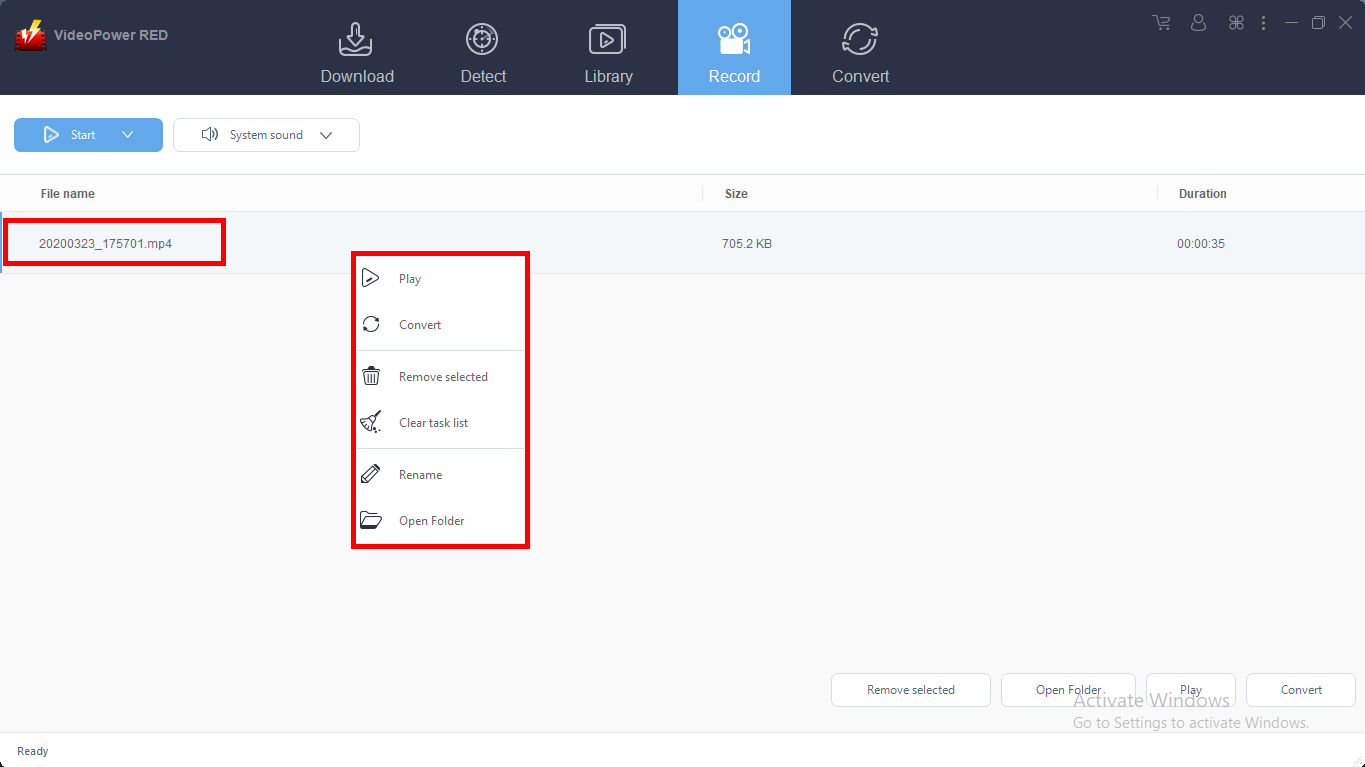
Recorded videos are displayed in the Record section. Right-click the recorded file and do more operations if necessary.
Conclusion:
Watching videos on the internet is one of many people’s sources of entertainment. To save all blog videos without any hassle, VideoPower RED is the ultimate lifesaver.
Video Keeper is the best blog downloader because it can grab video blogs or vlogs efficiently not just from popular sites but from more than a hundred video streaming sites so you can enjoy offline playback.
Furthermore, this product also comes with various useful features that can enhance your downloading experience. With this, you can store your desired videos locally with this product in four methods such as copy and paste, with an embedded detector, external detector, and screen recording methods.


