





Tips Index
The National Geographic Channel has been producing thousands of stunning videography of wildlife, science adrenaline, and human race development. It has a vast library of both educational and discovery documentaries meant to open thoughts with viewers of different ages. It has started its platform through television subscription or through cable connection but since the birth of the internet and wide access to websites, National Geographic has been an easy reach for all.
Aside from its website, the National Geographic Channel has several media accounts from both social and entertainment platforms from Instagram to Youtube. Since the drastic improvement of videography and powerful lenses that could capture high-speed objects to the microscopic organisms, the National Geographic Channel has pioneered and produced beautiful frames with qualities rushing from high definition to 4K.
National Geographic Youtube has been re-producing video documentaries since the popularity of such platforms. Youtube is one of the best go-to when it comes to watching the channel since it can carry such quality videos on its website. Aside from high definition and 4K, it also has the 3D experience to fully experience The National Geographic Channel’s new virtual reality platform. Currently, Youtube is one of the most visited video-sharing websites and especially the not-to-be-missed Nat Geo.
There are several online downloaders or even software that are capable of National Geographic HD 1080P video download or even beyond. VideoPower RED is one of the best software that could be downloaded on any website especially in Youtube with powerful function keys dedicated to grabbing clips of the best quality there could be.
You can try to use the software for free by downloading its trial version below.
Step 1: Copy and paste National Geographic video URL
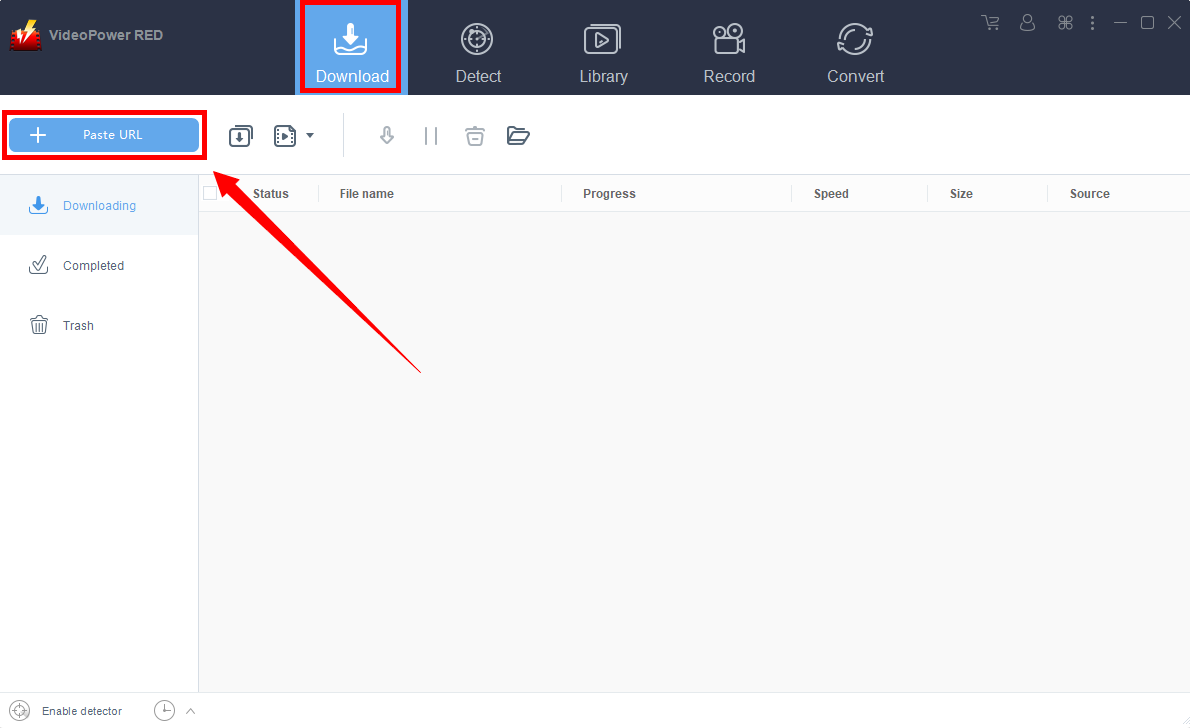
Navigate to National Geographic website, locate the video you want to download and copy its link. Launch VideoPower RED and click the “Paste URL” button at the upper left most part of the “Download” section and the video will be processed in the “Downloading” tab.
1.1 Open the video analyzer
The first thing you see in the interface is the Download tab. To ensure an HD video download, click to open the video analyzer where you can choose a resolution for your video download.

1.2 Paste the video URL
Navigate to National Geographic website, locate the video you want to download and copy its link. Paste it into the box under the “Precise download”. After that, click “Analyze” to start analyzing precise resolution for the video quality.
Video: To download HD quality videos, choose the highest resolution available. For video formats shown that do not contain audio, you can choose audio from the audio list, so your HD video can have audio too. You can choose to download MP4 or WebM format according to your need, here choose MP4 format for example.
Audio: To include audio in your video, select M4A format that is compatible with MP4. If you choose WebM video format, it’s best to choose WebM format in audio as well.
Click “OK” to start the download process.

Step 2: Downloading Process
After that, you will see the video is downloading in the download control panel.

Wait for the download to finish, and then go to the “Completed” section to find the downloaded video. Right-click on the file to do more actions like playback or to location folder.

Conclusion:
VideoPower RED is not only limited to National Geographic Video Download HD but instead, it can download to several video sharing websites with multiple functions and options to select with. It can also edit videos or clips recorded together with the downloaded file and convert them to several file formats. It can also burn and rip CDs. Try it now!


