





Tips Index
Tumblr is a popular blogging platform and in its peak years, it was highly praised in making its mark as a trusted blogging site and a social networking site as well. Many users love the simplicity and authenticity of Tumblr since they can write blogs, post pictures, videos, and music as well.
Users have their own accounts where they can post in any way that they want. Some are regarding Tumblr as a combination of a blog site and Twitter.
Tumblr is a great way to express your creativity and follow or share people who also share the same interest as you. If you are a Tumblr user and I would say I have seen numerous Tumblr videos that I want to download, I’ll bet you’ll say the same thing too.
Downloading video from a blog platform is not that easy, although there are many tools on the web that states they are able to do so, most of them are click baits.
To download Tumblr videos you will need a trusted and reliable Tumblr video Downloader. The easiest and the most convenient way to download a Tumblr video is VideoPower RED, an amazing and hassle-free third-party application software.
A high number of downloads and fast speeds are not the only reasons why VideoPower RED is the best way to do Tumblr video download at what it does. It is a tool that is famous for its features and flexibility while downloading in different formats. Even large video sizes are not a problem with this awesome Tumblr Video Downloader.
What are you waiting for? Click the link below to download and install the app.
Method 1: Copy and Paste
Step 1: Copy and paste Tumblr Video URL
Go to the Tumblr website and copy the URL of the selected video file that you want to download and then paste it on the product by clicking the “Paste URL” button. After this, the video will be processed in the “Downloading” control panel.
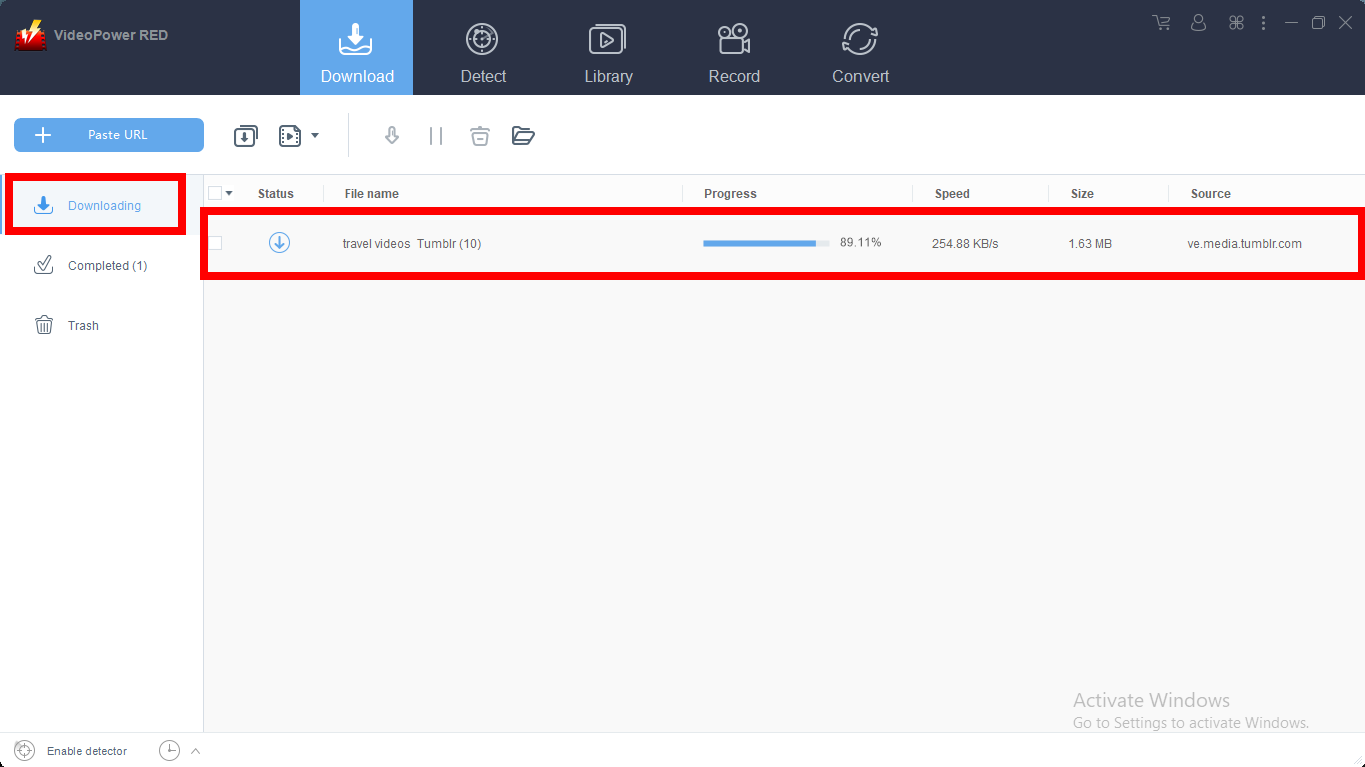
Step 2: Check the downloaded file
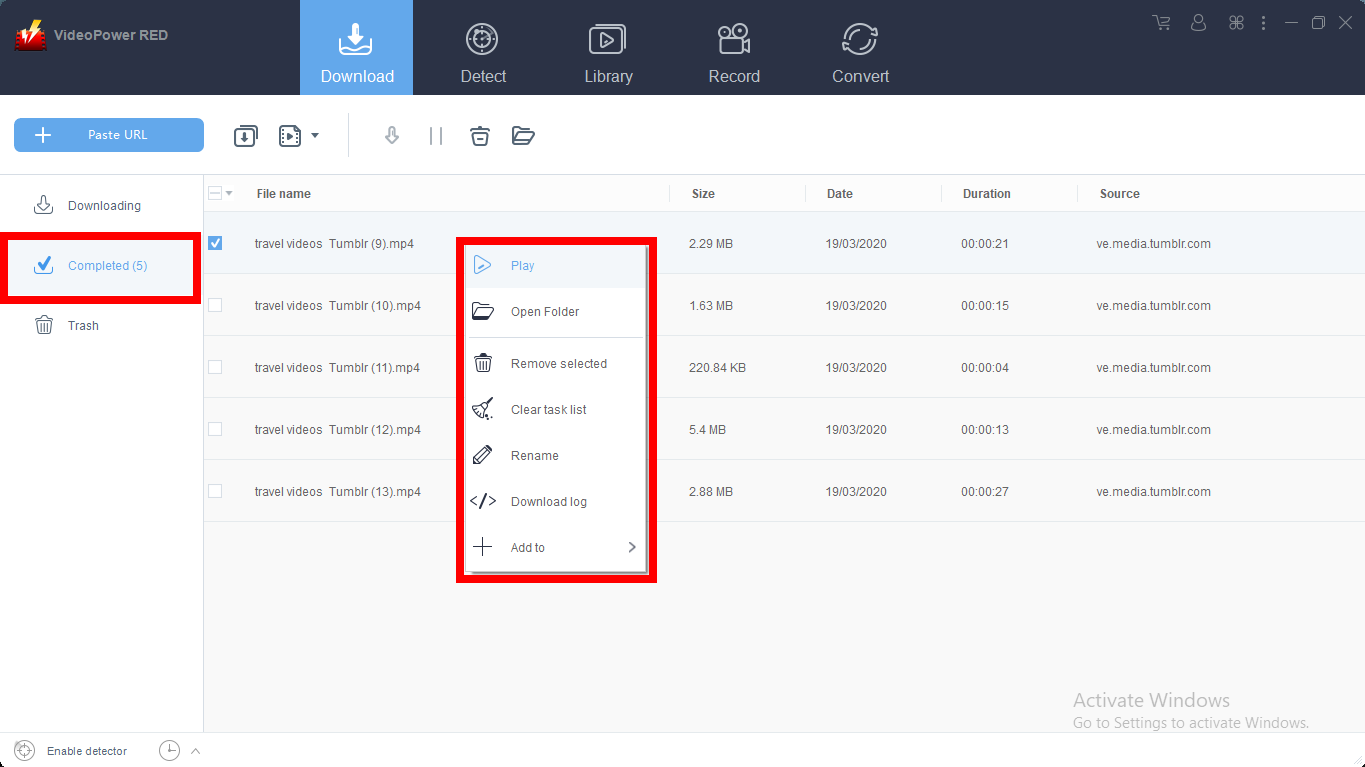
After the downloading process is complete, go to the “Downloaded” section to see and check the downloaded video.
Right-click the selected video to choose from the options on what to do next.
Method 2: Use the Embedded Browser
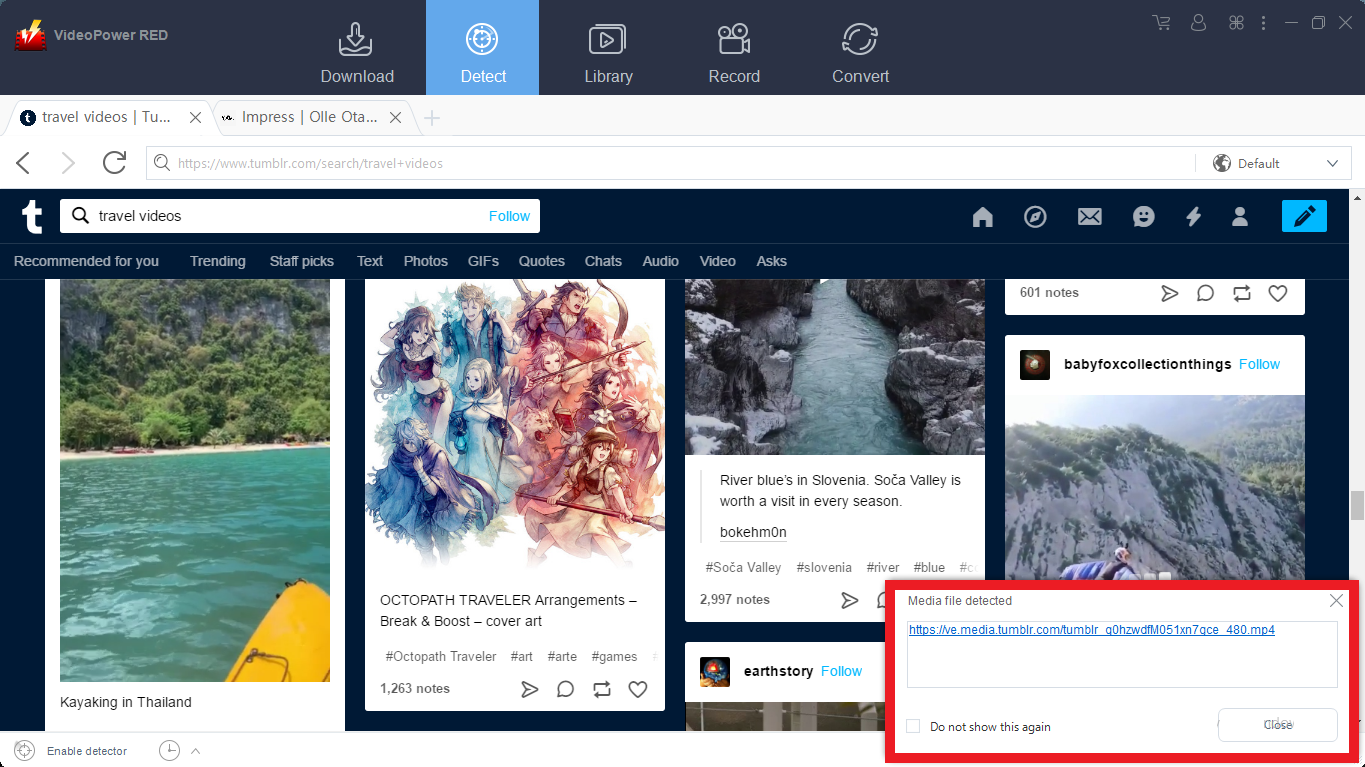
Download the desired video file using Auto-Detect on the “Detect” control panel. The software can detect the video being played on it and it will be downloaded automatically.
Open the site and play the video file you want to download.
A “Media File Detected” notice will appear to notify that the chosen file has been detected and will be downloaded automatically.
But for YouTube, the video can be downloaded by clicking the download button below the video or copying the link, like in the method 1.

Wait for the download to finish, and then go to the “Completed” section to find the downloaded video.

Method 3: Use the External detector
Settings operations
Click on the “Settings” button on the upper-right of the interface.

Enable Advanced Detector.
Click on the “Enable advanced detector(Support HTTPS)” under the “Download” tab. Click “Ok” to save the changes made.

Enable Detector.
Enable the detector located on the lower left of the software.

Play the video
Open the video website and play any video you want to download. The smart tool of this Advanced Detector will automatically download any video you play. A “Media File Detected” pop-up will appear every time the program detects a video.

Wait for the download to finish, and then go to the “Completed” section to find the downloaded video.
Method 4: Record video
Sometimes because of the web update or slow internet connection, the program can’t download the video anymore but you can still save the video by using the recording function.
Step 1: Record video
Click the “Record” tab to record the video and Select from “Region, Fullscreen, around mouse or Web camera” as preferred.

Step 2: Check the recorded video.
After recording, the recorded file can be seen in the record interface.

Conclusion:
Videos are a great way to share information, thus Tumblr videos have been so popular with its users for different contents. Whatever your purpose in doing Tumblr download, VideoPower RED is glad to be a part of downloading it for you. You can continuously watch your desired favorite shows and movies from other sites through offline playback.
VideoPower RED is known to be a multi-faceted software that is best in downloading online videos. This product has various useful features such as screen capturing, recording, converting, and video editing.


