





Tips Index
Time is rapidly changing especially when we talk about technology. Try to evaluate and take a look around you. Nowadays, some latest 3D videos do not require glasses in some ways anymore. The best example for this is the Nintendo 3DS, Nintendo’s newest portable gaming device, which is one heck of a device. One of its amazing ploys is syncing a lentiform display on the camera facing towards you.
By using eye recognition, it can lane with the user’s face and move the display to precisely show 3D no matter how the user will view the screens. And did you know that YouTube has simple and plain 3D videos uploaded in different genres? For example, you can enjoy the live performance of your favorite singer, vlogger, or band in 3D, this is quite fascinating. These uploaded 3D videos can also be downloaded for offline purposes. All you need to have is a 3d video downloader app to save 3D videos locally.
Introducing VideoPower RED, one of the most powerful, reliable, and versatile 3D video downloader in HD. The app can also download videos from any video sharing site including, Facebook, YouTube, Instagram, Twitter, Vimeo, Dailymotion, Vevo, Twitch, and many more. It has ultra-fast downloading speed and very satisfying quality results.
Just click the link below to download and enjoy using this free app and follow through the guide on How to Download 3D video from YouTube.
Method 1: Copy and Paste
Step 1: Paste URL and download video.
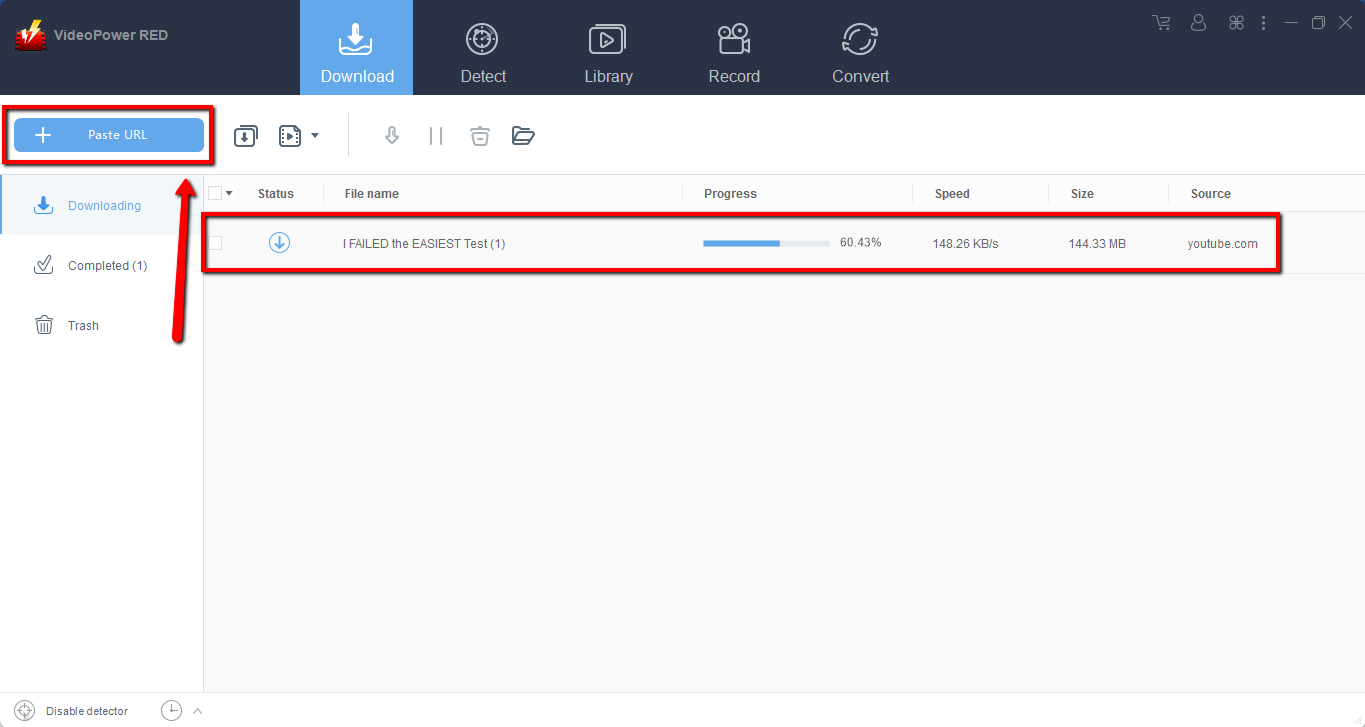
Copy the link of the video that you want to download and then paste it into the program by clicking the “Paste URL” button. After that, you will see the video is downloading in the download control panel.
Step 2: Check the downloaded file
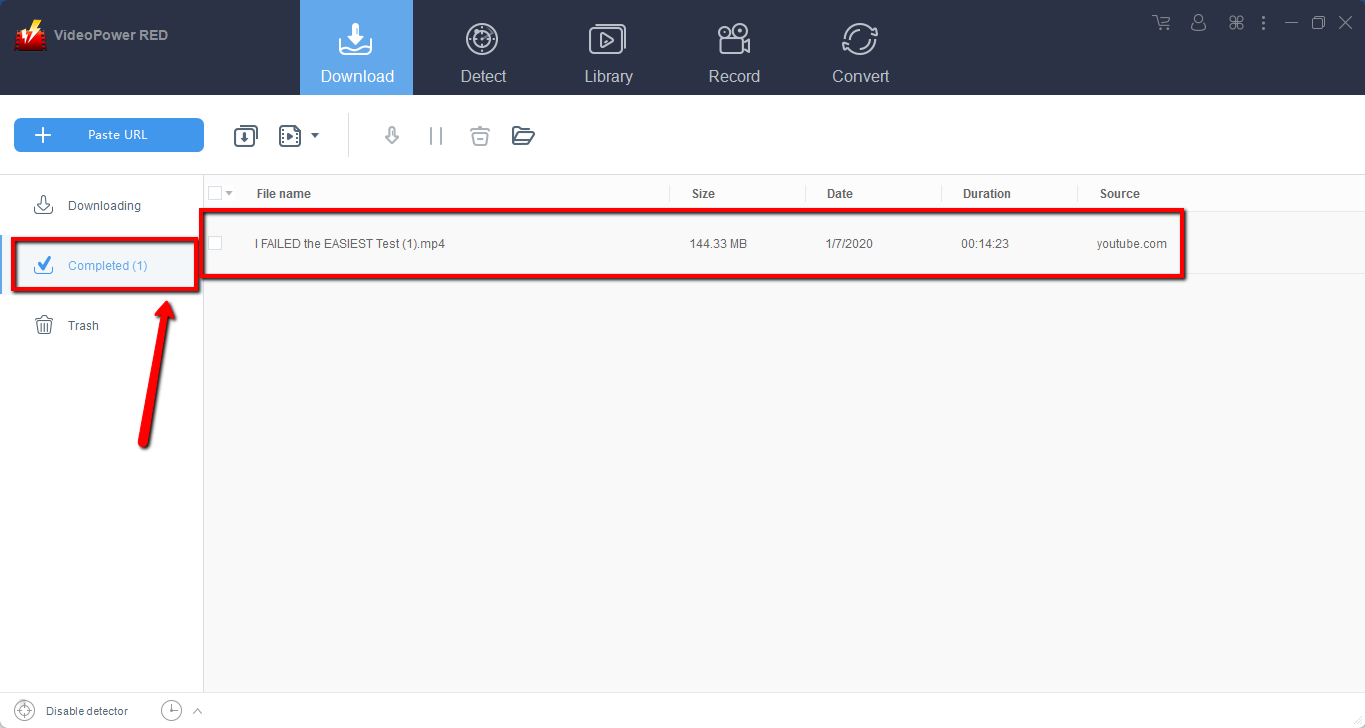
Wait for the download to finish, and then go to the “Completed” section to find the downloaded video. Right-click to do more operations and double-click to preview.
Method 2: Use the Embedded Browser
Step 1: Open the video page via an embedded browser
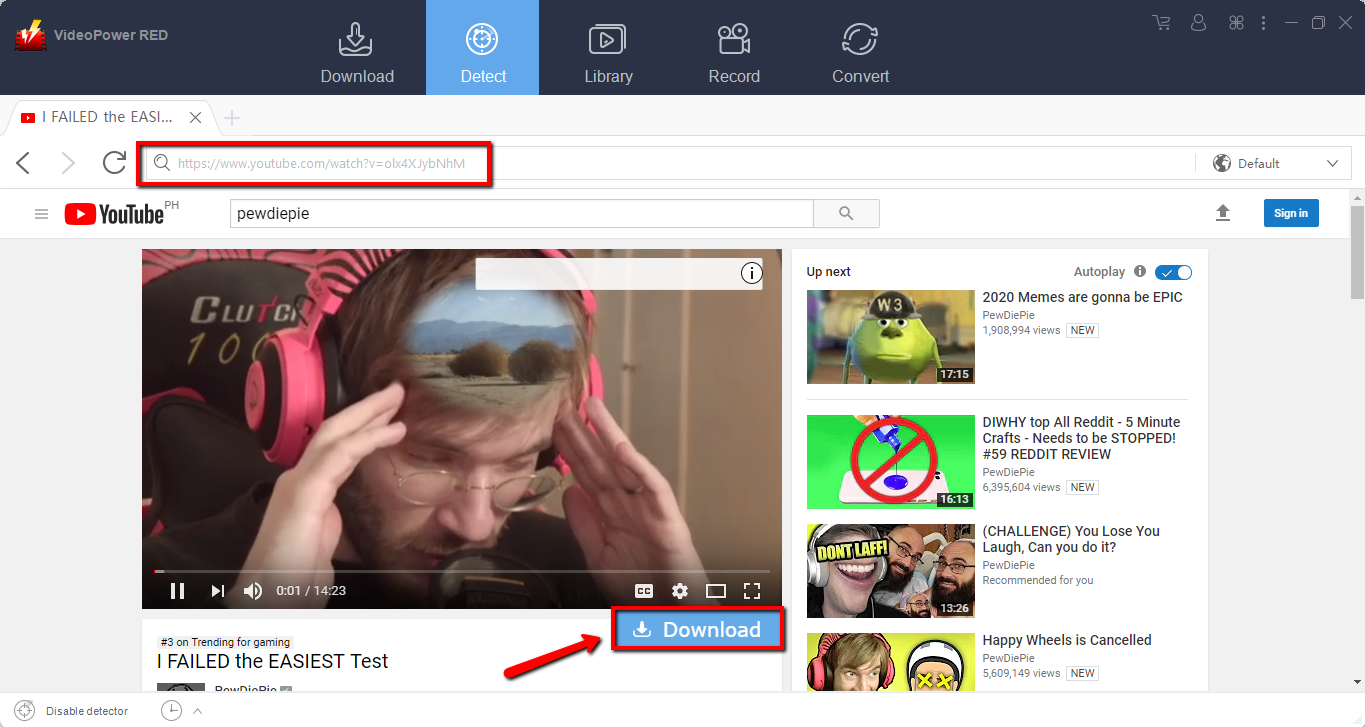
If the program supports the site, the video will be downloaded by clicking the download button below.
Step 2: Check Downloaded Video
Wait for the download to finish, and then go to the “Completed” section to find the downloaded video. Right-click to do more operations and double-click to preview.

Method 3: Record video
Sometimes because of the web update or slow internet connection, the program can’t download the video anymore but you can still save the video by using the recording function.
Step 1: Set Recording Mode
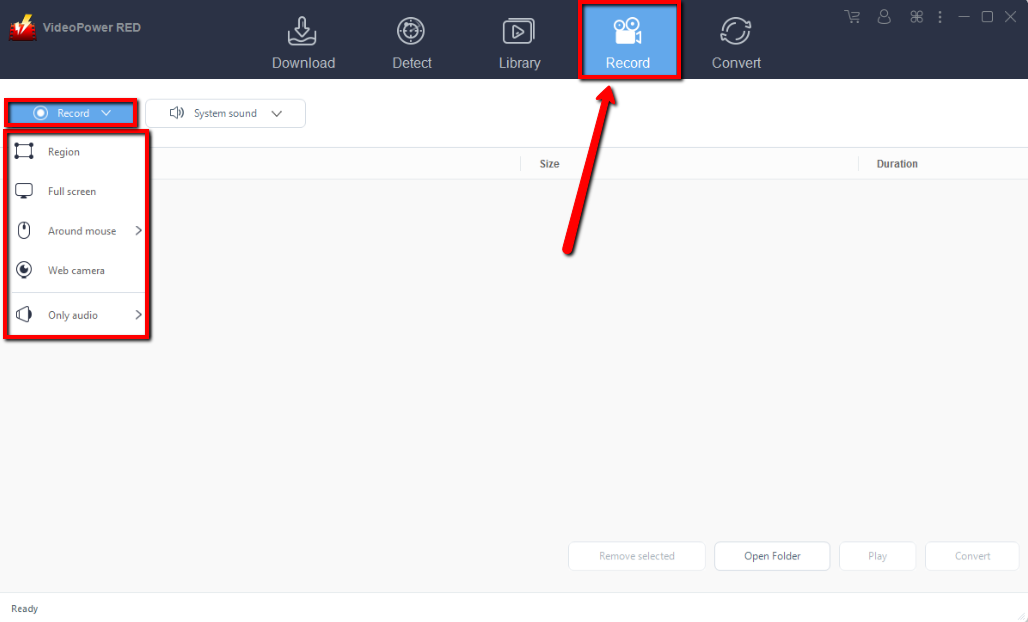
Click the “Record” tab to open the recording window and select modes from the following: “Region, Fullscreen, around mouse or Web camera”. Select one as preferred.
Step 2: Check the recorded video
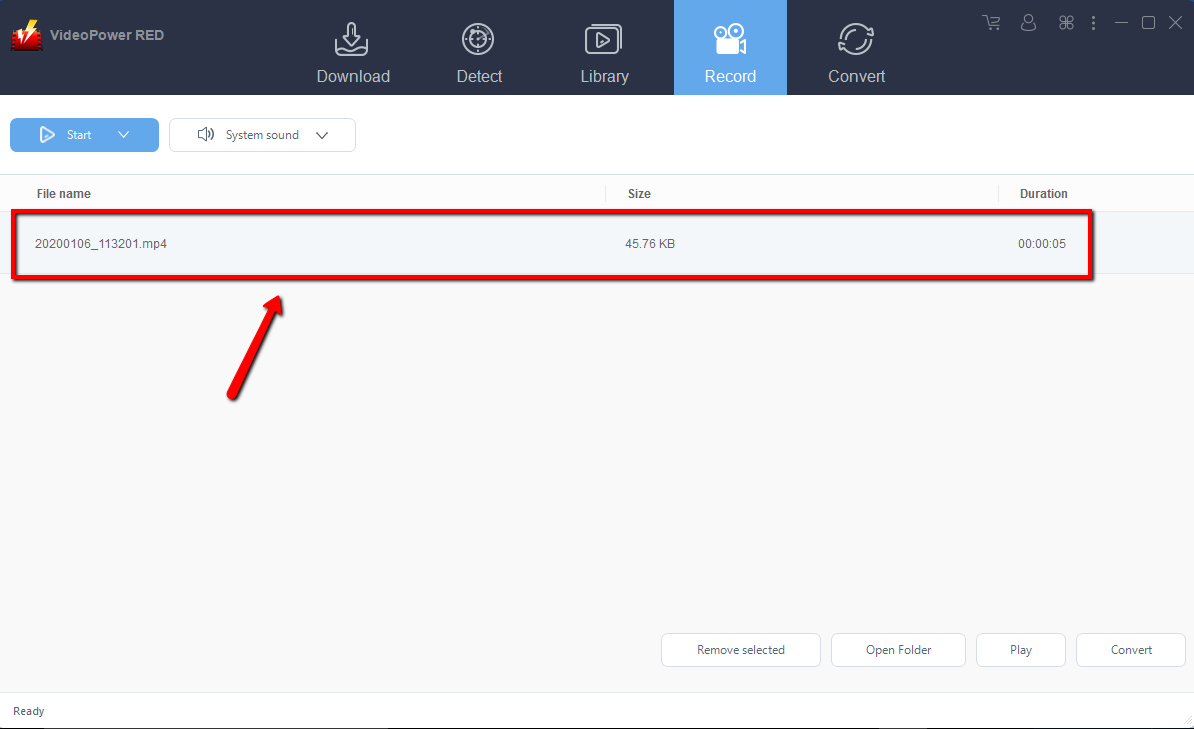
After recording, the recorded file will be seen in the record interface. You can right-click to do more operations and double-click to preview.
Conclusion:
We introduced to you one of the most versatile and reliable 3d video downloader software called VideoPower RED. This free app is capable of downloading thousands of videos on different video sharing sites like VEVO, Dailymotion, TED, Twitter, Facebook, YouTube, Instagram, Twitch, and ETC.
The app is very easy to use and has satisfying results. It can also download and convert audio/video files into different formats such as MP4, MKV, AVI, 3GP, M4V, FLV, MP3, MP2, WMA, and many more. it can also record videos in Region, Fullscreen, Around Mouse, and Web camera, isn’t it amazing to have VideoPower RED help you fulfill your needs?
It is quite simple to use with an easy-to-understand interface. The conversion speed is very high. One of its most highlighted features is it supports nearly all types of video/audio files to be converted here. Batch conversion, basic video editing, and quality modification are available on it.
Convert videos to formats that work on your mobile phone, tablet, TV media player, game console, computer, or web browser.
Now, downloading videos is very easy. So what are you waiting for? Download now and experience its full features.


