





Tips Index
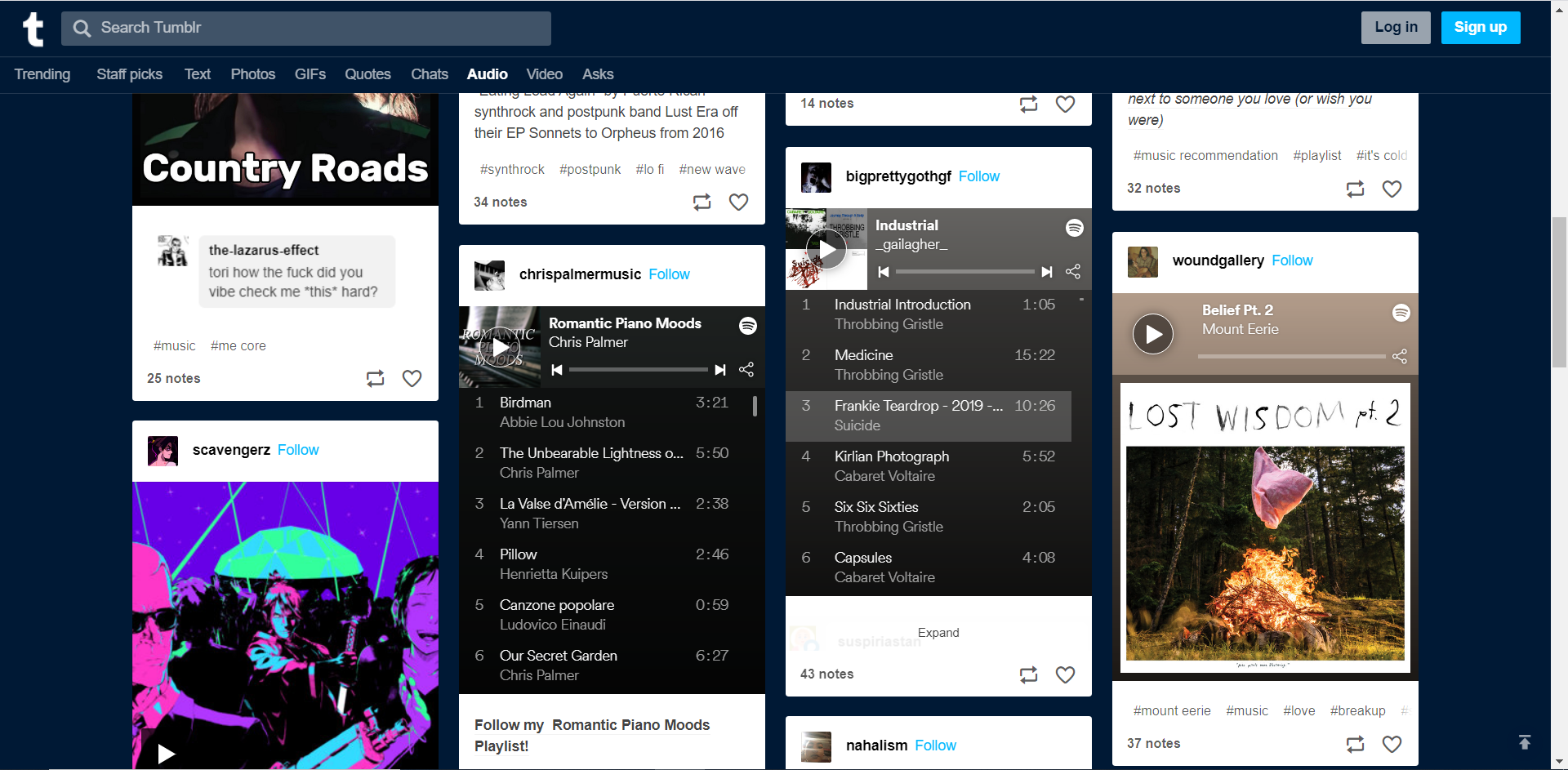
Tumblr is one of the largest blogging website in the world and very popular since users can write blogs, post pictures, videos, and music as well.
People love using this site because they can post many forms of content on Tumblr, such as text, photo quote, link, chat, audio, and video. The most commonly posted on this site including favorite music playlist.
Users are looking for a way to download Tumblr audio so they can play it anytime and anywhere without the Internet. Like most blogging websites, Tumblr does not provide a download feature when it comes to their videos and audios – simply because it’s not really that common.
However, for people that want to record online audio material from Tumblr, you can use VideoPower YELLOW. Download the software by clicking the link below for free.
Follow this simple guide to download Tumblr audio in 2 ways.
Method 1: Record the audio
This is the first method to download an audio track from Tumblr.
1. Run the program
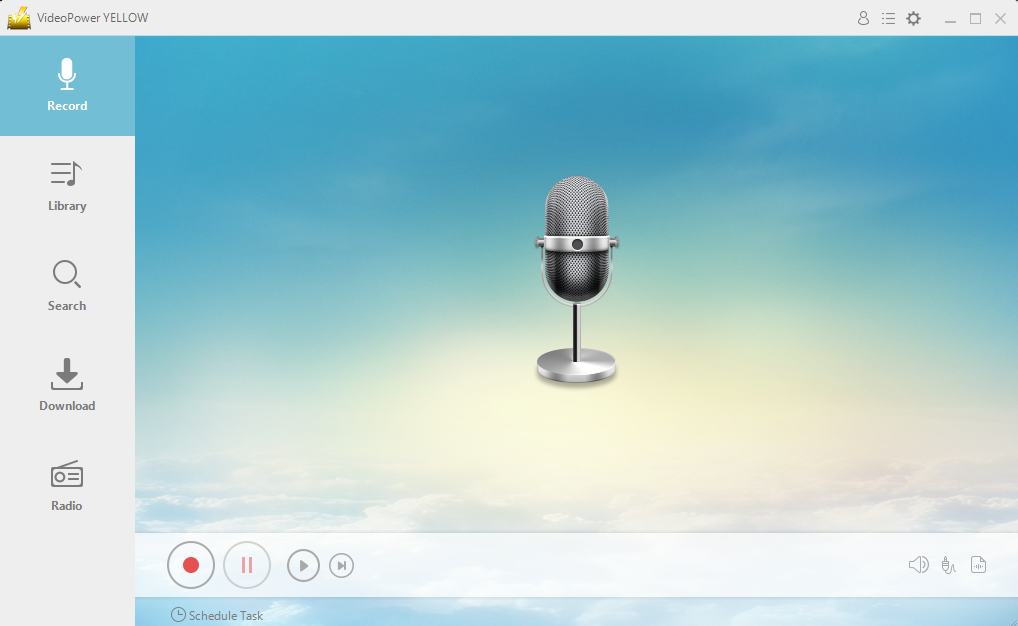
After you run the program, you will automatically be directed to the recording interface. It should look like this:
2. Set the sound source
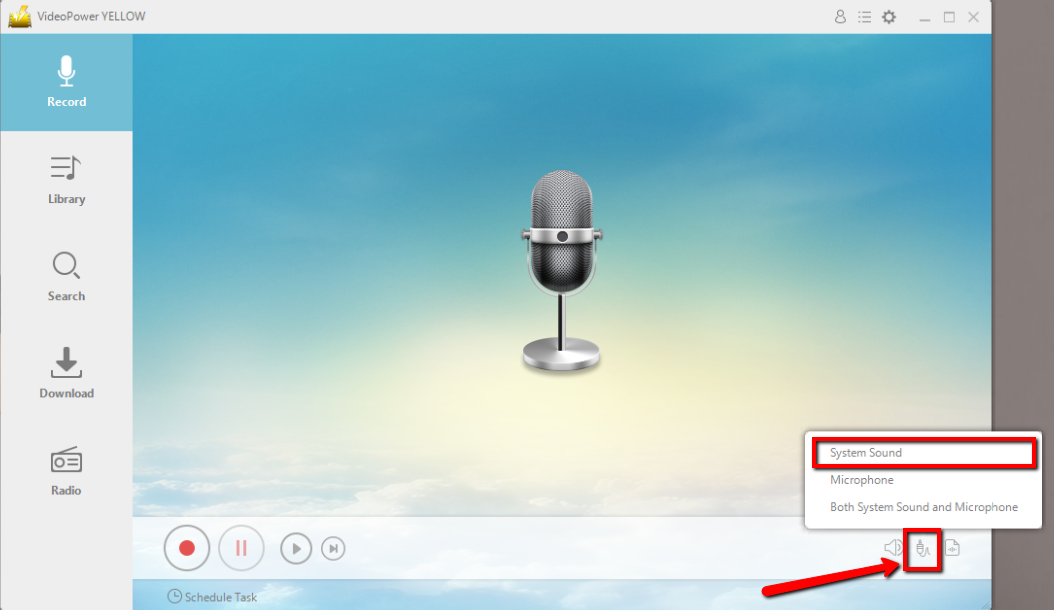
Before recording the Tumblr audio track, make sure that the sound source is set to “System sound.”
3. Set the file format
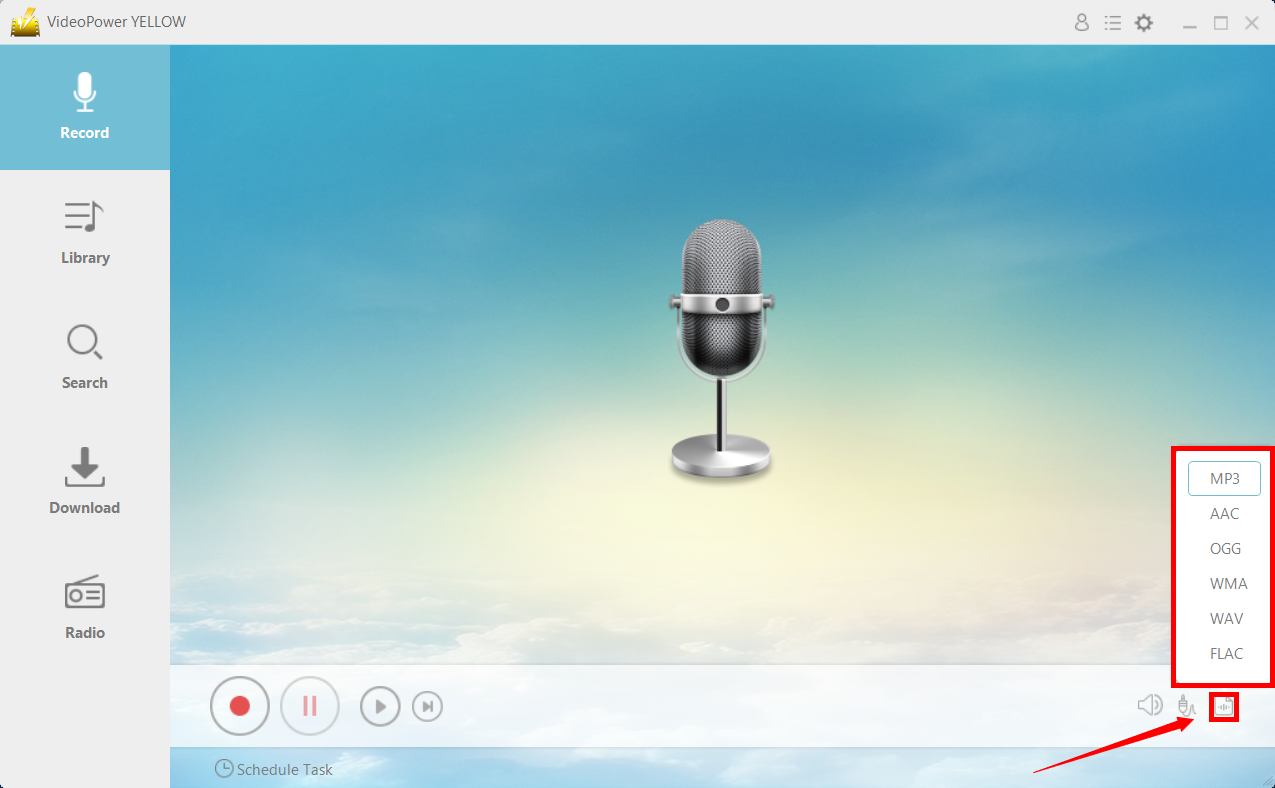
Make sure that the recording is set in the format of “MP3.” – or whatever format you deem appropriate.
4. Record
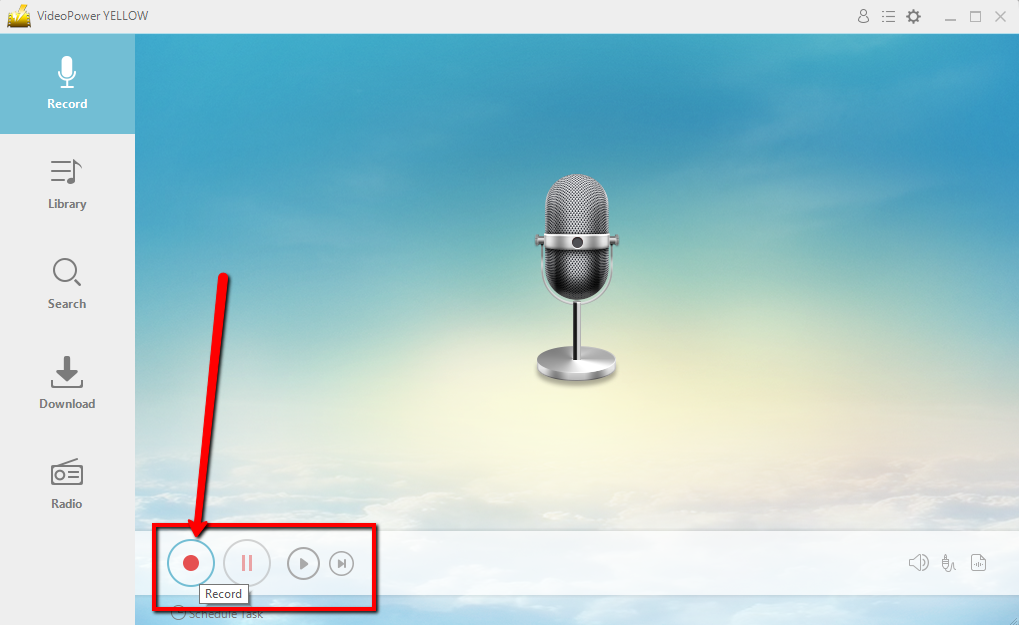
Click the “Record” button to start recording.
5. Play music
Go to the Tumblr audio track that you want to record and play it for the recording.
6. File location
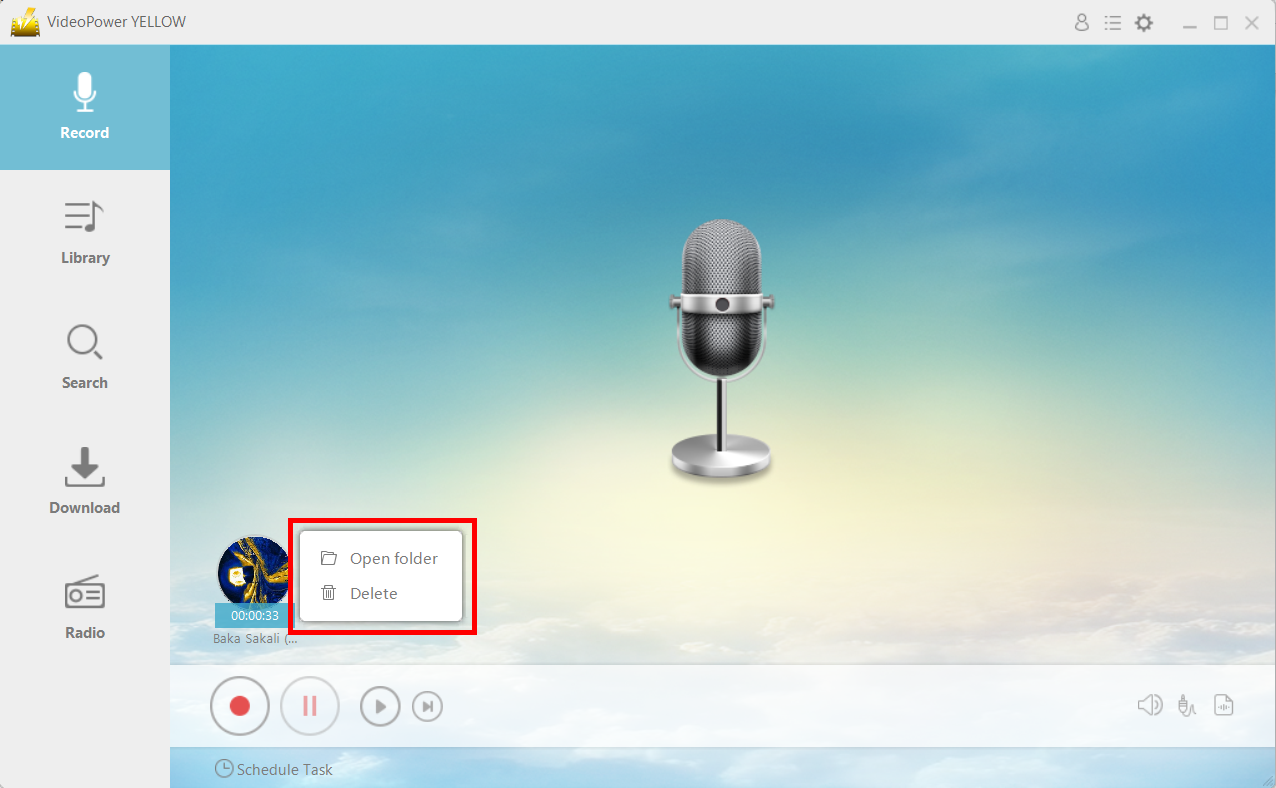
After recording, right-click the recorded track icon and click “Open folder” to open the storage location of the recorded audio file or click “Delete” if you want to delete the file and record again.
Method 2: Download the audio track
This is the second method to save the audio track from Tumblr. If the audio track is coming from a video, you can do this method.
Step 1: Open the “Video to MP3 Converter”.
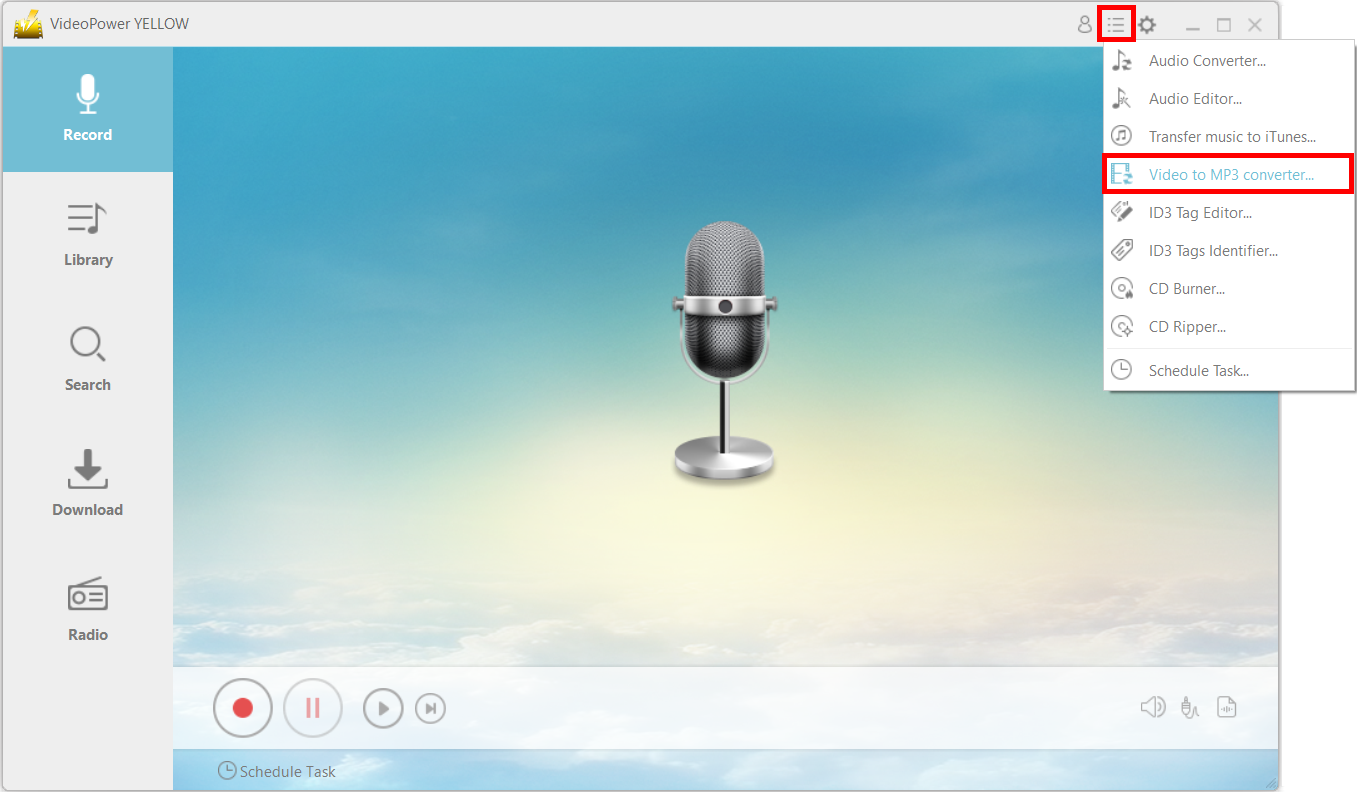
From the menu icon, click on the “Video to MP3 Converter.”
Step 2: Paste the URL of the video
A new window will pop up. Paste the URL of the video that you want to extract the audio from. Click “Add to Download.”

Step 3: Check download panel.
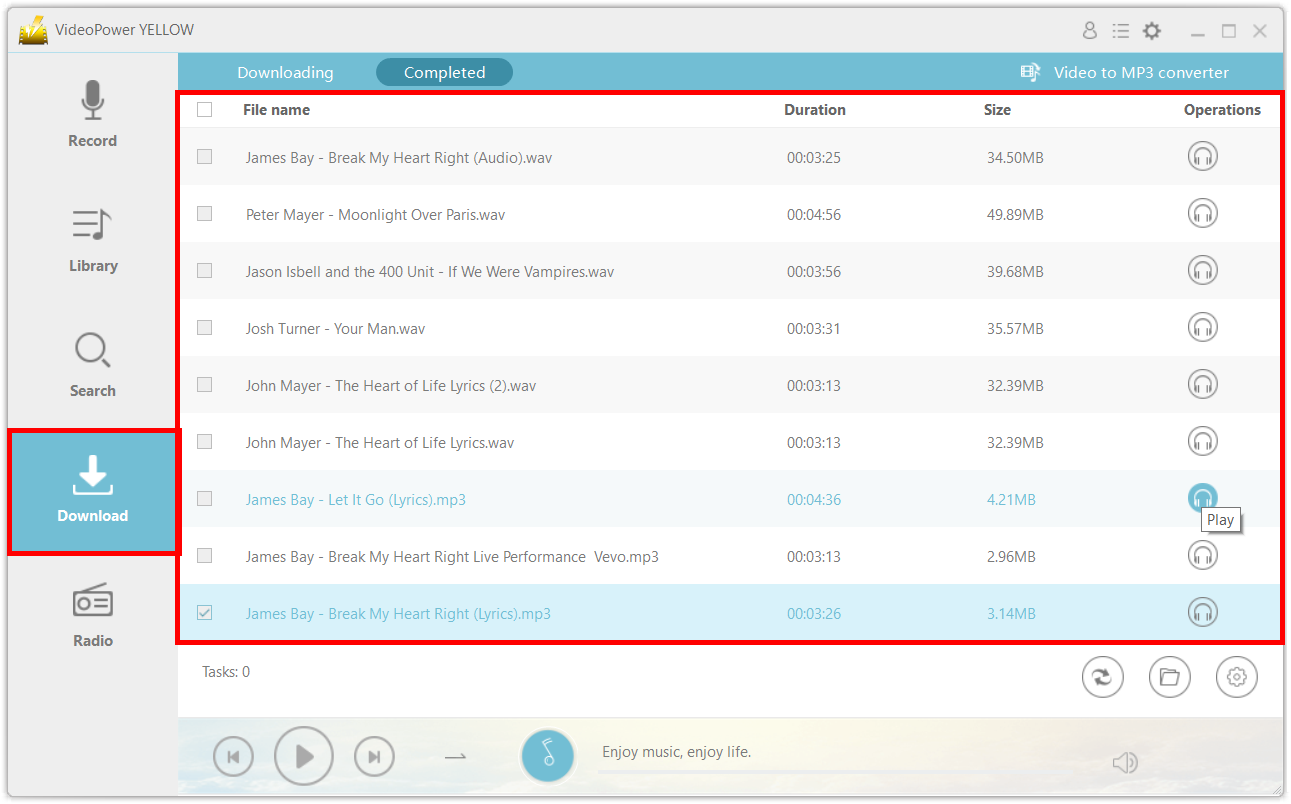
Once it finishes downloading, you can find the file in the “Completed” tab.
Conclusion:
Because Tumblr is a blogging website, it’s not unusual that it does not provide a download feature for the audio and videos posted there – unlike YouTube, an online video-sharing site. However, with these two methods using VideoPower YELLOW, you can download the audio easily and for free for offline consumption.



