Tips Index
The use of a web camera in a computer or the integration of such a device will let you participate in so many aspects in the tech community, especially when it needs collaboration in events like virtual and online conferences where every person needs to confirm presence through the use of web camera.
The use of this device is also commonly sighted on video tutorials online where the host teacher shows himself/herself to improve focus on learning in the listeners or audiences, or maybe for more personal use like recording yourself through the webcam for whatever purposes you desire.
Although in the usual Windows Operating System, a web camera software is already installed it only functions as a pure recorder and nothing more with basic recording buttons. Today, a lot of software offers more than the usual recording operations, offering extra amenities that could be very useful in many projects and tasks.
One of the best webcam records for PC is VideoPower GREEN, a powerful webcam recorder where you can integrate webcam recording of yours through tasks and projects. It can also edit your video recordings along the way. Download the best webcam recorder now!
You can try to use the software for free by downloading its trial version below.
Step 1: Choose a sound source
Best choice in recording a webcam’s sound source among “System sound, Microphone or System sound and microphone” on the “Audio Input” menu is “Microphone”.

Step 2: Choose a recording area
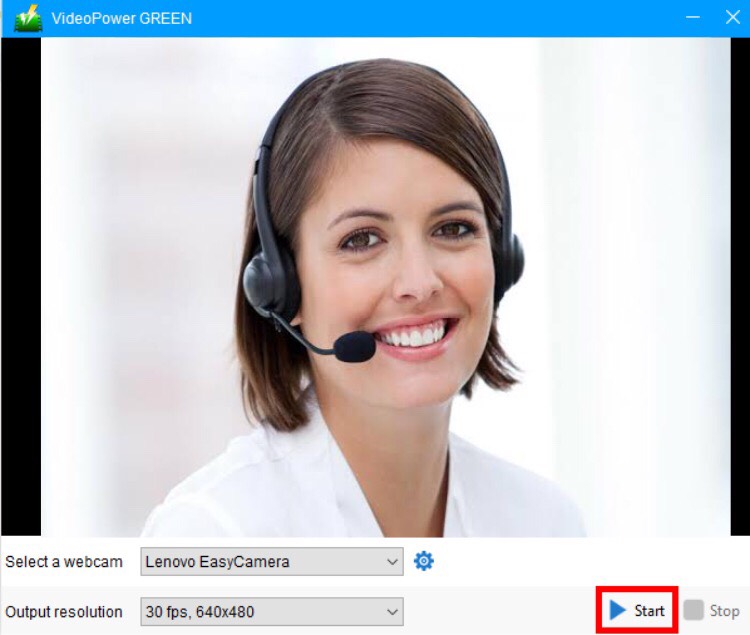
Then click on the “Web Camera” tool.

Step 2: Initiate web camera function
The new window will use your built-in camera for a laptop or connected web camera for PC. Output resolution can also be changed according to your options.
Click the “Start” button to initiate the recording.

Step 4: End the recording
Then click “Stop” to complete the recording.
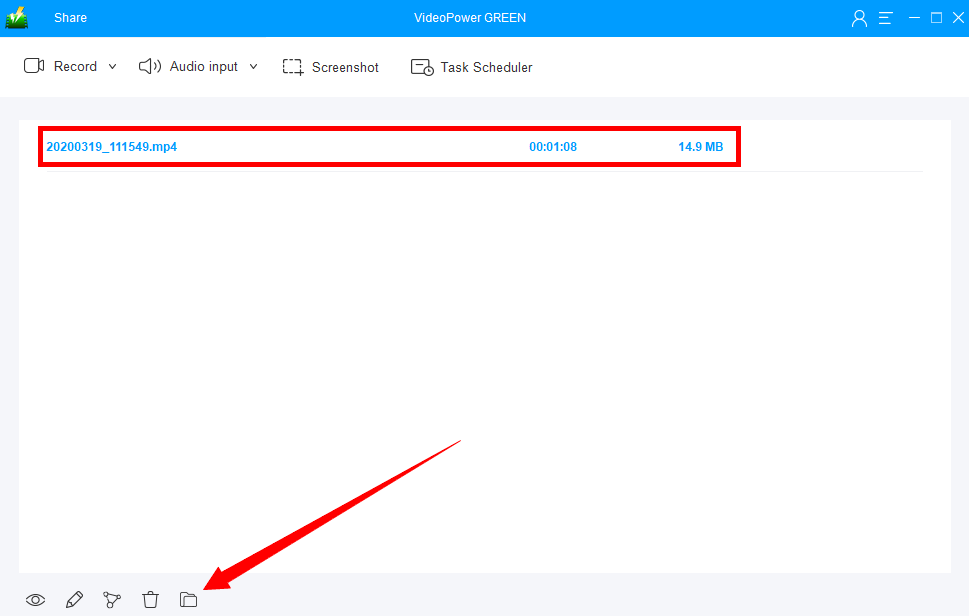
After recording, the screen will automatically redirect to the recorded file list on the main interface window. To open the destination of the recording click the folder icon right at the bottom of the interface.
Conclusion:
There are lots of webcam recording software available in the market today but the best webcam recorder for PC that enables the user to do more than recording would be VideoPower GREEN since it can edit recorded videos, add annotations and texts within the recording and screenshot photo and finally integrate webcam usage into the screen recording in one clip. Try it now!