





Tips Index
Watching videos is a great way to enjoy yourself from being stress-free for a short time. But what happens when you have encountered a connection problem? How do you save YouTube videos for offline use?
Do you watch videos while traveling? Regardless of 4G being accessible in an expanding number of places, it is still unreliable and 3G in terms of speed doesn’t cut at all. That just makes downloading the videos from any sites for offline viewing the best option to do.
YouTube, Twitter, Facebook, and Vimeo, is one of the many biggest video sharing sites in the world with over billions of contents available for hours of watching.
It would be great to automatically download videos while watching. That is why our product is the best for this kind of task, we have what you need, a feature you will love from our application the “Detect”.
VideoPower RED makes it easy for you to save videos in any format of your choice. You can also decide whether you save the whole clip or just the audio, which is very convenient for music videos and video podcasts.
Just click the link below to download this free app and follow through the guide on How to Download Videos Automatically.
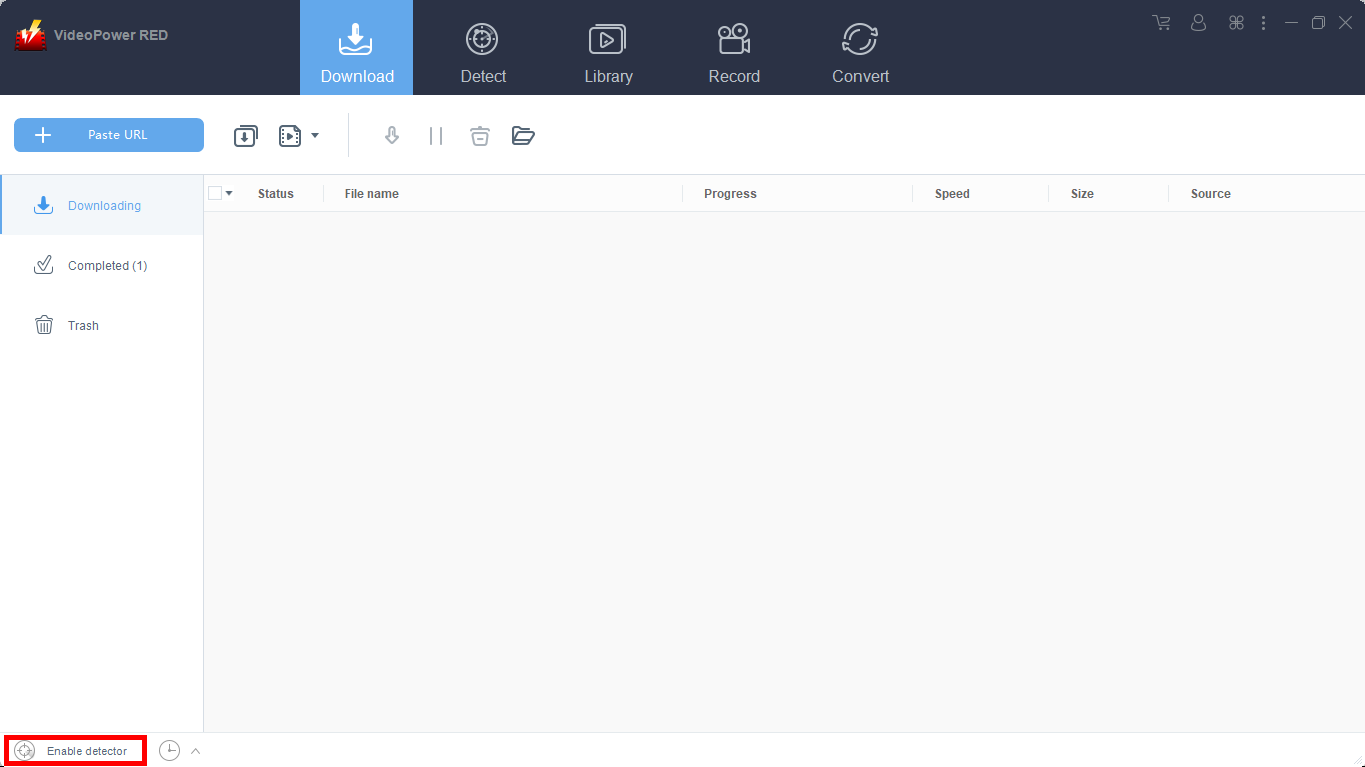
The program has a detector to recognize the streaming video on the browser and download it automatically. Do the following to activate the detector.
1) Open Settings. Navigate to the “Download” tab and click to check “Enable Advanced Detector”.

2) Enable the detector located on the lower left of the software.
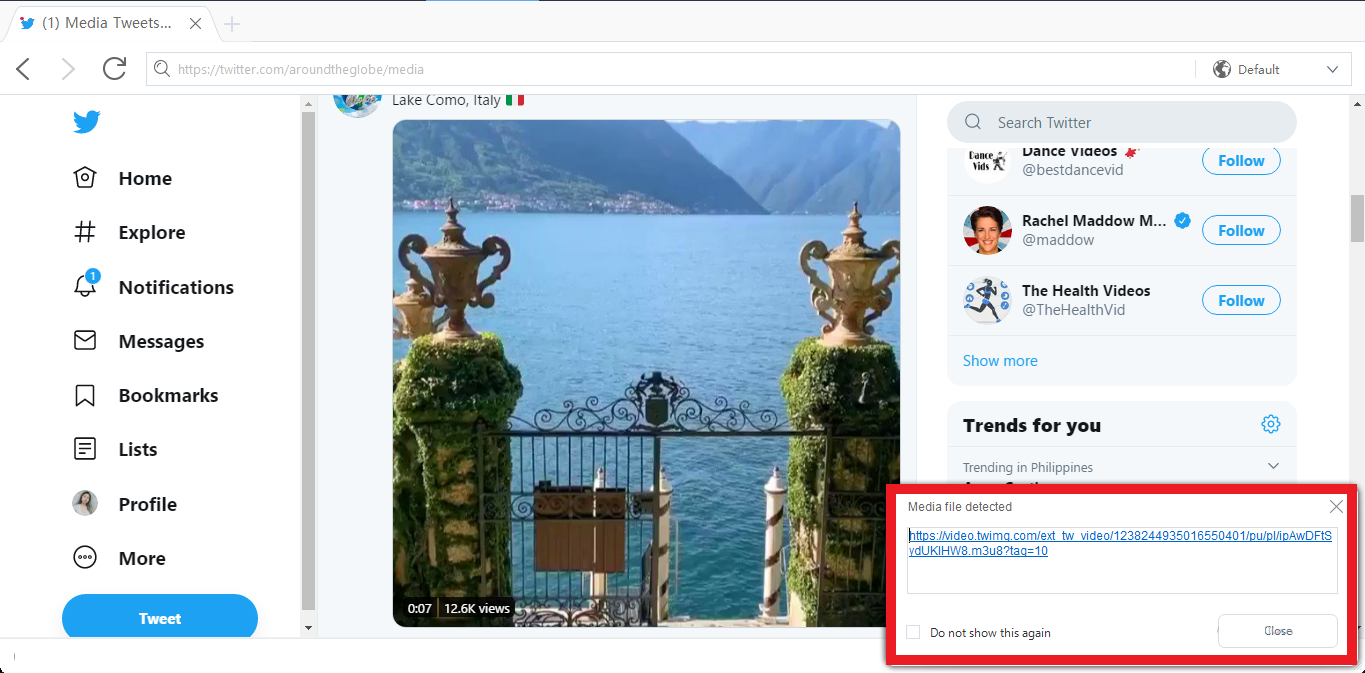
3) Go to the website of your choice and any video you play will be downloaded automatically. A “Media file detected” message prompt will appear every time the program detects videos you played and download it automatically.
Conclusion:
YouTube downloaders can be very difficult to use in other circumstances. If you always bank on to your internet connection and somehow at some point you have encountered connection problem, you’ll find that streaming videos can really be a pain. But With the right downloader you can get all the videos you are interested in to download overnight so they are ready and waiting for you to enjoy once you wake up in the morning.
VideoPower RED, the best downloader with ultra-fast speed and high resolution quality result that can download videos from different video sharing site like Vimeo, Vevo, Instagram, Twitch, Facebook, Twitter and many more. It can also convert files into different kinds of format link MKV, MP4, MP3, and ETC. Download now this free app to enjoy its full features.


