





Tips Index
Songr is a useful program that helps users look for songs online and allows you to download them directly from the source.
It supports searching music by titles, artists, albums, or even lyrics. Then the search results will be retrieved from various MP3 search engines including MP3Skull, BeeMP3, and MP3Realm.org, etc.
This application is popular because it’s free and simple to use, while others are not. Complaints about Songr is that it’s not working well regarding downloads.
Try out this great alternative for Songr. VideoPower YELLOW which provides various ways of downloading songs from the Internet.
Below is the specific tutorial about how to download music in three ways with this software.
Method 1: Search and Download
Step 1: Search for either artist name or song title
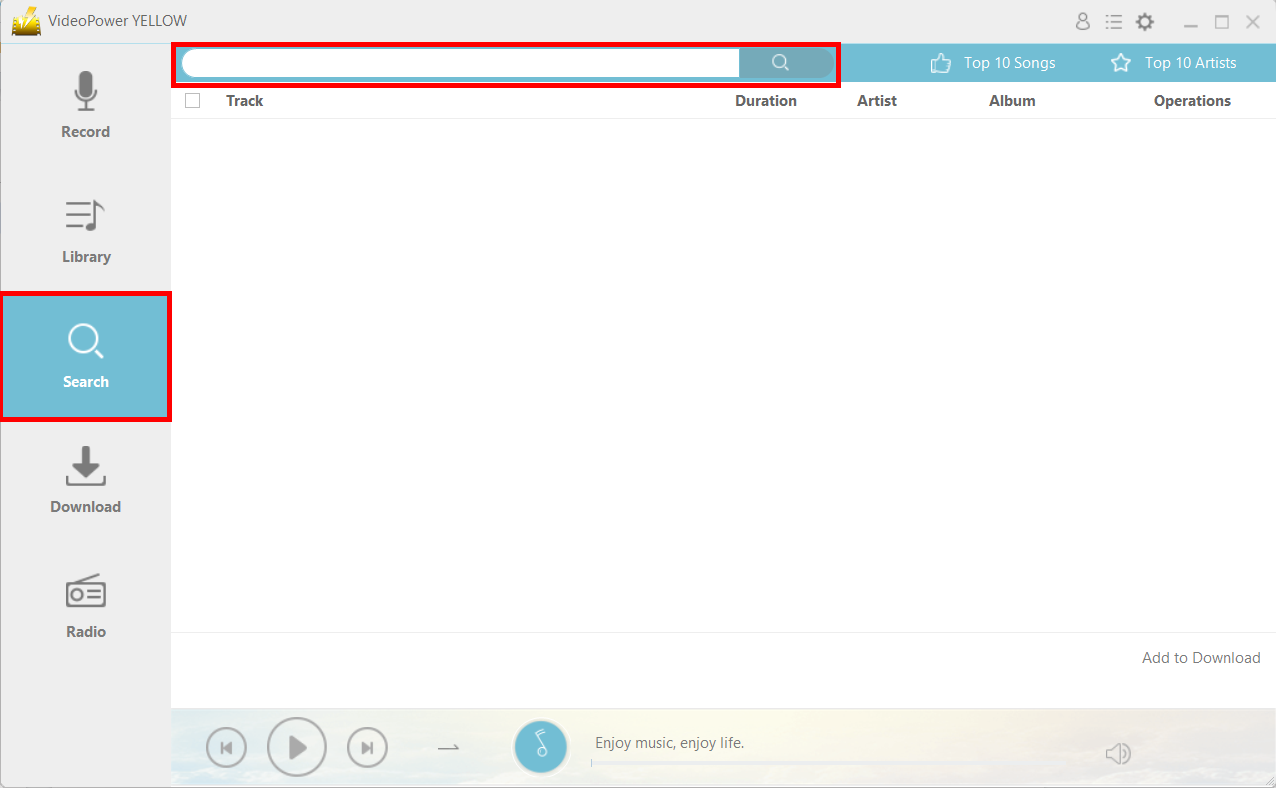
Launch the program after a successful installation. Go to the “Search” function and search the song that you want to download on the search bar.
Step 2: Start Downloading
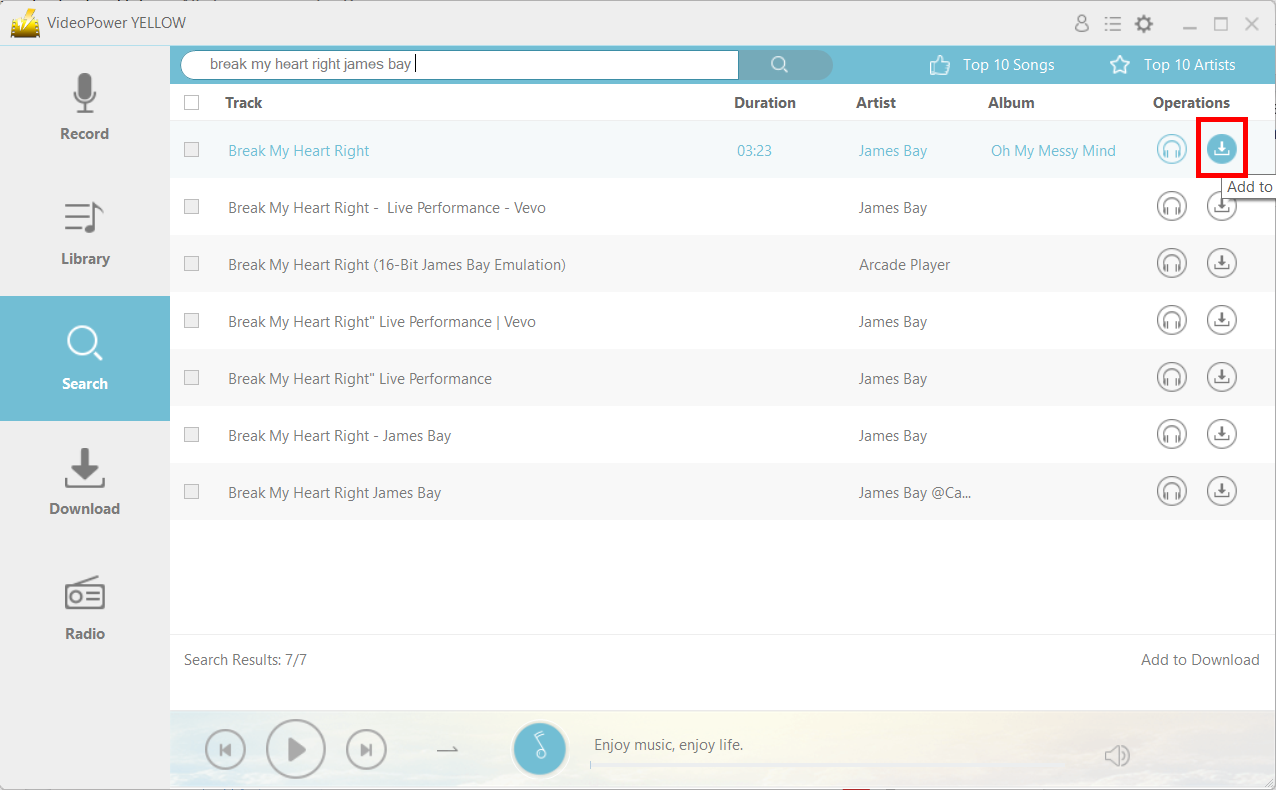
Click on the download icon behind the audio file to start downloading.
Step 3: Downloading Process
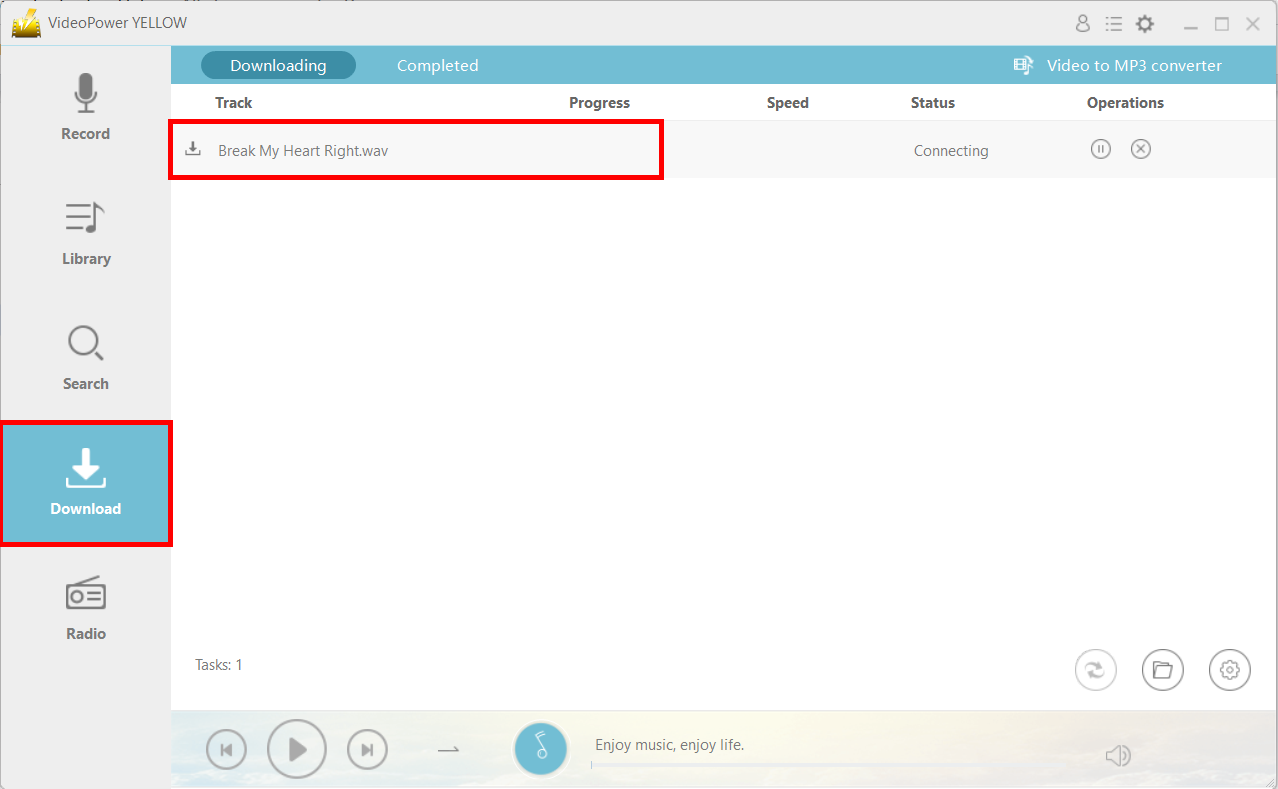
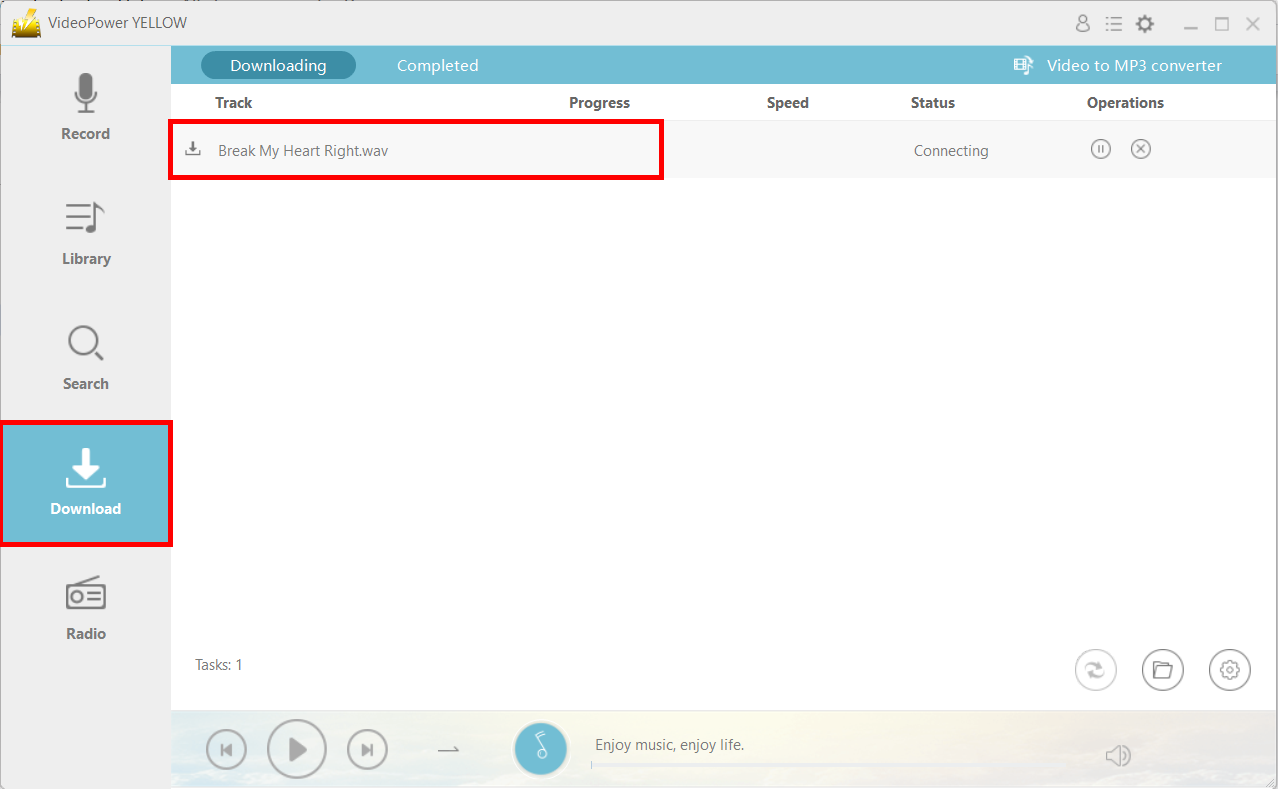
The file will be immediately placed in the “Download” feature window and will be automatically processed in the “Downloading” tab section. Wait for it to finish.
Step 4: Download Complete
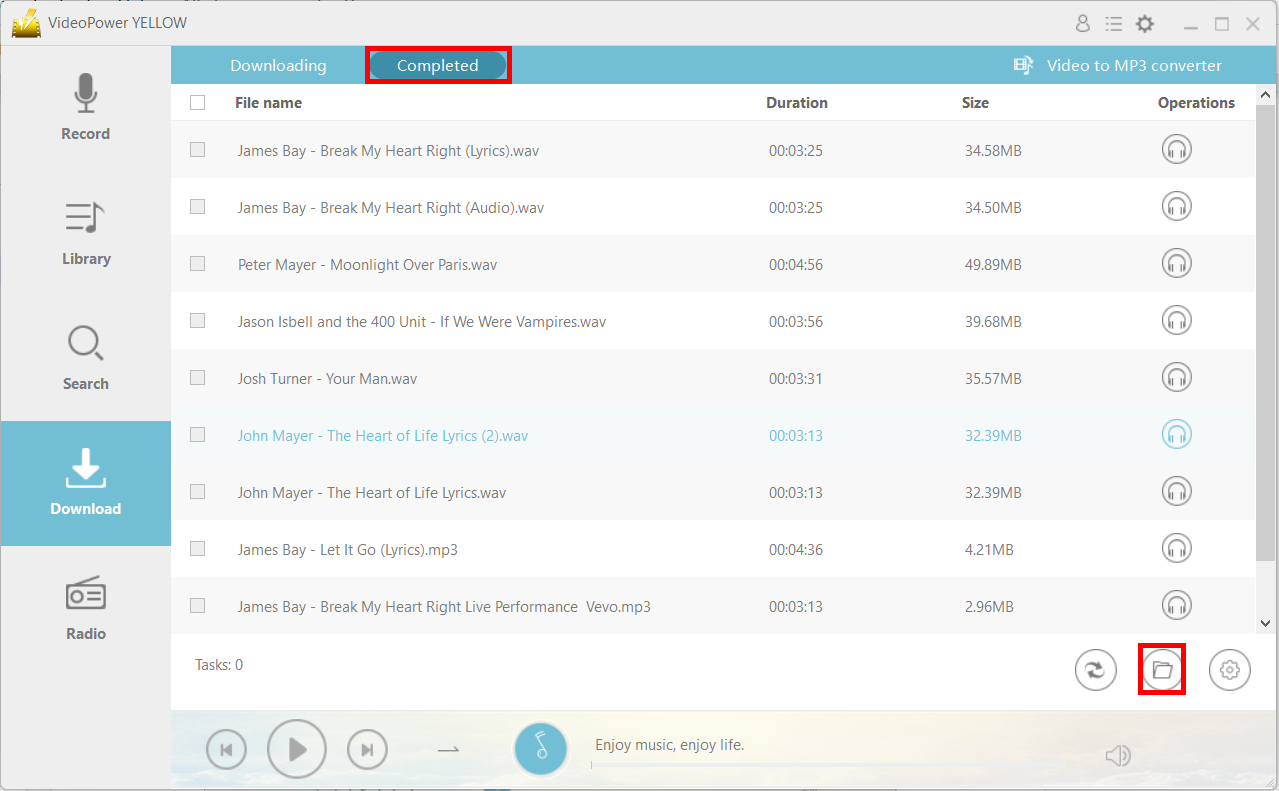
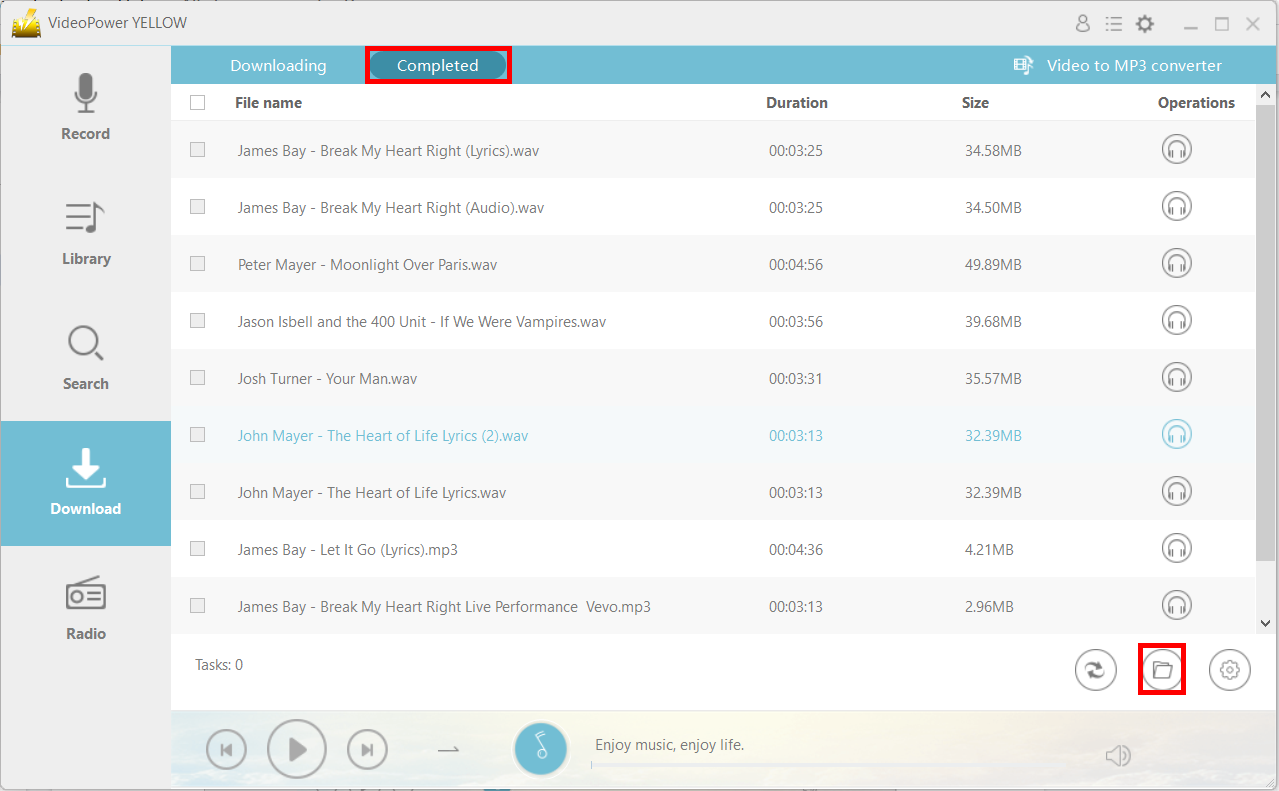
After downloading, the file will be in the “Completed” tab in the “Download” window. Click the headset icon button to listen to the downloaded file and you can find the location of the file by clicking on the “File location” button on the lower-right corner of the product interface.
Method 2: Convert the video to MP3
If you want to download the audio from a music video, just follow the instructions below.
Step 1: Launch the Video to MP3 Converter Window
Open VideoPower YELLOW, go to the “Download” section of the app and click on “Video to MP3 Converter” located near the upper-right corner of the product interface.

Step 2: Convert the music video to an MP3 file
Make sure to copy the link of the video you want to be converted.
Paste the link of the music video on the search tab. You’ll notice that the software will automatically detect the video source. After which, click “Add to download” button to start coversion.
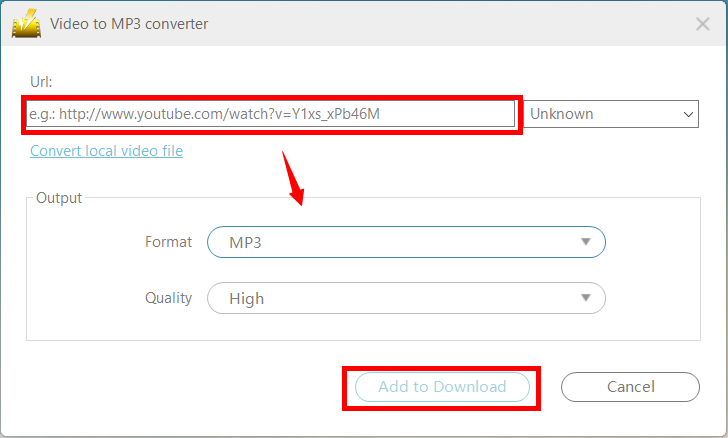
After clicking “Add to Download” it will automatically start the downloading process.
Step 3: Open Output File Location
After downloading, the file will be in the “Completed” tab. You can open the file location by clicking on the folder icon on the bottom right.
Method 3: Record the prefferred music.
For this final method, you can extract the audio by recording it directly. This is recommended for protected files.
Step 1: Set the sound source
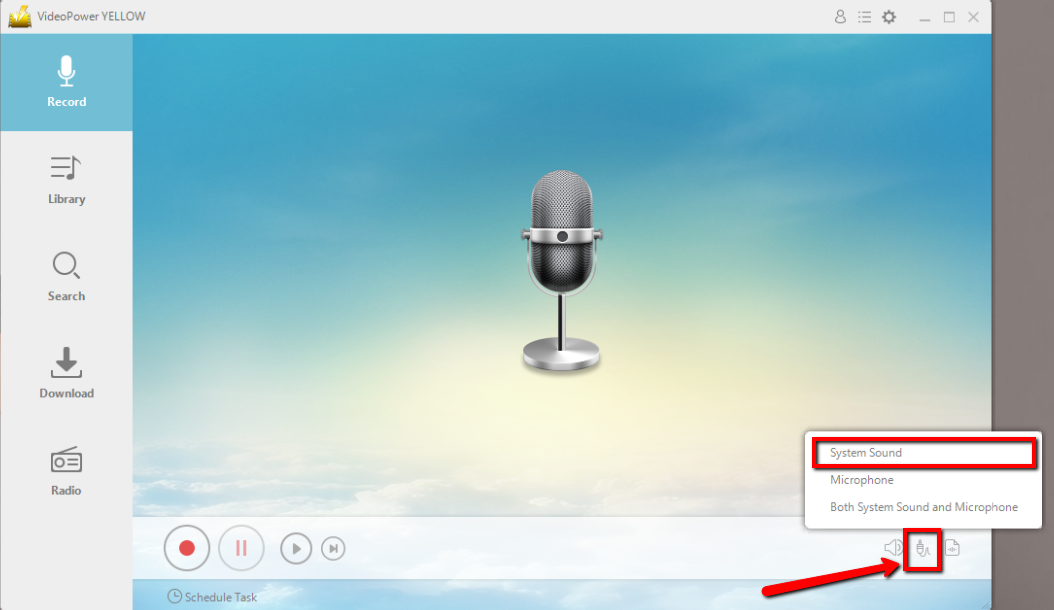
Before recording the selected music, set the sound source first. Click the audio jack icon below and choose from the sound sources such as “System Sound”, “Microphone”, “System Sound and Microphone”. In recording an audio track for later and offline listening, “System Sound” is recommended.
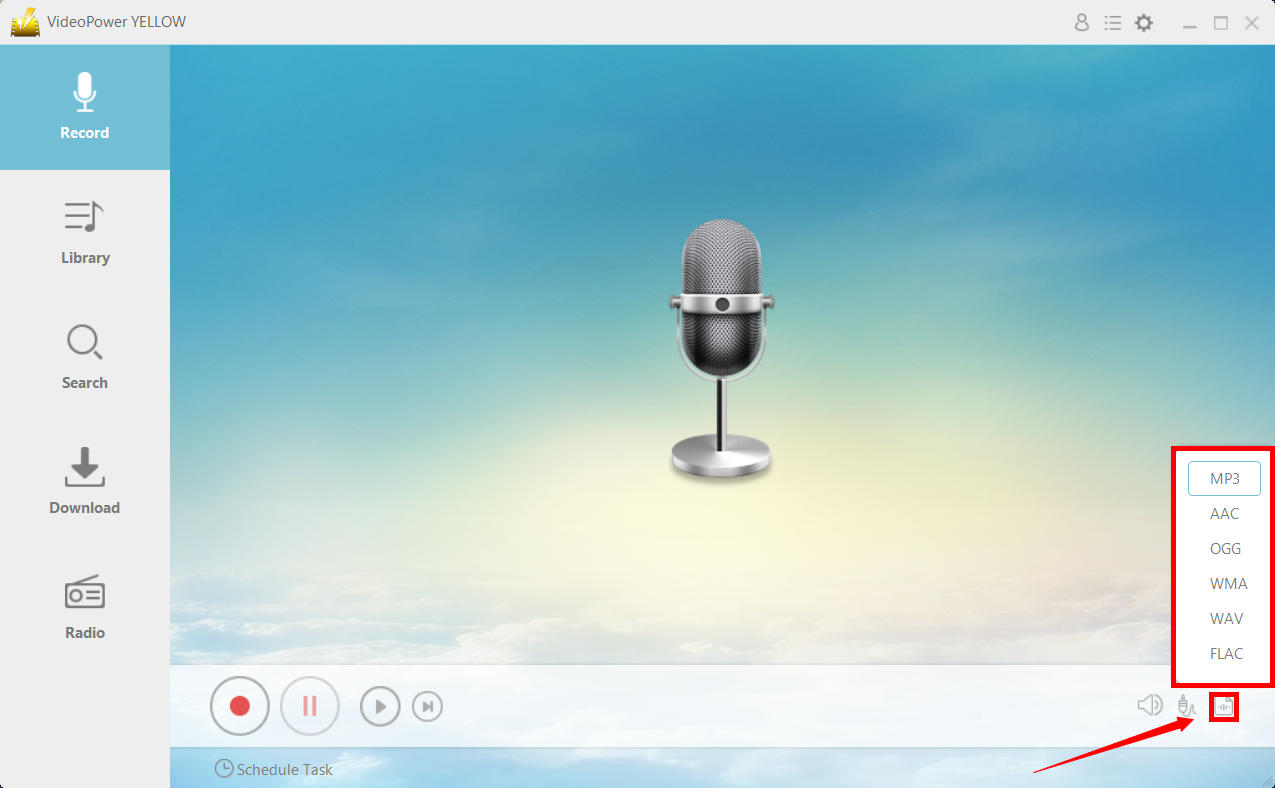
Step 2: Set the file format
Make sure that the format is set before recording. Choose recording format among MP3, AAc, OGG, WMA, WAV, and FLAC. In recording an audio, MP3 is recommended.
Step 3: Start Recording Process
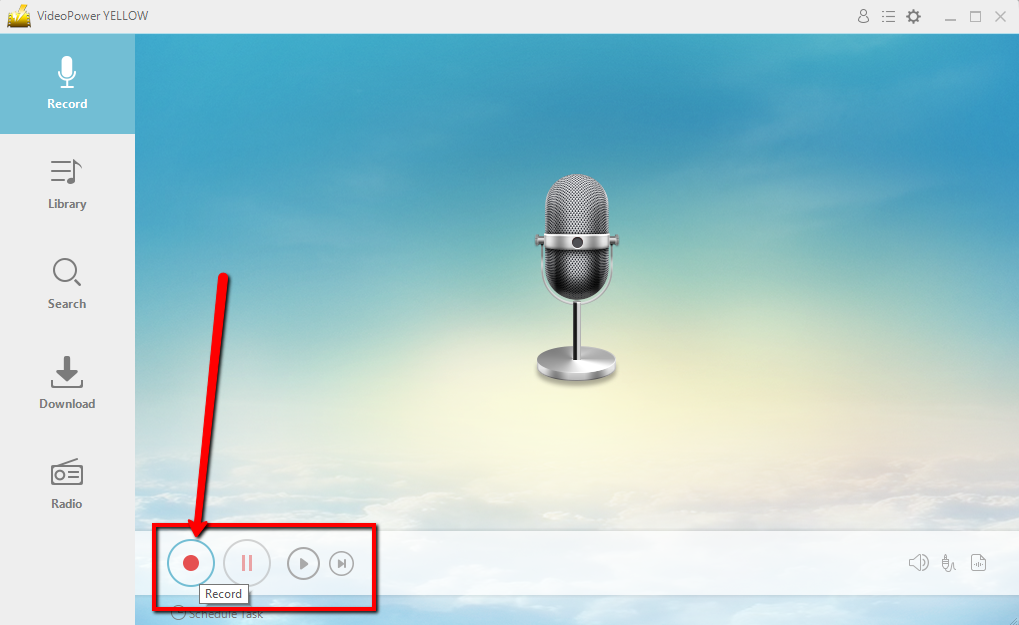
3.1 Start Recording
Click the “Record” button to start recording and click the same button to stop recording.
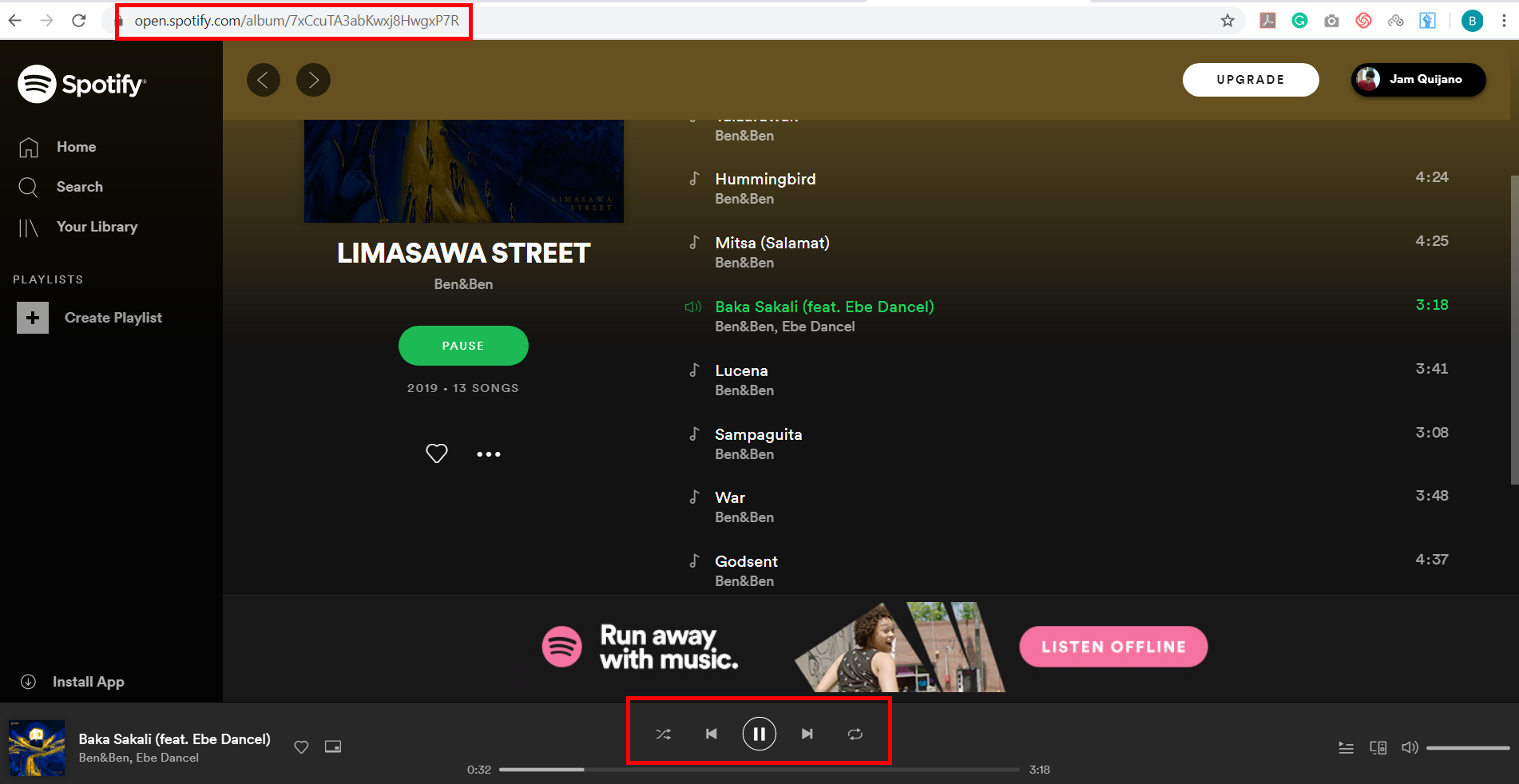
3.2 Play the music
Go to the track that you want to record and save locally. In this example, we’ll use a Spotify track.
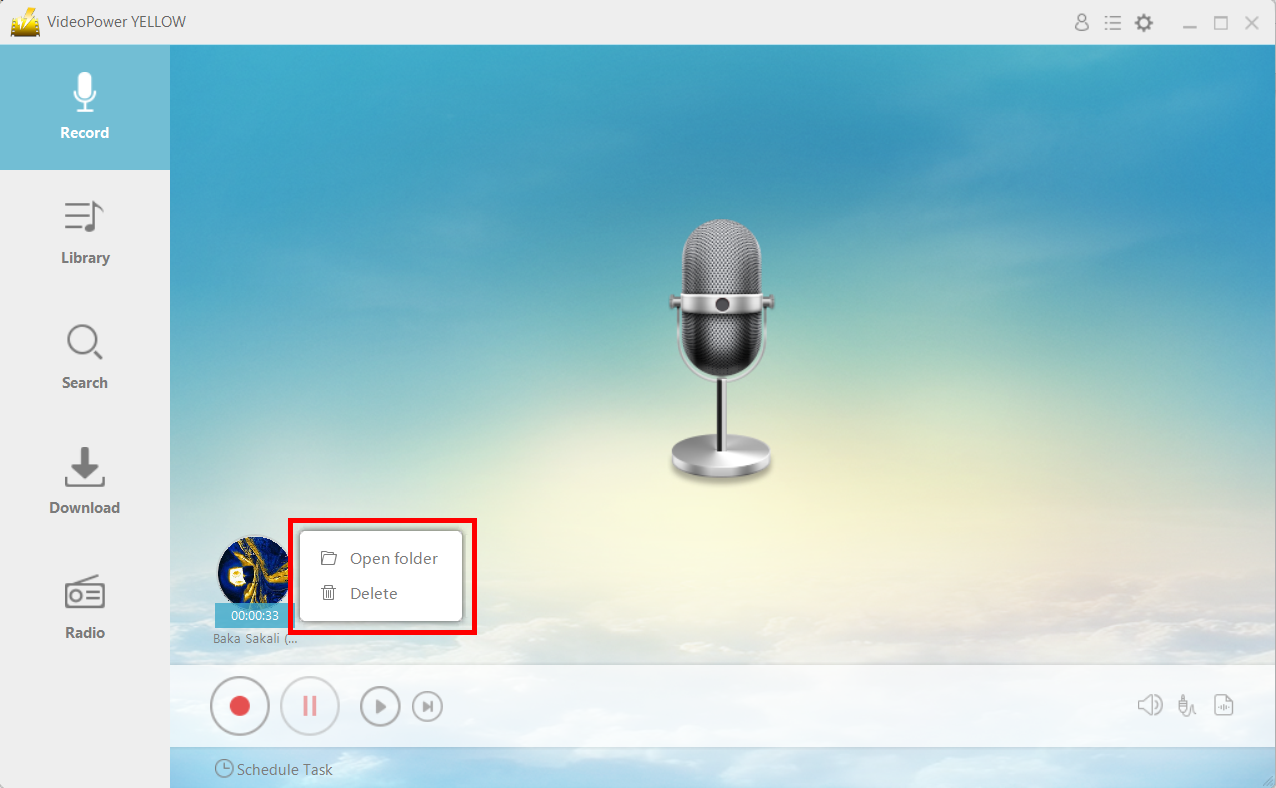
Step 4: Navigate to Output File Location
After recording, right-click the recorded track icon and click “Open folder” to open the storage location of the recorded audio file or click “Delete” if you want to delete the file and record again.
Conclusion:
Songr is a great program to download music but sometimes it can be problematic – it crashes and thus can be frustrating. With VideoPower YELLOW, you can have a great Songr alternative to download your favorite music.



