





Tips Index
YouTube adjusts characteristics of your video stream based totally on your conditions while viewing to give you the most awesome experience, this is why as time goes by you may become aware of the quality of the video changes. YouTube has stored the video and audio track for one video separately and many video downloaders are having a hard time struggling to download that kind of video correctly.
Watching 1080p videos on YouTube is such a struggle if you don’t have a stable internet connection. The video keeps on buffering and getting blurry.
If these situations persist then it’s more convenient to download 1080p videos from YouTube.
But how do you actually download YouTube videos? Is there any 1080p video downloader out there that gives lossless quality after downloading?
Thankfully, we have a solution to your problem. Introduce VideoPower RED, which is capable of downloading 1080p videos and saves it into a file format that allows you to watch in high-quality resolution offline.
It can also download tons of videos from various video sharing sites like Facebook, Twitter, Dailymotion, VEVO, TED, Vimeo, etc.
Just click the DOWNLOAD link below to download this free app and follow through the simple steps on how to download 1080p videos from YouTube.
Step 1: Copy and Paste URL and download video
1.1 Open the Video Analyzer
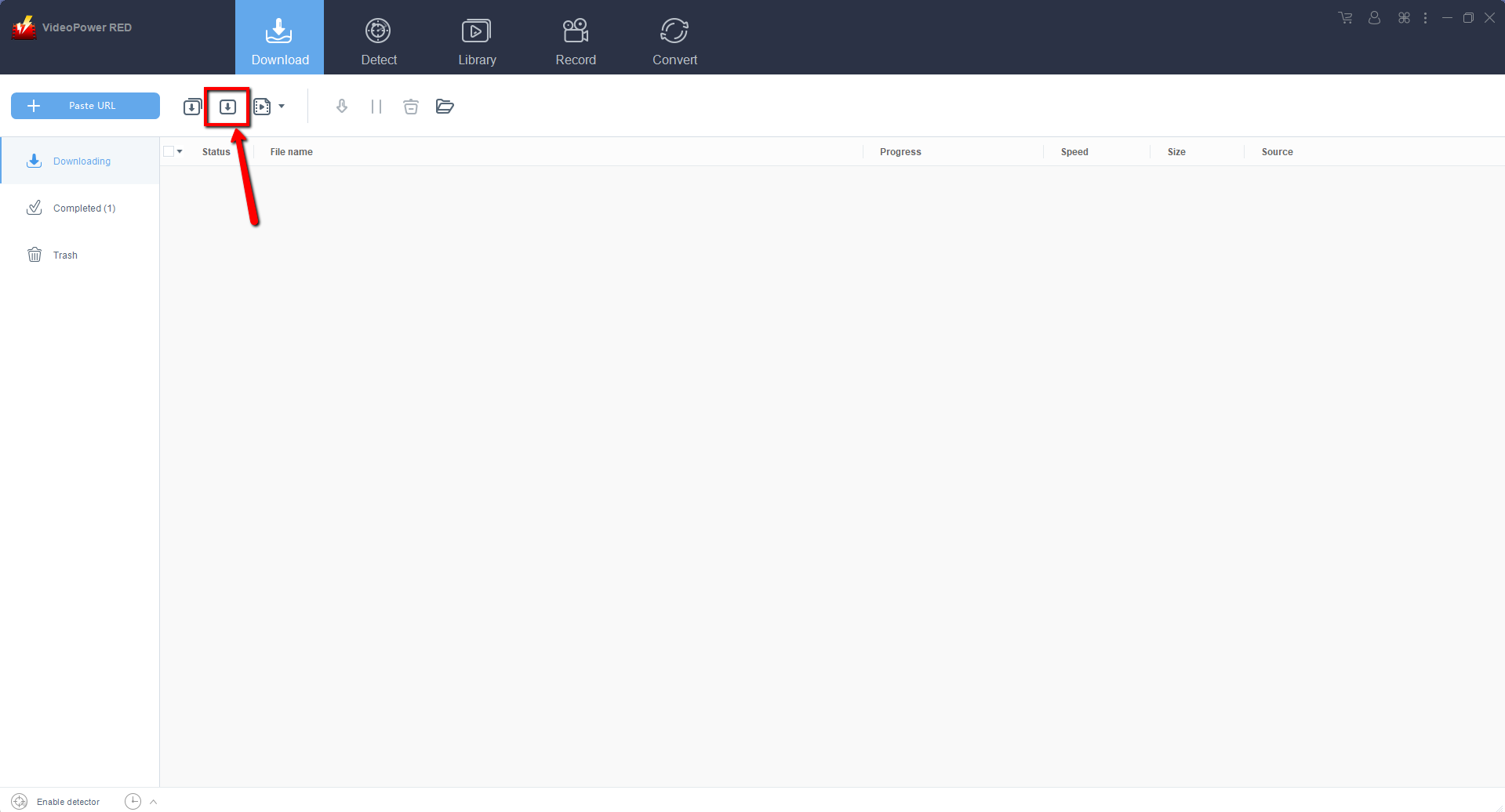
Use the VideoPower RED new version and look for the Video Analyzer button located at the “Download” feature interface. Click the second icon near the “+ Paste URL” button to open the “Precise Download” window.
1.2 Paste the Video URL
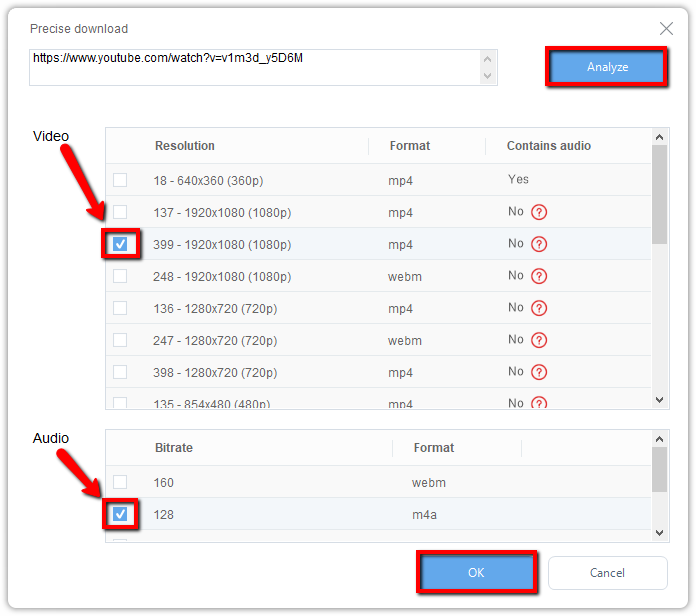
Copy the link of the YouTube video that you want to download and paste it on the search bar on the “Precise Download” pop-up window. Click on the “Analyze” button to start analyzing the available video resolution.
Video: To download 1080p videos, select the desired resolution. For videos that do not contain audio, you can choose audio from the audio list, so your 1080p videos can have audio too. You can choose to download M4A or WebM format according to your need.
Audio: To include audio in your 1080p video, select M4A format that is compatible with MP4. If you choose WebM video format, audio should choose WebM format as well.
Click “OK” to start the download process.
Step 2: Check the downloaded 1080 video file
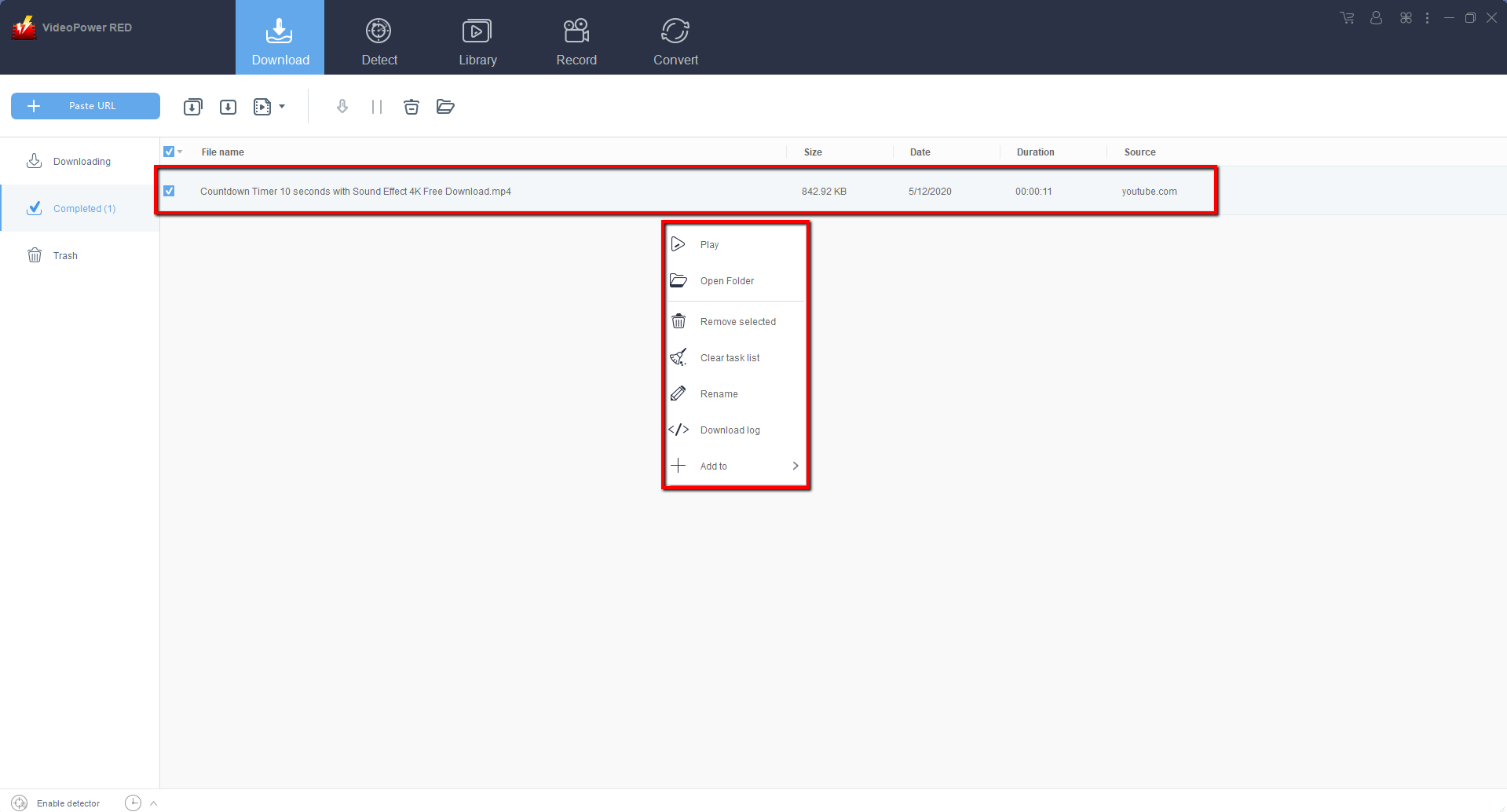
Wait for the video to finish downloading, go to the “Completed” section to find the downloaded video. Right-click on it to do more operations and double-click to preview.
Conclusion:
VideoPower RED is a flexible desktop application which is probably the best download tool in the market to date. This is the perfect download and conversion tool.
The interface is easy-to-understand as it is quite simple to use. The conversion and download speed is very high. One of its most highlighted features is it supports nearly all types of video/audio files to be converted.
Batch conversion, basic video editing, and quality modification are available on it.
Video editing includes trimming, rotating, adjusting the resolution, speed, volume, brightness, adding subtitles, and a lot more.


