





Tips Index
YouTube is one of the most leading video sharing sites on the internet that is best for watching and uploading purposes fo free. This site allows users to access unlimited high-definition videos online like 720p, 1080p, and even 4k resolutions.
The problem is you need an internet connection to watch videos plus users cannot directly download videos that they like to store in their PC’s local storage or mobile devices.
If you want to enjoy high-definition videos offline from Youtube then you have come to the right place. VideoPower RED is an amazing third-party downloader tool. It’s hassle-free and trusted video downloader application software can make this thing happen for most of the users.
The downloading tool can be done in three methods:
1) Copy and paste video URL
2) Use detect function
3) Record screen
To make this possible, check out this article guide and click the link below to download and install this app.
Method 1: Copy and Paste the URL of YouTube HD Video
Step 1: Paste URL and download video
Copy the link of the YouTube video that you want to download and then paste it into the program by clicking the “Paste URL” button. After that, you will see the video is downloading in the download control panel.

Step 2: Check to download and downloaded file
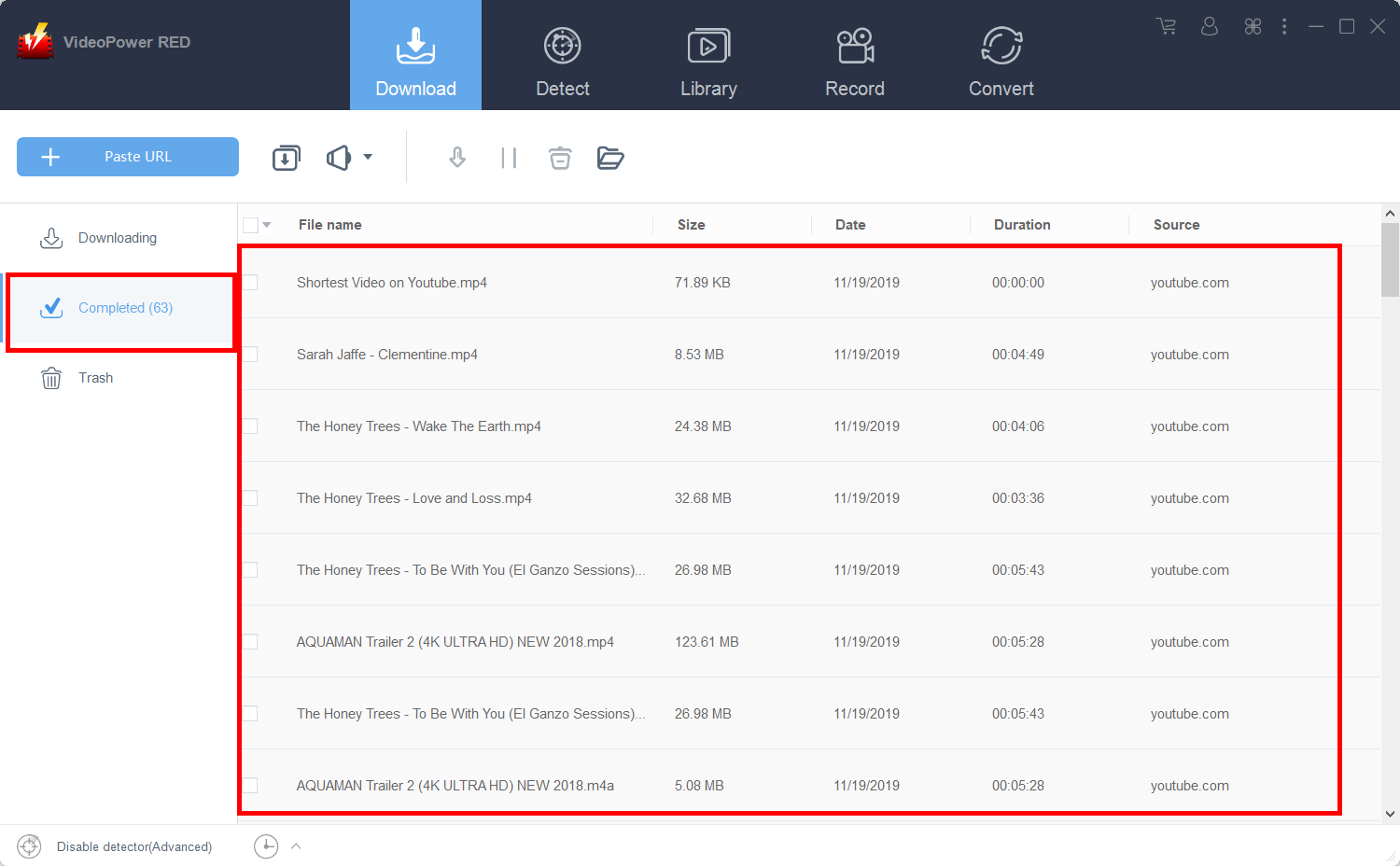
Wait for the download to finish, and then go to the “Completed” section to find the downloaded video.
Method 2: Use the Embedded Browser to Download YouTube HD Video
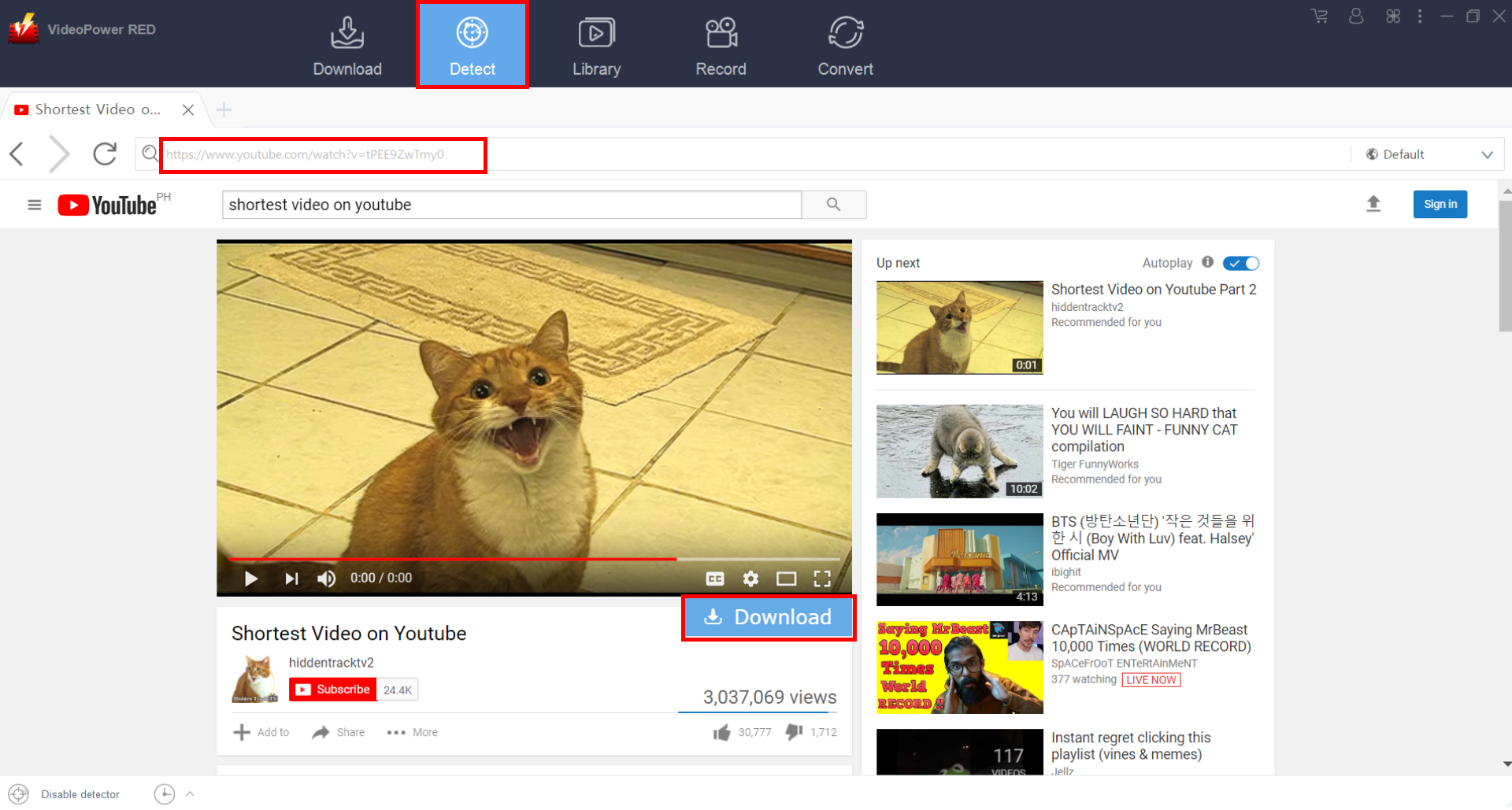
Open the YouTube video page via an embedded browser, a “Download” button appears just below the video. Click it and the video will automatically be downloaded.
Method 3: Record YouTube Video
Step 1: Record video
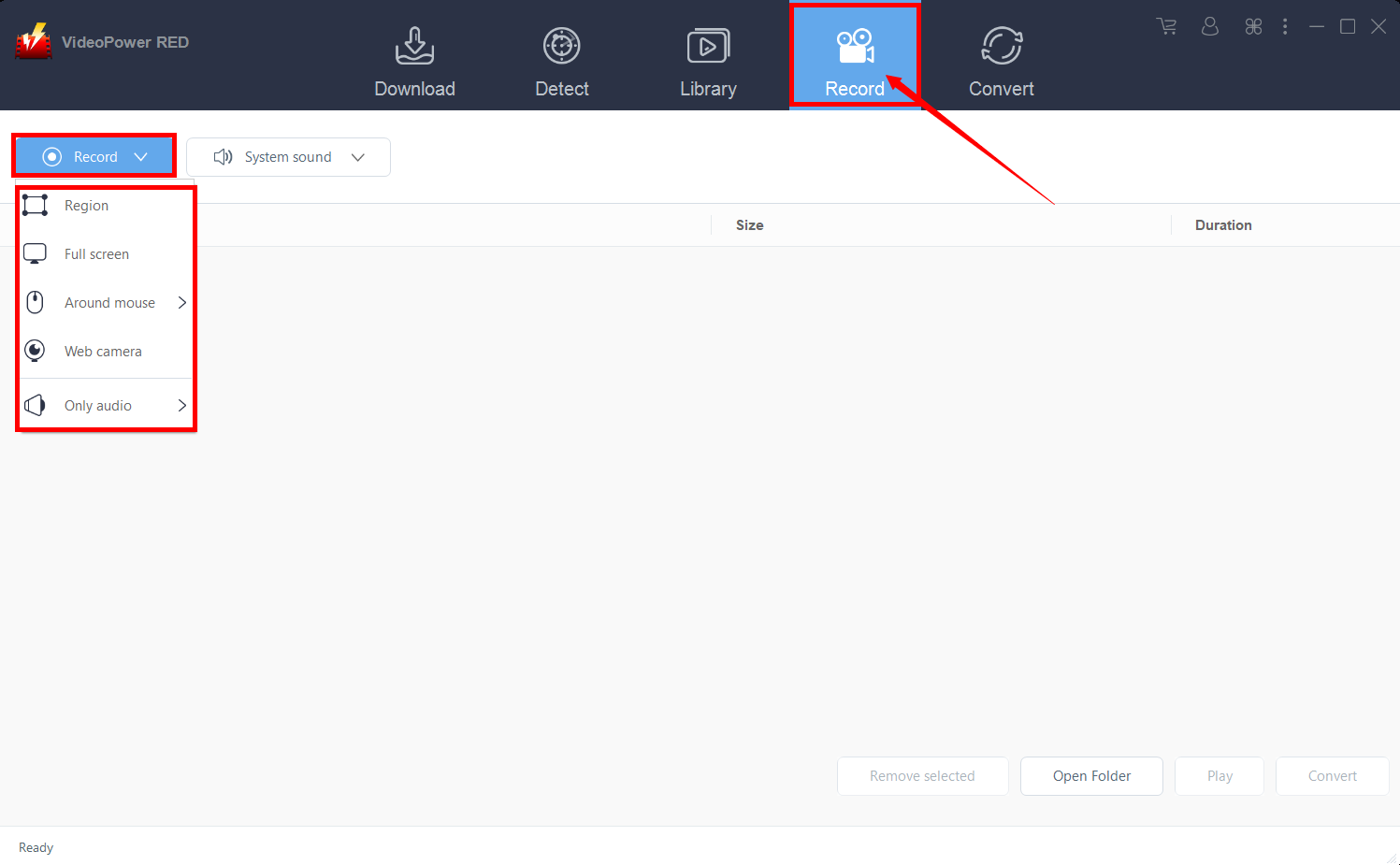
Click the “Record” tab to record the video and Select from “Region, Fullscreen, Around mouse or Web camera” as preferred.
Step 2: Check the recorded video
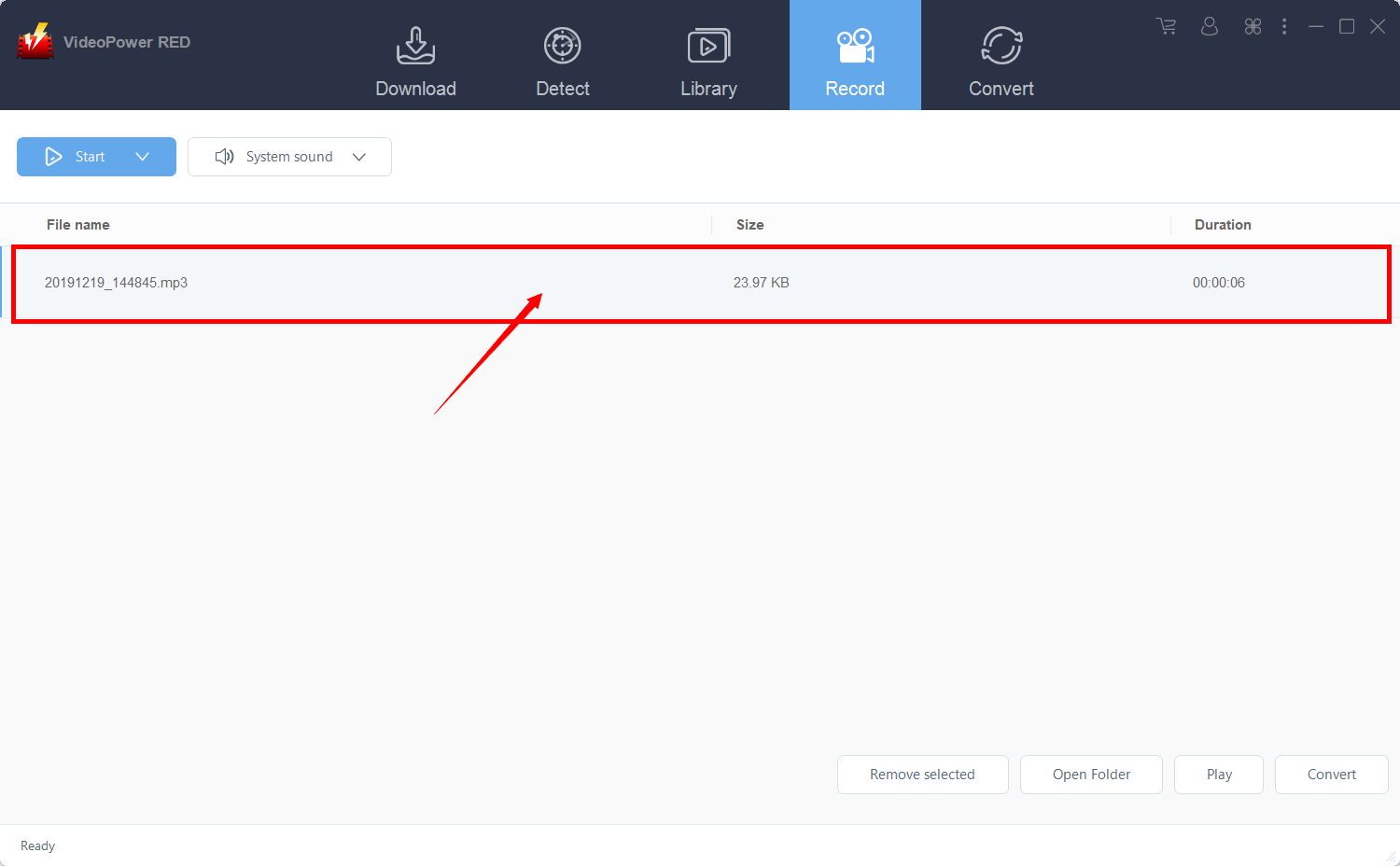
After recording, the recorded file can be seen in the record interface.
Conclusion:
Enjoying your desired videos can be possible through accessing sites online like YouTube were watching and uploading videos you like or need is attainable.
However, watching and enjoying videos offline with this site alone is impossible. Thus, a third-party tool called VideoPower RED, a hassle-free and trusted video downloader application software can make this achievable for most of the user


