





Tips Index
Most of the time it can be hard and frustrating to find the best free movie website to watch and download. Wanting to watch new or latest movies but can’t find it on-site like Netflix or Cable channels or can’t bring yourself to a theater. Luckily, there are lots of free movie websites than can help you.
Here are the Best free movie websites this 2020.
YouTube – One of the most popular videos streaming platforms. You can watch and listen to their music and Video anytime. Choose any quality you like from 144, 240, 360, to HD and 4k quality. But the bad side of it is that it has so many advertisements and it’s becoming really annoying.
Vimeo – A video streaming platform for artists, advertisers, and general creative types. If you consider yourself a member of any one of those groups, Vimeo is at the top for sharing and consuming high-definition quality video content, but it has its drawbacks.
Dailymotion – Normally, Dailymotion is safe. However, there are times that when you are watching a video and out of nowhere it will redirect you to a technical support scam. Not to mention that some videos may not be suitable for children. It’s better to download the movies you like and watch it offline with VideoPower RED you don’t have to worry about all the adverts and redirection that will give your computer a Virus.
Vevo – If you’re a music lover or just a casual listener, Vevo should be on your top list. It’s a website that is totally dedicated to music videos and live performances. The good thing about Vevo it has an extensive catalog of premium, music-related video content, and creating an account isn’t required, but doing so gives you playlists and more advanced features.
TED – A podcast center in which you can listen to what topic they’re going to discuss and most of us don’t have the time to watch and listen. It’s better to download all their topics and watch and listen to them offline.
Dailymotion – Watching movies on Dailymotion is a lot of fun but lately, ads are really a nuisance and will just pop up all the time and you won’t enjoy watching them anymore and I strongly suggest to watch it offline with VideoPower RED you can download it and watch it later.
VideoPower RED is a flexible video downloader. This software is easy to use, offers a lot of features, and lets you download online videos from more than 1,000 websites including YouTube, Vimeo, Dailymotion, TED, Vevo, Udemy, and more. The good thing about this tool is that it can detect and download videos such as RTMP, HTTP, HTTPS, and FTP. In addition to that, it has many helpful tools that you can use such as video conversion, screen recording, and music editing.
Method 1: Download by pasting URL
Step 1: Paste URL
You can download videos easily from different video sites such as YouTube, Vevo, and Dailymotion. You can simply copy the URL of the video you want to download from a browser on Windows and click “Paste URL” in Video Power RED.
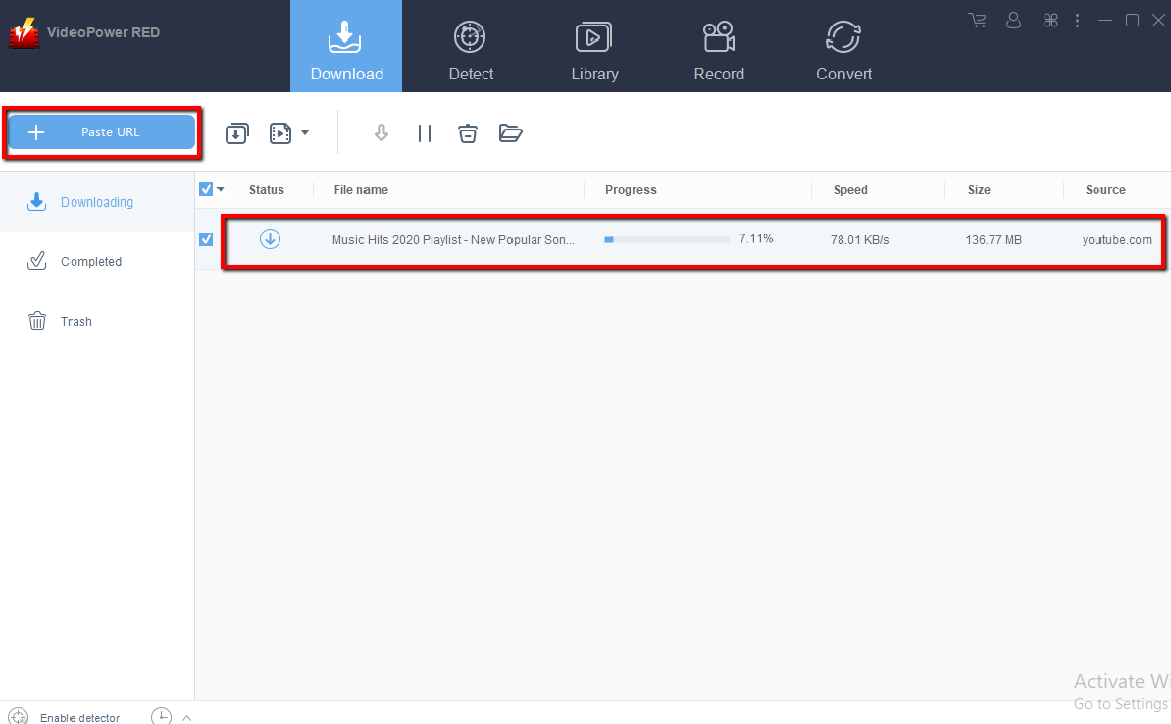
Step 2. Check Downloading and Downloaded file
Wait for the download to finish, and then go to the “Completed” section to find the downloaded video.
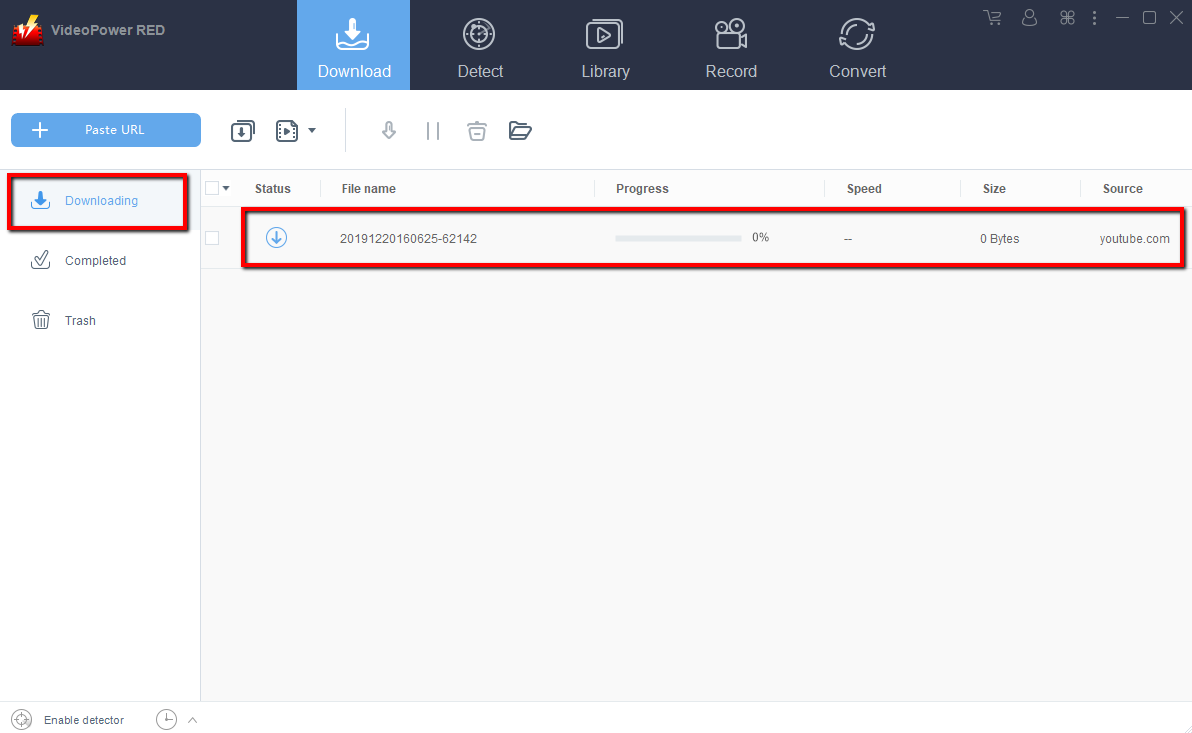
Method 2: Automatic detection
When you play a video on the Auto Detect page (inbuilt browser), the program can detect the actual video file and download it immediately. Video files are automatically detected and added to the “Downloading” list in “Download”
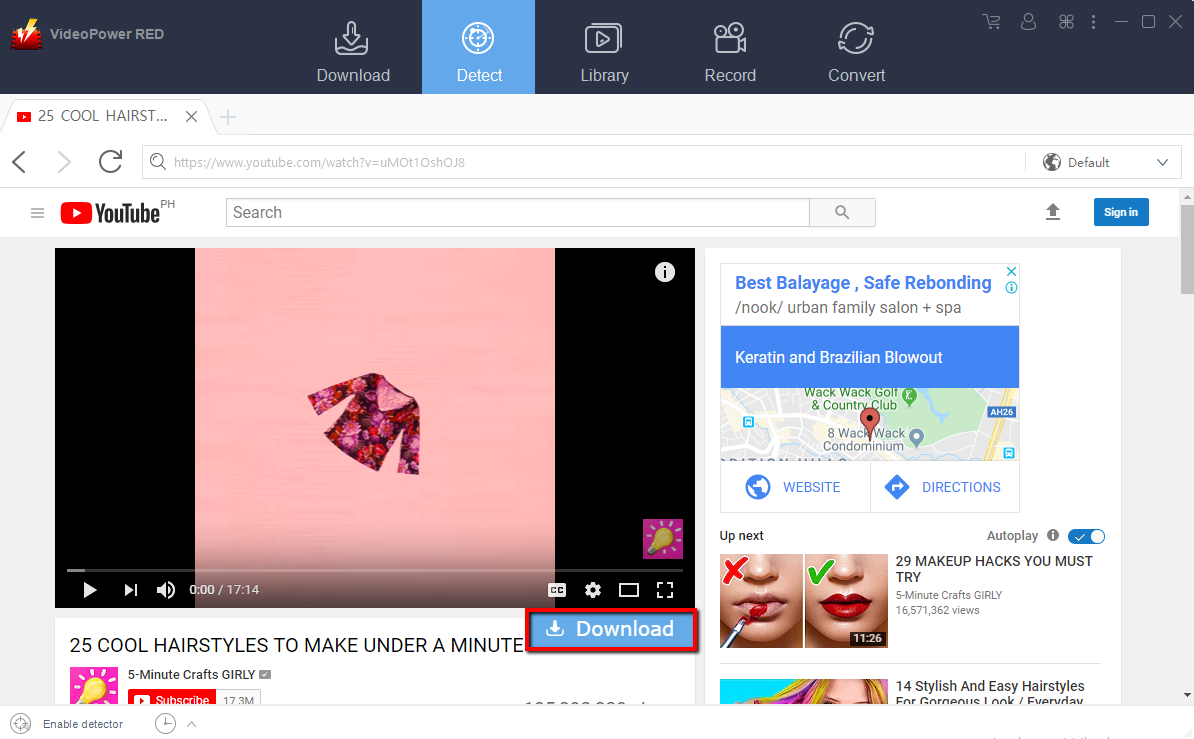
Note: For YouTube site, will need to click the “Download” button below the video.
Free Movie Website gives us all the latest movies we want but in this era, all of the free movies websites are inserted with so many advertisements and won’t be able to enjoy watching them. With the right tool, you can download all the latest movies that you want and enjoy watching them. This where VideoPower RED will come in handy.
Other features of VideoPower RED:
Library
Where you can search, preview and download keywords from video sites around the world. It’s a built-in library that contains a set of hot videos that fall into three categories: Recent, Recommended, and Popular.
Screen Recording
In this feature, you can record anything like movies, dramas, live streaming, documents, variety and many more. You record from countless sources such as Hulu, AmazonVideo, NetFlix, or from SKYPE / LINE chat, voice call, video call, and music distribution services such as Spotify / AmazonMusic and voice/music of Internet radio.
The recording is also very flexible. You can record only necessary parts such as full screen, a specific window, and a specific area. Arrows, highlights, and comments can also be added to videos during recording. In addition, recording with webcams is also supported.
Convert
The “Convert” feature is to convert video or music files to any video music format. It Supports 4K, H265 (HEVC) input/output. It can compress the image size to 1/2 without changing the image quality of the Video. You can also extract and save audio from video
In this tool, the video editing function is included. You can easily edit the video like Cut, Crop, Rotate, Reverse, Play, speed, Volume, and Image quality correction. Other editing features such as trim, watermark, subtitle, and screen audio sync.


