





Tips Index
Lynda.com is a well-known learning online platform for business learners, technology, creative skills, and software to achieve one’s professional or personal goals. Over individual, academic, government, and corporate subscriptions, members get to access the Lynda.com video library of captivating top-quality courses instructed by well-known industry experts.
Lynda.com helped students for 20 years, from IT, leaders, and design pros, anyone in any role, Lynda.com helped them in developing software, creative, and/or business skills. Now Lynda has become part of LinkedIn and served more than 10,000 organizations with tutorials in five different languages, It is a global platform for a favorable outcome.
Lynda and LinkedIn, these websites help professionals who are looking for part-time or full-time jobs. They also have tons of learning videos for anyone who wants to know new things about their professions.
It doesn’t really matter if you are just a student nor professional, or business type owners, because these websites will surely help you to gain all sorts of new knowledge on a specific topic you would ever dream of learning.
However, you won’t be able to watch them again and again without an internet connection. So can you download Lynda videos for offline viewing?
The answer is YES. There are apps for Lynda and LinkedIn that can help you to save learning videos on your devices.
Just in case you can’t simply pay for the Premium account on Lynda and LinkedIn because of financial problems or so, you just don’t want to pay for it, don’t worry because VideoPower RED will surely help you download those videos.
This software is a video downloader that is capable of downloading videos from well-known sites like YouTube, Vimeo, Facebook, Instagram, Dailymotion, Lynda, and LinkedIn. Also, VideoPower BLUE can convert videos in different kinds of formats.
In addition, you can save YouTube playlist with this software within just a few clicks, and that means you can download all those videos from a specific playlist easily. Furthermore, this software has an auto-detection feature that lets you search and watch the video within its built-in browser and download it automatically.
Just click the link below to download this trial period and follow through the steps on How to Download Videos from Lynda
Method 1: Copy and Paste
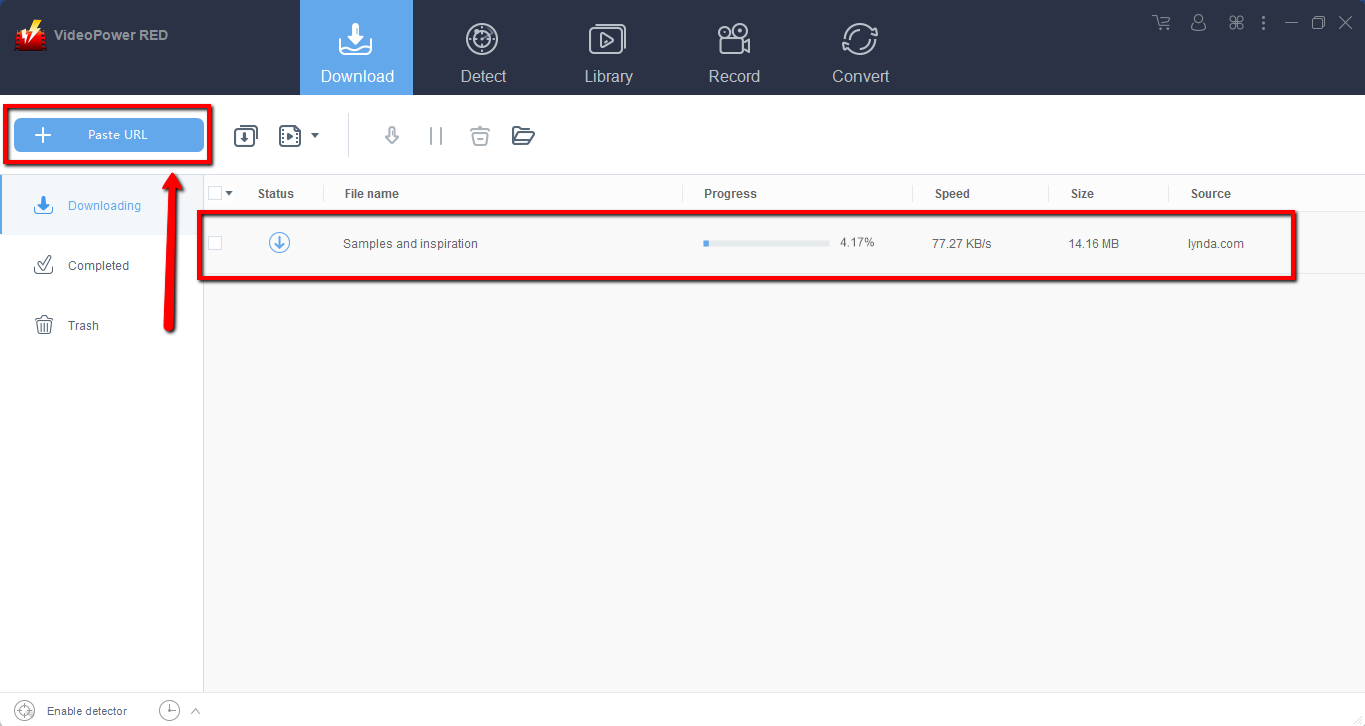
Step 1: Paste URL to download the video
When you launch the software, the first thing you see in the interface is the “Download” section, which is just about right as we will download videos from Lynda.
Copy the link of the Lynda video that you want to download and then paste it into the program by clicking the “Paste URL” button. After that, you will see that the video is downloading.
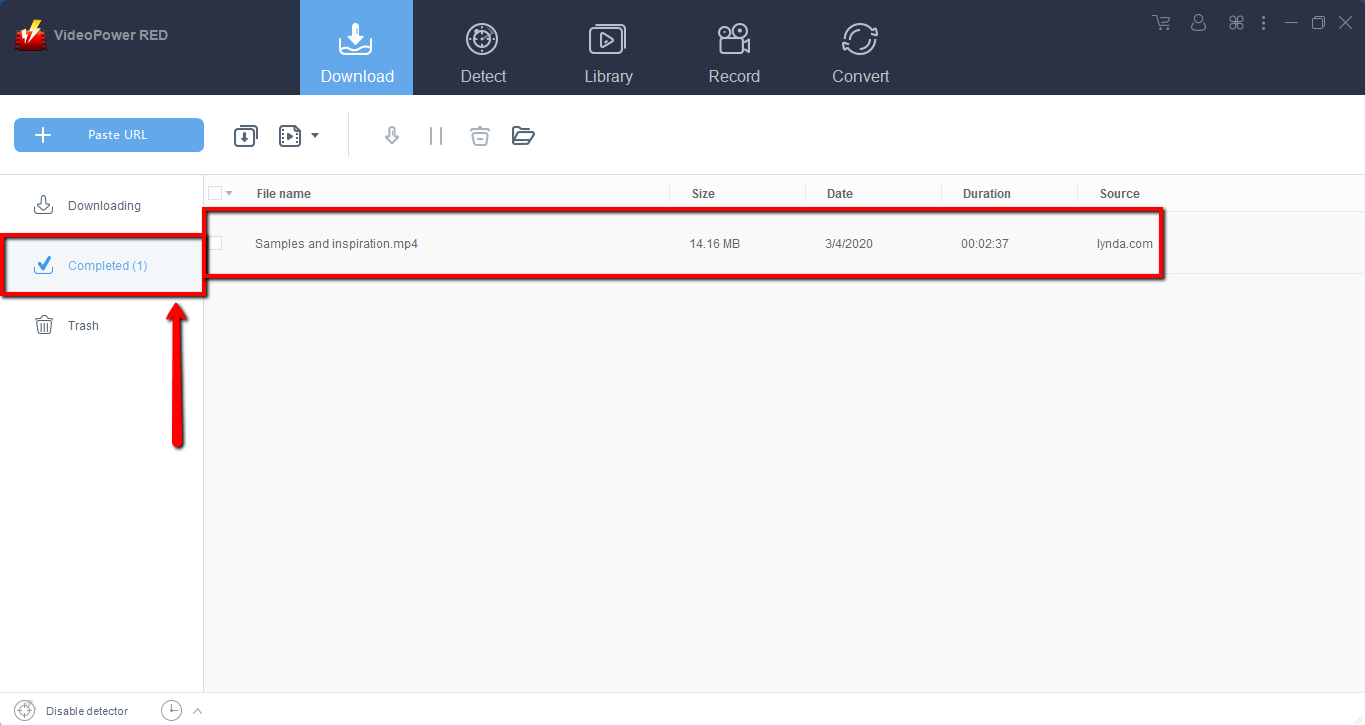
Step 2: Check the downloaded file
Wait for the download to finish, and then go to the “Completed” section to find the downloaded video. If you wish to do more, right-click to choose from the menu.
Method 2: Use the Embedded Browser
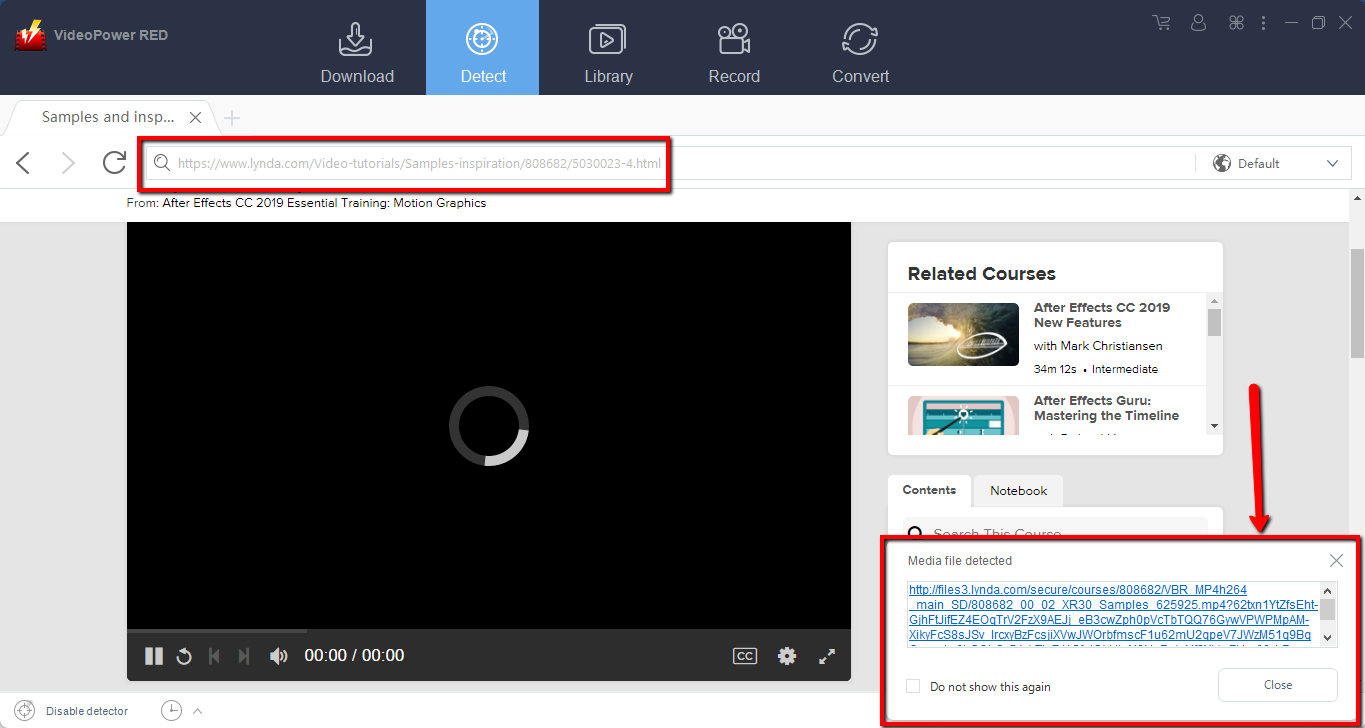
Open the video page via an embedded browser on “Detect”. Click “Enable Detector” at the very bottom left of the interface, play the video you want to download and the program will automatically download the videos for you.
A pop-up prompt will show to let you know that all is well, the program detected and is downloading your video.
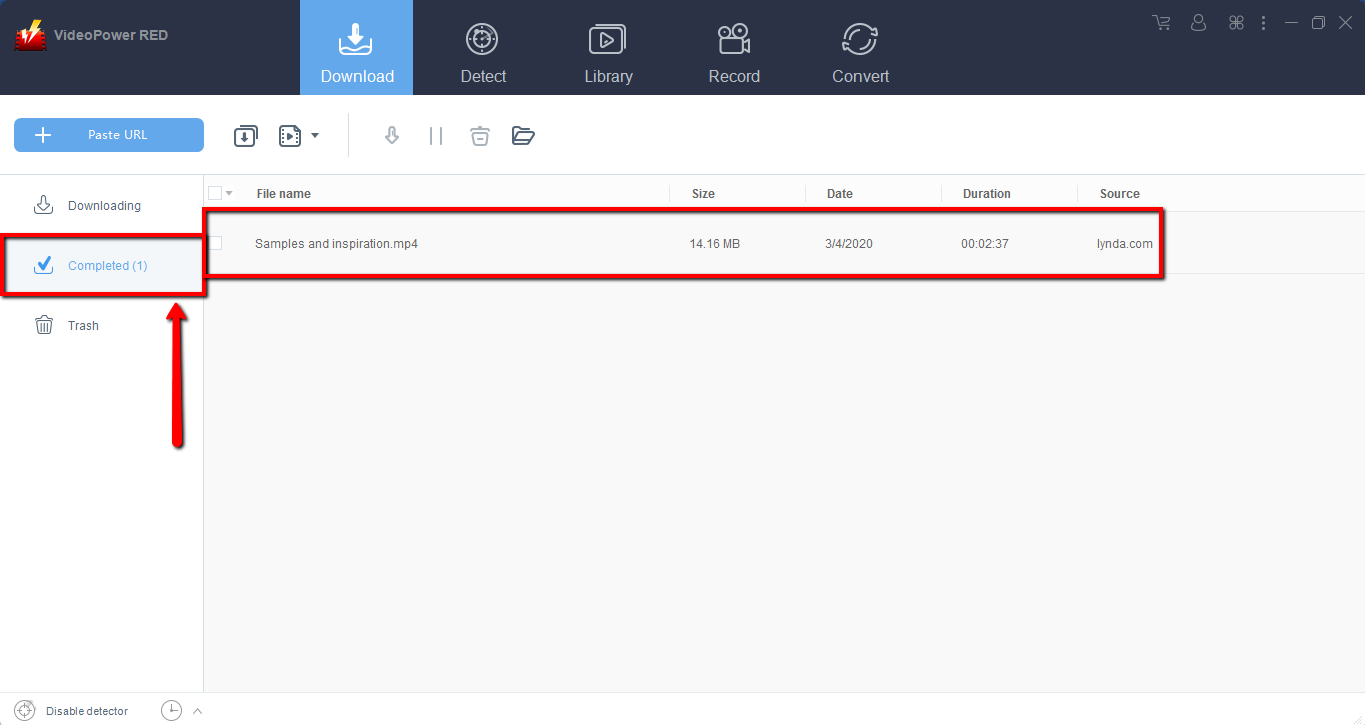
Wait for the download to finish, and then go to the “Completed” section to find the downloaded video.
Method 3: Record video
Sometimes because of the web update or slow internet connection, the program can’t download the video anymore but you can still save the video by using the recording function.
Step 1: Record video
Click the “Record” tab to record the video and Select from “Region, Fullscreen, around mouse or Web camera” as preferred.

Step 2: Check the recorded video.
After recording, the recorded file can be seen in the record interface.

Conclusion:
Lynda.com is one of the most popular online learning programs that can help people to learn things such as troubleshooting on PC and different kinds of courses. But, both websites are subscription-based so you must pay an amount to have access to their full features.
That is why you will need to download the videos so you can watch it anytime you like. It will only save you the problem of locating the video every time, but you can also watch them over and over again.
This will guarantee maximum learning efficiency because you will be able to watch the videos anytime at your convenience. That is the aim of VideoPower RED, to help its users in any way it can, making their life easier with it’s service.


