





Tips Index
Facebook has its own platform when it comes to streaming videos. Compared to Youtube, Facebook has a more personalized touch when it comes to videos uploaded since a Facebook account is a more personal interface compared to Youtube. Social media like Facebook brought out a new genre to video and entertainment, it is raw and unedited, so contents are more straightforward and personalized. YouTube is usually the website in which people usually download video content, but since Facebook added a video stream interface, it also made a cloud of entertainment within the edges of social media. Websites usually offer only download processing within realms of YouTube, Vimeo, Dailymotion, and the likes. Wanting to download Facebook videos is difficult since the availability of video download tools online is rare, especially if it is only focused on YouTube.
People always wonder how to download videos on Facebook. Here is the answer to this question.
VideoPower RED is a software that helps users download private Facebook videos to MP4, no exemptions. Since Facebook video download is hard, VideoPower RED has tools focused on such, with extra functionalities that could further improve entertainment on a video interface.
Method 1: Use External Detector
This method will enable you to do other tasks or while playing the video without tapping much in keys to download. Activate “Enable detector” will automatically start downloading the video file. Detect videos being played in any sites through an external browser and download it automatically after activating the “Enable Advanced Detector” on the download settings window.
Step 1: Set Advanced Detector
Open the setting window and navigate to the “Download” tab. Click the “Enable advanced detector (Support HTTPS)” and click “Okay” to activate it.

Step 2: Enable Advanced Detector
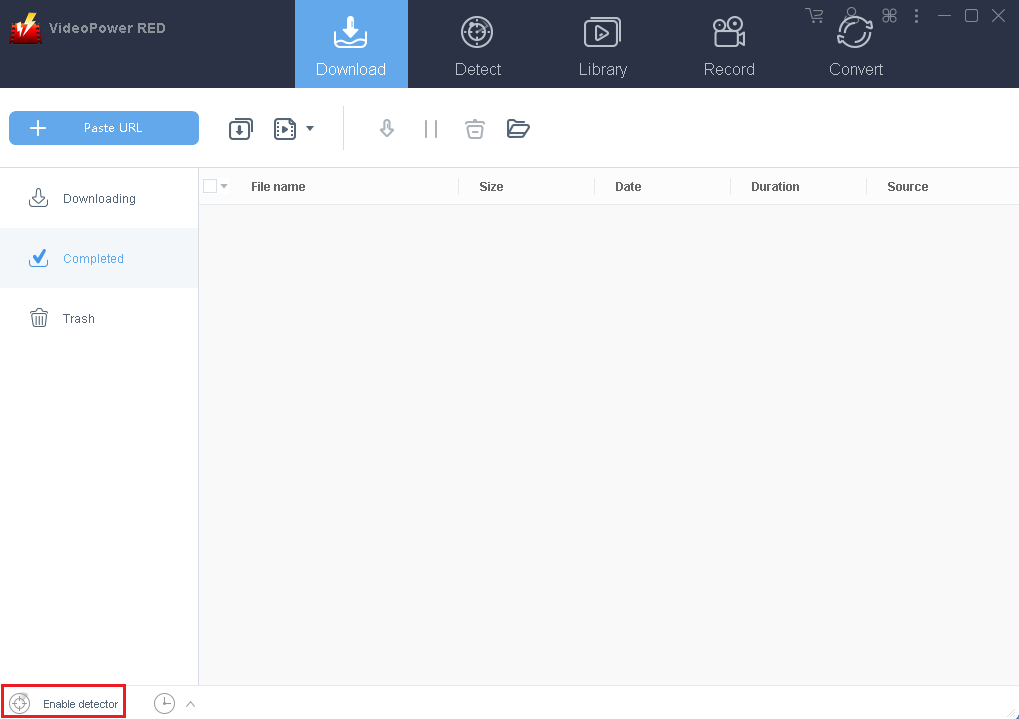
Enable the detector located at the lower-left portion of the software, click “Enable detector”.
Step 3: Play Facebook Video and Start Downloading
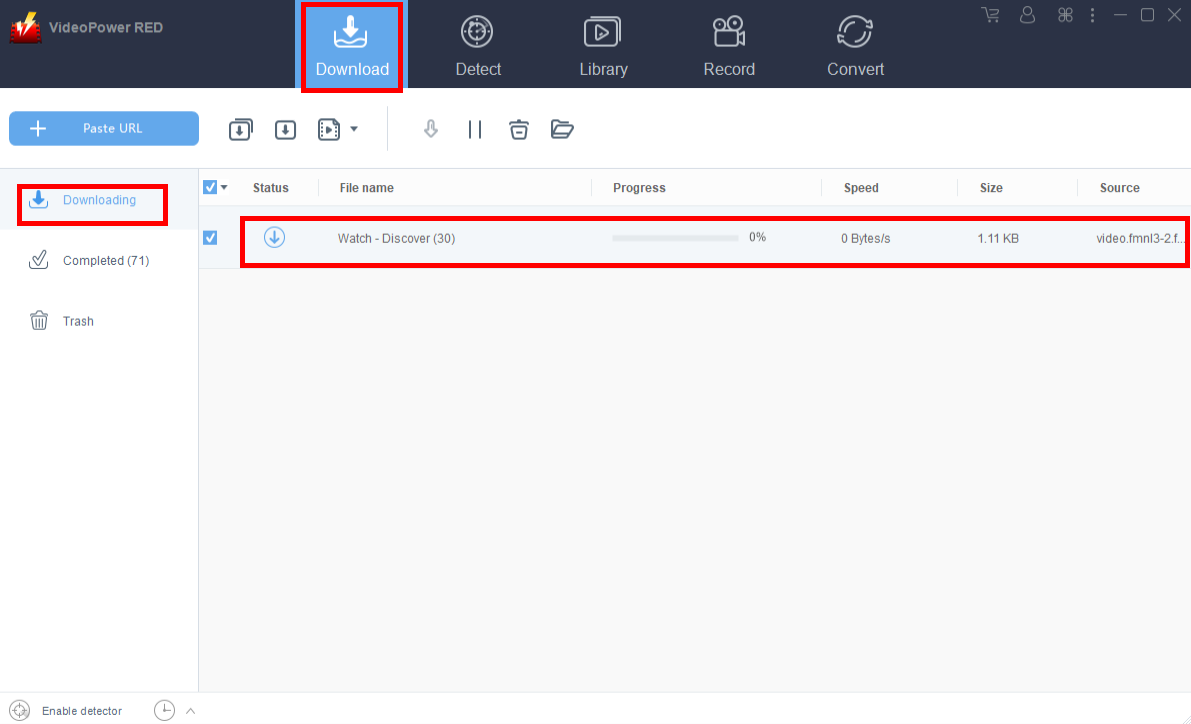
After enabling the advance detector, open Facebook and play the video you want to download. Navigate to the “Downloading” window and without much of the buttons to tap with, the system will automatically start the download. The download process can be observed in the “Downloading” window then wait for it to finish.
Step 4: Download Complete
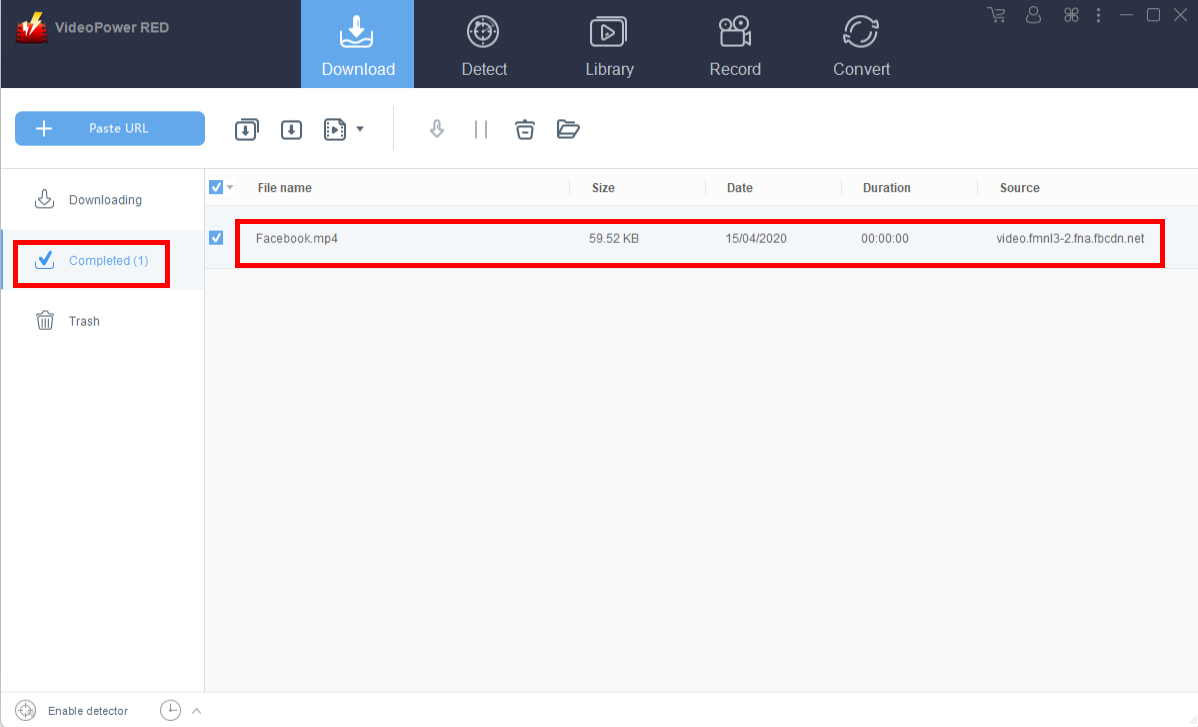
The finished Facebook video download will be displayed at the completed video downloads list. You can right-click to do more operations and double-click to preview.
Method 2: Screen Capture
If the other options or methods fail, this screen recording method will surely grab the video you like by bypassing the latter issues mentioned. It is recommended for video files that are protected.
Step 1: Set Sound Source
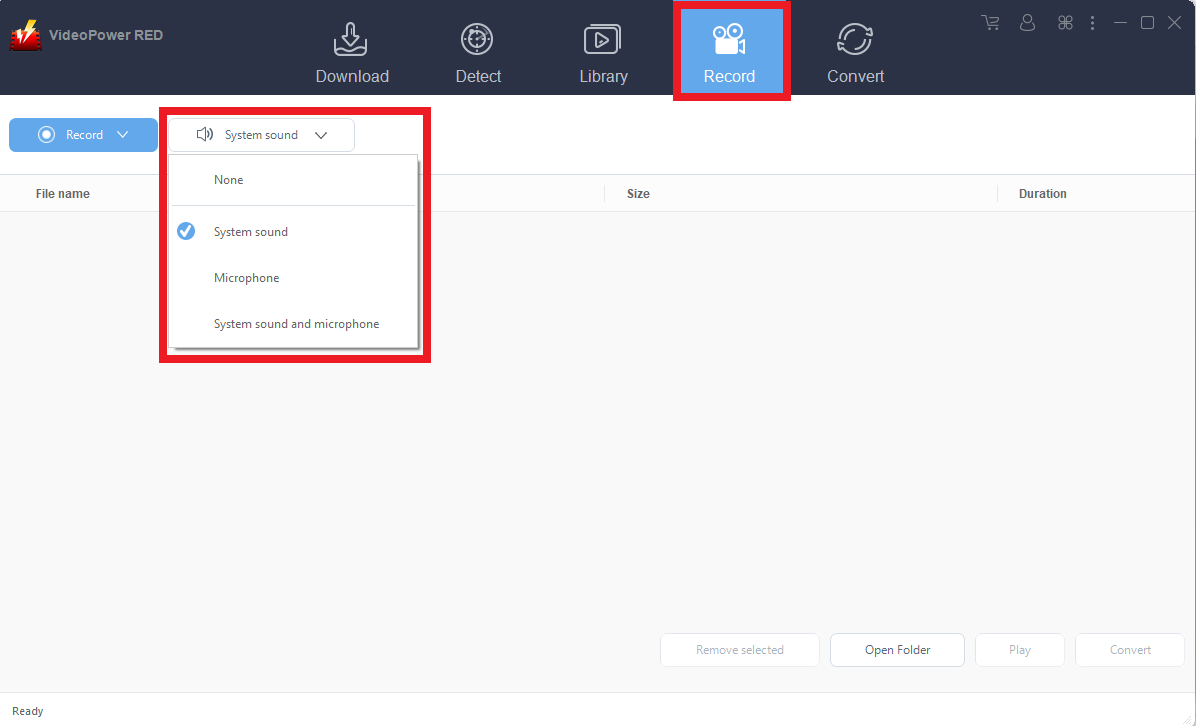
Go to the “Record” function of the app and choose the sound source. Since we are recording a video on a screen, select “System Sound”.
Step 2: Select a recording mode.
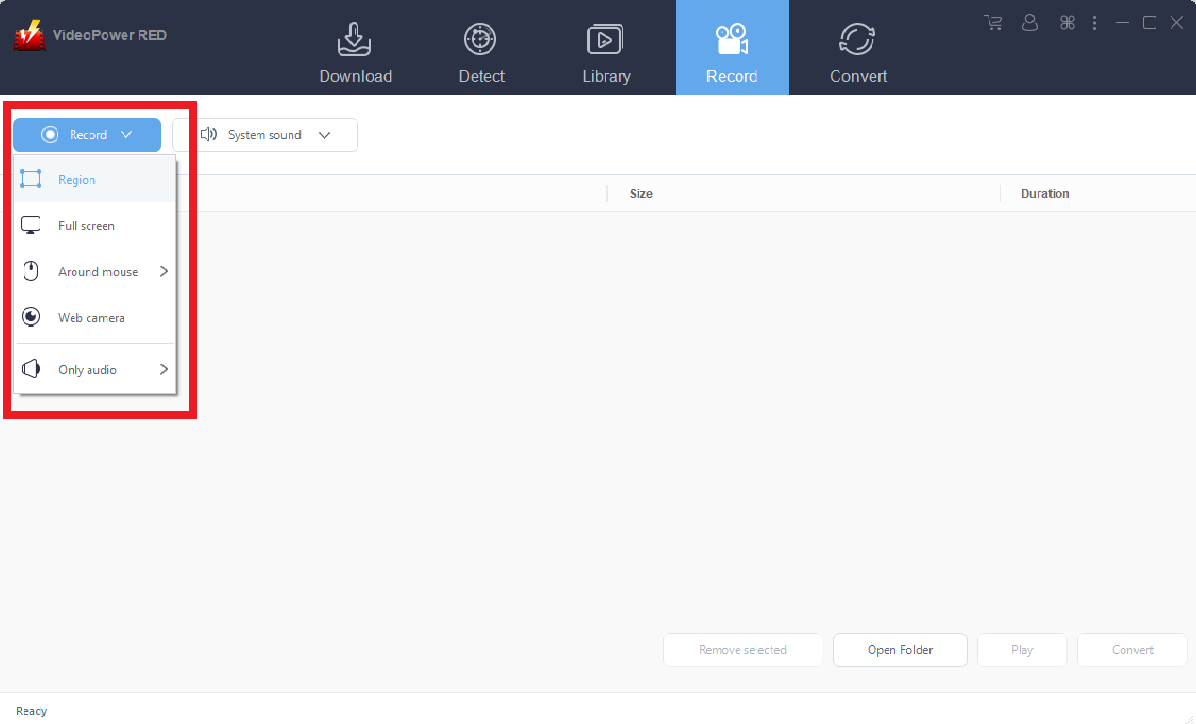
Click on the “Record” tool to select your display recording option. The following options are suitable for recording videos from websites.
Full Screen: The recording area will be the whole screen of the computer.
Region: The recording area will only be a specific area of the computer screen.
Conclusion:
Since Facebook is gaining dominance when it comes to video and entertainment, it is just right to find a tool where we can download videos because people now are also comfortable saving it into their drives and save it for playback.


