





Tips Index
Udemy is an open online education website (MOOC). Udemy has a special meaning because it’s a combination of “you” and “academy”, which means “your university”.
Unlike other online education platforms, Udemy doesn’t only open various courses but also teaching opportunities. That is to say, you can be a teacher or a student if you want to with the help of this website.
Users can learn any course on the platform any time, or they can set up their own courses to introduce their expertise and knowledge to the world.
In addition, in providing the web version, Udemy also has iOS and Android Apps, which allows users to learn at their own pace, regardless of time, location and device. If you have found some good videos on Udemy and want to download them we have the best app for you.
We highly recommend VideoPower RED, the most amazing Udemy video downloader with easy to use functions. This software can also download videos from Youtube, Dailymotion, Ustream, etc. in just one click. Just Click the Link below to download this free app.
You can try to use the software for free by downloading its trial version below.
Method 1: Copy and Paste the URL to Download Udemy Videos
Step 1: Paste URL and download video
Copy the link of the YouTube video that you want to download and then paste it into the program by clicking the “Paste URL” button. After that, you will see the video is downloading in the download control panel.
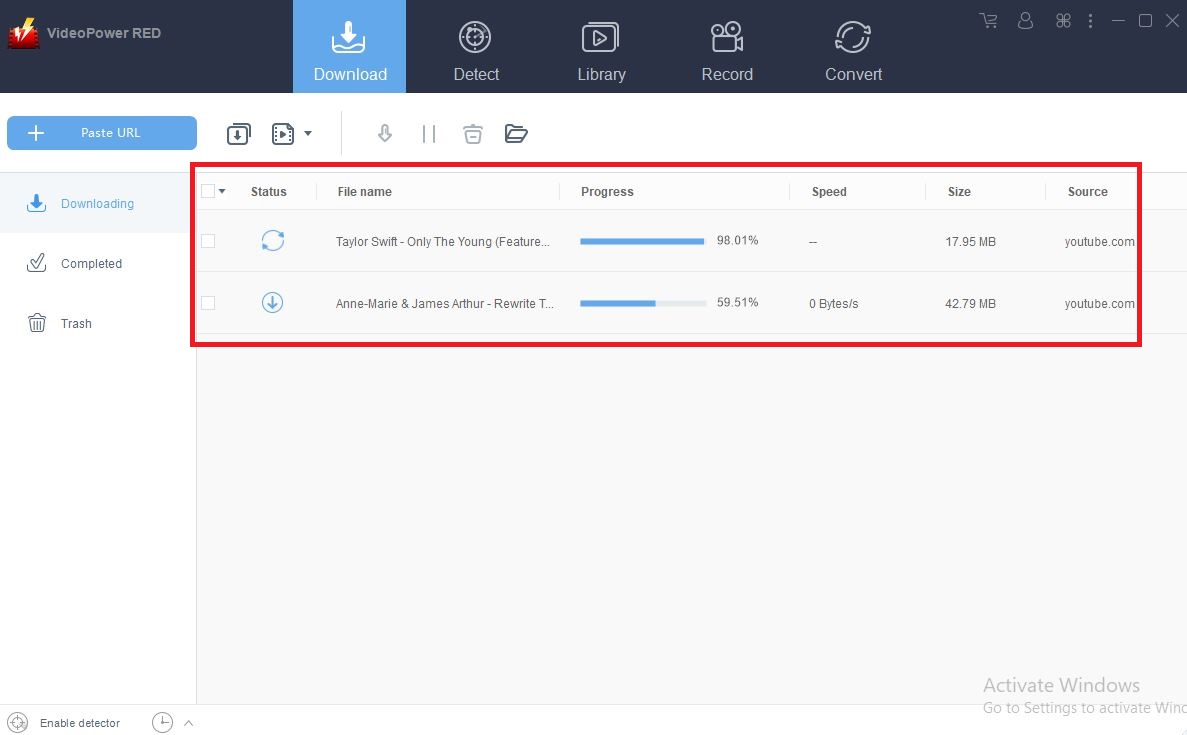
Step 2: Check downloading and downloaded file
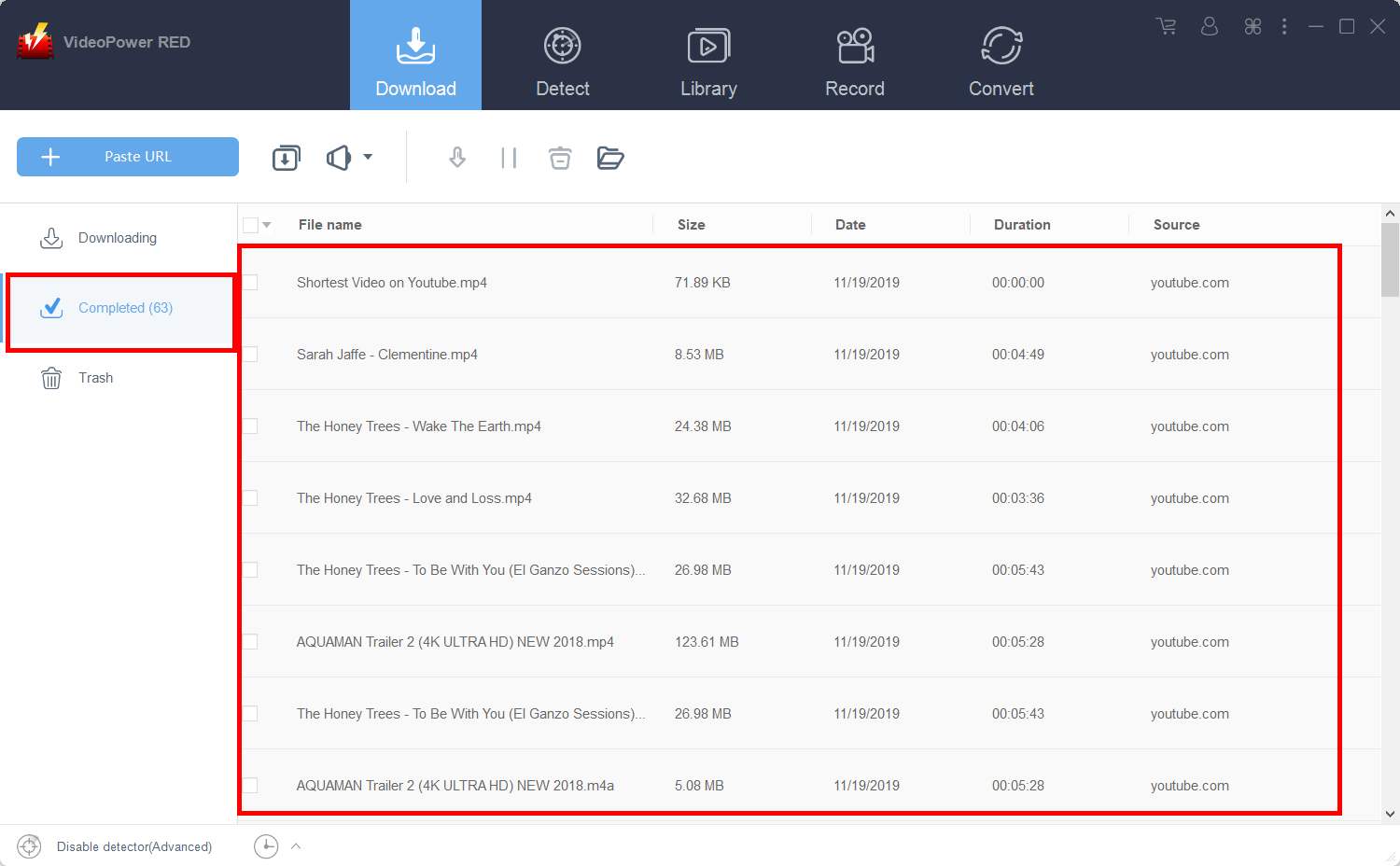
Wait for the download to finish, and then go to the “Completed” section to find the downloaded video.
Method 2: Record the Udemy Videos
For people in areas with a slow internet connection, you may opt to use the record function instead.
Step 1: Record video
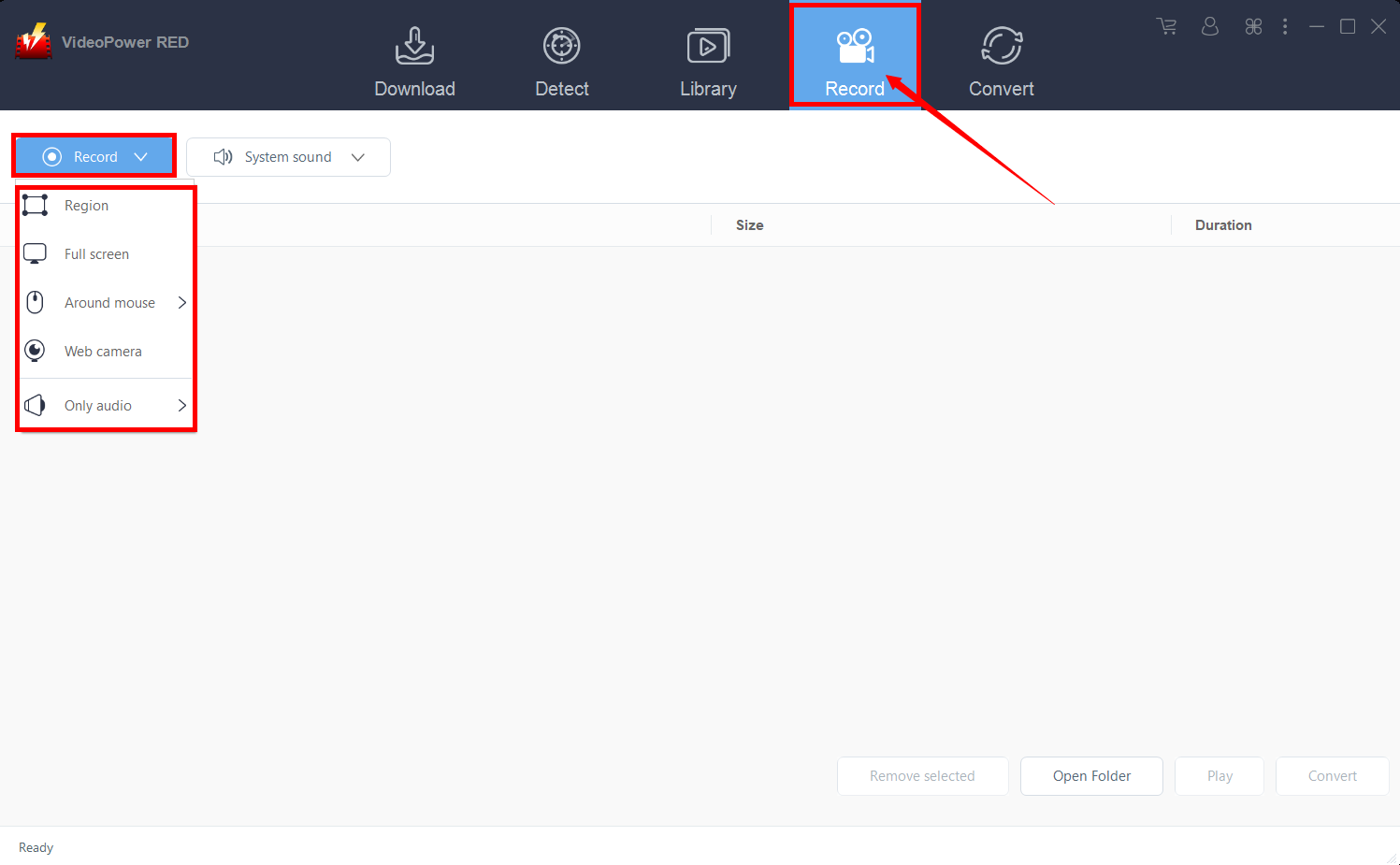
Click the “Record” tab to record the video and Select from “Region, Fullscreen, Around mouse or Web camera” as preferred.
Step 2: Check the recorded video
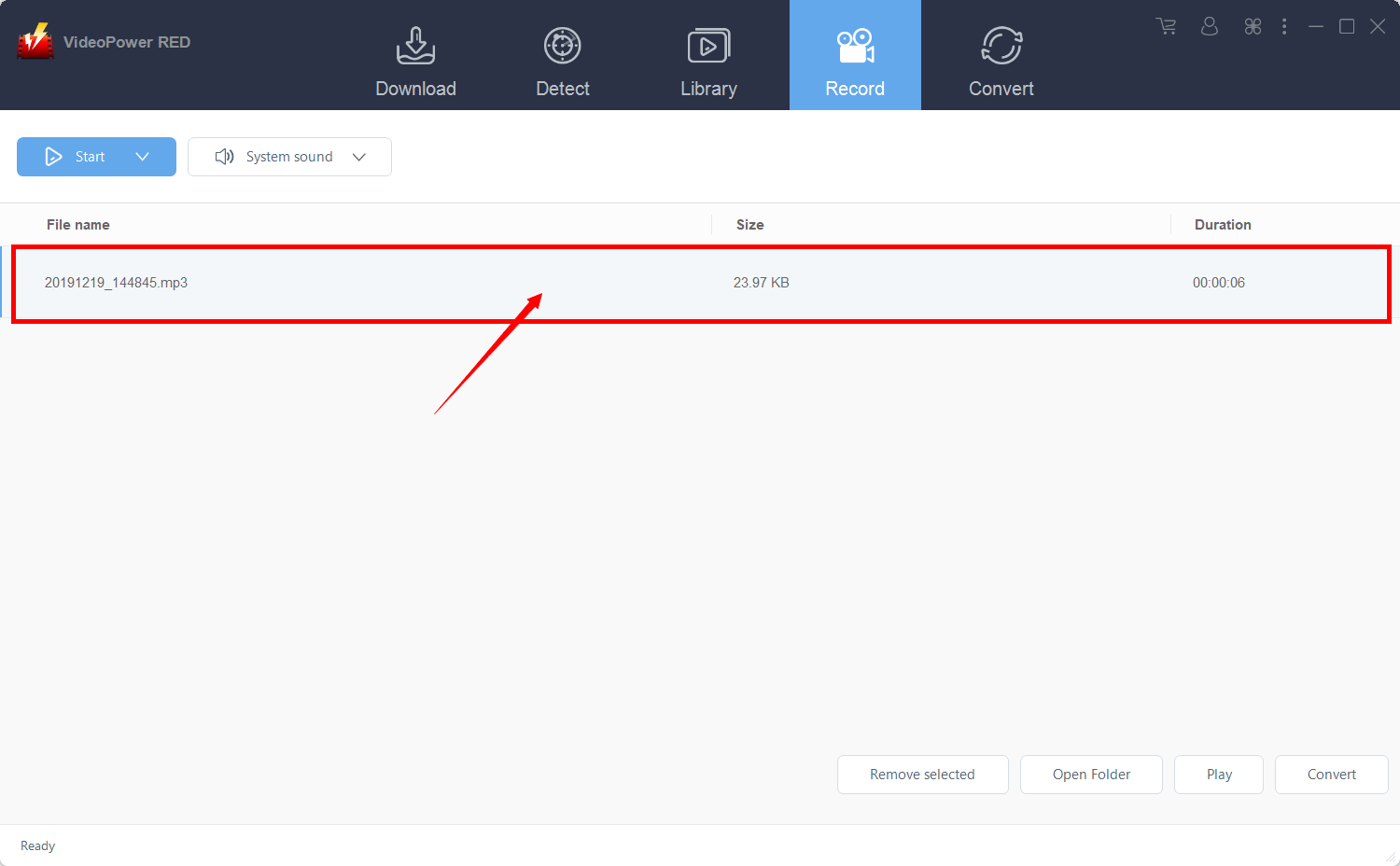
After recording, the recorded file can be seen in the record interface.
Conclusion:
Many users wanted to learn extra money through working online. With Udemy, this matter is possible. They can be a teacher if they want and even extra money. On the other hand, other users can also be a student and learn from this website. Being a teacher and a student in this web, users can download videos from it for later and offline viewing purposes and this would be possible with an amazing third-party tool with various professional features called VideoPower RED.


