





Tips Index
With the development of technology comes convenience. Downloading videos nowadays are easy given that there are a lot of video downloaders available on the web. The conventional way of downloading videos from the internet, which is also the simplest method, is through URL video download.
This method lets you download your favorite videos from any video site using the link of the video instantly. Be it movies, TV shows, anime, webinars, or any kind of video. The advantage of downloading videos is for offline viewing so even without the internet, it’s an uninterrupted time of watching.
In order to make this possible, you need the best URL video downloader.
VideoPower RED is a video downloader that not only gives you a service to download videos but also provides all available formats of video for downloading including MP4, 3GP, FLV, WMV, MP3, WEBM, MOV, etc which is better for compatibility issues.
This URL video downloader can deal with various types of browsers and social media platforms like Facebook, Instagram, Vimeo, Funny or Die, Voot, Dailymotion, etc. It also has a built-in browser to help you look for something to download video from website online
It also has a search function that will help you spend less time sorting through videos on the internet because a few keywords and a click is all it takes.
To download any video from an online URL using VideoPower RED, all you have to do is to copy and paste the URL! You’re all good.
Click the DOWNLOAD button below to install and try how easy it is to download URL video with VideoPower RED.
Downloading videos with VideoPower RED can be done through 4 methods such as “Copy and Pate”, “Embedded Detector”, “External Detector”, and “Screen Record”. However in downloading videos via URL, “Copy and Paste”, and “Embedded Detector” methods are recommended for you. To know how to do it, follow the steps below.
Method 1: Copy and Paste
Step 1: Paste URL and download video.
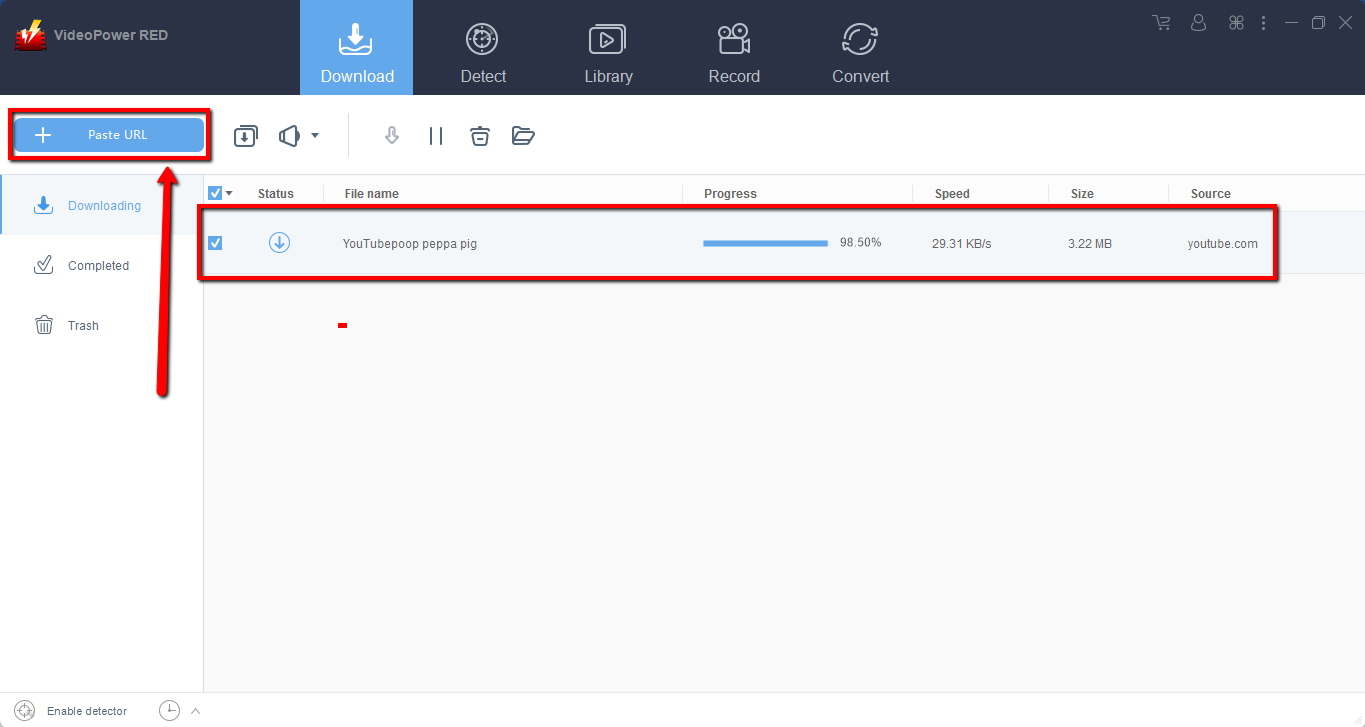
Copy the link of the video you want to download and then paste it into the program by clicking the “Paste URL” button. After that, you will see the video is downloading in the download control panel.
Step 2: Check the downloaded file
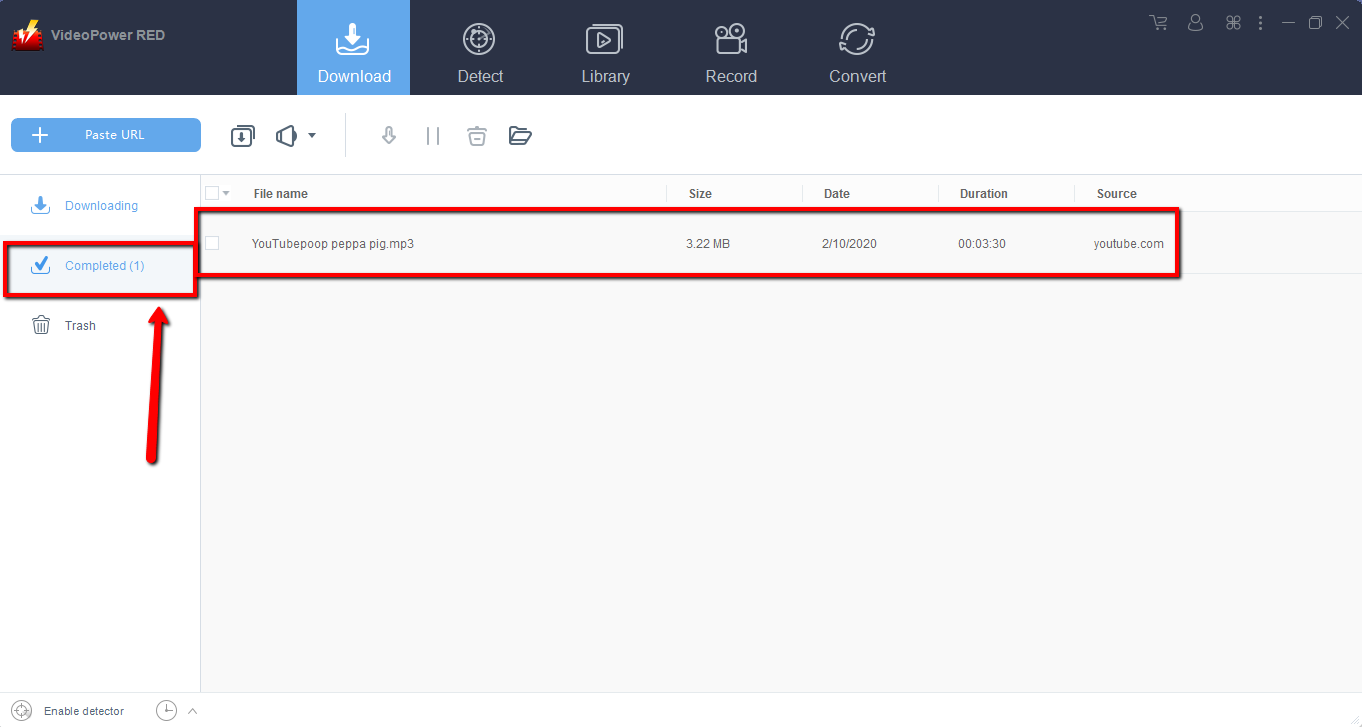
Wait for the download to finish, and then go to the “Completed” section to find the downloaded video. Right-click to do more operations and double-click to preview.

Method 2: Use the Embedded Browser
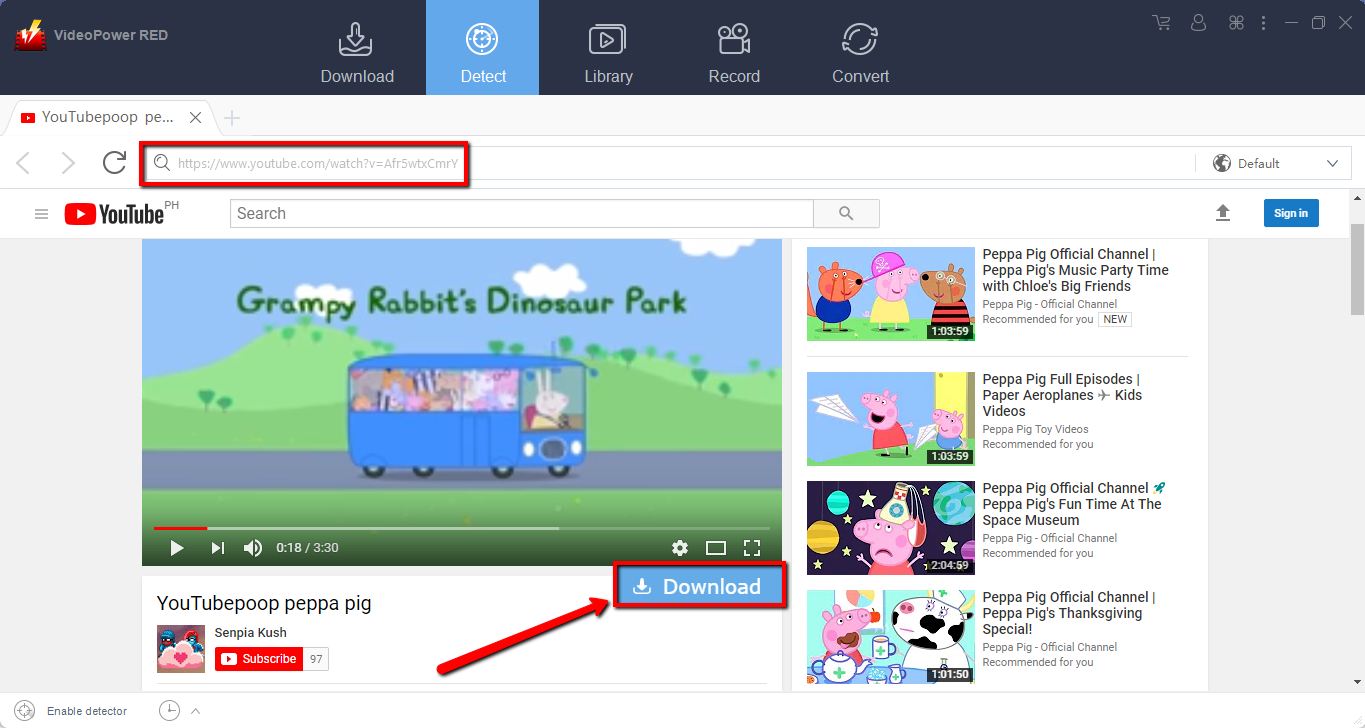
Step 1: Open the video page via an embedded browser
If the program supports the site, the video will be downloaded by clicking the “download” button below when you use the YouTube site. But when you use other sites, the video file will be downloaded automatically.
Step 2: Download Complete
Wait for the download to finish, and then go to the “Completed” section to find the downloaded video. Right-click to do more operations and double-click to preview.
Conclusion:
VideoPower RED is a wise choice because of its multi-faceted interface with fast download and conversion speed. Preserving original quality while converting is the reason why most people like to use it.
Download now VideoPower RED to experience its full features.


