





Tips Index
JW Player is a video player application software that is designed to stream online videos in an HTML5 and Flash video format. This player was encrypted by the JavaScript where it can reduce video size for an excellent viewing experience. Moreover, JW has a good reputation for implanting video content directly into a website. Also, videos from JW Player can be streamed on most major devices such as smartphones, tablets, laptops, and PC desktops as it has a flexible style and growth in its features.
Streaming videos with JW Player is indeed satisfying for most of the online users. However, these videos cannot be downloaded locally. Many users wanted to watch JW videos more conveniently anywhere they are and anytime they want and downloading would be the way to reach this convenience thus JW Player downloader would be needed.
To make downloading JW Player possible, a third-party tool is necessary. VideoPower RED, an amazing, hassle-free, trusted and has various useful features third-party downloader application software is the best answer for most of the users’ questions on how to download JW Player videos.
Try to use the product for free. Just click the link below to download and install the app.
Method 1: Copy and Paste URL to Download JW Player Videos
Step 1: Paste URL to download video
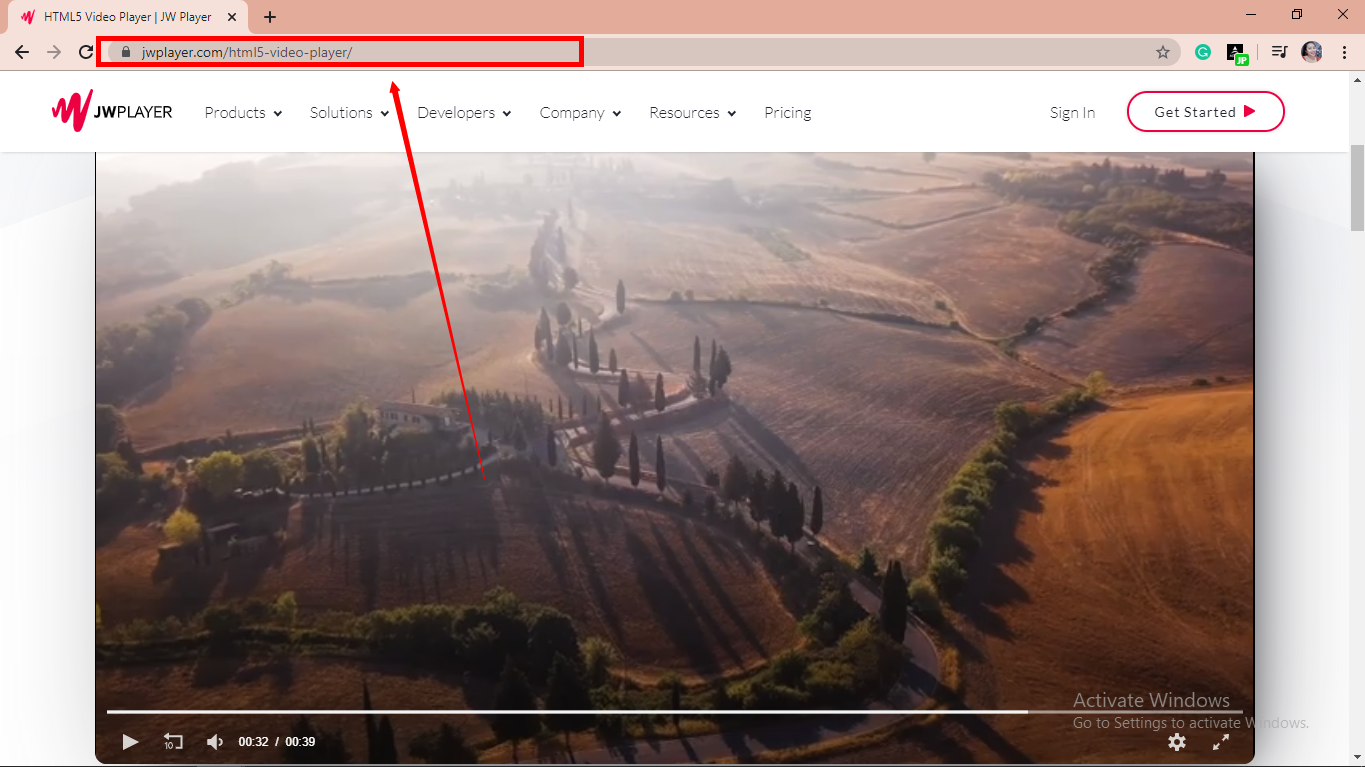
Copy the link of the selected video file that you want to download and then paste it on the product by clicking the “Paste URL” button. After this, the video will be processed in the “Downloading” control panel.
Step 2: Check the Downloaded Task
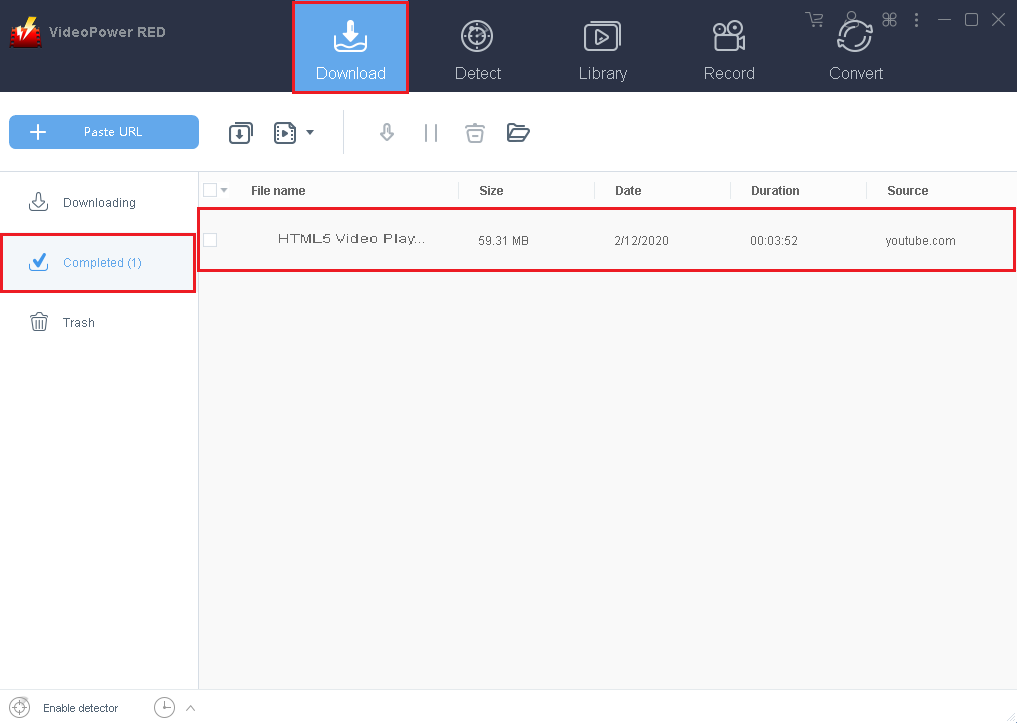
Go to the “Completed” tab to check if the download process is done. Right-click the file if you want to do more operations like “Play” to watch the video playback.

Method 2: Auto-Detect (Embedded Detector)
Download the desired video file using Auto-Detect on the “Detect” control panel. The software can detect the video being played on it and it will be downloaded automatically in any sites except for YouTube videos wherein YouTube, there’s the need to click first the download button before it will be downloaded.
Step 1: Open the video file through an embedded detector
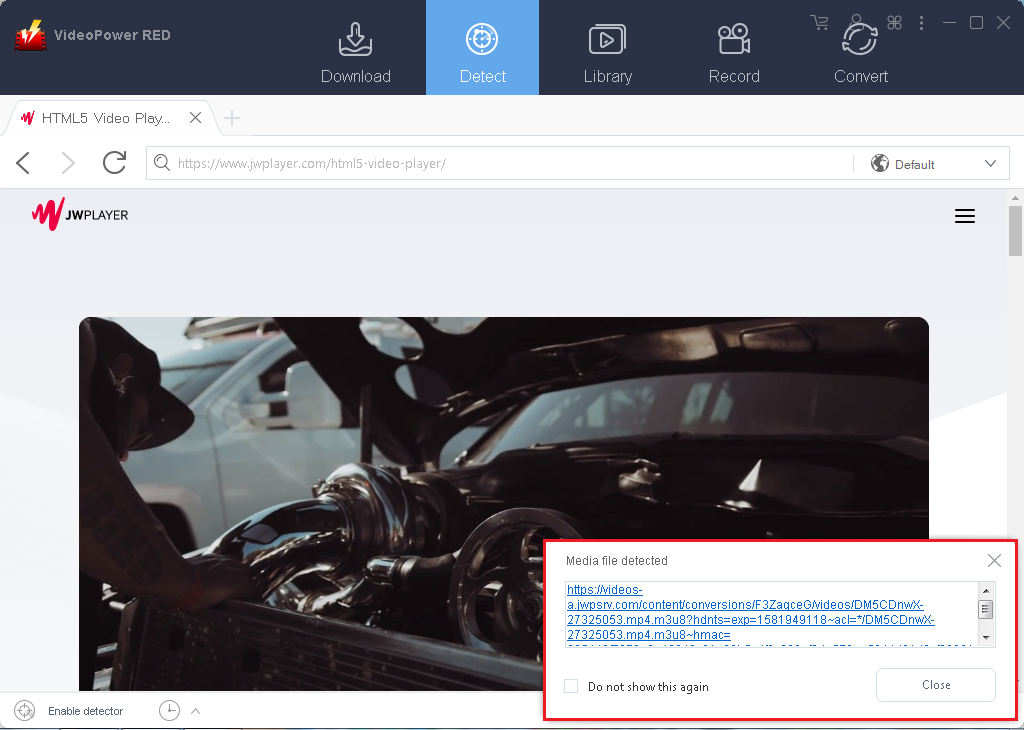
Select a site and choose the desired video file. After selecting, a “Media File Detected” notice will appear to notify that the chosen file has been detected and will be downloaded automatically.
Step 2: Check download processing
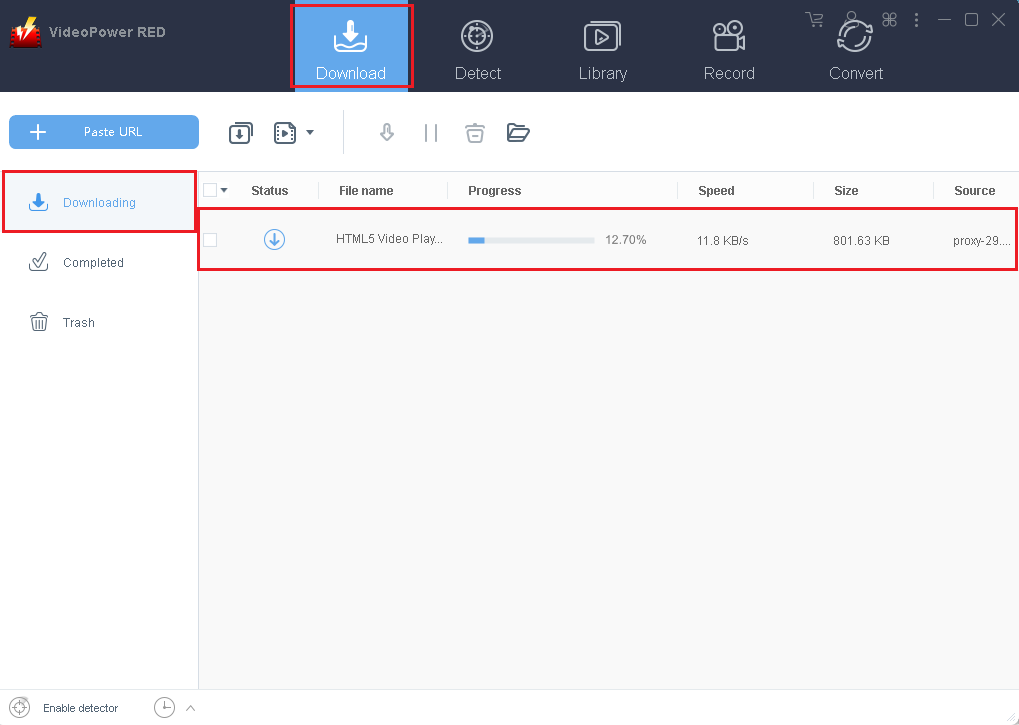
The detected file will be navigated to the “Download” panel to process the download.
Step 3: Check the Downloaded Task
After the download is finished, the file will automatically be moved on the “Completed” panel.
Method 3: Record video
Sometimes because of the web update or slow internet connection, the program can’t download the video anymore but you can still save the video by using the recording function.
Step 1: Record video
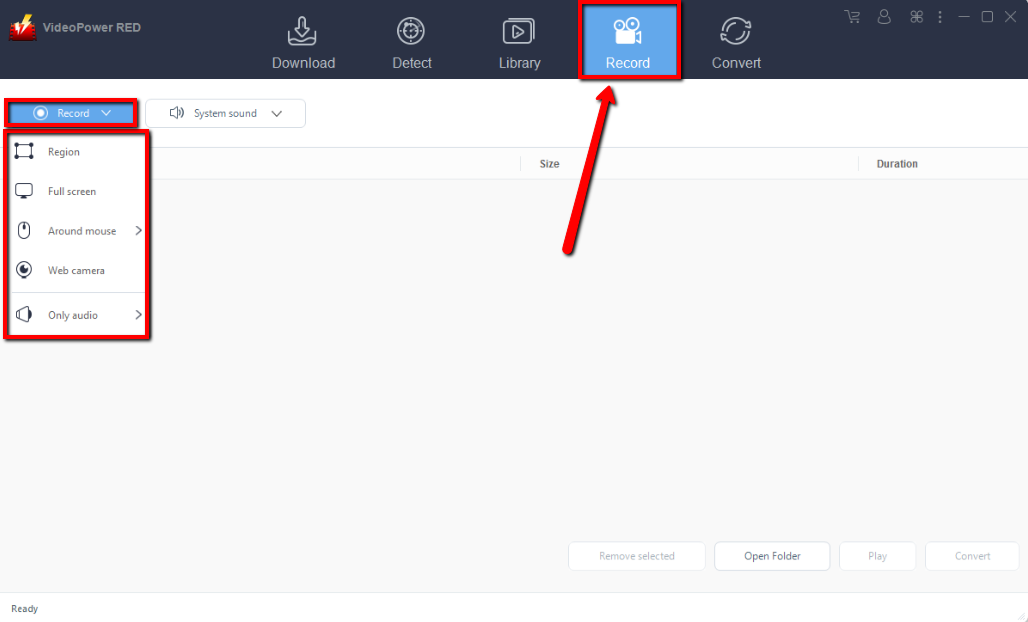
Click the “Record” tab to record the video and Select from “Region, Fullscreen, around mouse or Web camera” as preferred.
Step 2: Check the recorded video.
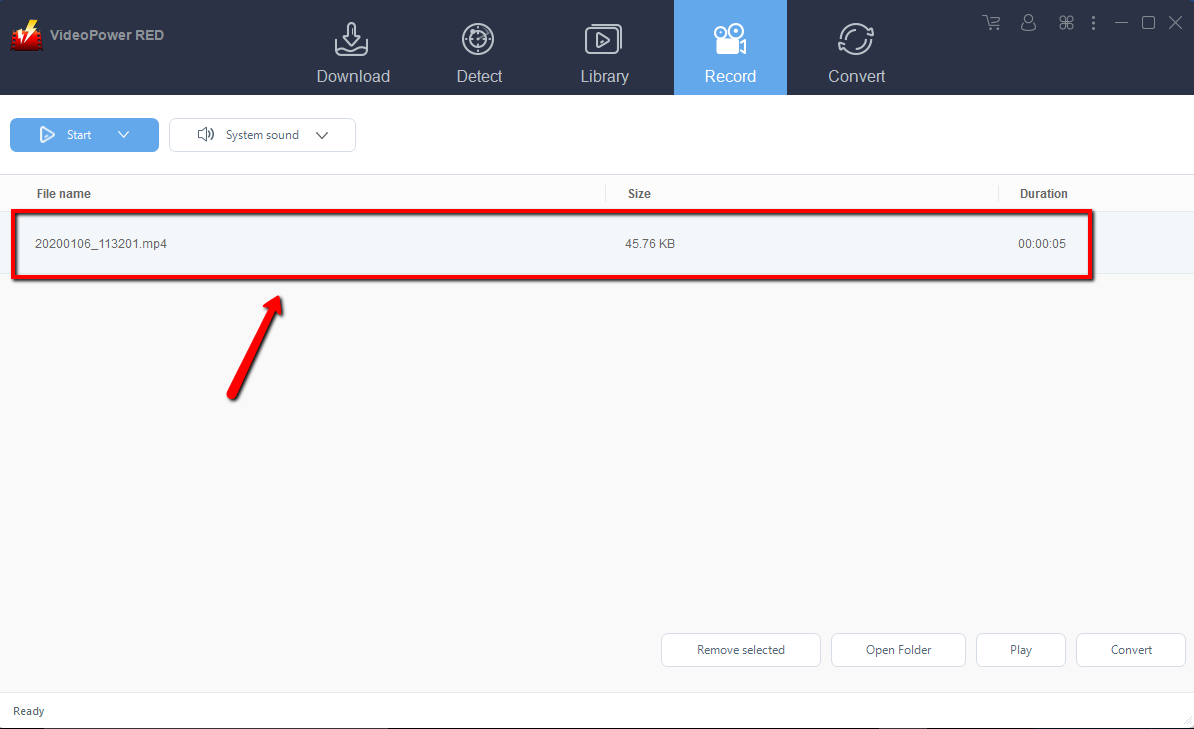
After recording, the recorded file can be seen in the record interface.
Conclusion:
JW Player is an application software that streams different kinds of videos that users enjoy watching. JW is indeed amazing and satisfying in serving users their needs and wants with regards to streaming videos online. However, like other software, JW Player doesn’t have a downloading service for saving videos for offline purposes. Thus, a third-party tool recommended.
VideoPower RED, an amazing, hassle-free and trusted third-party downloader application software is best suited in downloading videos from JW Player through different methods; the copy and paste, embedded detector, external detector, and screen recording method. Other than downloading, VPB also has various useful and professional features such as recording, converting, and editing videos.


