





Tips Index
Since the emergence of smartphones, people cannot leave their homes without bringing theirs. Music is a great past time and a lot of people listen to music while doing things like doing exercises, taking a bus, riding the subway, etc.
Almost every smartphone can play music nowadays, but most of them do not allow direct downloading of music. As one of the largest mobile brands, Samsung is not an exception so if you want to listen to music but want to play it anytime and anywhere without restrictions if you are online or not then opting to download it to your smartphones is the key.
VideoPower YELLOW, you can download music to your Samsung device.
To download the free software, just click on the link below.
Method 1: Search and Download Music
Step 1
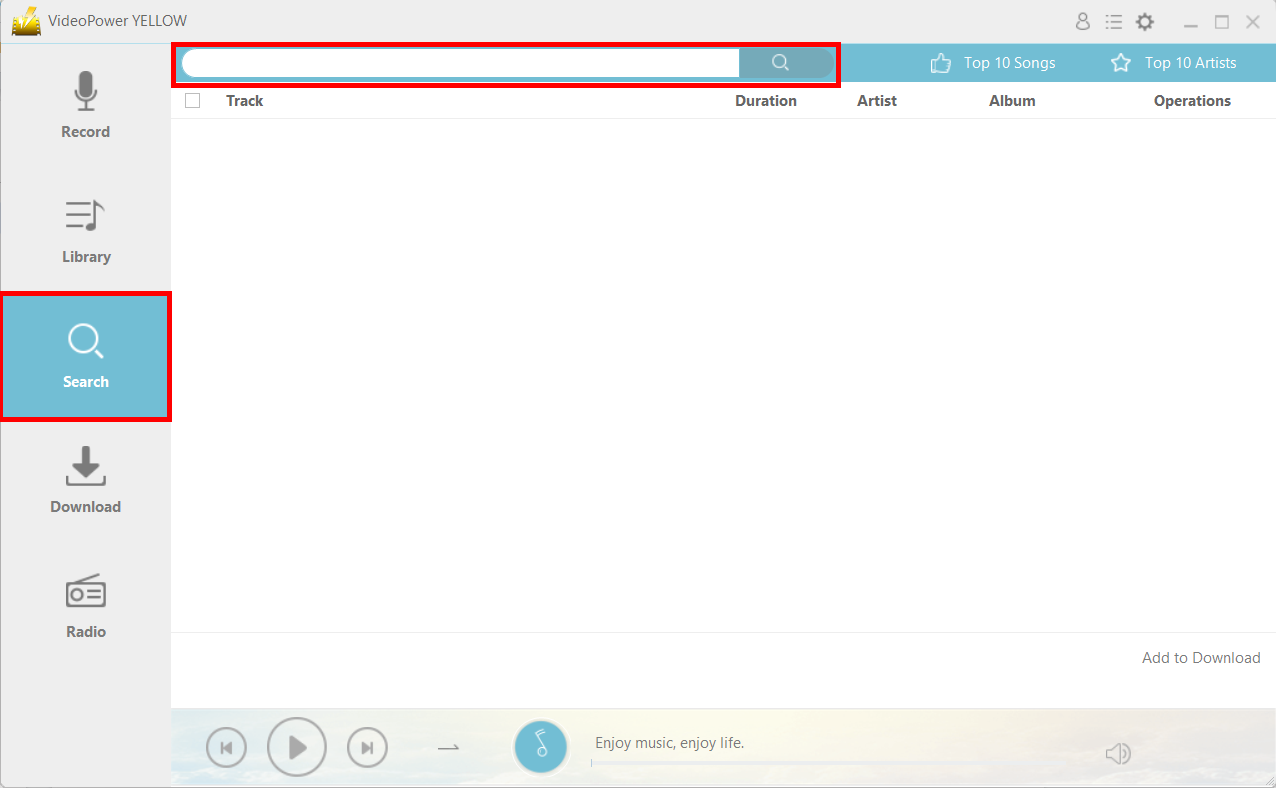
Launch the program after a successful installation. Go to the “Search” function and search the song that you want to download.
Step 2
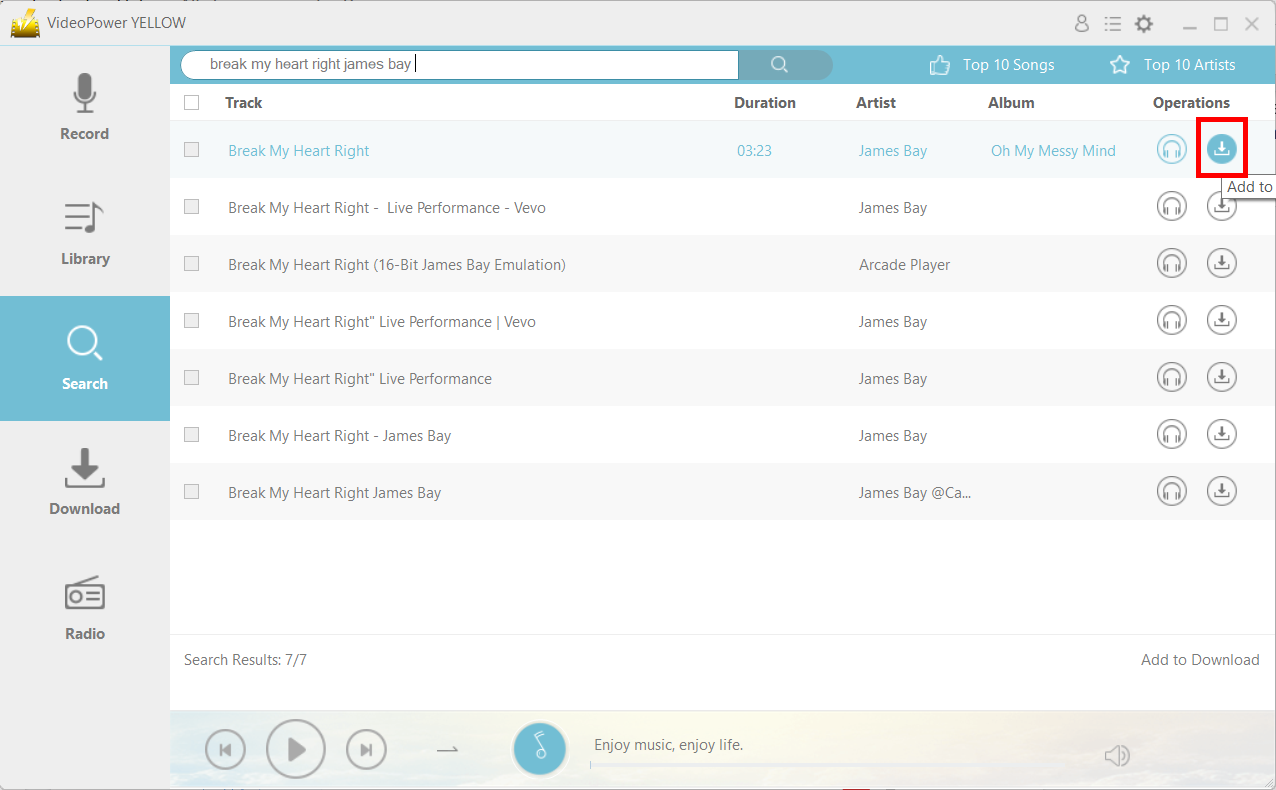
Click on the “Download” icon.
Step 3
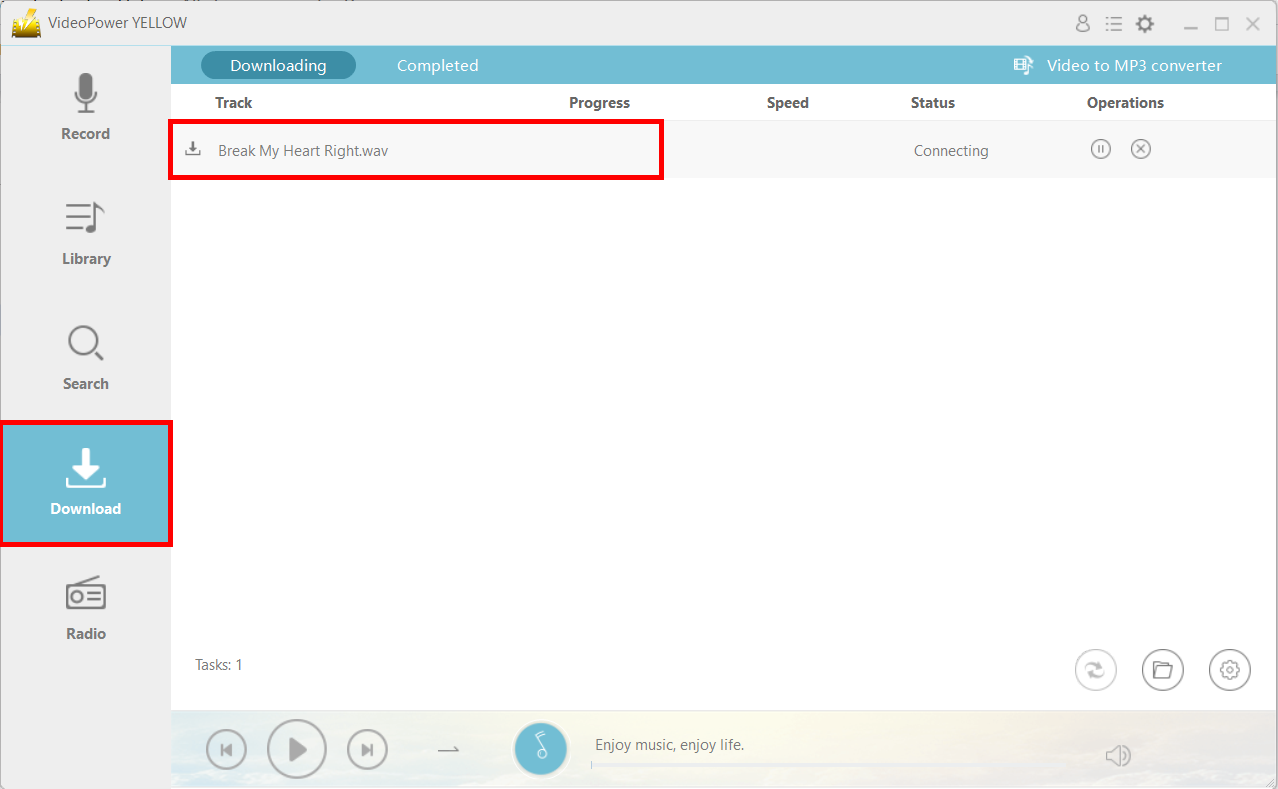
The file will be immediately placed in the “Download” section.
Step 4
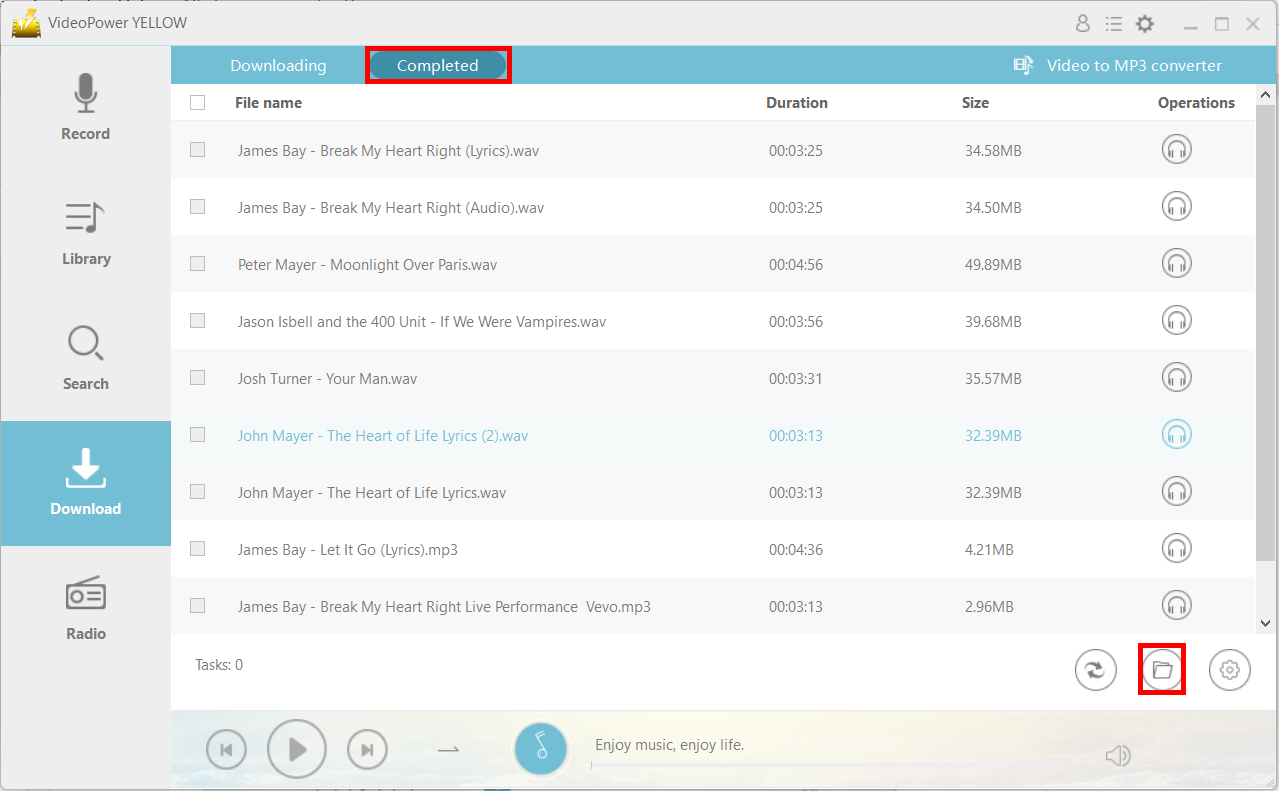
After downloading, the file will be in the “Completed” tab in the “Download” section. You can find the location of the file by clicking on the “File location” icon on the lower-right.
Method 2: Convert the video to MP3
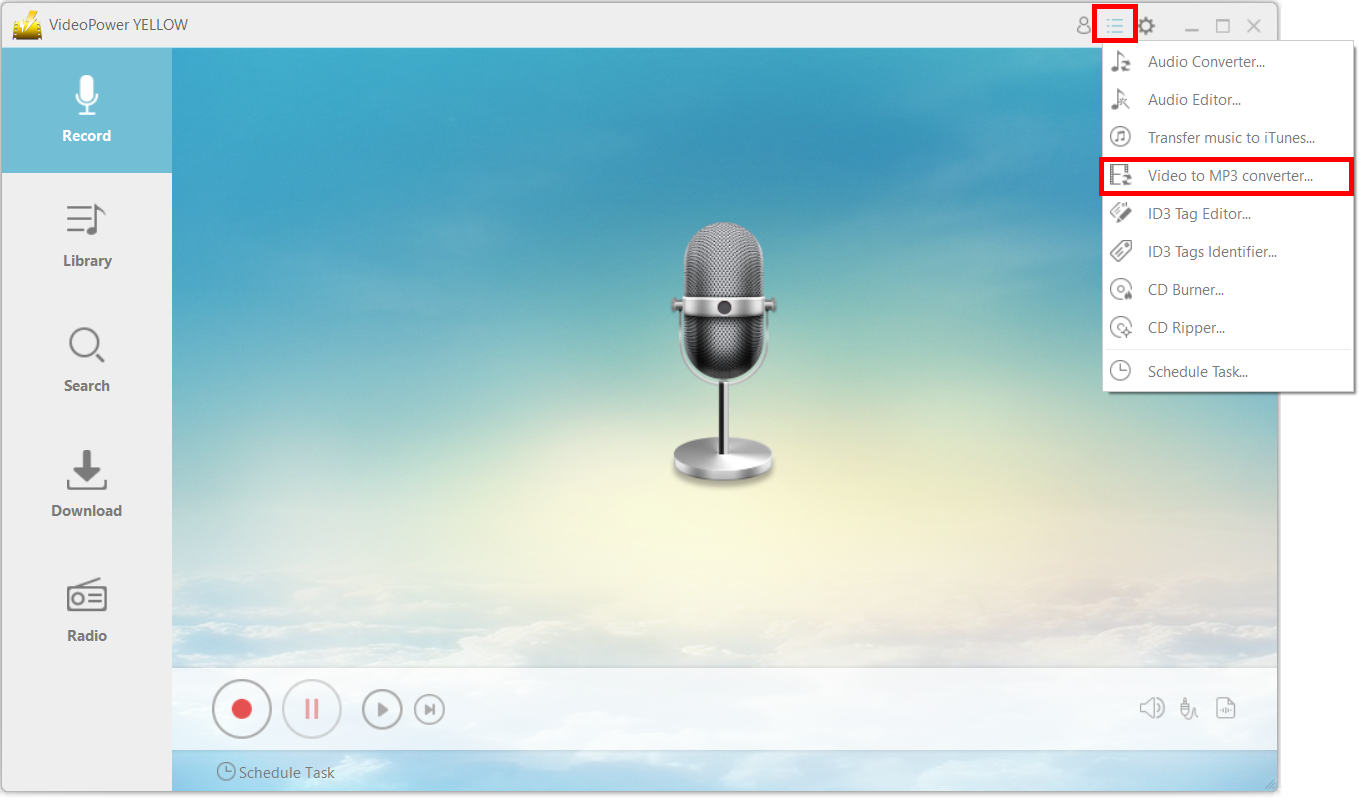
Step 1: Launch the program
Click on the main menu icon and choose “Video to MP3 Converter.”
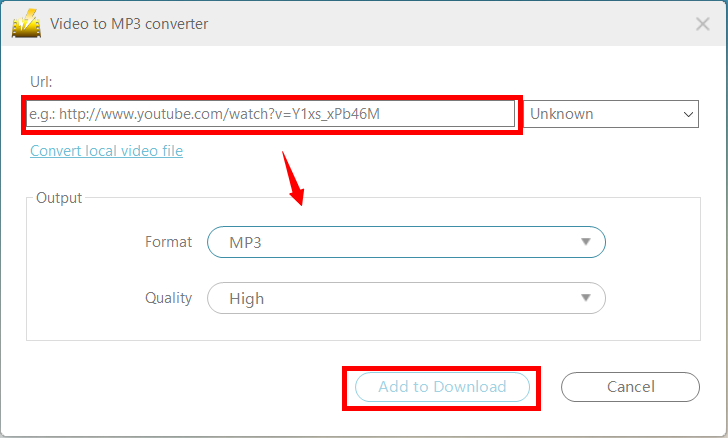
Step 2: Convert the music video to an MP3 file
Copy and paste the URL of the video that you want to convert into the new window. Make sure that you set the format under “Output” to “MP3.”
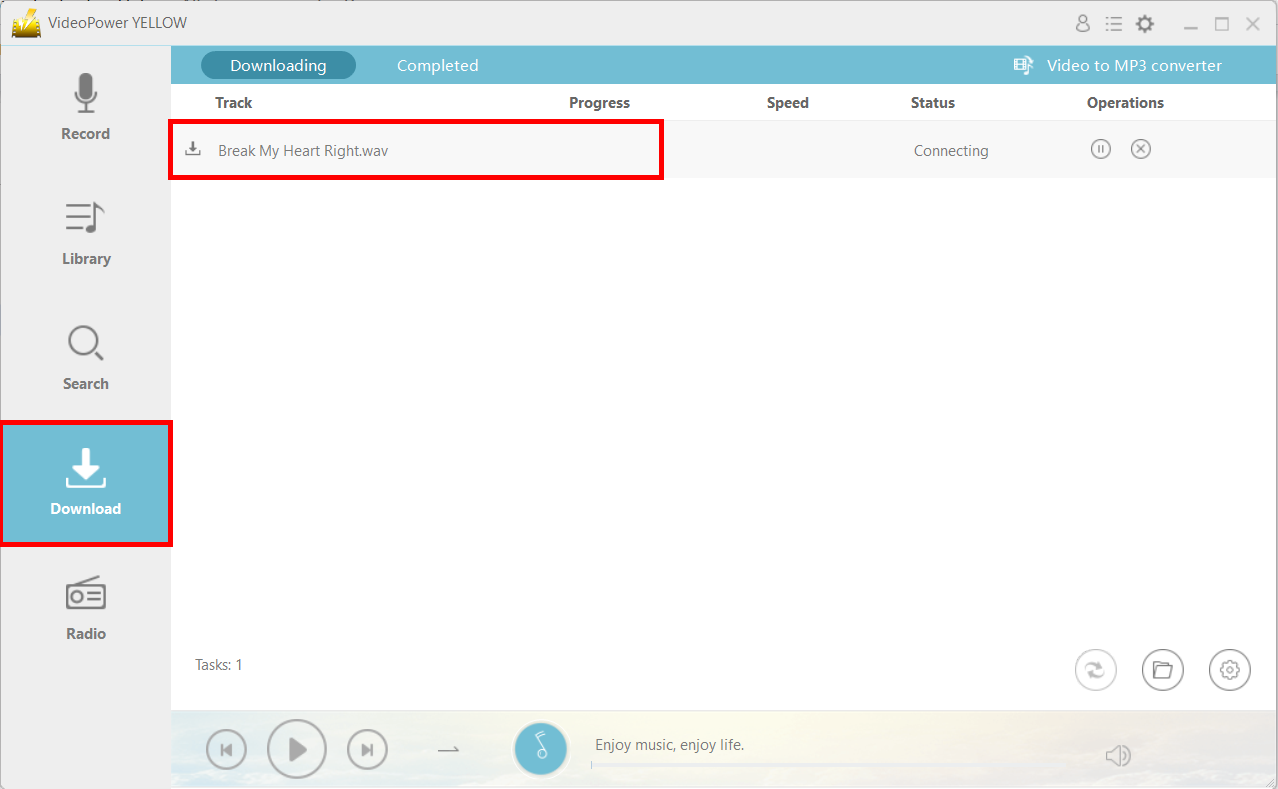
Navigate to the “Download” function and you will see that the file will be in the “Downloading” tab.
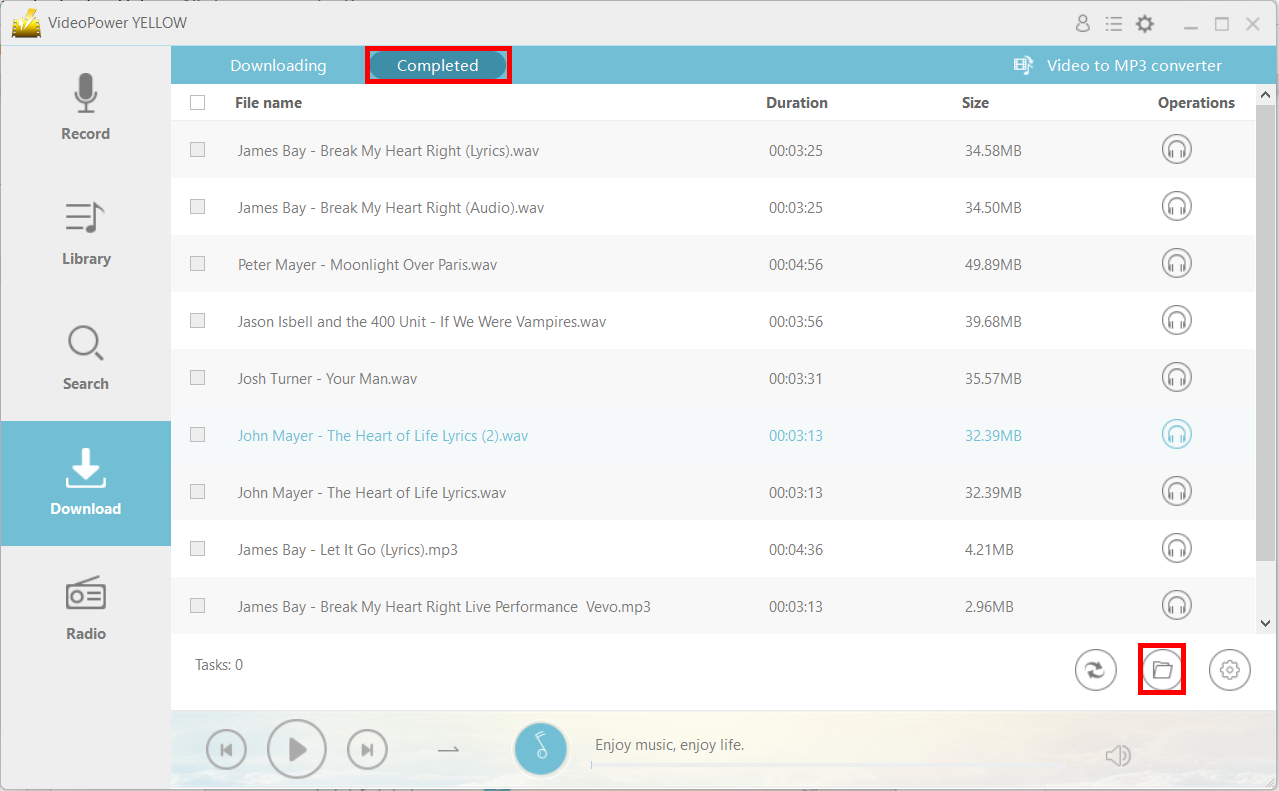
After downloading, the file will be in the “Completed” tab. You can open the file location by clicking on the folder icon on the bottom right.
Method 3: Record
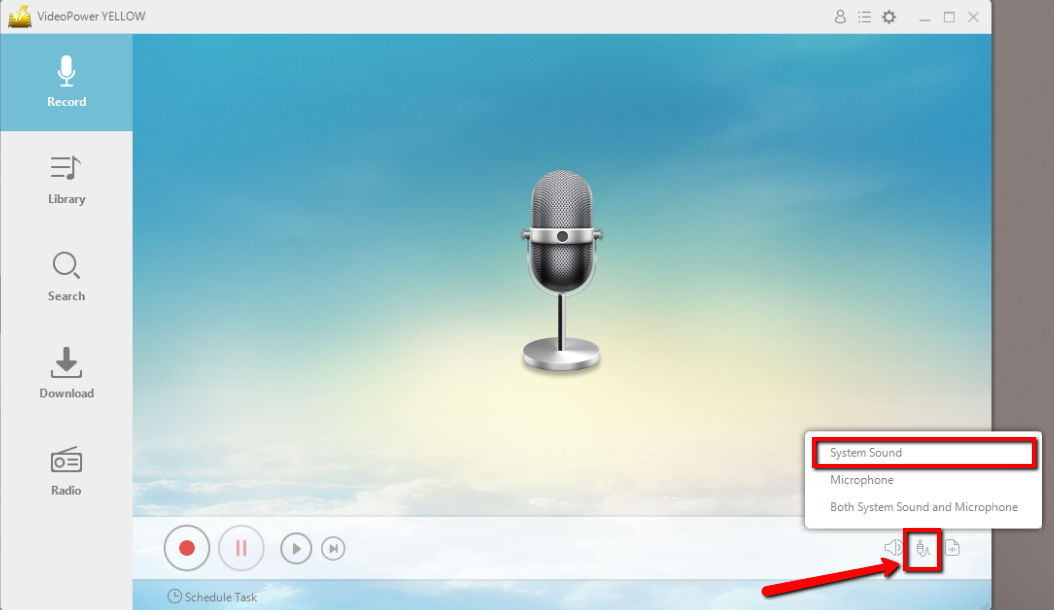
Step 1: Set the sound source
Before recording the track, make sure that the sound source is set to “System sound.”
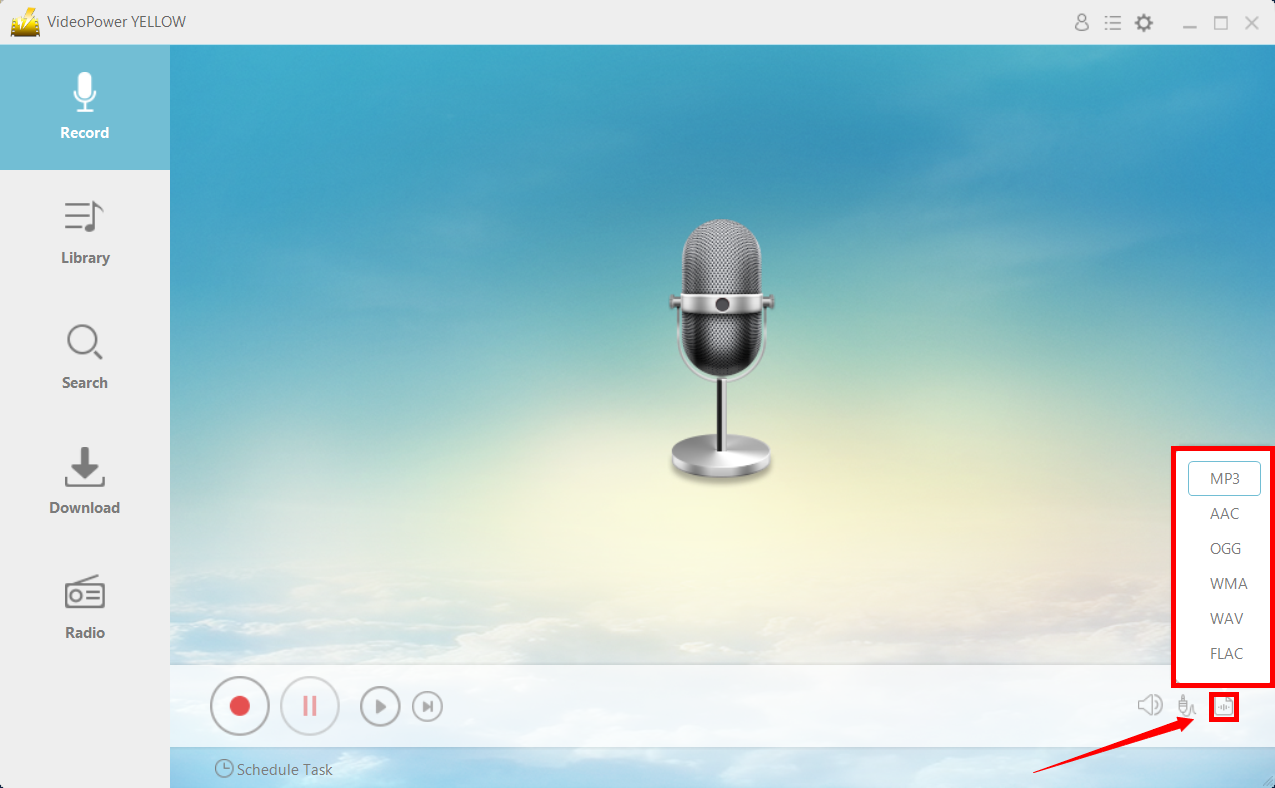
Step 2: Set the file format
Make sure that the recording is set in the format of “MP3.” – or whatever format you deem appropriate.
Step 3: Start Record
Click the “Record” button to start recording.
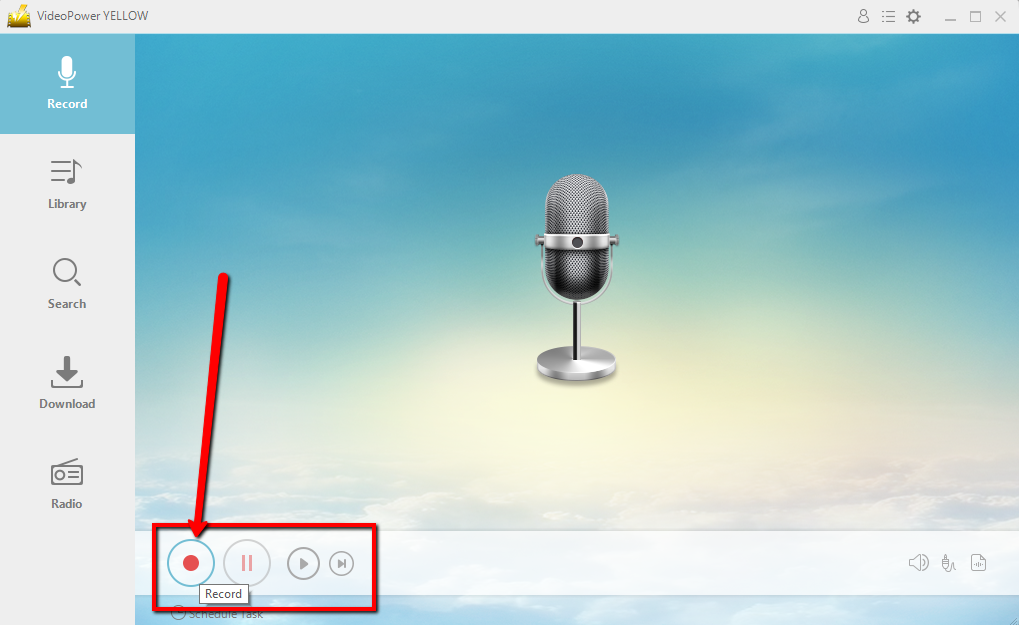
Hit the same button if you wish to end the recording.
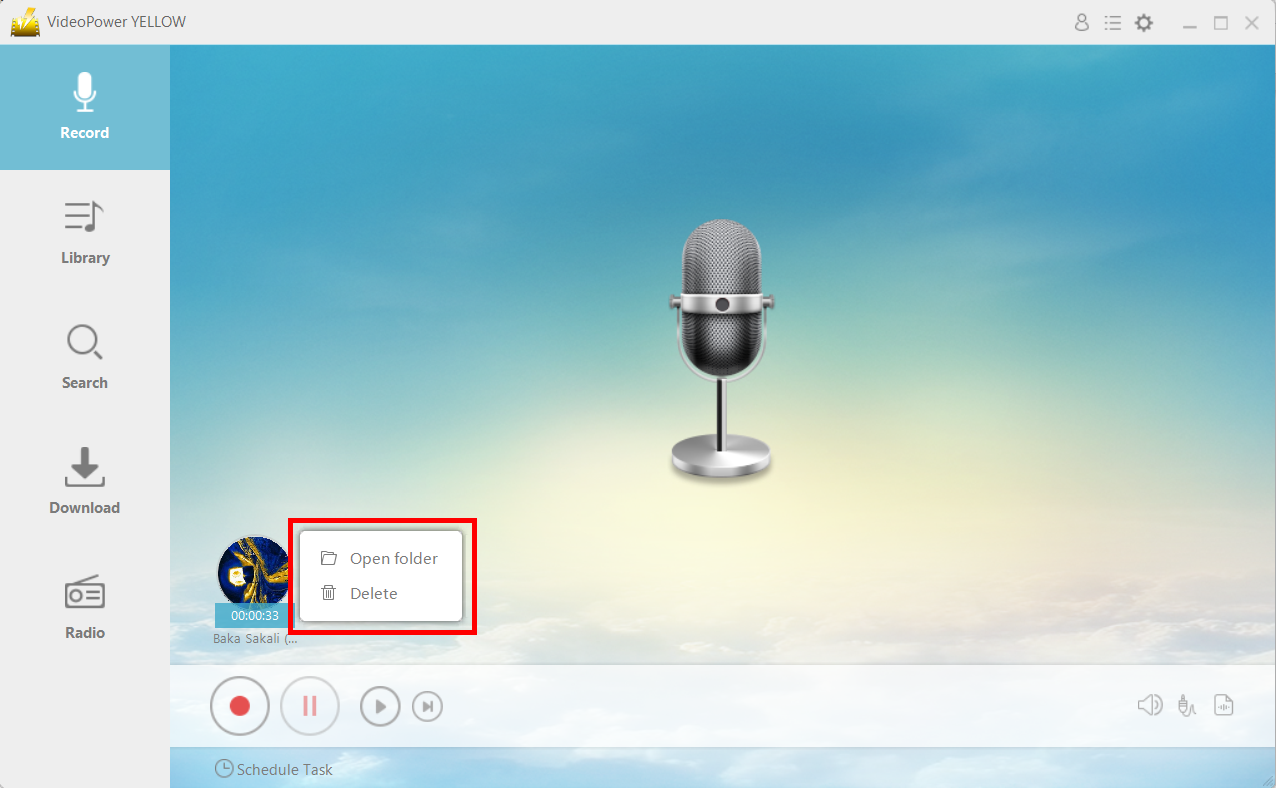
After recording, right-click the recorded track icon and click “Open folder” to open the storage location of the recorded audio file or click “Delete” if you want to delete the file and record again.
Conclusion:
VideoPower YELLOW can extract the best audio from different websites or function as an independent player and downloader in one. Using these three methods you can save your audio on your Samsung phone and enjoy your favorite audio when there’s no internet connection.
It even has a built-in radio for that laid back afternoon chill. Other than the Video to MP3 conversion feature, it has a search engine ready to download your favorite music. Try it now and prepare for unlimited music download.



