Tips Index
YouTube became the most famous video sharing site in the world because of its availability to share, like, view, and rate the contents. You can also put comments and add the videos to your playlist. Different kinds of blogging, funny videos, educational videos, short films, movie trailers, music videos, and live streams are one of the available contents that can be seen on YouTube.
But the most amazing and awesome part of YouTube is that you can earn a lot of money from it. There are chosen YouTube content creators that met the requirements of letting you earn money from advertising revenue by just uploading and gaining tons of views and subscriptions.
If you happen to be one of those people who want to start creating video content, earn from it and make it living or whatever you plan to do, you would like to rip YouTube videos and used them for your next content but doesn’t know where to start then this is the answer.
The best way to download YouTube videos is with VideoPower RED.
It is a free app than can download dozens of thousands of YouTube videos in any format in just one click. it can also download videos from any video sharing site including, twitch, Facebook, Twitter, Dailymotion, TED, Vevo, Vimeo, Instagram, and many more.
Just click the link below to download this app and follow through the guide below on how to rip YouTube video.
Method 1: Copy and Paste to Rip YouTube Video
Step 1: Paste URL and download video
Copy the link of the video that you want to download and then paste it into the program by clicking the “Paste URL” button. After that, you will see the video is downloading in the download control panel.

Step 2: Check the downloaded file
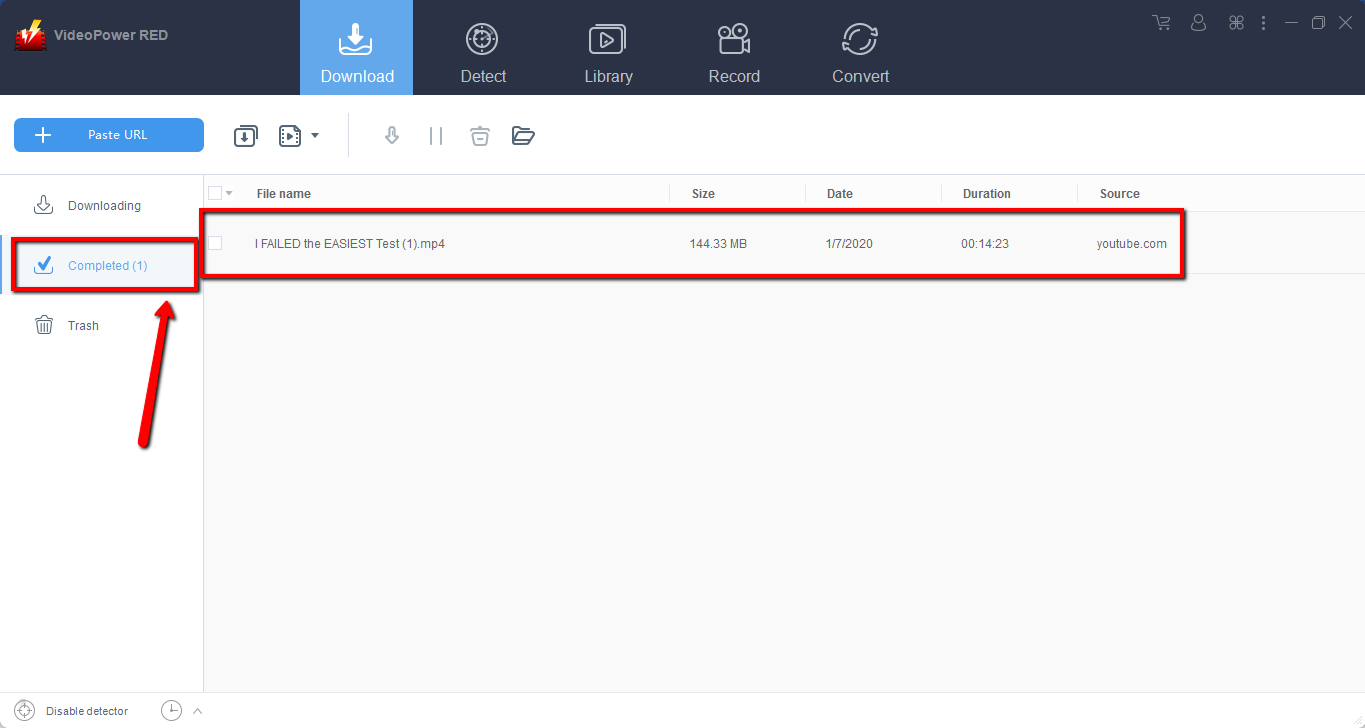
Wait for the download to finish, and then go to the “Completed” section to find the downloaded video.
Method 2: Use the Embedded Browser
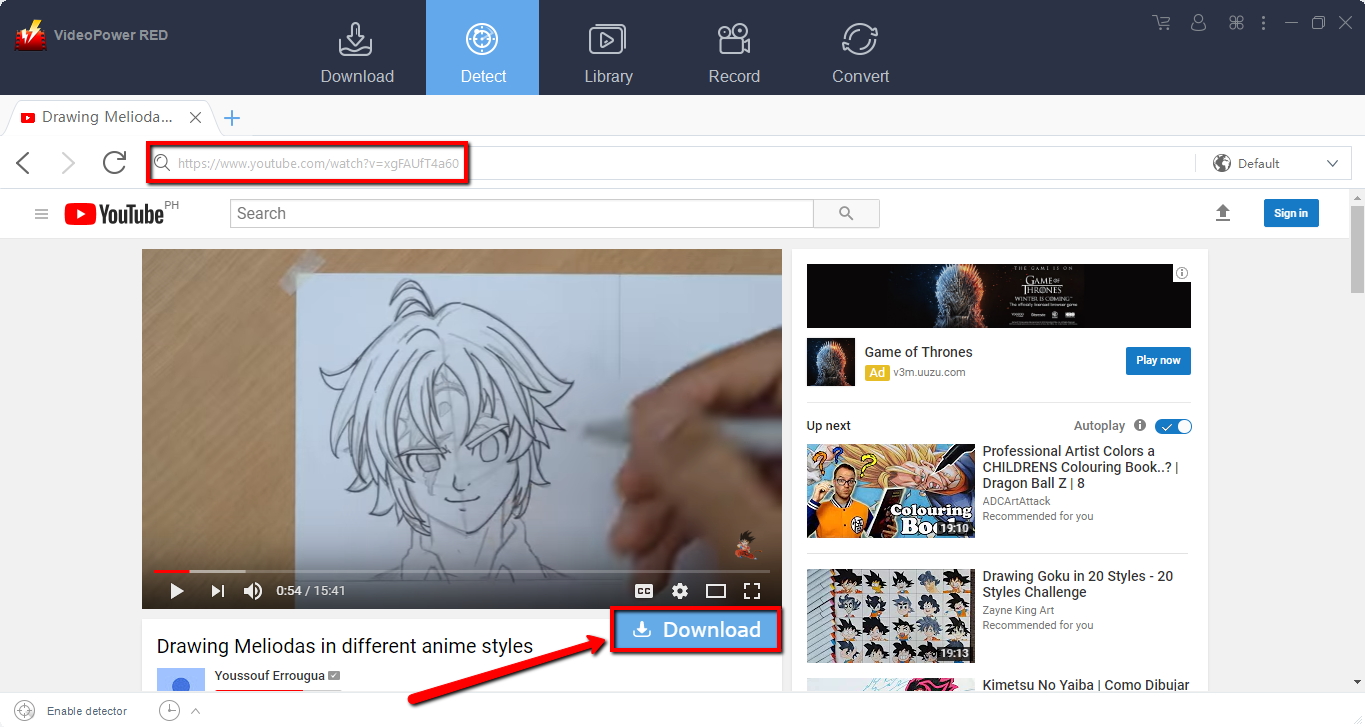
Open the video page via an embedded browser. A “Download” button appears below the video, click it to start downloading.
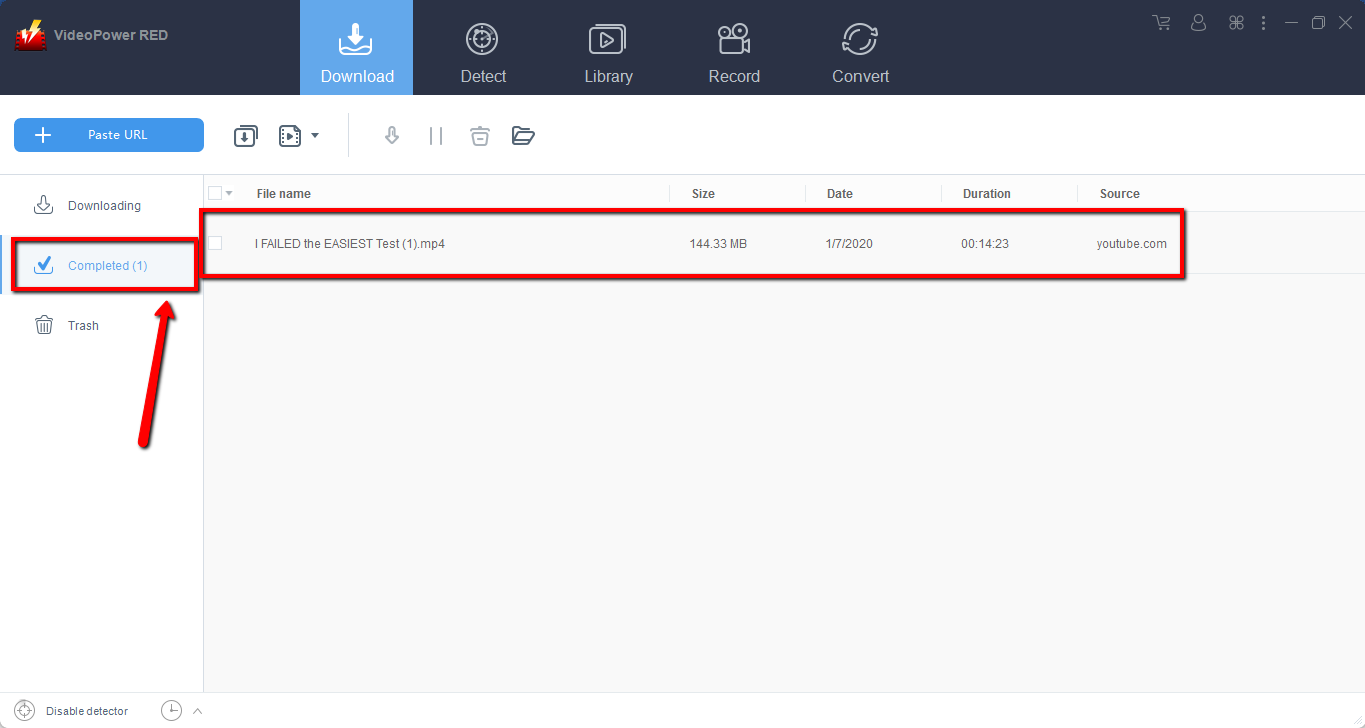
Wait for the download to finish, and then go to the “Completed” section to find the downloaded video.
Method 3: Record video
Sometimes because of the web update or slow internet connection, the program can’t download the video anymore but you can still save the video by using the recording function.
Step 1: Record video the YouTube video
Click the “Record” tab to record the video and Select from “Region, Fullscreen, around mouse or Web camera” as preferred.
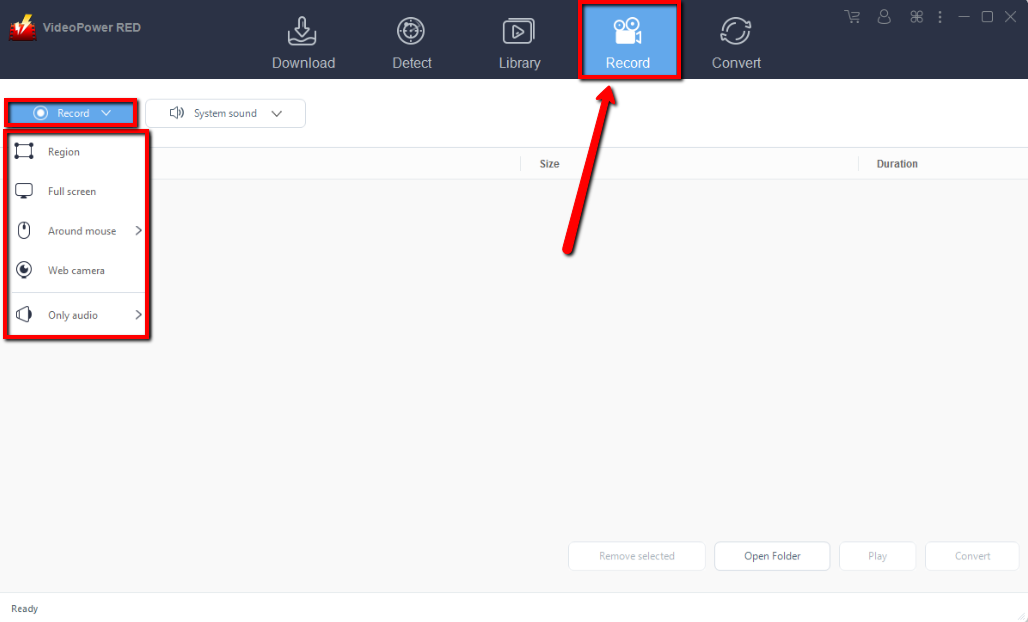
After recording, the recorded file can be seen in the record interface.

Conclusion:
Introducing one of the most awesome and reliable video downloader software called VideoPower RED. The best in video downloading performance with fast and satisfying results. Not just downloading, The app is also capable of recording and converting files into different kinds of formats like MP4, MKV, AVI, WMV, and ETC. Isn’t it amazing to have VideoPower RED? Now, downloading videos is just a piece of cake. So what are you waiting for? Download now.
VideoPower RED is the best in video downloading performance with fast and satisfying results. Not just downloading, the app is also capable of recording and converting files into different kinds of formats like MP4, MKV, AVI, WMV, and etc. Isn’t it amazing to have VideoPower RED? Now, downloading videos is just a piece of cake. So what are you waiting for? Download now.