





Tips Index
Pluralsight, Inc. is an American company that offers educational online video training courses most especially for software developers, creative professionals, IT administrators through its website.
With the emergence of technology, technologists need the latest skills to perform their jobs effectively. Pluralsight could be the source for your skills and data, and their online learning platform would help you acquire all the skills you might learn to successfully complete a job or a project.
Lynda is a subsidiary of LinkedIn and has recently been called LinkedIn Learning which offers online video courses taught on the website by industry experts in creative, software, and business skills.
While Lynda offers more than 5,000 courses that could cover almost any topic mostly on topics related to Information Technology. The most popular courses at Lynda.com include web designing, photography, web development, graphic designing, and software development.
Regardless of your choice of which is better between the two, downloading video courses online from this site is really a wise idea. Despite an unstable internet connection, offline playback will not ruin your flow of learning while watching video tutorial classes. So what could be the best video downloader for these tutorial videos?
VideoPower RED is the ultimate solution to download videos from Pluralsight and Lynda easily. This is a great software if you preferred music videos for offline playback on your phone, tablet, iPhone, iPad, or PC.
Not only from Lynda and Plural sight that this software is working relentlessly for you but it’s possible to download videos from more than hundreds of sites. It’s compatible with various browsers such as Internet Explorer, Google Chrome, Firefox, Safari, Opera, etc.
This software is not limited to downloading videos from your browsers but also provides all available formats of video for conversion including formats MP4, 3GP, FLV, WMV, MP3, WEBM, MOV, etc. which is better for device compatibility issues.
Click the DOWNLOAD button below to try VideoPower RED!
Method 1: Copy and Paste
Step 1: Copy and Paste URL and download video.
Copy the link of the video that you want to download from the Pluralsight or Lynda website and then paste it into the program by clicking the “Paste URL” button. See to it that the format is set to “audio” before pasting the link. After that, you will see the video is downloading in the download control panel.
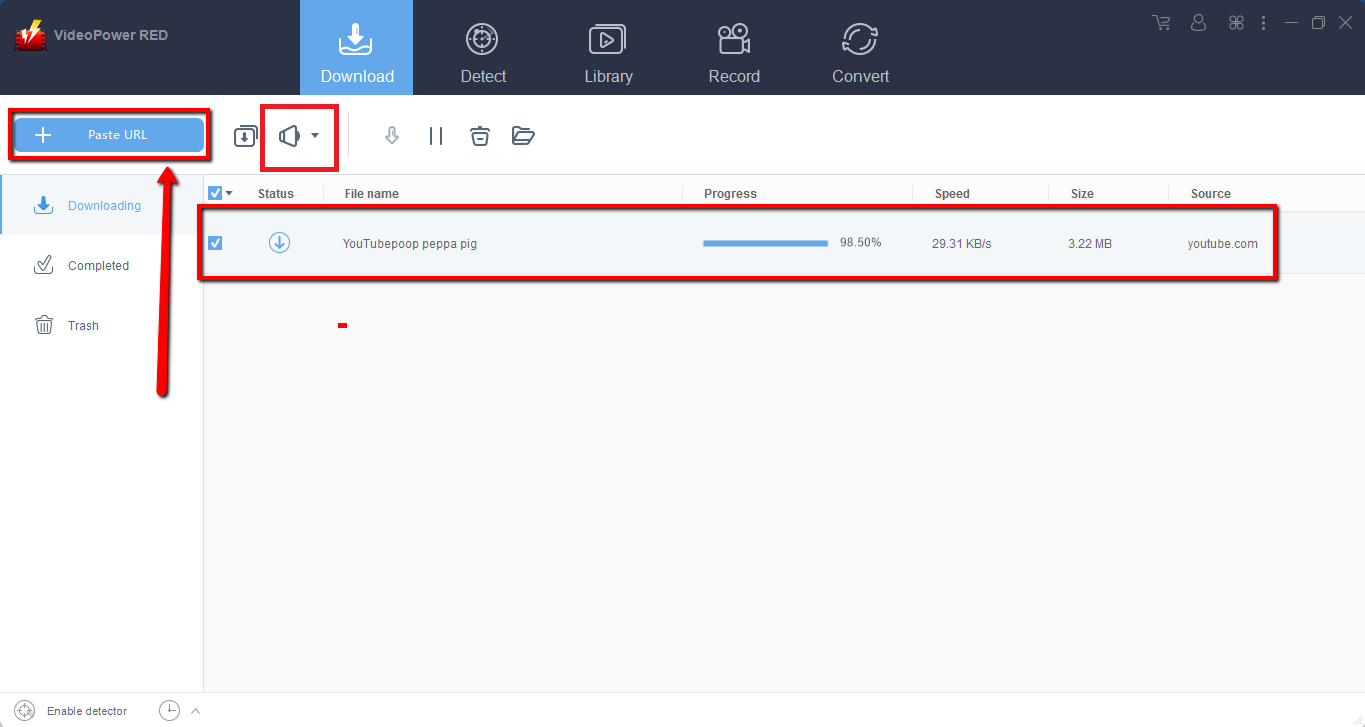
Step 2: Check the downloaded file
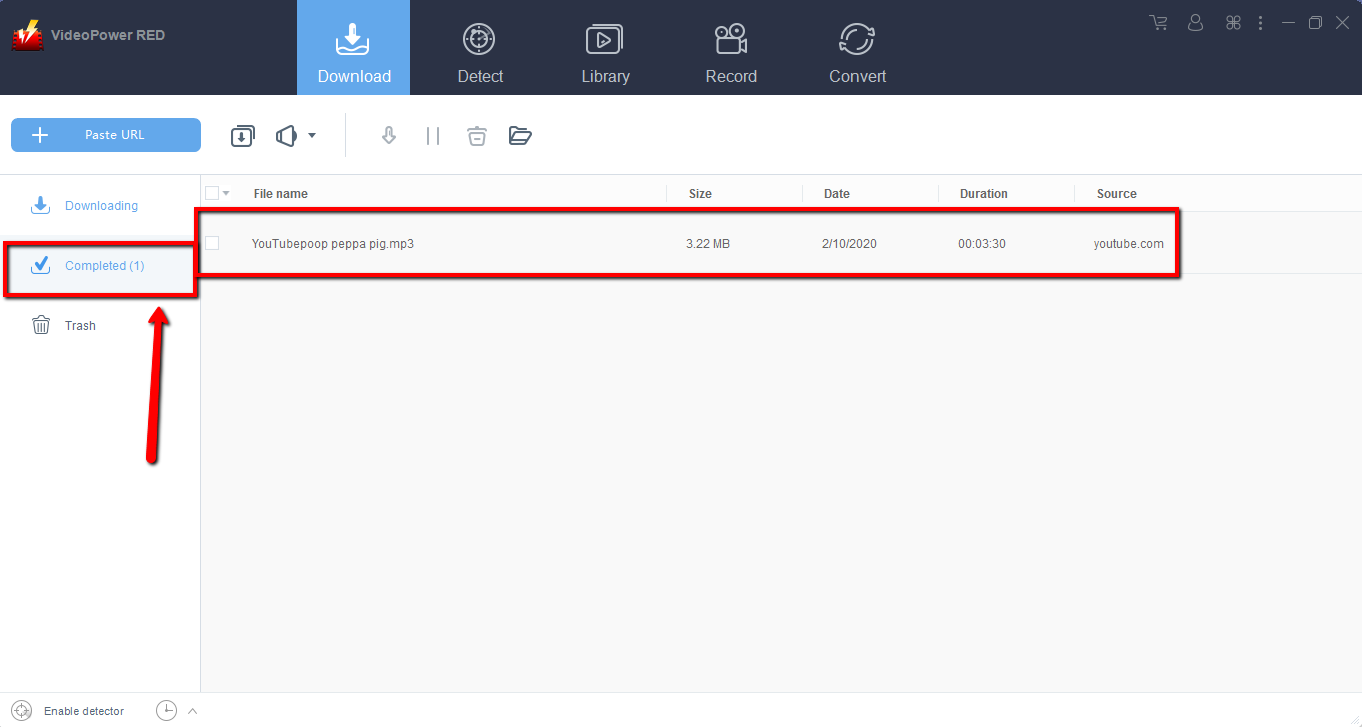
Wait for the download to finish, and then go to the “Completed” section to find the downloaded video. Right-click to do more operations and double-click to preview.
Method 2: Use the Embedded Browser
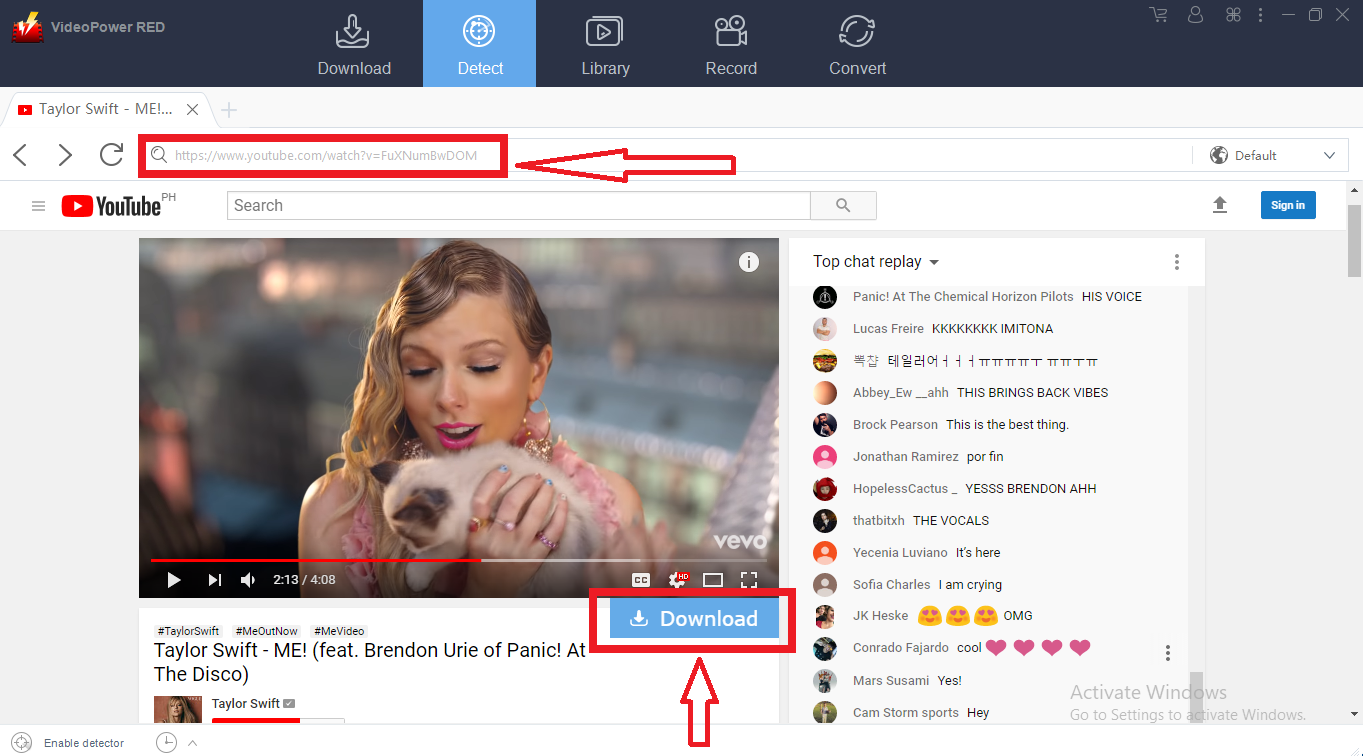
Step 1: Open the video page via an embedded browser
If the program supports the site, the video will be downloaded by clicking the download button below.
Step 2: Check Downloaded File
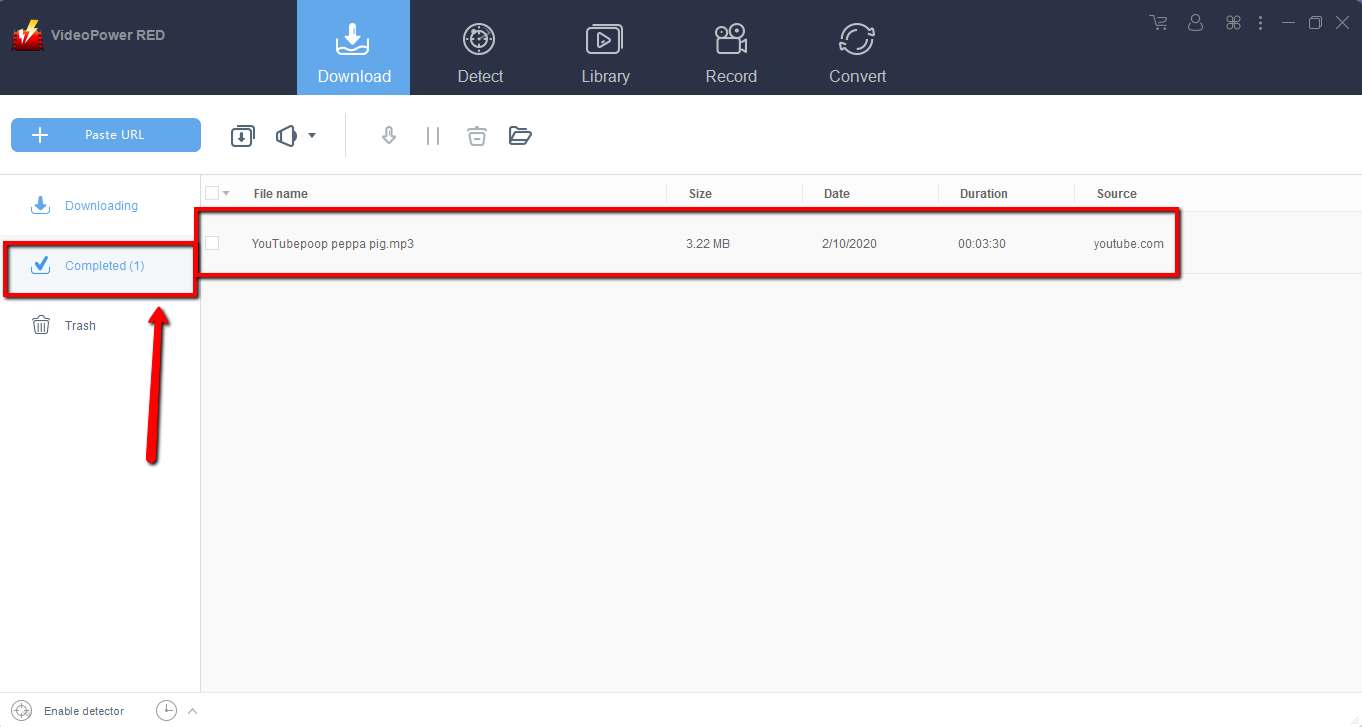
Wait for the download to finish, and then go to the “Completed” section to find the downloaded video. Right-click to do more operations and double-click to preview.
Method 3: Screen Record video
Sometimes because of the web update or slow internet connection, the program can’t download the video anymore but you can still save the video by using the recording function.
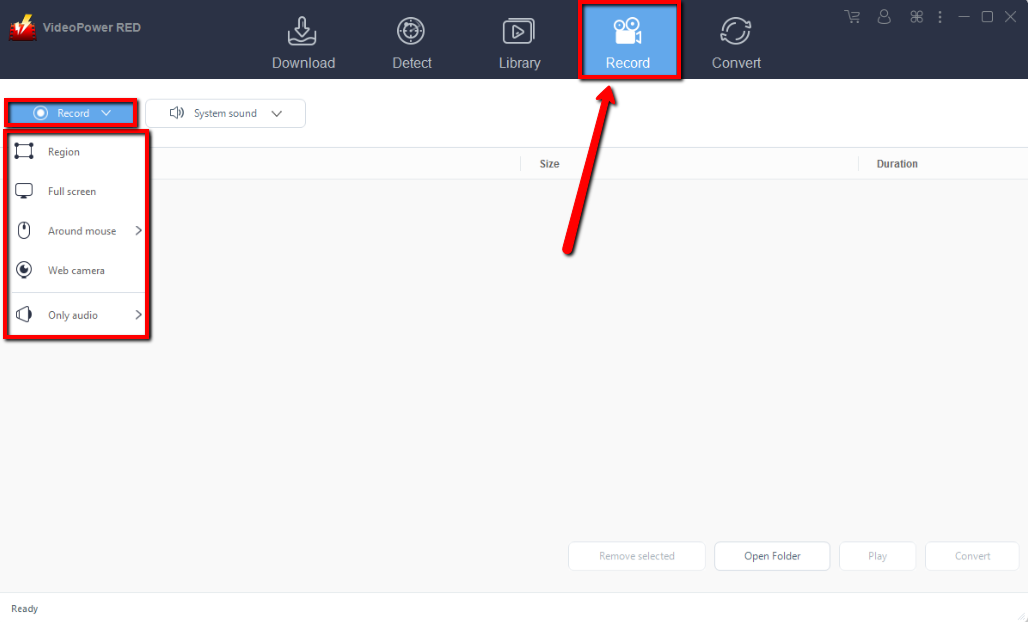
Step 1: Set Recording Mode
Click the “Record” tab to open the record window and select among the following recording modes such as “Region, Fullscreen, around mouse, and Web camera” to capture the exact and desired range of your screen. Click the preferred one and start recording.
Step 2: Check the recorded video.
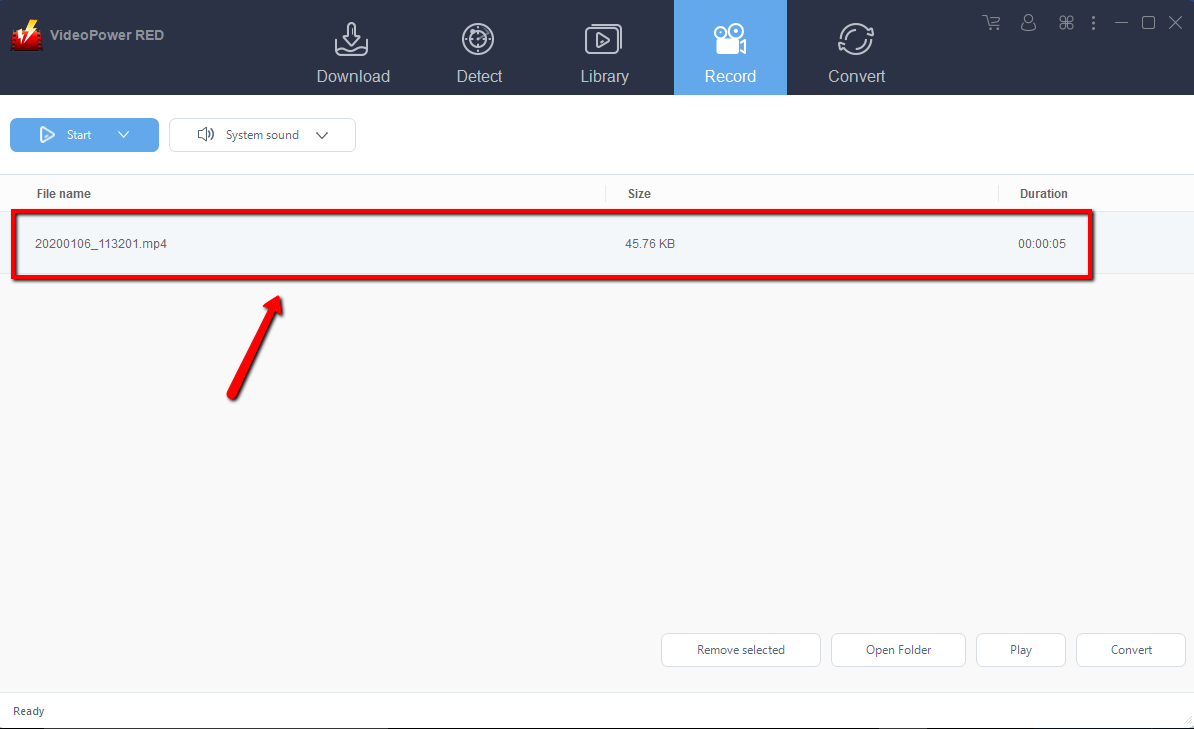
After recording, the recorded file can be seen in the record interface. Right-click to do more operations and double-click to preview.
Conclusion:
Using VideoPower RED assures smooth and easy download and conversion on video tutorials. It has a user-friendly and satisfactory interface and fast conversion speed while preserving original quality and that is the reason why it is popular with users.
Download VideoPower RED now to experience its full features.


