





Tips Index
Facebook is one of the best-known video-sharing social media sites that had been created in 2004, for students of the school “Harvard University” only, to get to know each other, but today anyone in the world can join the Facebook network.
Although the site’s range has expanded to include more than just the students of Harvard, its purpose remains the same, giving all the people a way to share their information in an easy and entertaining way. It now has an average of two billion monthly users with three to five or more new profiles created every second.
Facebook is a very popular free social networking and video sharing site that allows registered users to not only upload videos but also create profiles, upload photos, send messages and keep in touch with friends, family, and colleagues and there are tons of amazing content on Facebook.
There are also moments while you hang on to Facebook to kill some time and you luckily saw funny content, leak movies, Animes, and cute animal videos that you badly want to download. But the question is, how to download a video from Facebook? Is there any Facebook video downloader out there?
No worries my friend, today is your lucky day because the solution to your problem is here. Introducing to you a fast and reliable Facebook video downloader called VideoPower RED, it is capable of downloading videos from Facebook, Twitter, Instagram, Dailymotion, Vevo, Youtube, etc.
Method 1: Copy and Paste
Step 1: Paste URL and download video
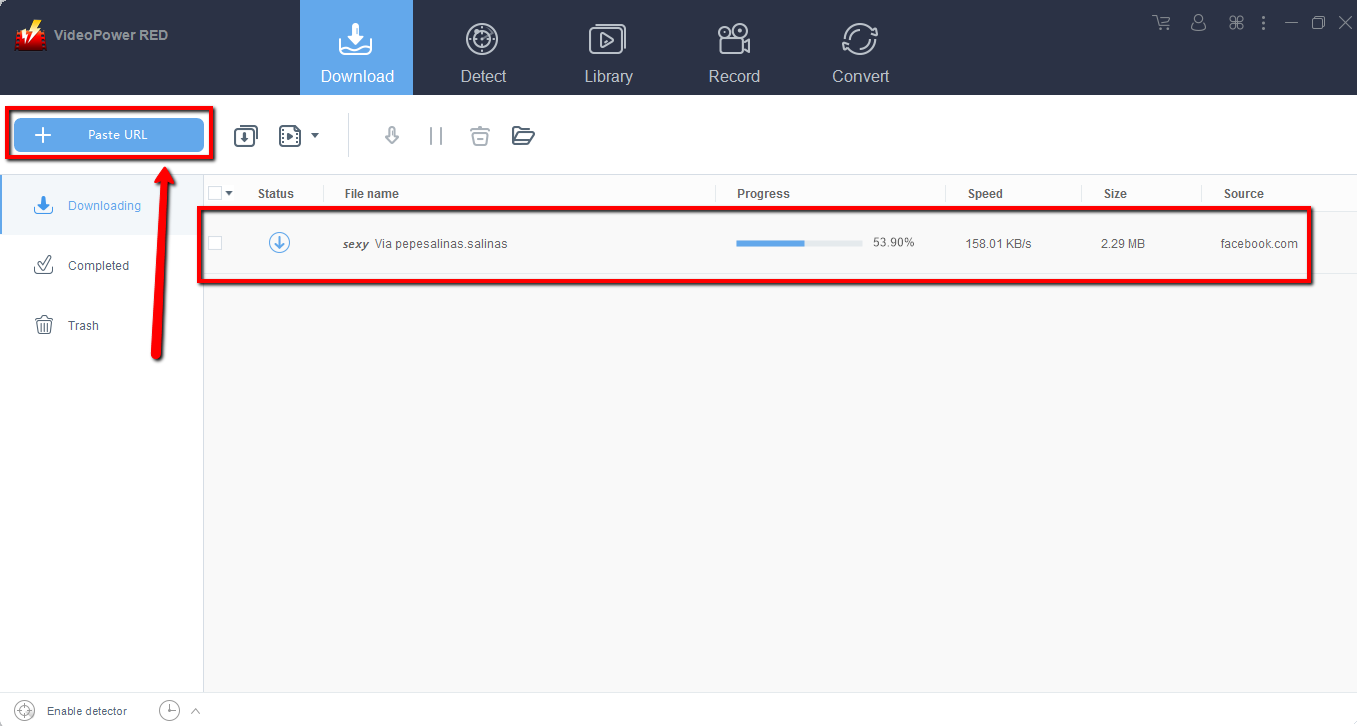
Copy the link of the Facebook video that you want to download and then paste it into the program by clicking the “Paste URL” button. After that, you will see the video is downloading in the download control panel.
Step 2: Check the downloaded file
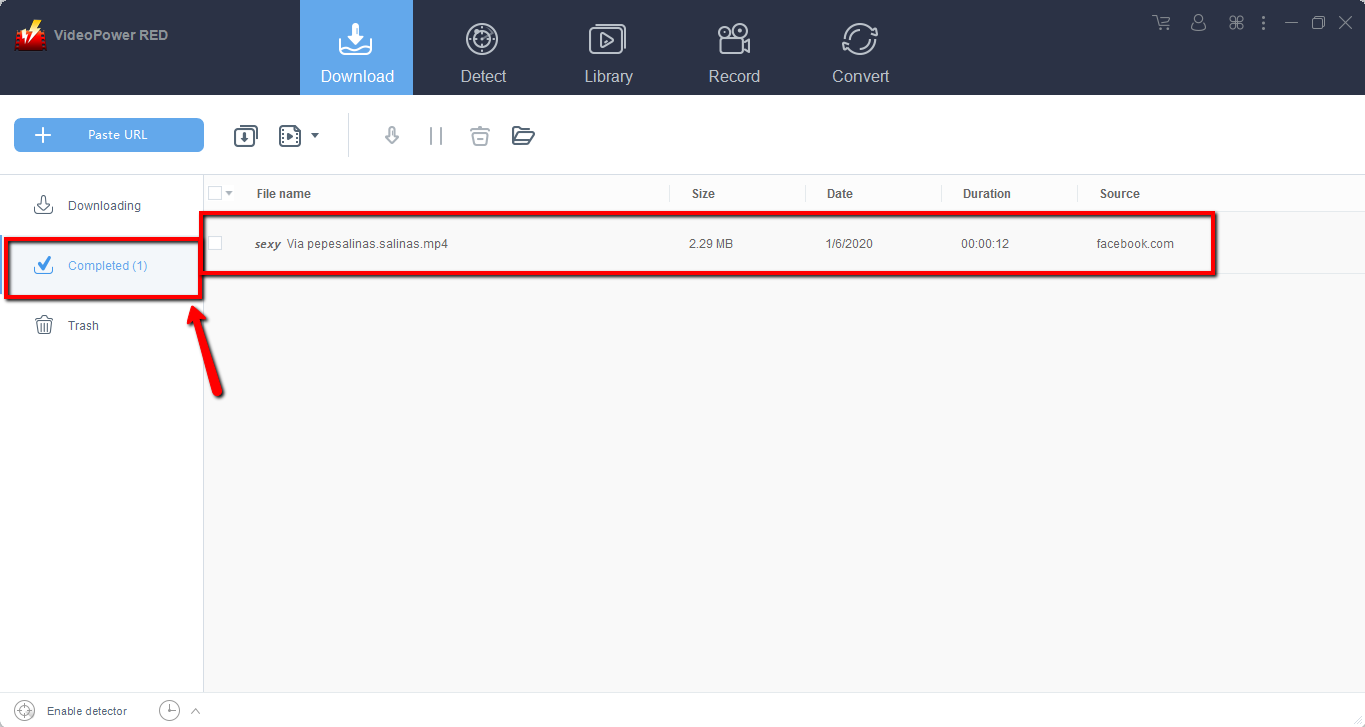
Wait for the download to finish, and then go to the “Completed” section to find the downloaded video.
Method 2: Use the Embedded Browser
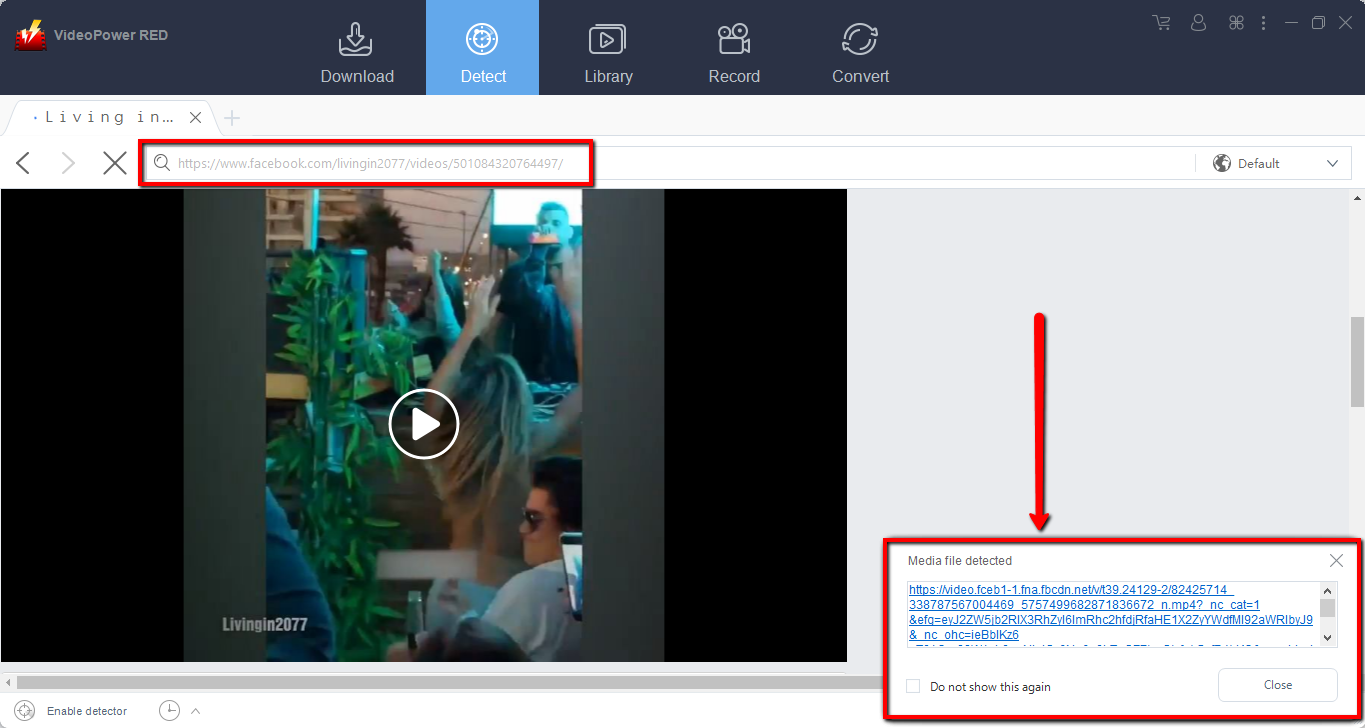
Open the Facebook video page via an embedded browser
If the program supports the site, the video will be downloaded automatically.
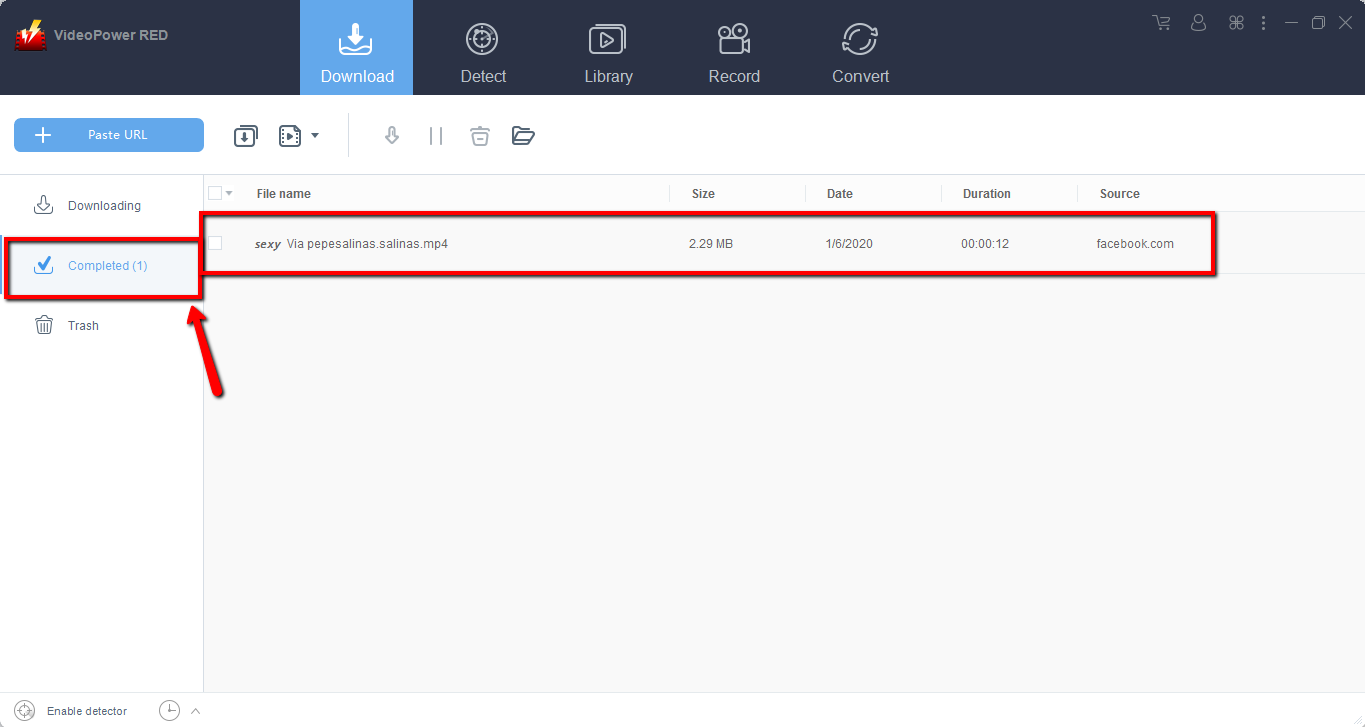
Wait for the download to finish, and then go to the “Completed” section to find the downloaded video.
Method 3: Record Facebook video
Sometimes because of the web update or slow internet connection, the program can’t download the video anymore but you can still save the Facebook video by using the recording function.
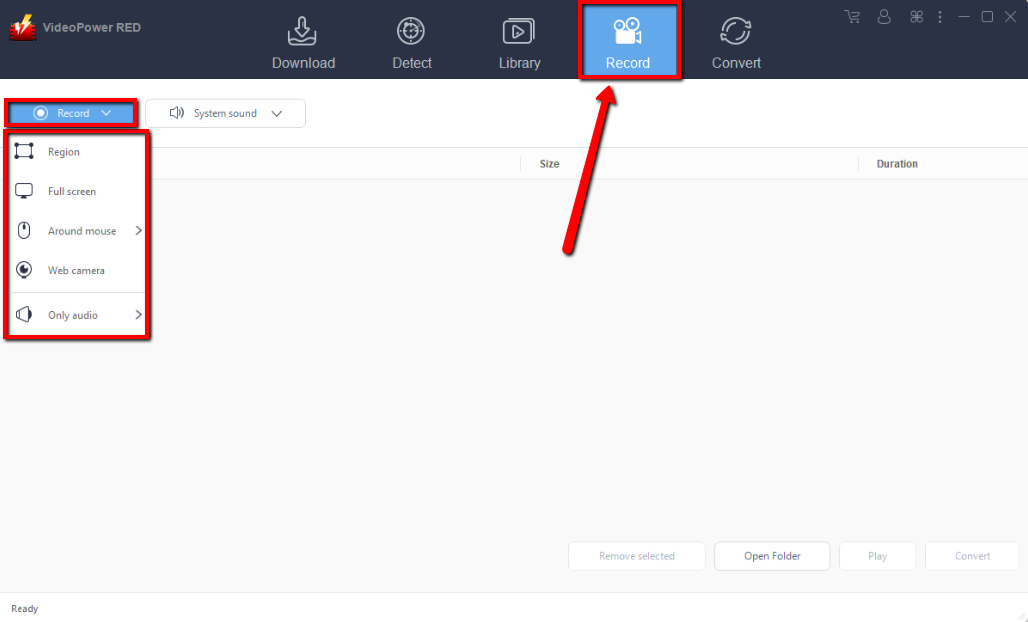
Step 1: Record video.
Click the “Record” tab to record the video and Select from “Region, Full screen, around mouse or Web camera” as preferred.
Step 2: Check recorded video.
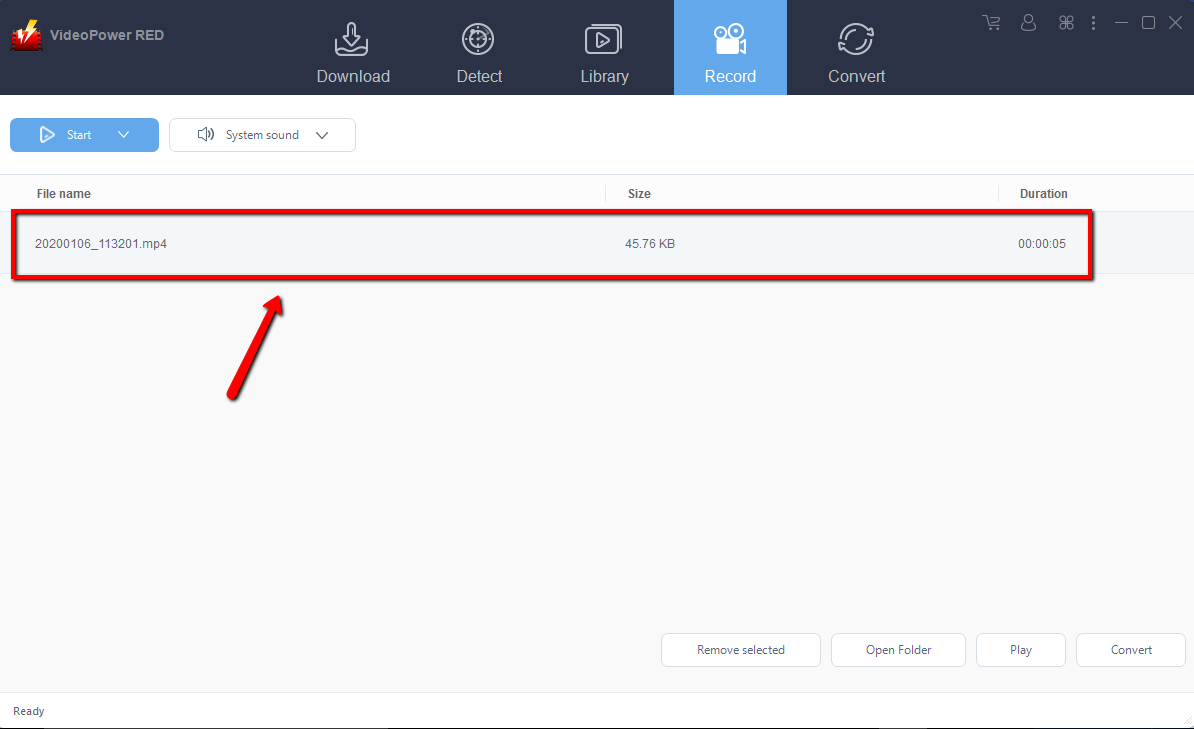
After recording, the recorded file can be seen in the record interface.
Conclusion:
VideoPower RED is not limited as a downloader. It can convert video or music files to any video music format. It Supports 4K, H265 (HEVC) input/output. It can compress the image size to 1/2 without changing the image quality of the Video. You can also extract and save audio from video through the built-in video editor video editing function. Easily edit videos like Cut, Crop, Rotate, Reverse, Play, speed, Volume, and Image quality correction. Other editing features such as trim, watermark, subtitle, and screen audio sync.


