





Tips Index
VideoPower RED is the best High Definition video downloader software which allows users to download their chosen favorite videos in the easiest way. It is very intuitive, reliable and well-designed that supports various format conversions whether it’s a video or audio. It is the best Video Downloader that is available on all Windows operating systems.
Does not require any type or kind of software for downloading videos because VideoPower RED itself is enough for every variety of video. This versatile video downloader not only supports ultra-fast downloading but also keeps the tool bug-free complete and is very safe from the latest virus threats.
This video downloader has the ability to pact with every type of browsers and social media video sharing sites like Twitch, Instagram, Facebook, Vimeo, Vevo, Dailymotion, and etc. The tool has been made a user-friendly and convenient interface for the comfort of the users to download the videos on different video sharing sites efficiently just by pasting link and download in just one click.
This is one of the best and easy to use video downloader. Just click the link below to download this app and follow through the guide on how to download any video from any site using URL online.
Method 1: Copy and Paste
Step 1: Paste URL and download video
Copy the link of the YouTube video that you want to download and then paste it into the program by clicking the “Paste URL” button. After that, you will see the video is downloading in the download control panel.
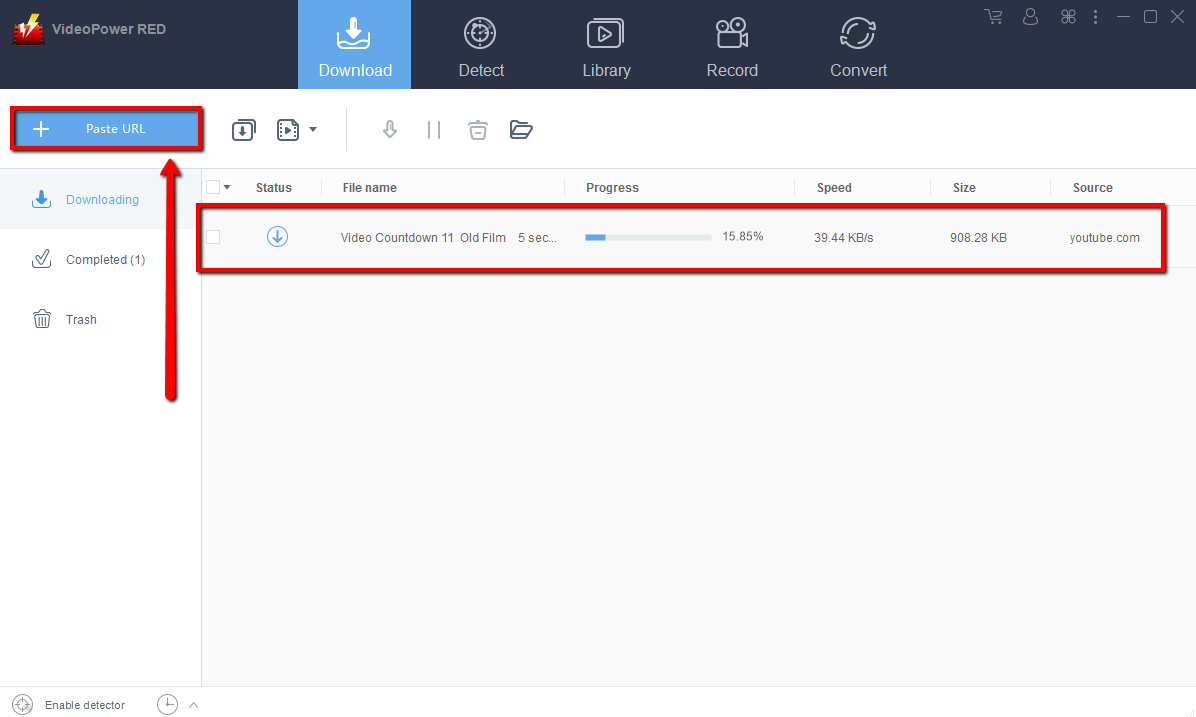
Step 2: Check the downloaded file
Wait for the download to finish, and then go to the “Completed” section to find the downloaded video.

Method 2: Use the Embedded Browser
Open the video page via an embedded browser
If the program supports the site, the video will be downloaded automatically. For the YouTube site, you will need to click the download button appearing below the streaming video.
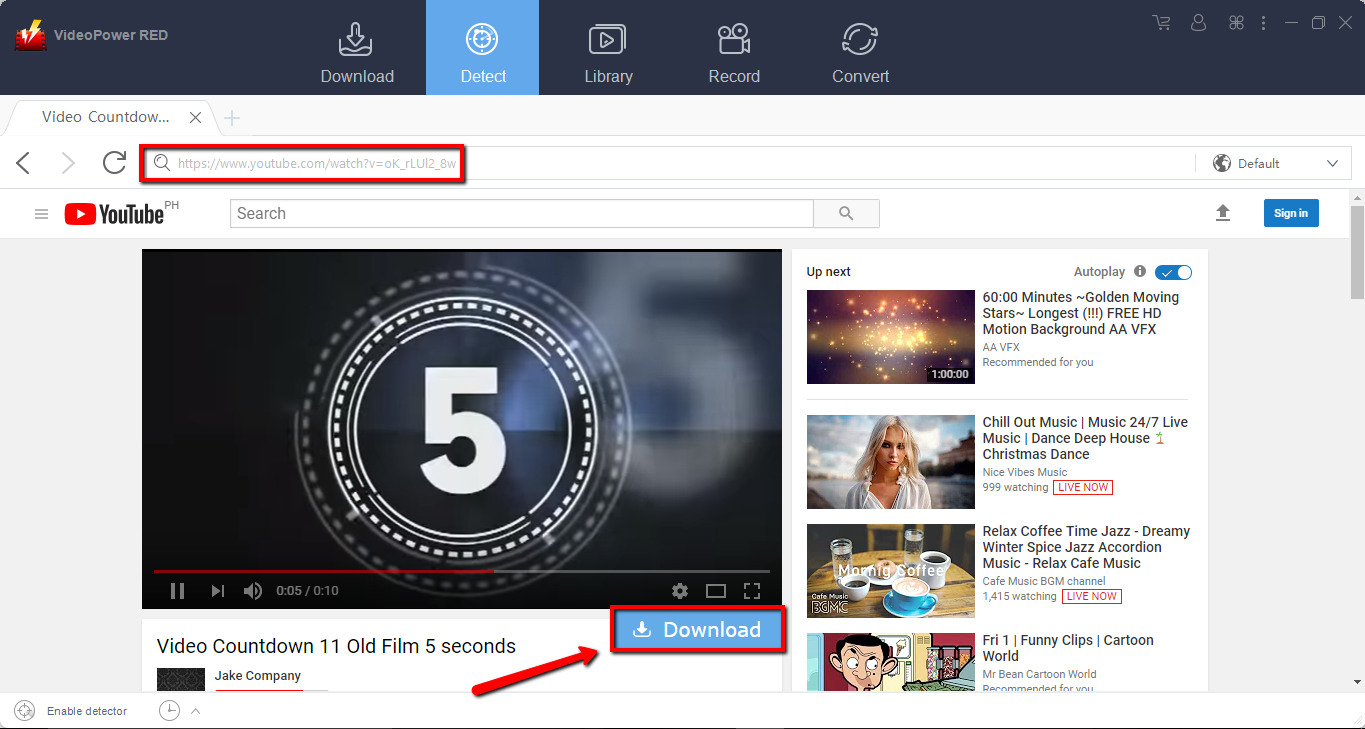
Wait for the download to finish, and then go to the “Completed” section to find the downloaded video.

Method 3: Record video
Sometimes because of the web update or slow internet connection, the program can’t download the video anymore but you can still save the video by using the recording function.
Step 1: Record video
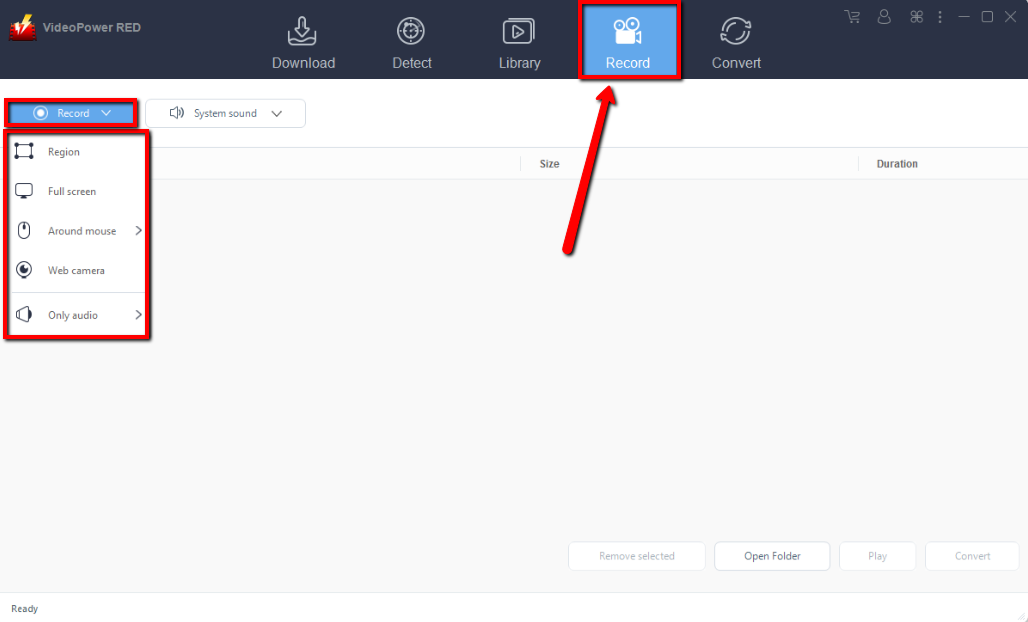
Click the “Record” tab to record the video and Select from “Region, Fullscreen, around mouse or Web camera” as preferred.
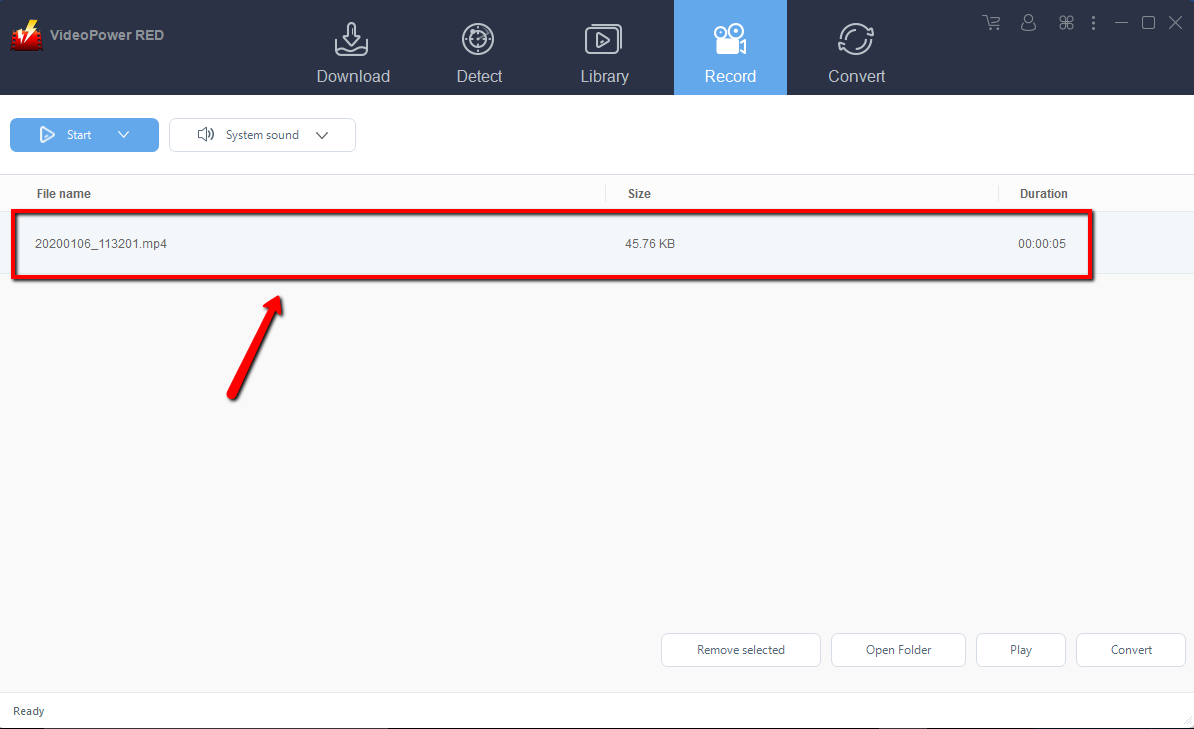
Step 2: Check the recorded video.
After recording, the recorded file can be seen in the record interface.
Conclusion:
VideoPower RED, a powerful and astonishing app that can download thousands of videos in by just copying and pasting the URL of the video in just one click. It has the ability to download videos in High Definition such as 4K ultra HD and faster downloading speed results. The app can also record videos using your web camera and convert files into different kinds of formats. Download now the free app. And enjoy downloading videos in HD.


