





Tips Index
It seems that online downloading sites and converter software have become a household name, obviously because music is a necessity from kids to the oldies. Updated video sharing sites like Youtube have always been our salvation for such needs, but posing risks of using online downloading and converting sites shouldn’t be neglected.
Vimeo is one of the largest public video-sharing websites alongside giant Youtube and Dailymotion. Restriction and copyright platforms differ from these three since Youtube has a more compliant video download restriction policy since they are the largest of the three, which makes it harder to download videos from it. Vimeo has also an edge from Youtube and Dailymotion since it is free from advertisement, It was even the first one to introduce a high definition platform in 2007. Vimeo was founded and has headquarters in New York.
VideoPower RED is one of the most versatile downloading and converting software available in the market with extra features that could go beyond expectations with zero hustle and ad-free software.
You can try to use the software for free by downloading its trial version below.
Method 1: Copy and Paste
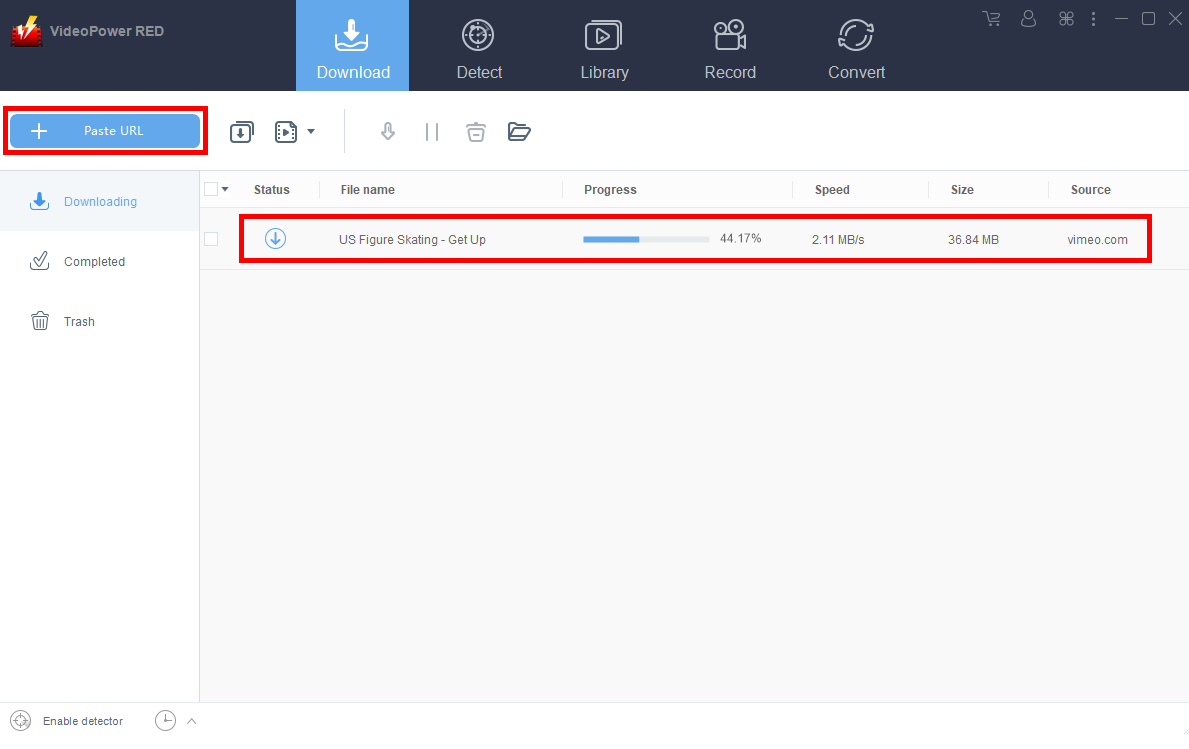
Step 1: Paste the URL and download the video.
Copy the link of the Vimeo video that you want to download and then paste it into the program by clicking the “+ Paste URL” button. After that, the video will be downloaded into the program.
Step 2: Check the downloaded file.
Wait for the download to finish, and then go to the “Completed” tab to find the downloaded video. Right-click to do more operations and double-click to preview.
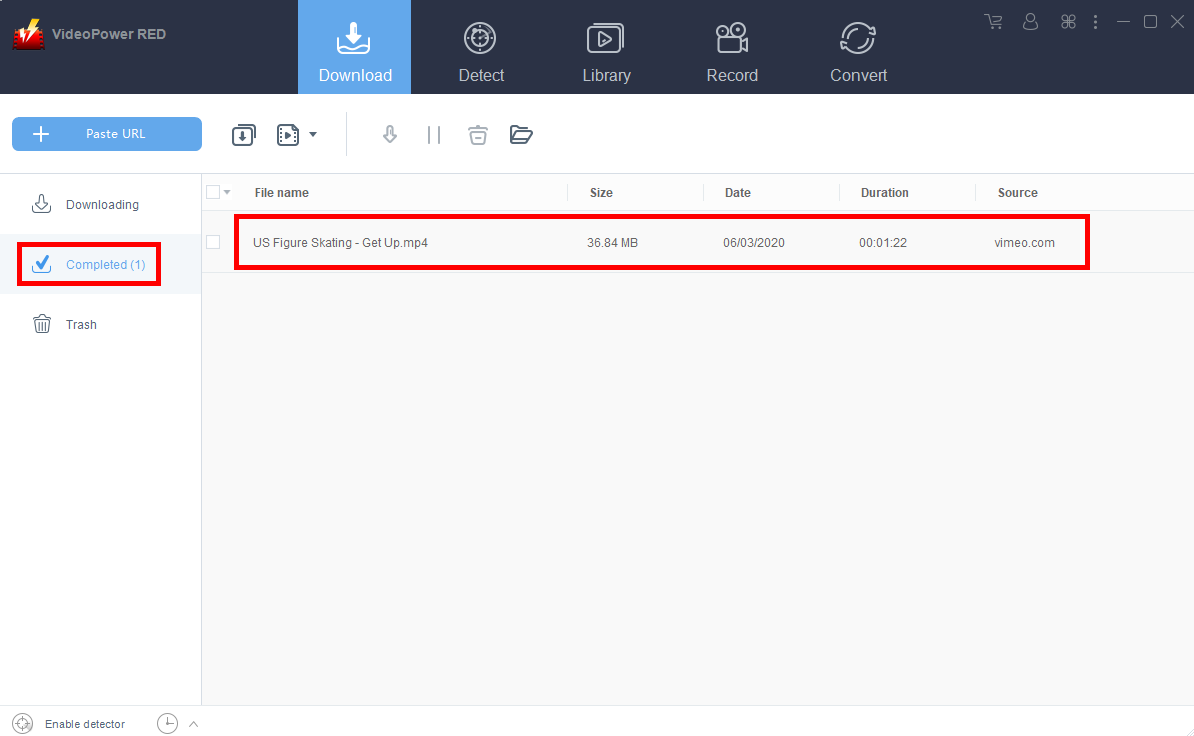
Notice that the default format is downloaded automatically to MP4.
Method 2: Use the Embedded Browser
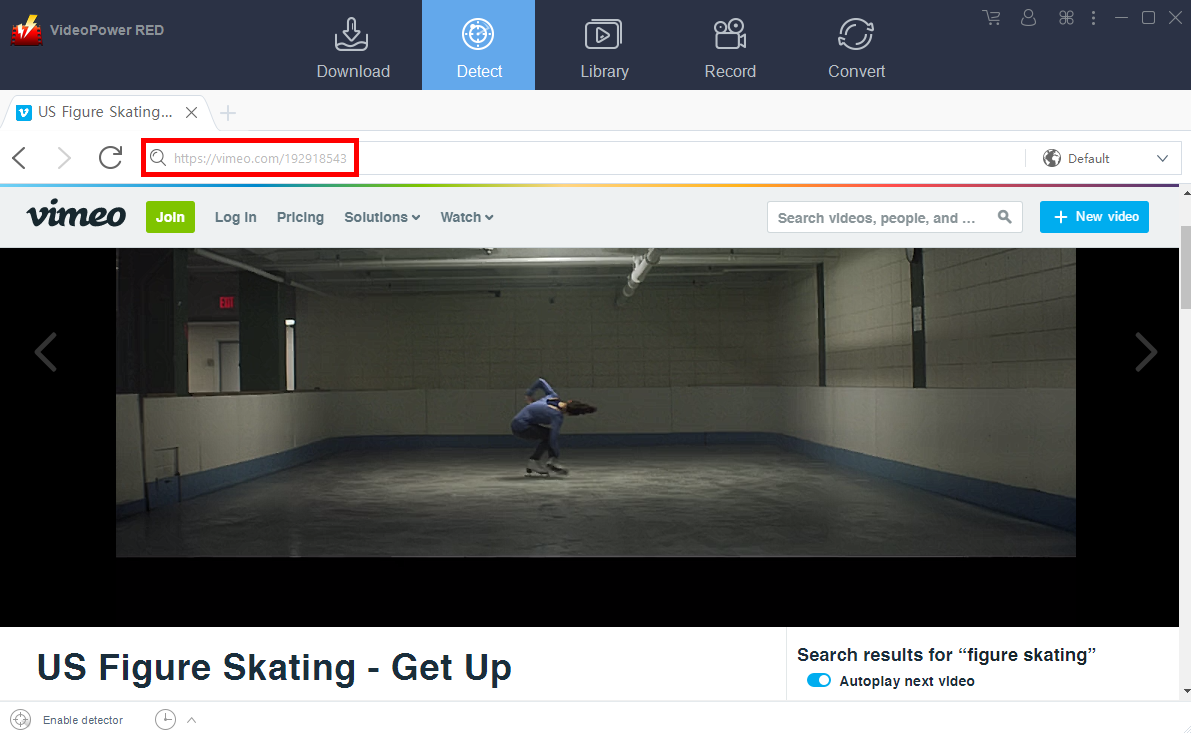
Step 1: Open the Vimeo video page via an embedded browser
If the program supports the site, the video will be downloaded automatically after the “Media File Detected” notice appear.
Step 2: Check Downloaded File
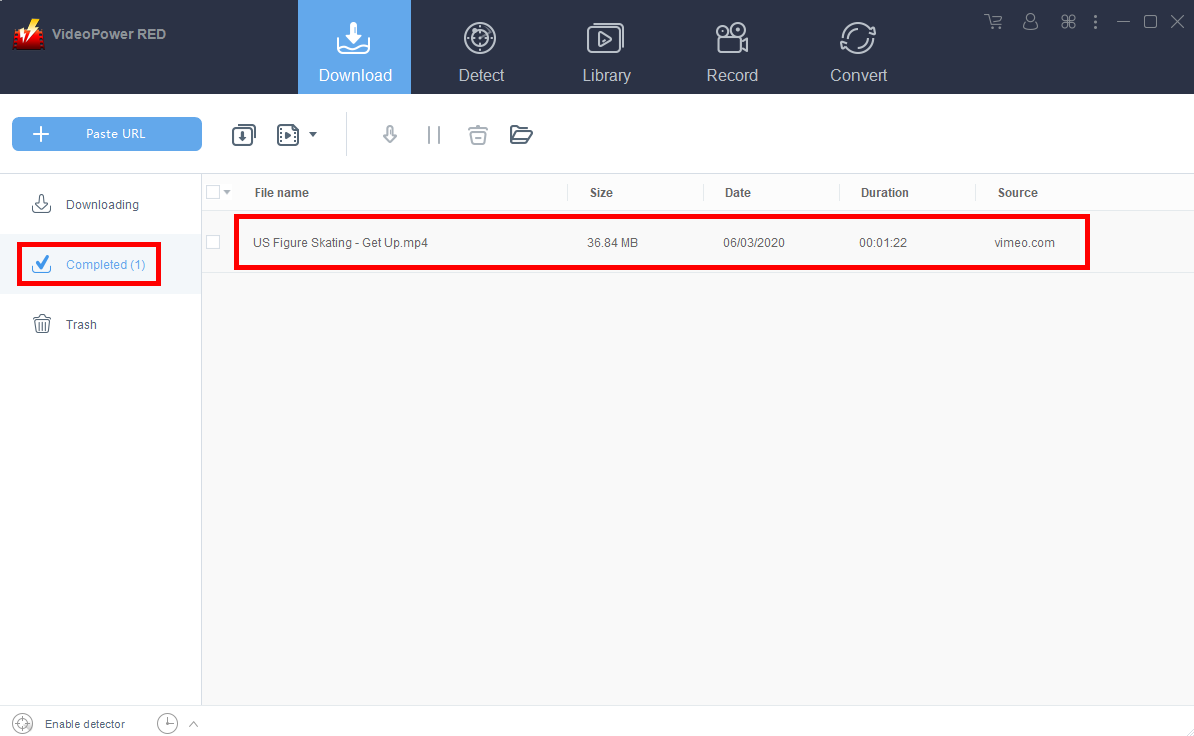
Wait for the download to finish, and then go to the “Completed” tab to find the downloaded video. Right-click to do more operations and double-click to preview.
Method 3: Record the Vimeo video
For people in areas with a slow internet connection, you may opt to use the record function instead. It is also recommended for protected files that cannot be downloaded.
Step 1: Set Recording Mode
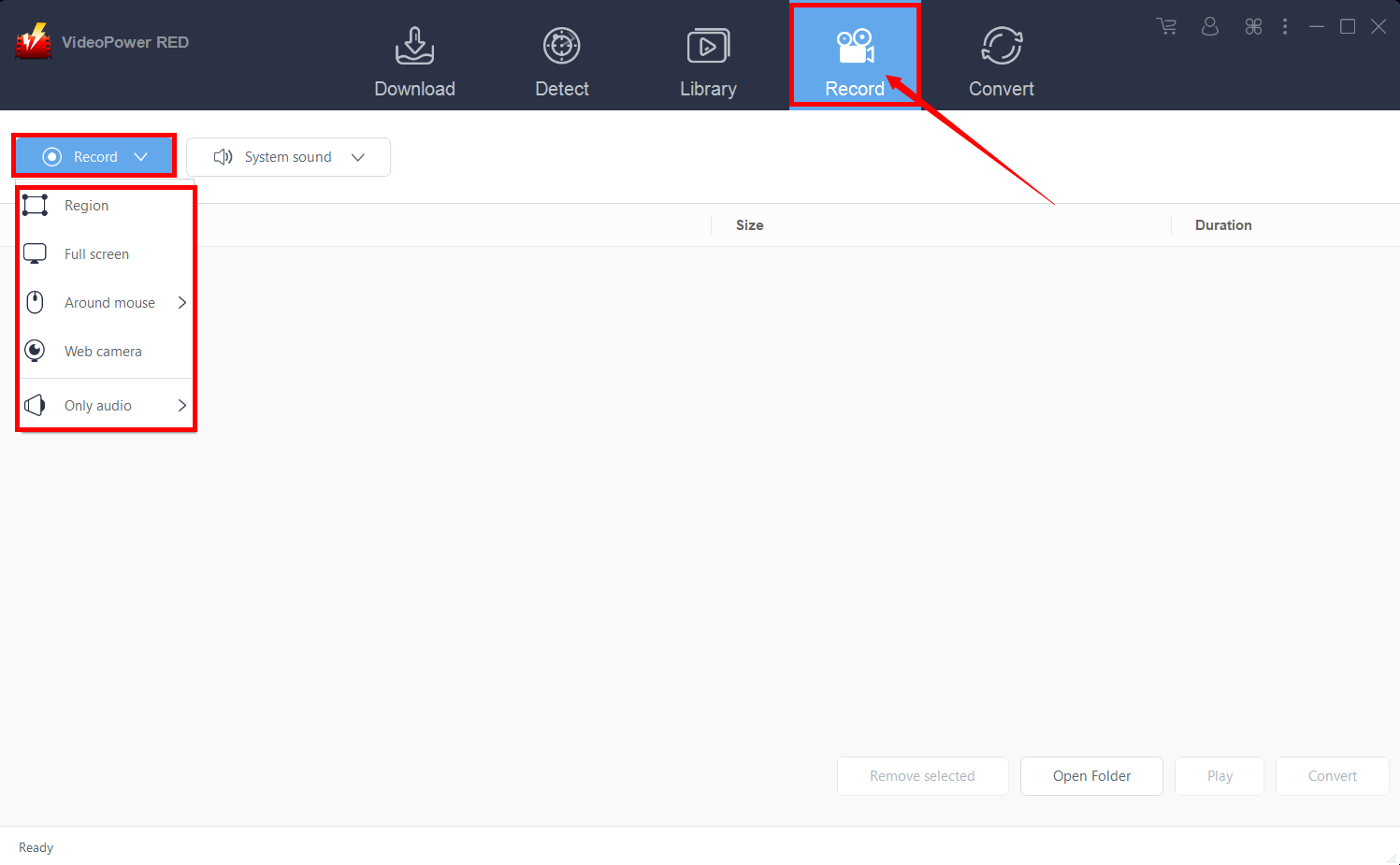
Click the “Record” tab to open the record window and select among the following recording modes such as “Region, Fullscreen, around mouse, and Web camera” to capture the exact and desired range of your screen. Click the preferred one and start recording.
Step 2: Check the recorded video.
After recording, the recorded file can be seen in the interface of the “Record” tab. Right-click to do more operations and double-click to preview.

Conclusion:
VideoPower RED is the ultimate video downloading software that has the best accessory features like recording your screen, audios, and even convert your video files to an array of varying formats there is, making it possible for your video files to be read on different computers without the hassle of finding another site just to convert it. It’s all in one in a single click. Try it now!


