





Tips Index
We received a letter from a user who is seeking for help:
I’ve been using video2tomp3.net for a while to download audio from music videos on YouTube. However, I’ve noticed that the site has been bypassing my ad blocker and antivirus software lately. Is there any alternative out there to download video to mp3 without encountering these kind of problems?
Many people like to use video2mp3.net because it allows you to convert YouTube videos to audio for free, which means you don’t have to spend a penny paying for online music and get all the songs you love. Besides, it is very easy to use and doesn’t require any installment or registration.
However, video2mp3 is not perfect. You may have experienced this video converter does not work somehow because of its instability. This kind of web-based video converter is very dependent on the network condition. So don’t feel surprised if you find out that video2mp3 works so slowly and even crashes sometimes. Moreover, malware, virus or ads are likely to be embedded in the webpage. What the above user has experienced would also happen to you.
To avoid all these issues when using Video2mp3, we highly recommend to you the most amazing Audio Downloader called VideoPower YELLOW. Just click the link below to download this app and follow through the simple steps below on how to download your music video to audio easily.
You can try to use the software for free by downloading its trial version below.
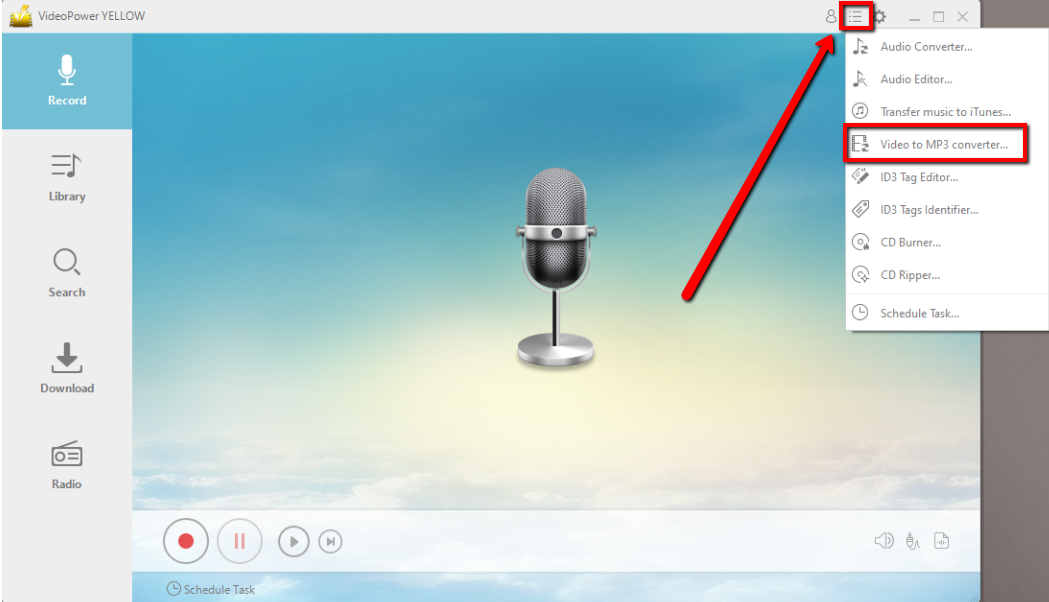
Step 1: Open Video to MP3 Converter on the Menu Settings
Click the settings tab on the upper right corner of the interface and click “Video to MP3 Converter”.
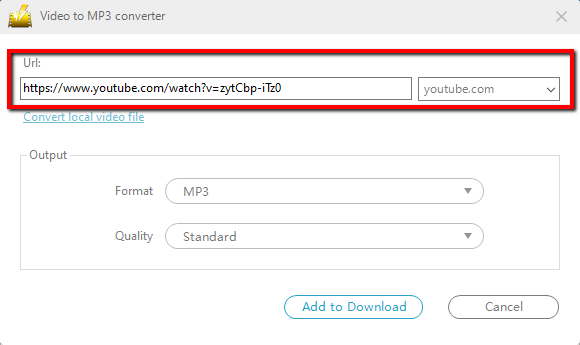
Step 2: Download the Video to be converted to MP3
The built-in “Video to MP3 Converter” window will pop up, copy and paste the URL of the video that you want to convert.
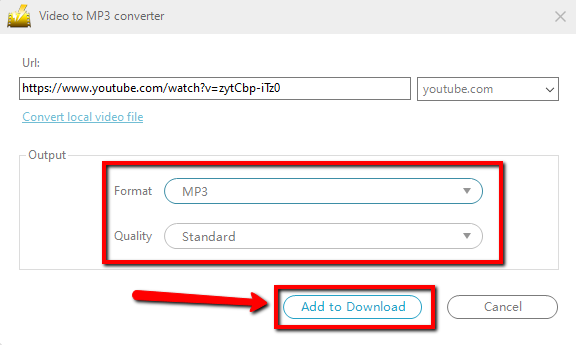
Step 3: Set the Output Format and Start Conversion
You can set up the output format and quality in the “Output” portion, and then click the “Add to Download” button to start the conversion.
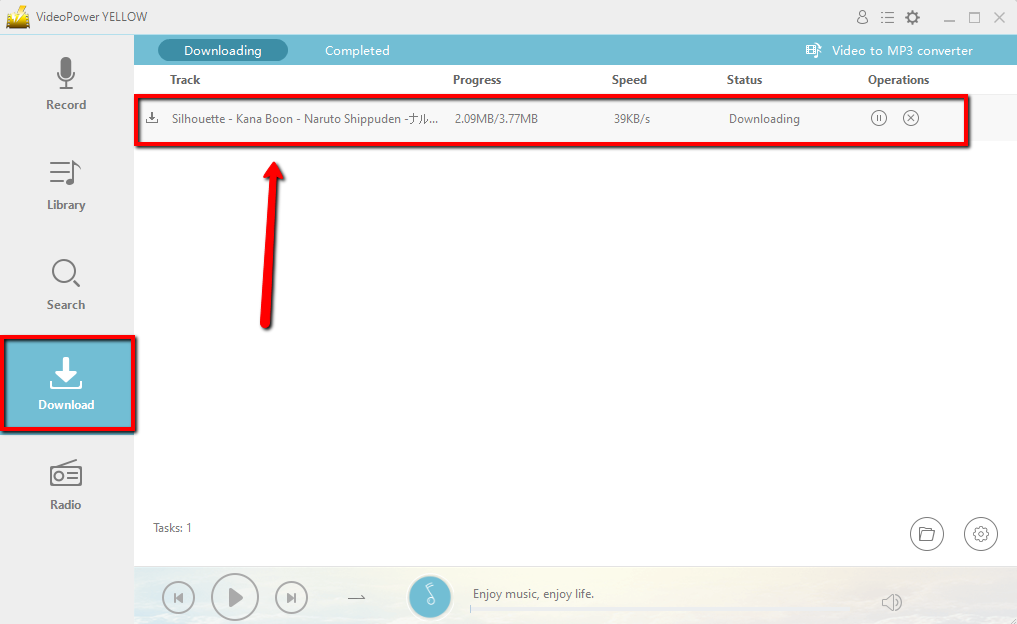
Step 4: Find the Downloaded and Converted file
Turn to the “Download” feature. You will see the “Downloading” control panel has a task displaying on it. If complete downloading, find it in the “Completed” list.
Conclusion:
VideoPower YELLOW provides the easiest way to download and convert videos to MP3 and other formats. This is a powerful and stable software that offers more than just downloading and converting.
It also supports recording music with ID3 tags and rip or burn music to a CD.
This is a great tool where you can enjoy your music life spontaneously.


