




Tips Index
Online video streaming platforms such as YouTube do not really have a download feature for offline viewing. Also, to save storage space, it’s much easier to just save the audio from a video. Using VideoPower YELLOW, you can extract audio from MP4 or YouTube videos.
VideoPower YELLOW is a free and powerful video to audio converter. With it, you can do many other things such as:
- Get audio by downloading or recording.
- Edit audio like cut, mix, delete, paste soundtracks, etc.
- Convert audio to a compatible format.
- Add music to iTunes.
- Convert video to audio file.
- Automatically acquire the ID3 tag and edit music information.
- Rip a CD or create your own music CD.
Get this fantastic software now and start to extract audio from MP4 or YouTube videos.
Step 1: Launch the program
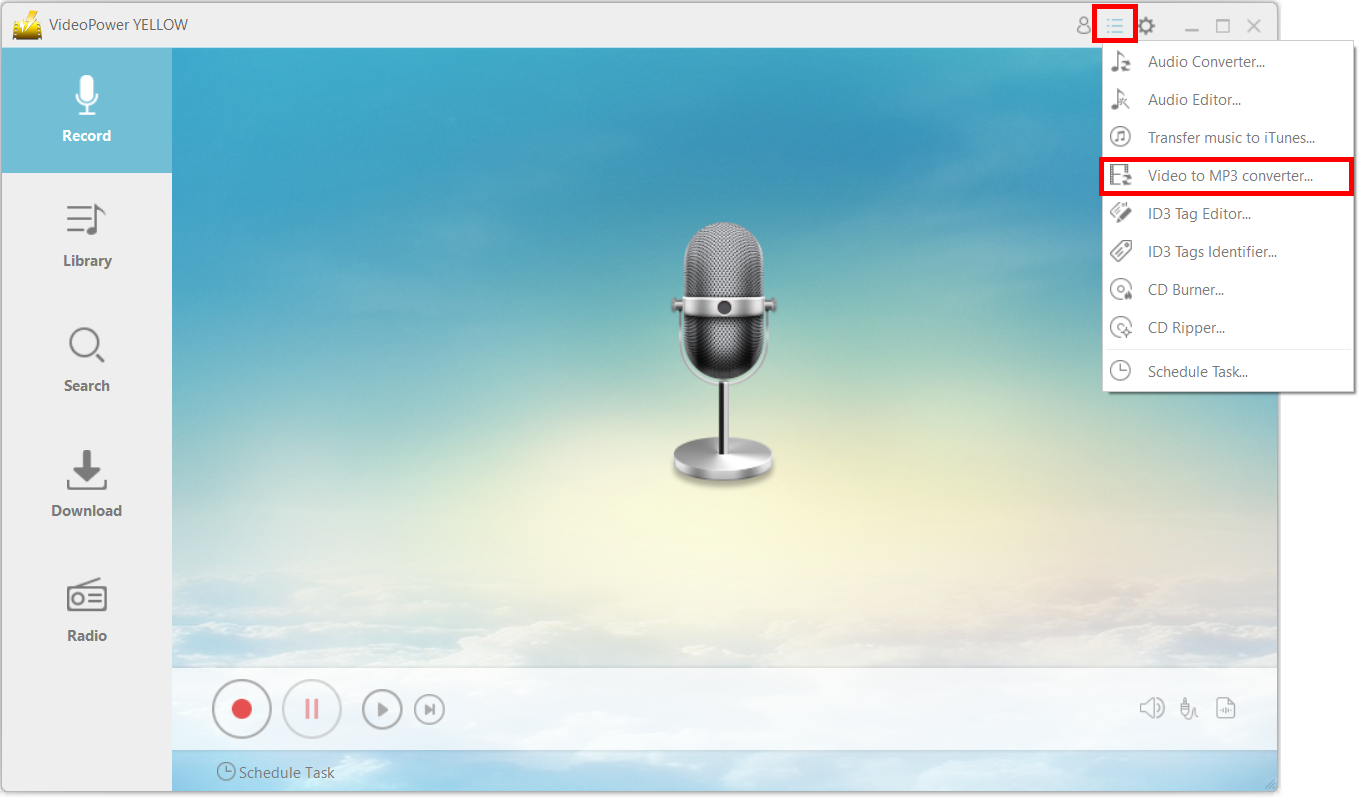
Click on the main menu icon and choose “Video to MP3 Converter.”
Step 2: Convert the music video to an MP3 file
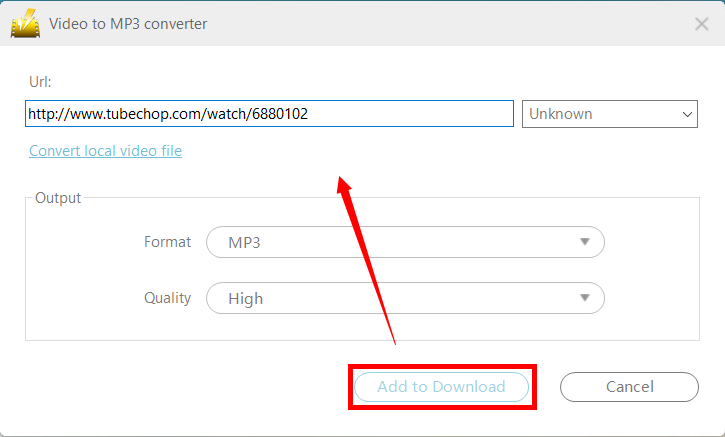
Copy and paste the URL of the video that you want to convert into the new window. Make sure that you set the format under “Output” to “MP3.”
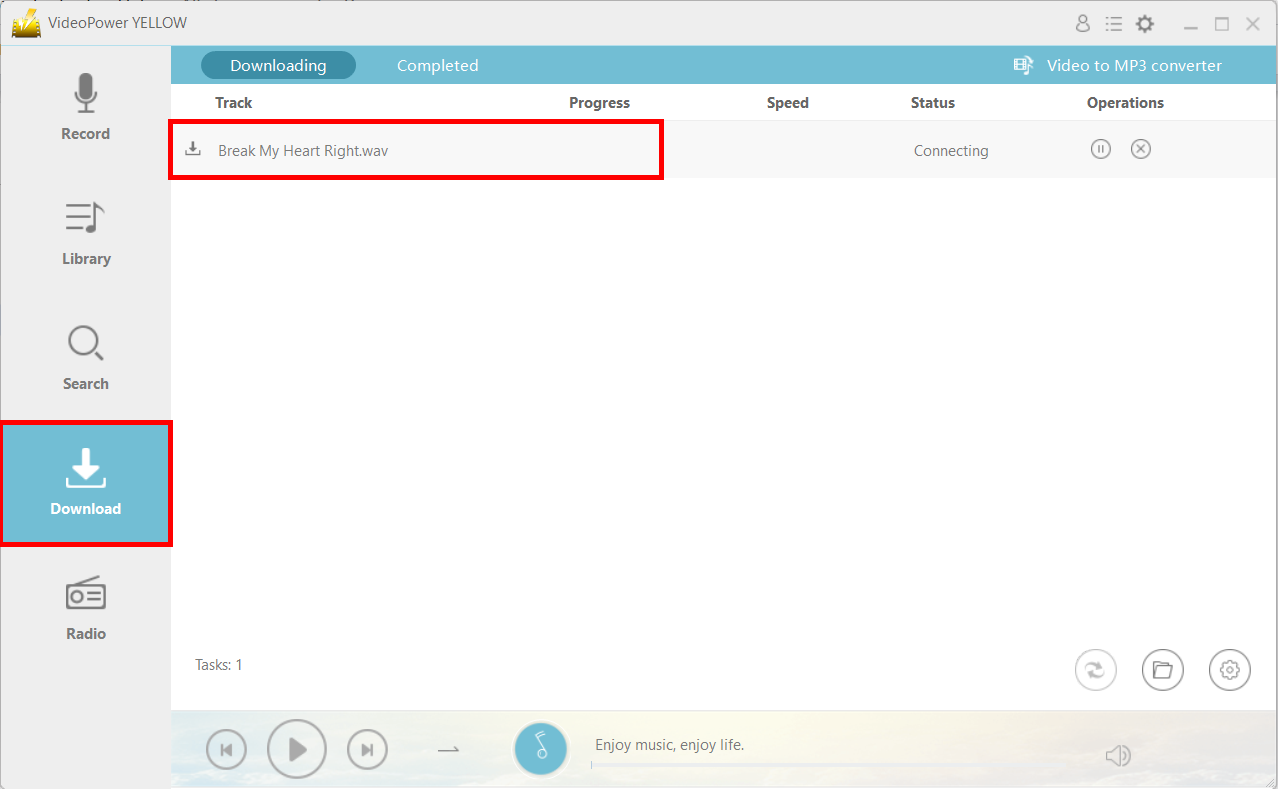
Navigate to the “Download” function and you will see that the file will be in the “Downloading” tab.
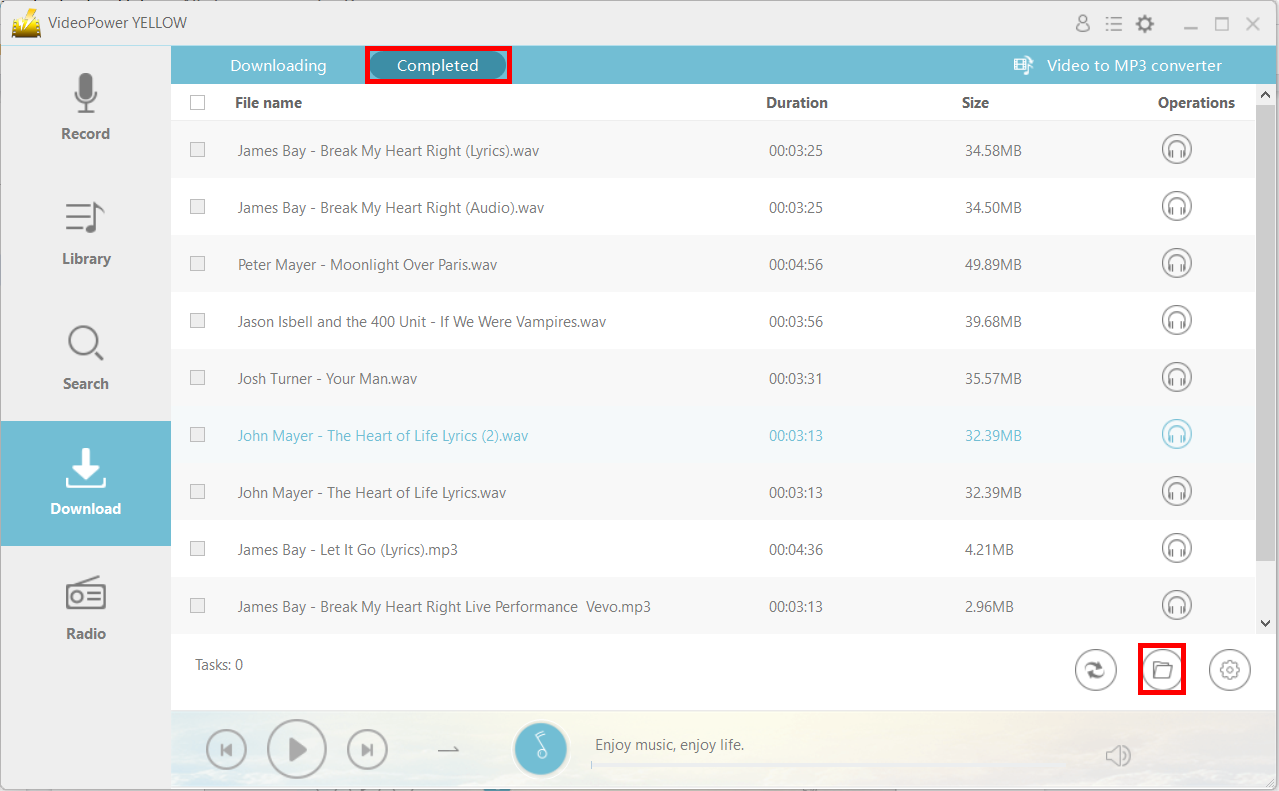
After downloading, the file will be in the “Completed” tab. You can open the file location by clicking on the folder icon on the bottom right.