

Tips Index

Online video streaming platforms such as YouTube do not really have a download feature for offline viewing. Also, to save storage space, it’s much easier to just save the audio from a video. Using VideoPower YELLOW, you can extract audio from MP4 or YouTube videos.

VideoPower YELLOW is a free and powerful video to audio converter. With it, you can do many other things such as:

  • Get audio by downloading or recording.
  • Edit audio like cut, mix, delete, paste soundtracks, etc.
  • Convert audio to a compatible format.
  • Add music to iTunes.
  • Convert video to audio file.
  • Automatically acquire the ID3 tag and edit music information.
  • Rip a CD or create your own music CD.

Get this fantastic software now and start to extract audio from MP4 or YouTube videos.

You can try to use the software for free by downloading its trial version below.

FREE DOWNLOAD

Windows 7 / 8 / 8.1 / 10 supported

Step 1: Launch the program

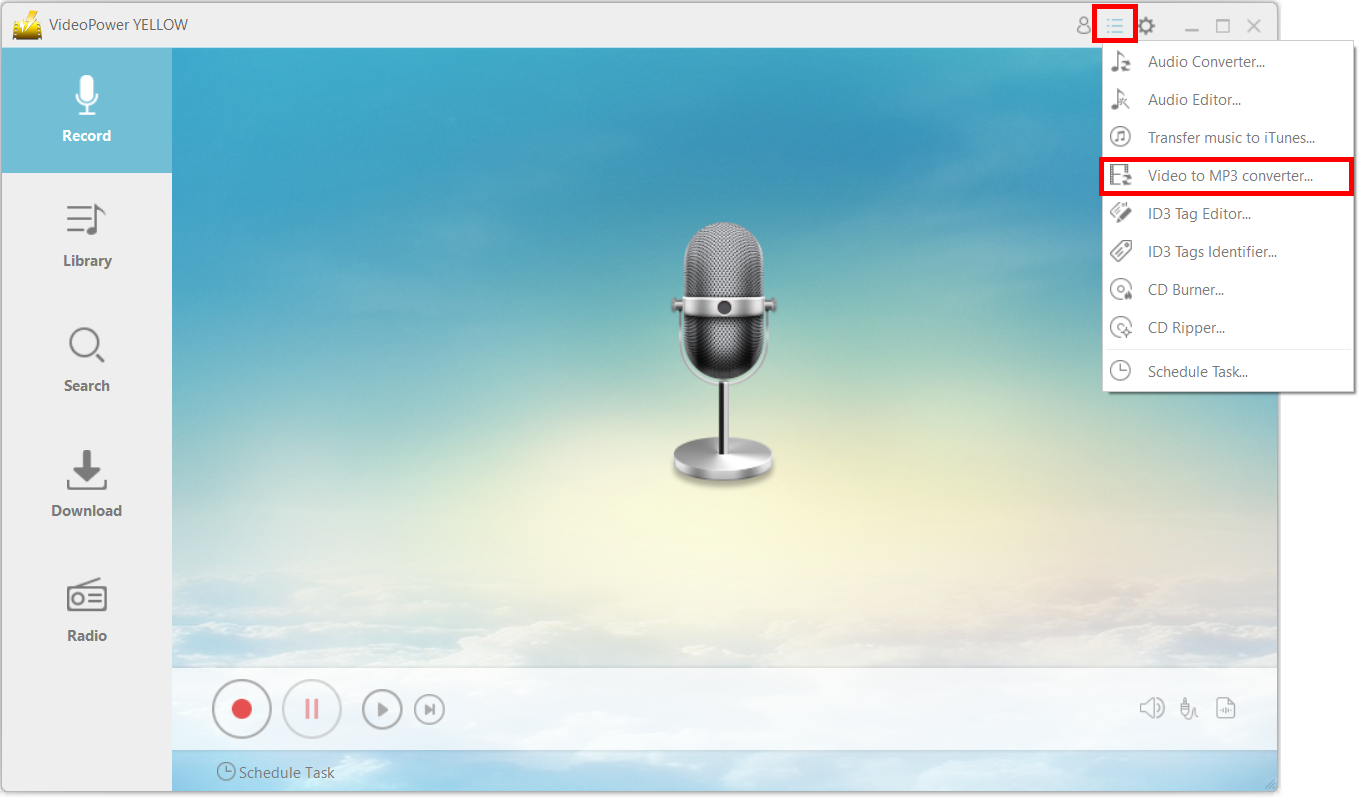
Click on the main menu icon and choose “Video to MP3 Converter.”
extract audio from video, VideoPower YELLOW, extract audio from video

Step 2: Convert the music video to an MP3 file

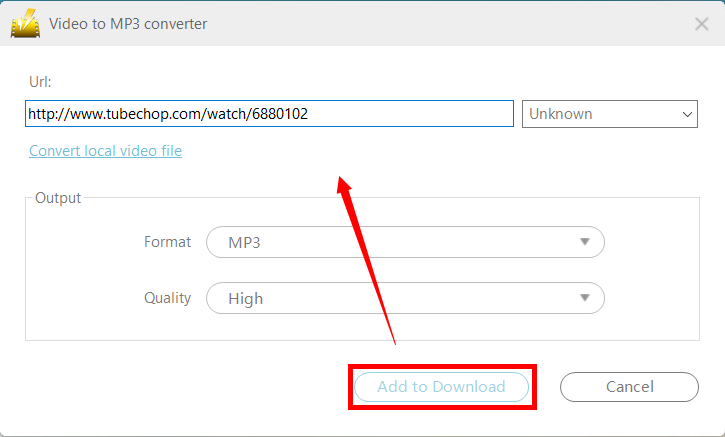
Copy and paste the URL of the video that you want to convert into the new window. Make sure that you set the format under “Output” to “MP3.”
extract audio from video, VideoPower YELLOW, add to download

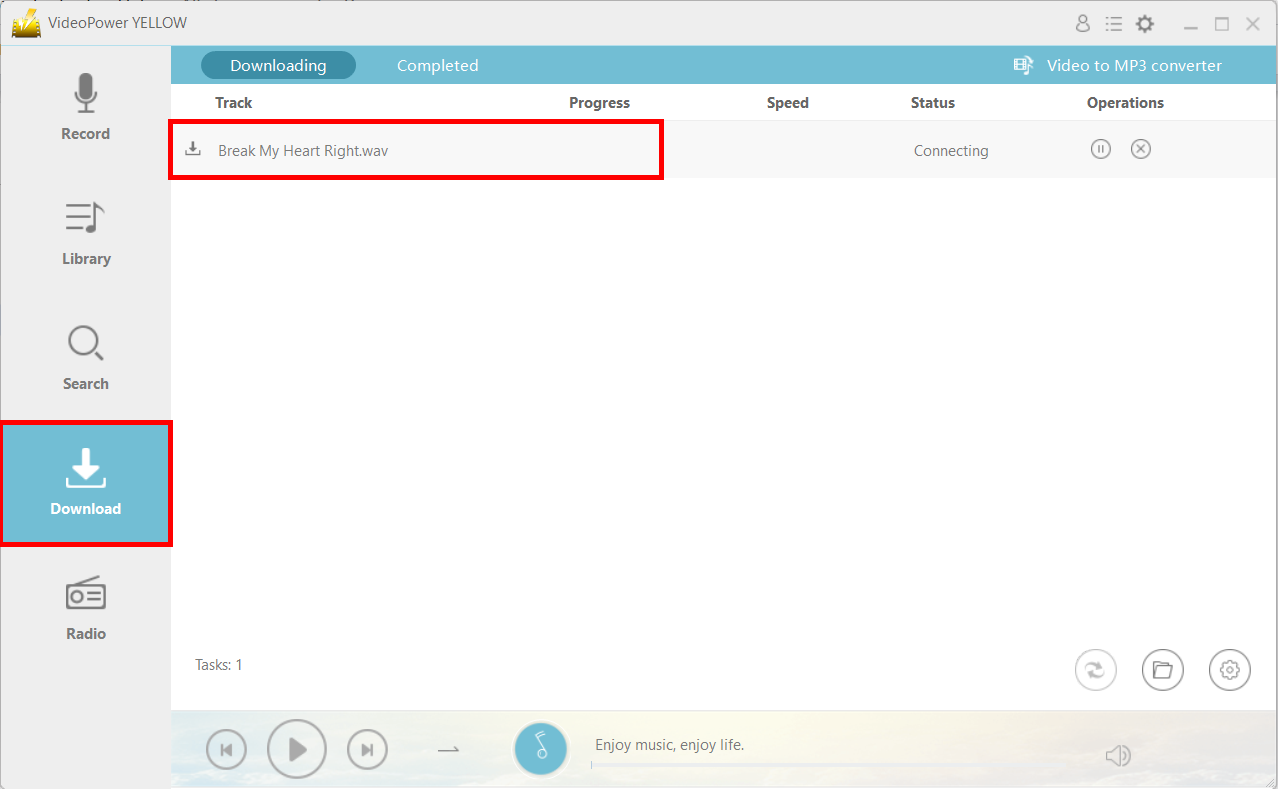
Navigate to the “Download” function and you will see that the file will be in the “Downloading” tab.
extract audio from video, VideoPower YELLOW, downloading tab

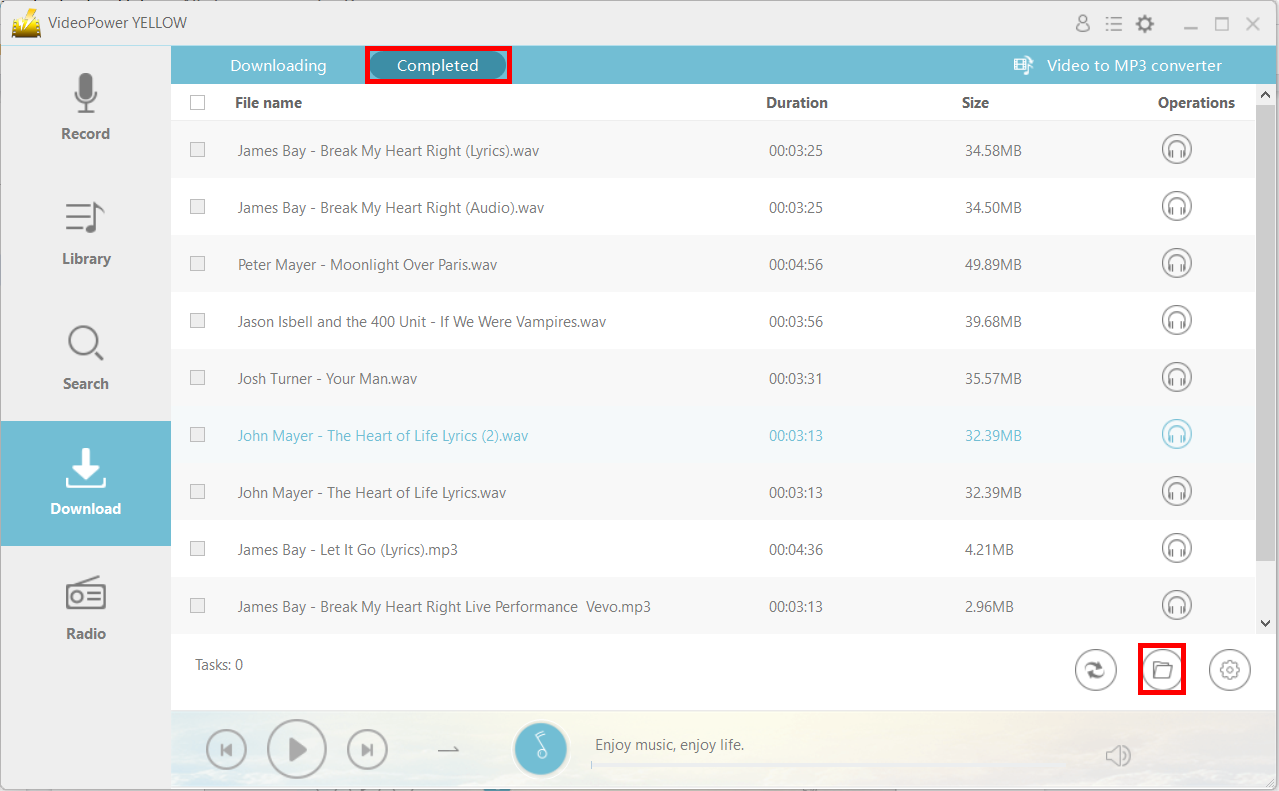
After downloading, the file will be in the “Completed” tab. You can open the file location by clicking on the folder icon on the bottom right.
extract audio from video, VideoPower YELLOW, open file location

Related Posts

Video Download
Record
Convert

VIDEO POWER

RED

  • Download video and audio from over 1000 video site
  • Batch download YouTube playlist
  • Record screen and audio with real-time annotation
  • Trim, crop, rotate video with a strong video editor
  • Windows 7, 8, 8.1, 10 (32/64bits)
> DOWNLOAD <
LEARN MORE

Schedule Recording
Annotation
Video Edit | Convert

VIDEO POWER

GREEN

  • Record screen and audio with real-time annotation
  • Create a scheduled task to record screen and webcam
  • Enrich your recorded video by powerful Video Editor
  • Capture and annotate your screen in the picture
  • Windows 7, 8, 8.1, 10 (32/64bits)
> DOWNLOAD <
LEARN MORE

Video Convert
Record
Slideshow Maker

VIDEO POWER

BLUE

  • Convert video and audio to various formats at super fast speed without quality loss
  • Make your own video clips or movies with fantastic themes
  • Transform multiple videos and photos in one frame as a collage
  • Trim, crop, rotate, effect, watermark, subtitle, etc. in video editing
  • Windows 7, 8, 8.1, 10 (32/64bits)
> DOWNLOAD <
LEARN MORE

Music Search
Download
Record

VIDEO POWER

YELLOW

  • Records music and audio from various sources in lossless

  • Search and download music

  • Auto-add music ID3 tags for recorded music

  • ID3 Tag Identifier and Editor, Audio Editor/Converter, CD Ripper/Burner, Transfer to iTunes, etc

  • Windows 7, 8, 8.1, 10 (32/64bits)

> DOWNLOAD <
LEARN MORE

Whatever fits your needs, it's here.
Which one would you choose?

> Video Power Series Comparison <