





Tips Index
The emergence of the internet created a shift in the music industry – the majority of people are now subscribed to digital music plays and online streaming. This paradigm shift made a massive impact on how people listen to music. There is a greater decline in the number of people that buy physical copies of audio and video than when the technology was still at the peak of its fame. Offline music is also rapidly disappearing.
One of the major contributors to this rapidly evolving market is the streaming giant called SoundCloud. SoundCloud is one of the largest online music sharing websites where users can record, edit, upload audio, and create playlists.
As popular as it is, online music streaming services have some disadvantages and problems: firstly, for people without a strong and stable internet connection, listening to music online would be tedious. A huge chunk of the connection would be better spent on more urgent and important matters that use a lot of data.
Also, the websites are sometimes filled with ads that become increasingly annoying over time. Secondly, most online streaming services do not provide a download feature for the track or at the very least, do so with the uploader’s prerogative – such is the case with SoundCloud. So, how to save soundcloud music to itunes and how to save music of soundcloud?
To save SoundCloud music for offline listening, you would need an external software to save it on your computer. You can use the software called VideoPower YELLOW. With this, you can save SoundCloud music with or without the download feature.
To install the software, just click on the link below to download the installer.
Step 1: Set the sound source
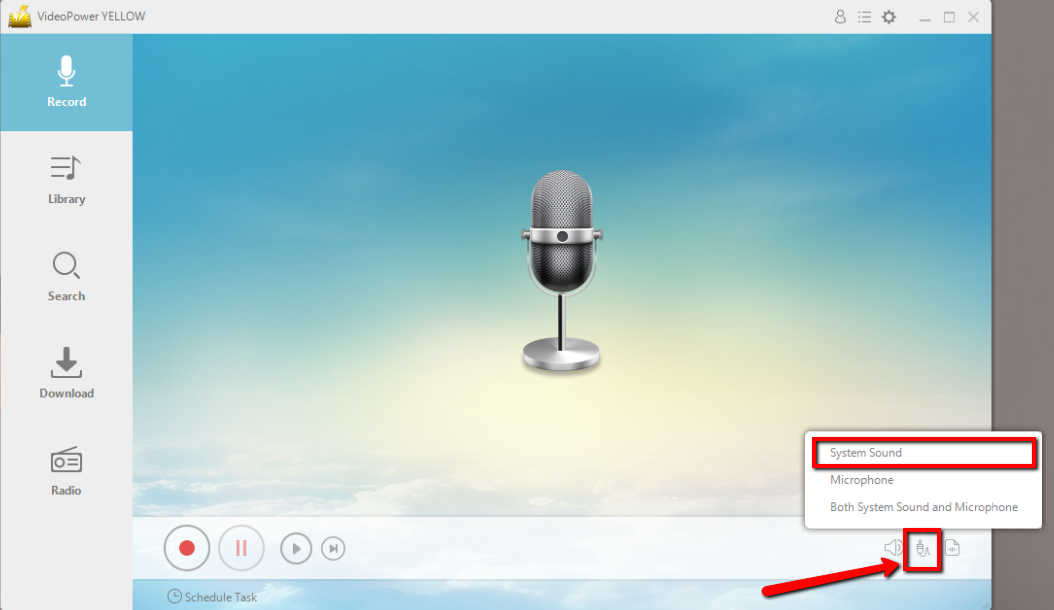
Before recording the SoundCloud music, set the sound source first. Click the audio jack icon below and choose from the sound sources such as “System Sound”, “Microphone”, “System Sound and Microphone”. In recording SoundCloud music, “System sound” is recommended.
Step 2: Set the file format
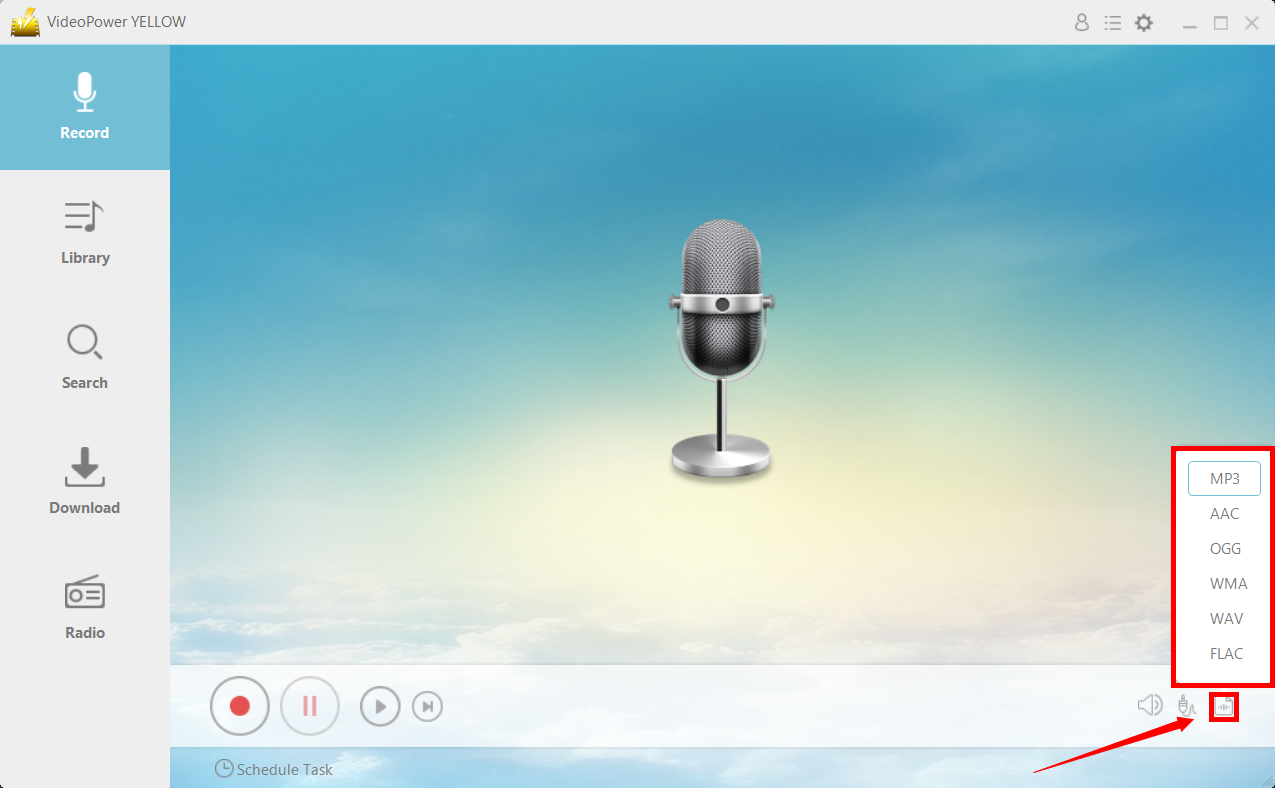
Before recording, make sure that the output format is set. Select an appropriate format among MP3, ACC, OGG, WMA, WAV, FLAC that you can found at the lower-right corner of the interface. In recording SoundCloud music, MP3 format is recommended.
Step 3: Start Recording
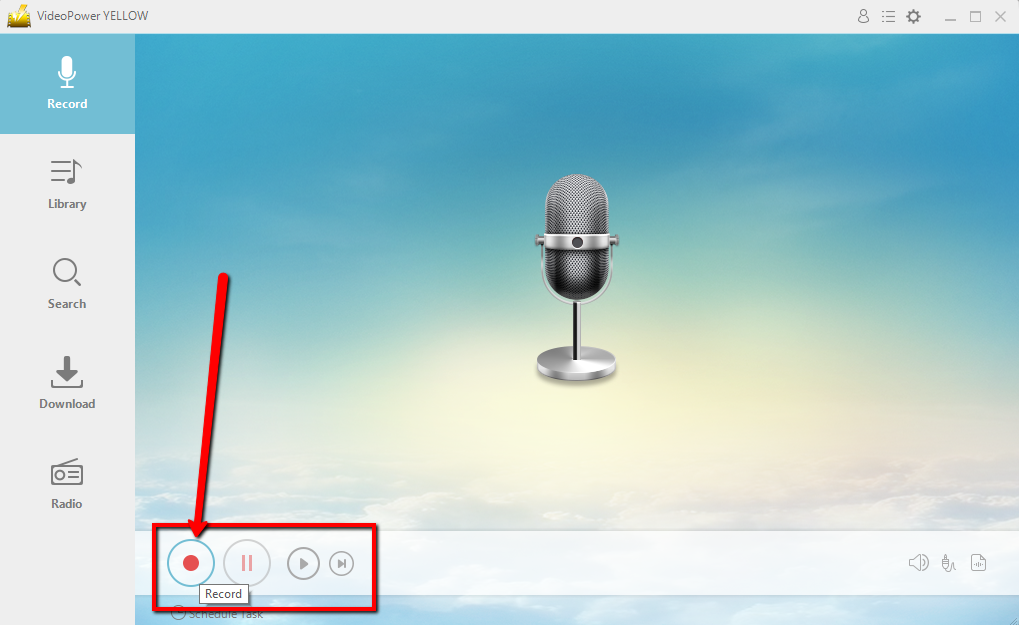
Click the “Record” button to start recording. Click the same button to stop or end the recording.
Step 4: Play music
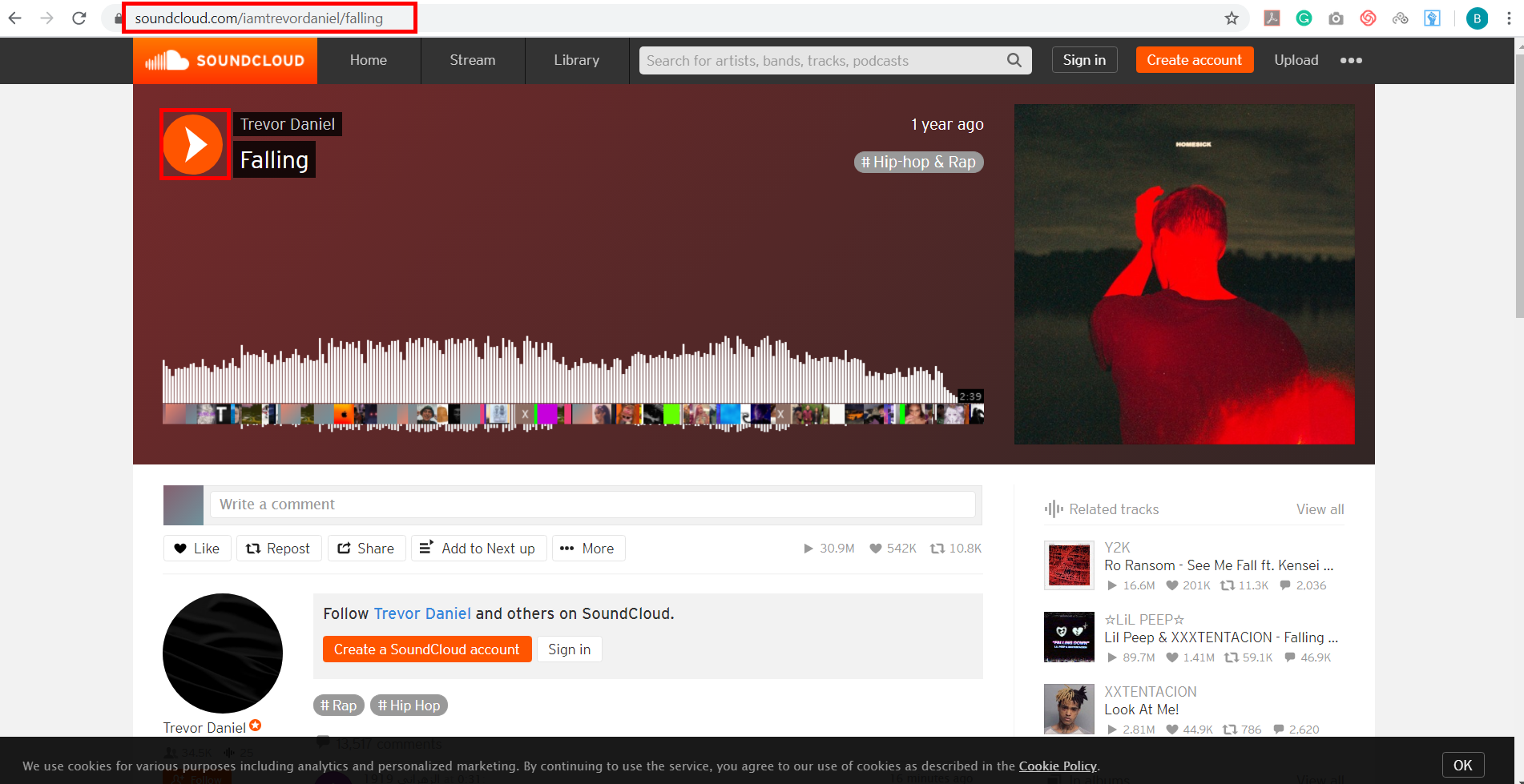
Go to the SoundCloud track that you want to download and play it to be recorded.
Step 4: Open File Location
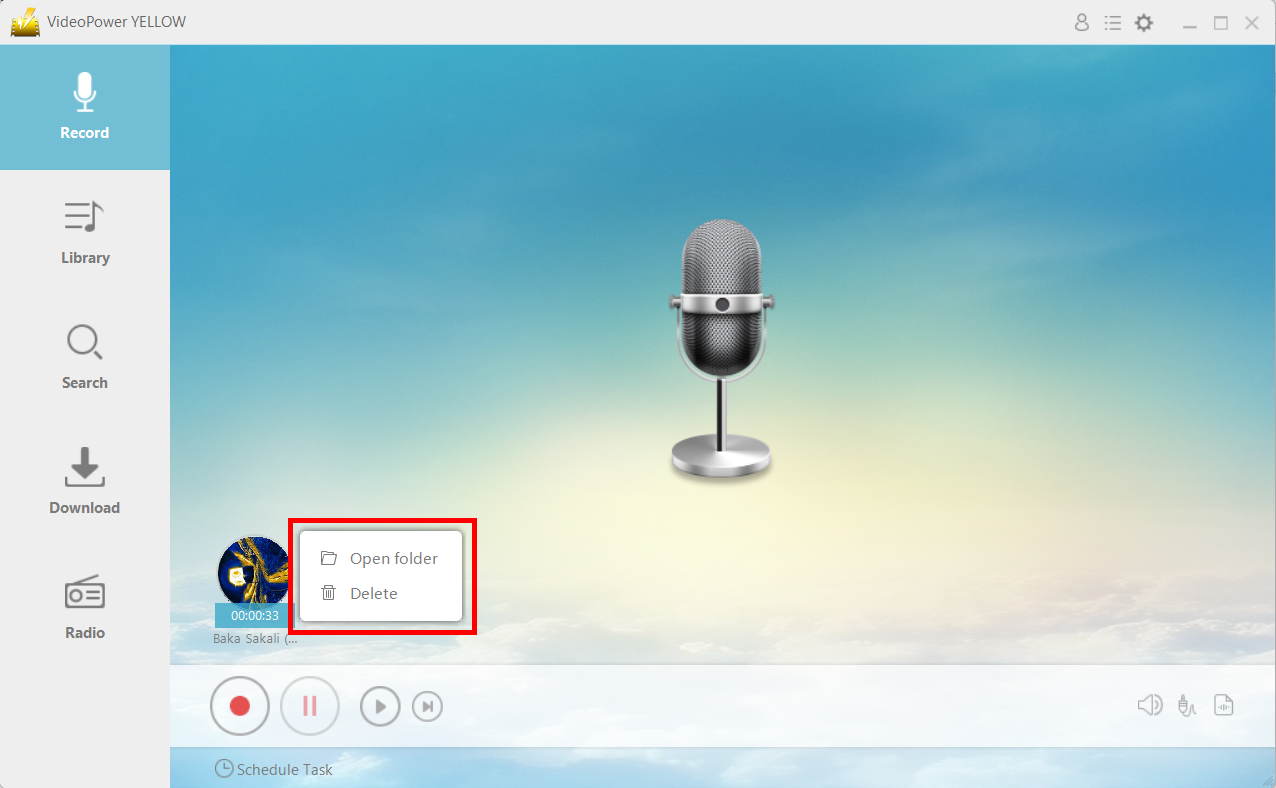
After recording, right-click the recorded track icon and click “Open folder” to open the storage location of the recorded audio file or click “Delete” if you want to delete the file and record again.
Conclusion:
Online streaming platforms are the trend nowadays but it’s always great to have music downloaded on your local drive. It’s easy to tap into and even without an internet connection or a premium subscription permission.
Lastly, this is not an article that encourages piracy – quite the contrary actually. This is to help honest, law-abiding listeners download their favorite music for free and for their own use only. Using VideoPower YELLOW, it’s easier to do so.



