





Tips Index
There are users complaining that they downloaded video in F4F format that cannot be played by most of the media players and mobile devices and now they want to exclude F4F when downloading videos.
Avoiding it is a piece of cake if you download the video using VideoPower RED, an amazing, hassle-free and trusted software that is able to detect the video streaming on the web and add it to download automatically.
Download VideoPower RED in the Link provided below and follow through the guide on How to exclude F4F in downloading a video.
Step 1: Change settings and download the video
Click settings and navigate to the “Download” tab and scroll down to the bottom. Find “Exclude media file type (separated by comma)”. Check it and enter F4F in the box. Click the “OK” button, then the software won’t download F4F video files anymore.

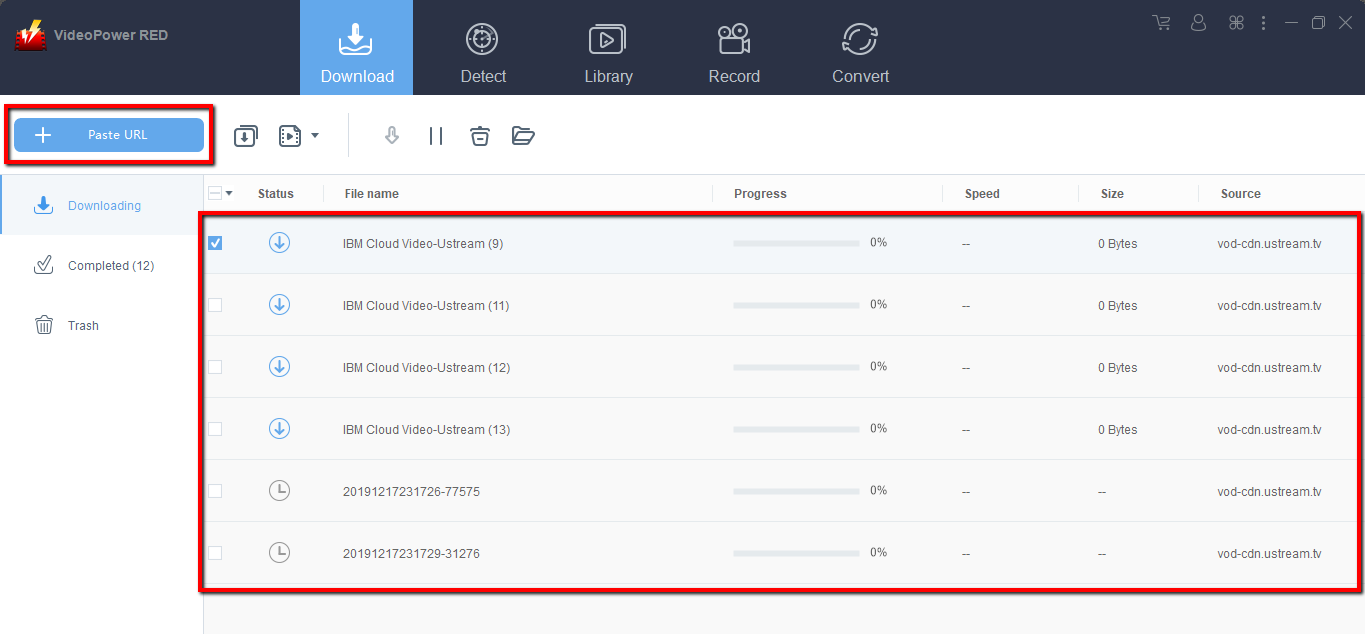
Copy the link of the Ustream video that you want to download and then paste it into the program by clicking the “Paste URL” button. After that, you will see the video is downloading in the download control panel.
Step 2: Check downloading and downloaded file
Wait for the download to finish, and then go to the “Completed” section to find the downloaded video.

Conclusion:
Downloading videos from sites that requires many things is already a hassle, what more if the file you downloaded cannot be played after trying everything just to download the file.
A third-party tool can answer this kind of concern. Thus, VideoPower RED, an amazing, hassle-free, and trusted downloader application software is best suited for this matter.


