





Tips Index
The Video Ghost Towns was filmed in a Portrait position using a RED Epic Dragon 6K camera and then joined together in Adobe After Effects. Few shots simply ranged up by 125% from six (6) K to convene the seven-point six (7.6) K standard. Handheld stuff was just six (6) K FF. Ranged up by 125% and honed up a bit more than the others. The slider shots that had the secondary pan or tilts in them were also 6K FF. The true 8K shots just had pans or tilts or wench moves with no pan or tilt action.
The supplies and gears to shoot Ghost Towns might not certainly be extensive, and the displays needed to watch the view at home are even less so, but 8K video made its way to YouTube. It’s a characteristic that the outfit declared way back in 2010, but only just recently did a clip external that actually uses all of those lines of resolution. The clip is called the “Ghost Towns” and it is a slow-paced journey through a recently abandoned mining settlement.
This is apparently a very complicated technique which isn’t realistic for most video or film creators at the moment. But there are few cameras that can shoot 8K naturally without difficult post-processing.
Want to grab a copy of the first-ever 8k video on YouTube? All you need is VideoPower RED. It is capable of getting Ghost Towns in 8k and download it faster than any other video downloader software out there. The quality result is very professional and the app is very easy to use.
Just click the link below to download this free app and follow through the steps on How to Download “Ghost Towns” the First-Ever 8K Video on YouTube.
Step 1: Paste URL and download video
Launch VideoPower RED to download 8K videos from YouTube.
1.1 Open the video analyzer
The first thing you see in the interface is the Download tab. To ensure an 8k video download, click to open the video analyzer where you can choose a resolution for your video download.

1.2 Paste the video URL
Copy the link of the YouTube video that you want to download and then paste it into the box under the “Precise download”. After that, click “Analyze to start analyzing precise resolution for the video quality.
Video: To download 8K quality videos, select 4320p resolution. For videos that do not contain audio, you can choose audio from the audio list, so your 8K video can have audio too. You can choose to download MP4 or WebM format according to your need, here choose MP4 format for example.
Audio: To include audio in your 8K video, select M4A format that is compatible with MP4. If you choose WebM video format, audio should choose WebM format as well.
Click “OK” to start the download process.

Step 2: Downloading Process
After that, you will see the video is downloading in the download control panel.
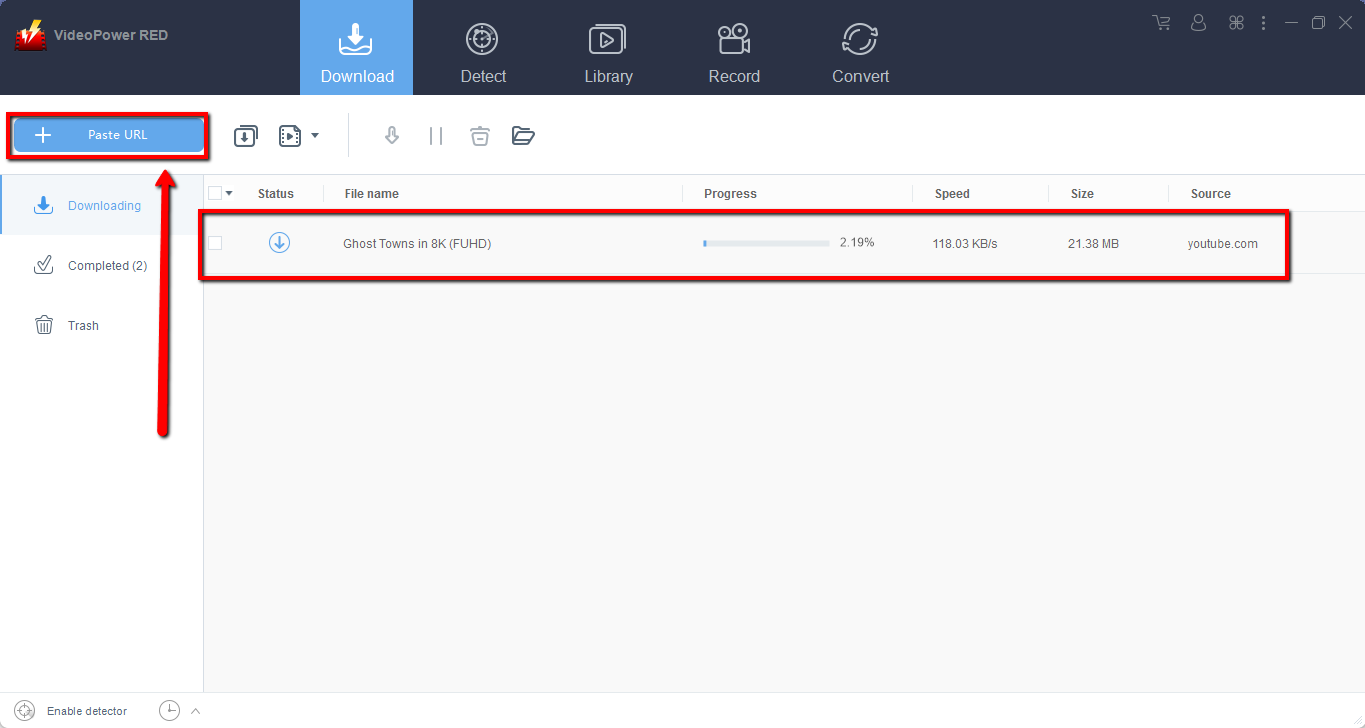
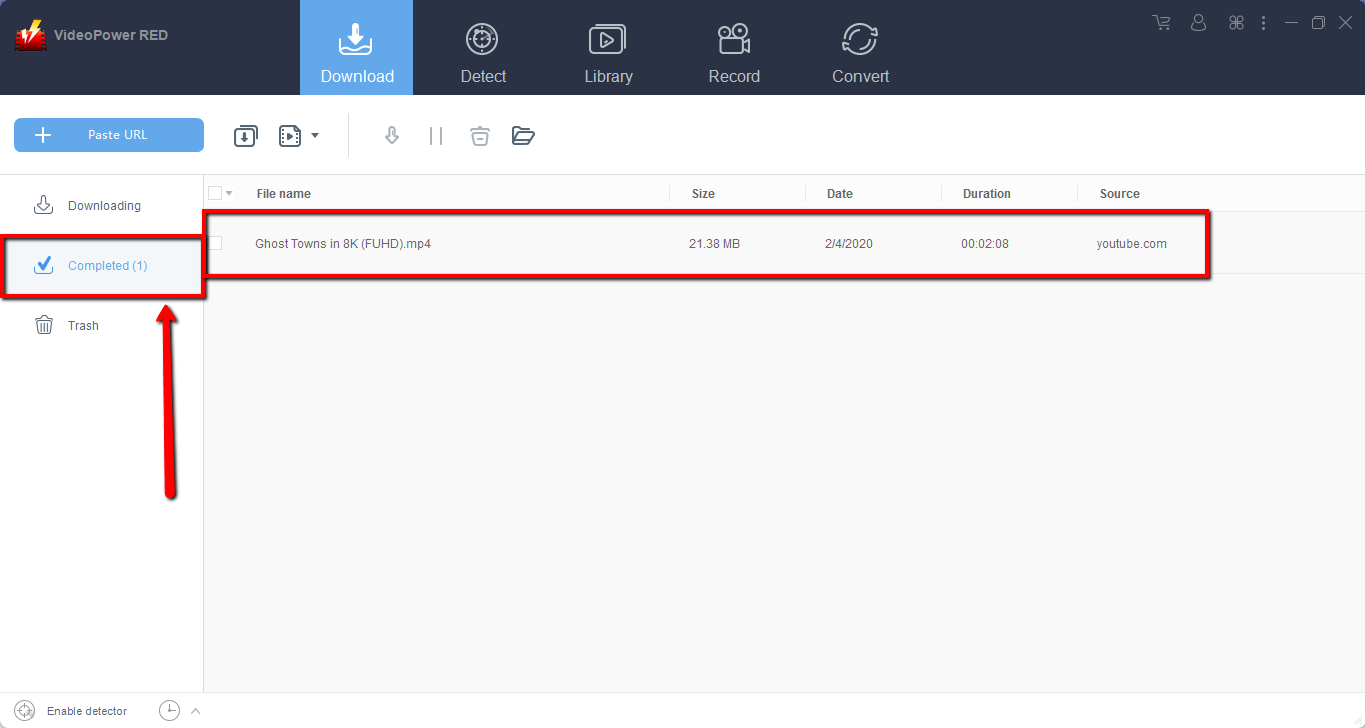
Wait for the download to finish, and then go to the “Completed” section to find the downloaded video.
Conclusion:
A very intuitive application, with High definition downloading result. VideoPower RED, lets you download the first ever 8k video on YouTube with the same original resolution that you can watch offline. A powerful and astonishing app that can download thousands of videos in just one click. It can also convert video and audio files into different kinds of formats. Download now the free app. And enjoy watching videos in HD.


