





Tips Index
There are times when you watch YouTube videos and the internet will get so slow and it will become a problem for you because you cannot watch the videos anymore. You’ll get impatient or tired out at the moment.
Well, YouTube really is an amazing huge platform with an awesome array of videos of many kinds that suites any taste. You will always feel the enjoyment of watching YouTube videos anytime and anywhere you go, yet, it is not actually very good to bank on to the Internet connection every time. What if, there’s a time you will want to watch that awesome episode of the series you’ve looked forward to while offline with your computer? Is there any YouTube online downloader out there? Is there a way to watch youtube videos offline?
That’s not a problem, because, in this article, we have the solution to what you’re looking for. VideoPower RED, this easy to use the app, will let you download any kind of video from different video sharing sites like YouTube, Vevo, Dailymotion, TED, Vimeo, Instagram, Facebook, and etc. so that you can watch YouTube videos offline. Sometimes, people ask on how to watch YouTube videos offline on iPhone. Also, with this app, this matter is also available. Download first the videos with VideoPower RED and transfer it to your iPhone.
Just click the link below to download this free app and follow through the simple steps on How to Watch YouTube Videos Offline on PC.
Method 1: Copy and Paste URL
Step 1: Paste URL and download video.
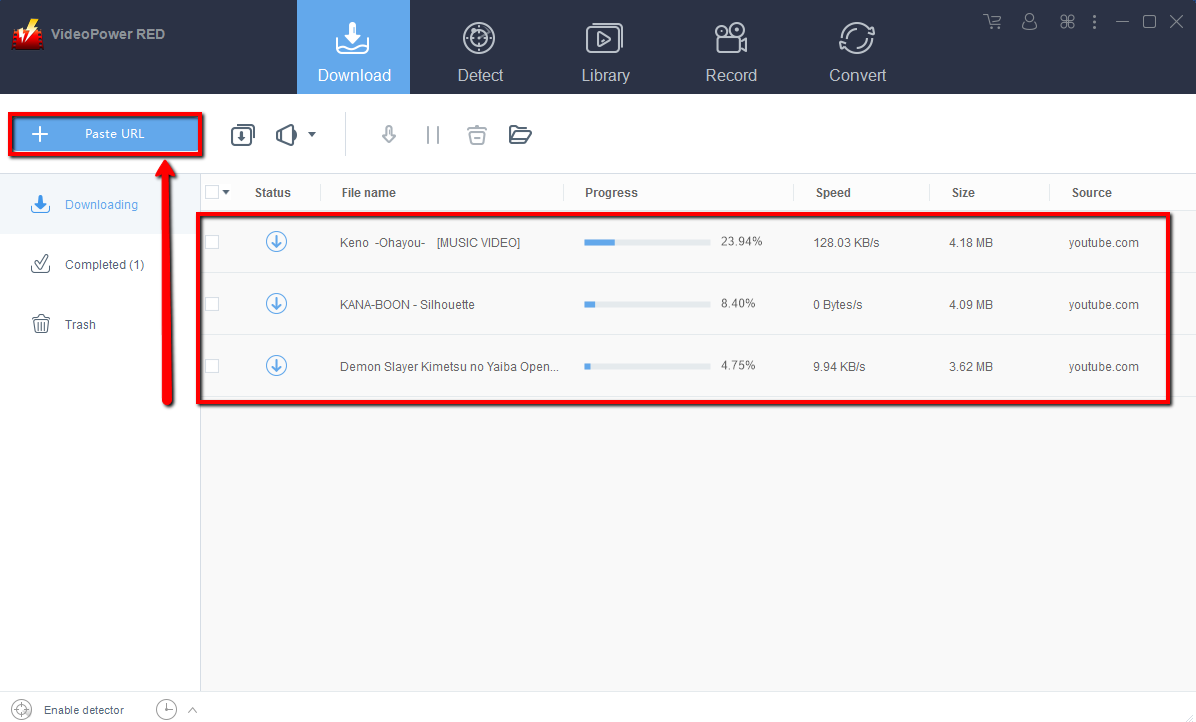
Copy the link of the YouTube video that you want to download and then paste it into the program by clicking the “Paste URL” button. After that, you will see the video is downloading in the download control panel.
Step 2: Check the downloaded file
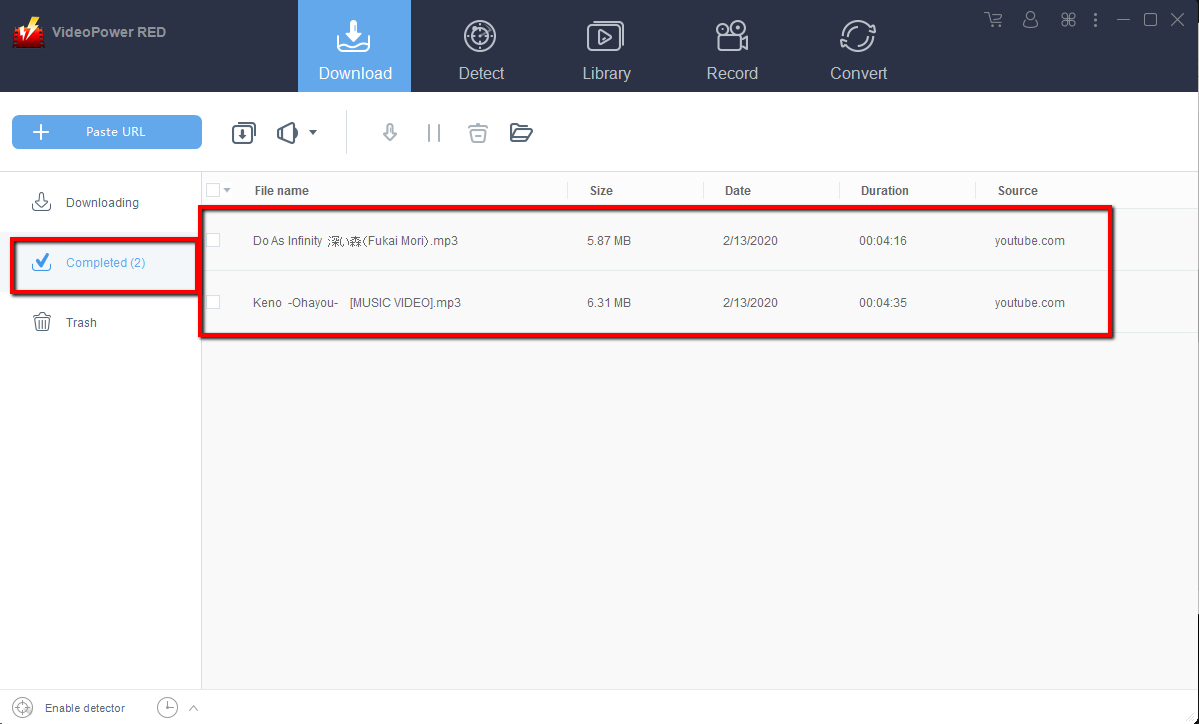
Wait for the download to finish, and then go to the “Completed” section to find the downloaded video. Right-click to do more operations and double-click to preview.
Method 2: Use the Embedded Browser
Step 1: Start Downloading on Embedded Browser
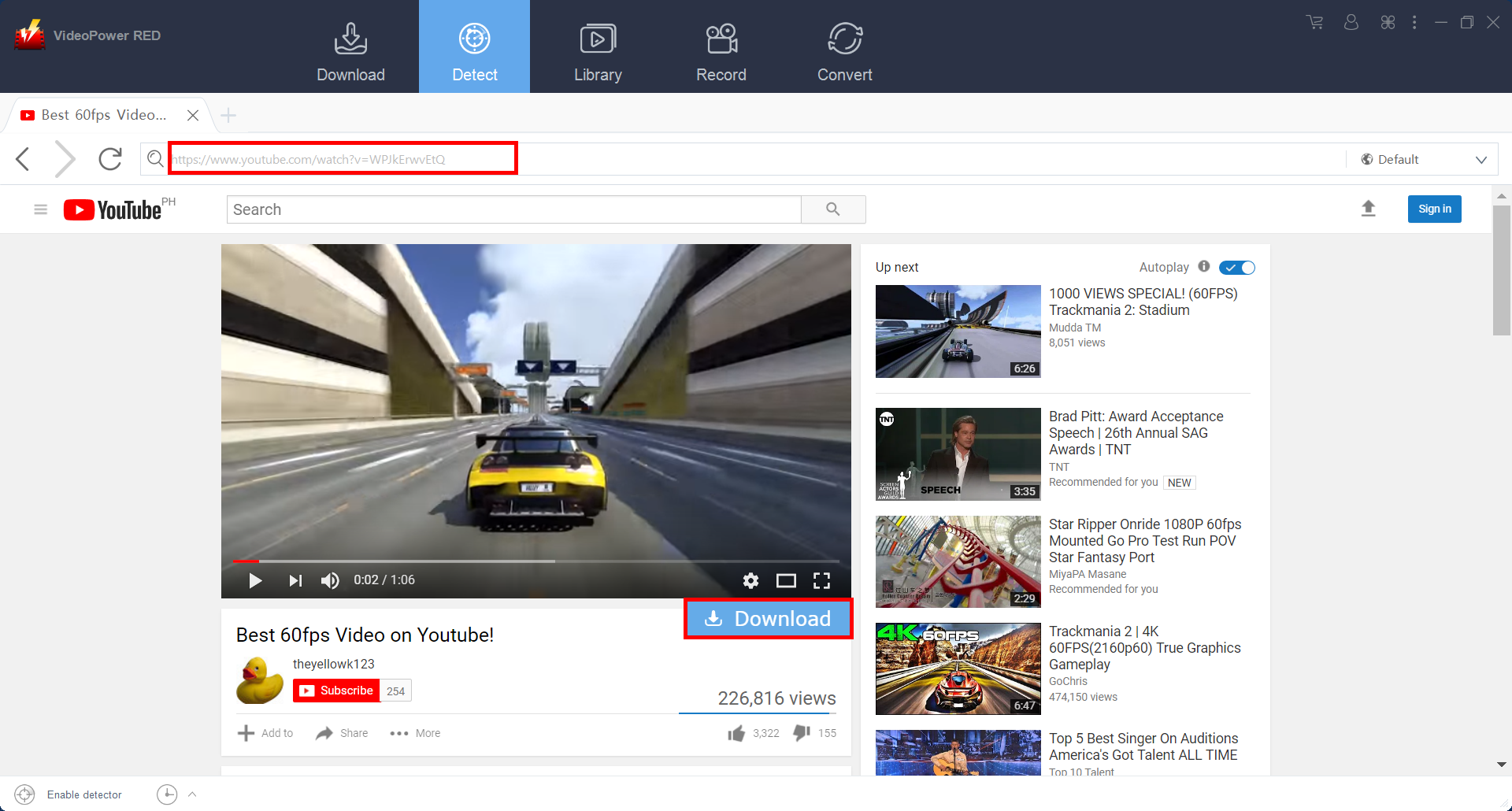
Open the video page via an embedded browser. Click the “Download” button below the streaming video.
Step 2: Download Complete
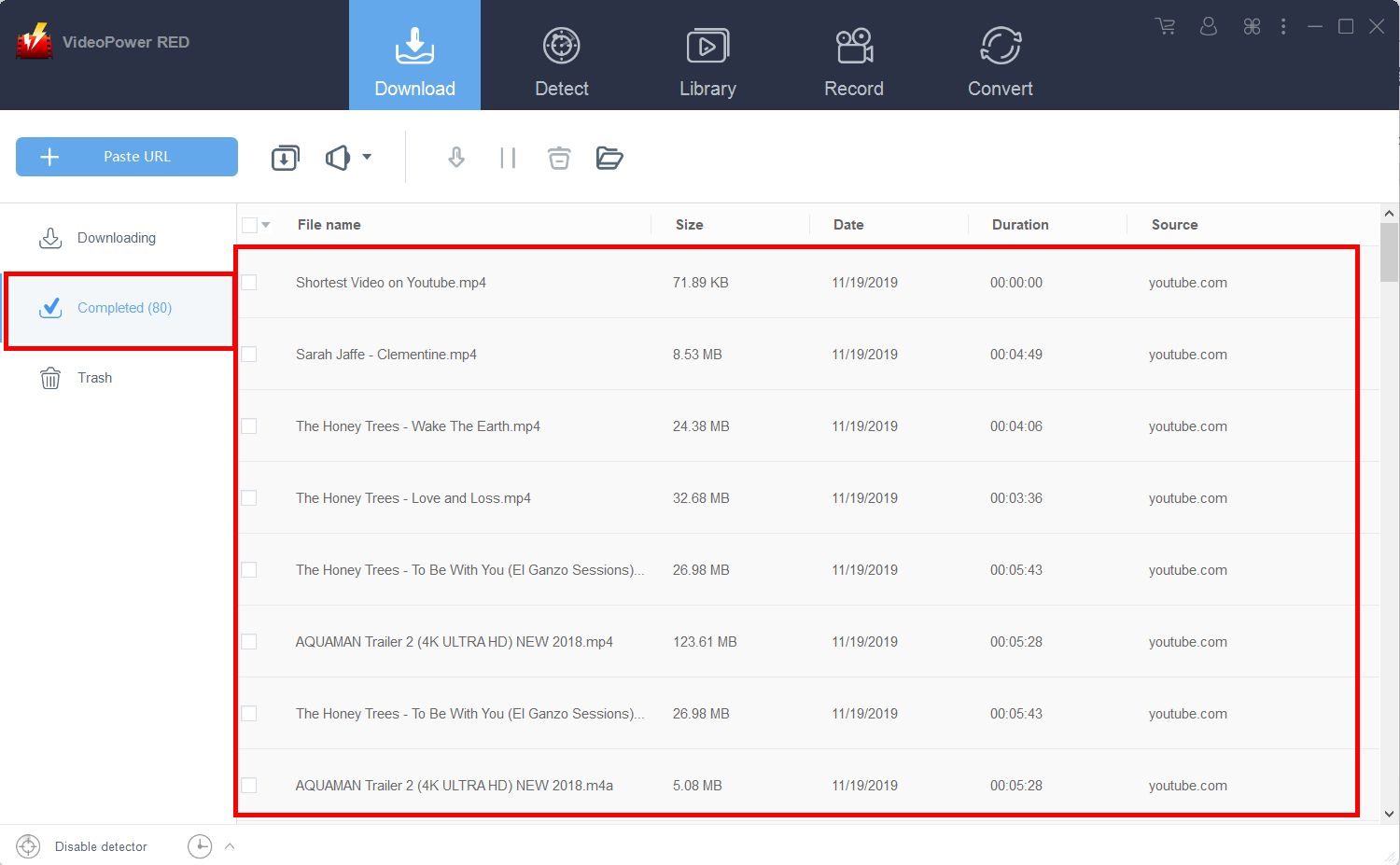
Wait for the download to finish, and then go to the “Completed” section to find the downloaded video. Right-click to do more operations and double-click to preview.
Method 3: Record video
Sometimes because of the web update or slow internet connection, the program can’t download the video anymore but you can still save the video by using the recording function.
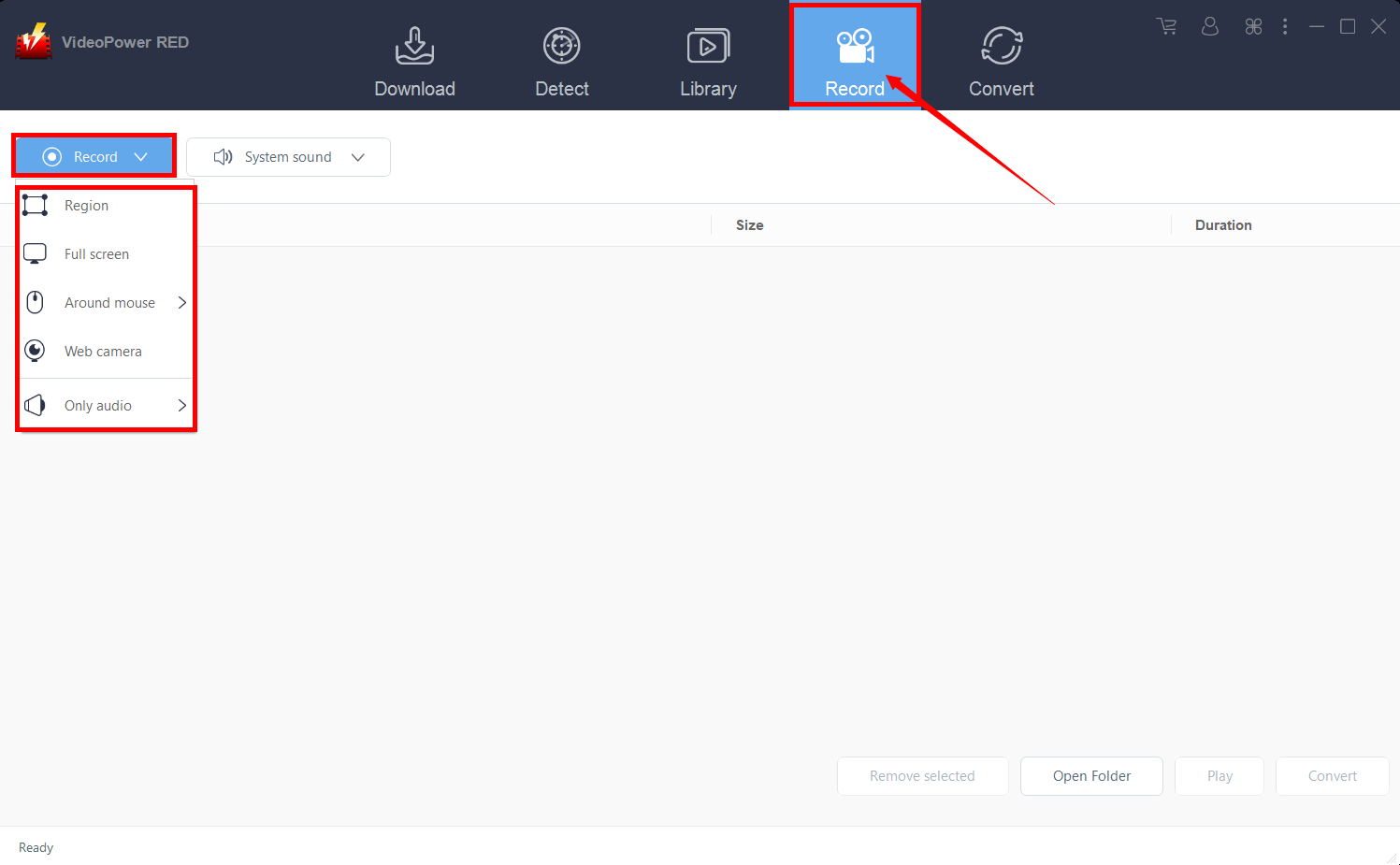
Step 1: Select Recording Mode
Click the “Record” tab to record the video and Select from “Region, Fullscreen, around mouse, or Web camera” as preferred.
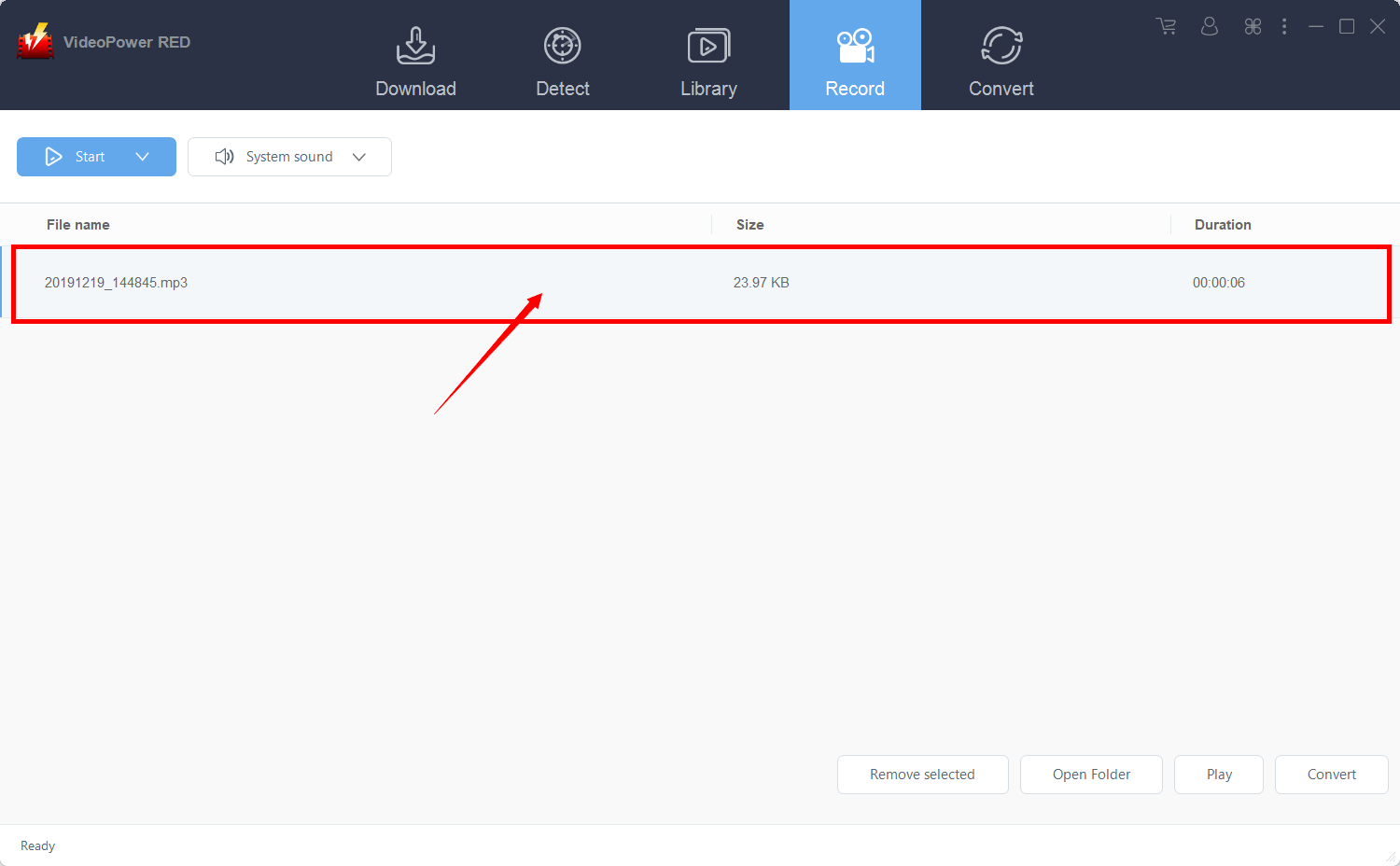
Step 2: Check the Recorded Video
After recording, the recorded file can be seen in the record interface. Right-click to do more operations and double-click to preview.
Conclusion:
There are lots of video downloader software like the online downloaders but the problem is that download speed is easily affected by the network status. Using VideoPower RED assures a smooth and easy conversion. It has a user-friendly and satisfactory interface and fast conversion speed while preserving original quality and that is the reason why it is popular with users.
It also has a video editor tool, split-screen feature for your photos and videos and a screen recorder which allows you to capture any on-screen activity on your computer.


