





Tips Index
YouTube is the biggest and most popular video sharing site in the world with millions of users. It manages both user-generated and advertisement content by way of its website and mobile apps. Old or young, YouTube is very popular with people, the most possible reason for this popularity is that YouTube has incredible types of content that can be found there.
400 hours of content filled with amazing videos uploaded to YouTube every minute, surely some of the contents might be improper for younger viewers. Because of the extent of content being uploaded to YouTube, other filters may not behave effectively enough for the site.
The basic method for filtering the contents in Restricted Mode is using algorithms. These rules determine what content might be considered improperly by checking the title, language, and the information about the video such as the date uploaded, the video creator, description, and keywords that are tagged in the uploaded video.
If you open YouTube on your browser, you can easily stumble on a video you can’t watch, you need to sign in to your account to watch a YouTube restricted video. And for sure, you might want to download it to watch it any time you want.
VideoPower RED, a powerful reliable and versatile video downloader that can download age-restricted videos from YouTube. The app can also download videos from any video sharing site including, Facebook, YouTube, Instagram, Twitter, Vimeo, Dailymotion, Vevo, Twitch, and many more.
Just click the link below to download this free app and follow through the guide on How to Download YouTube Video in Restricted Mode
You can try to use the software for free by downloading its trial version below.
Method 1: Copy and Paste
Step 1: Paste URL and download video
Copy the link of the YouTube video that you want to download and then paste it into the program by clicking the “Paste URL” button. After that, you will see the video is downloading in the download control panel.
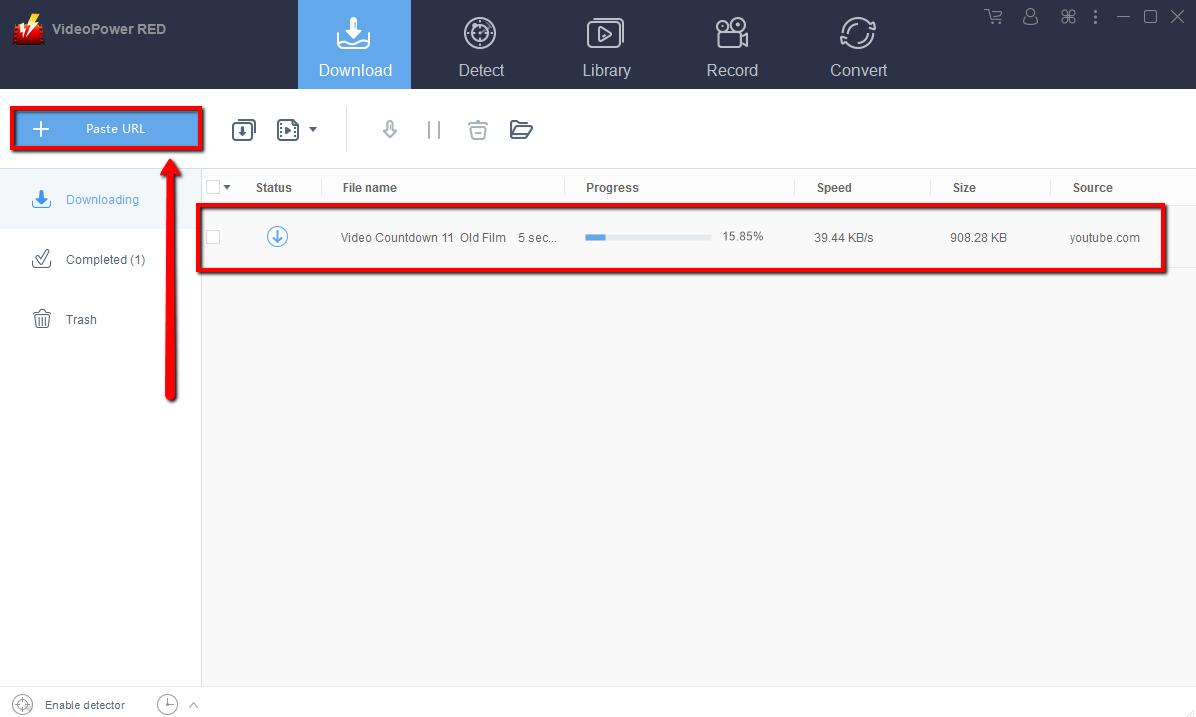
Step 2: Check the downloaded file
Wait for the download to finish, and then go to the “Completed” section to find the downloaded video.
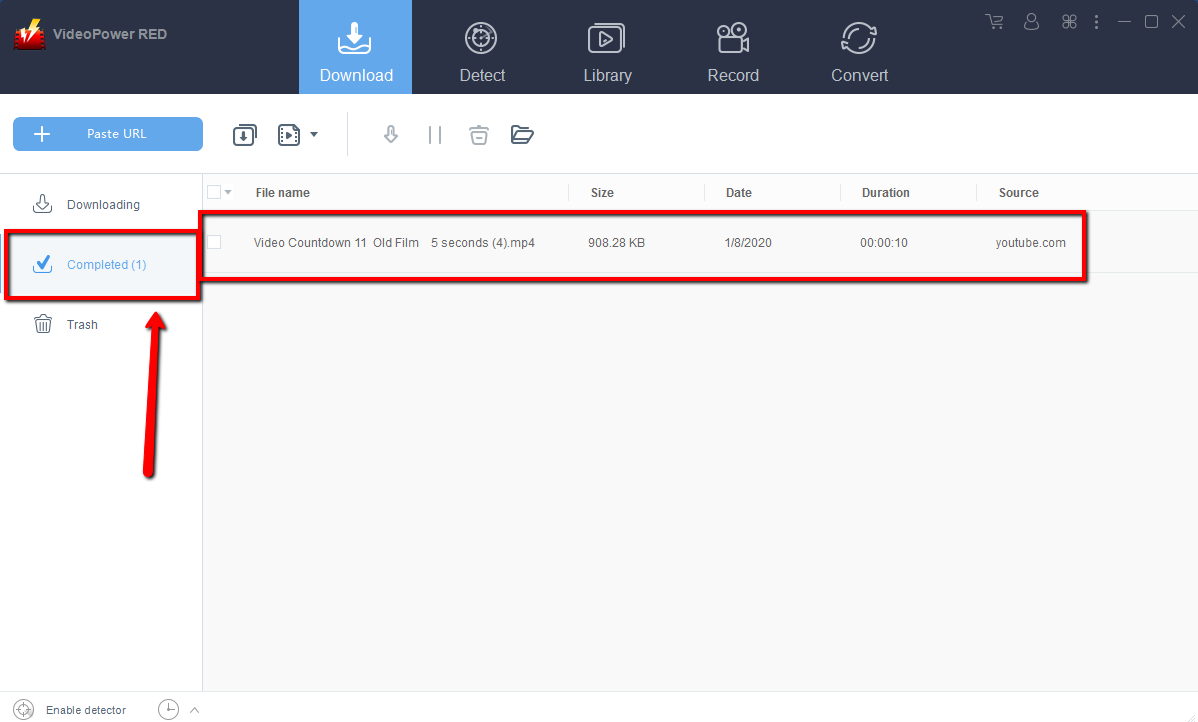
Method 2: Use the Embedded Browser
Open the video page via an embedded browser.
The video will be downloaded by clicking the download button below.

Wait for the download to finish, and then go to the “Completed” section to find the downloaded video.
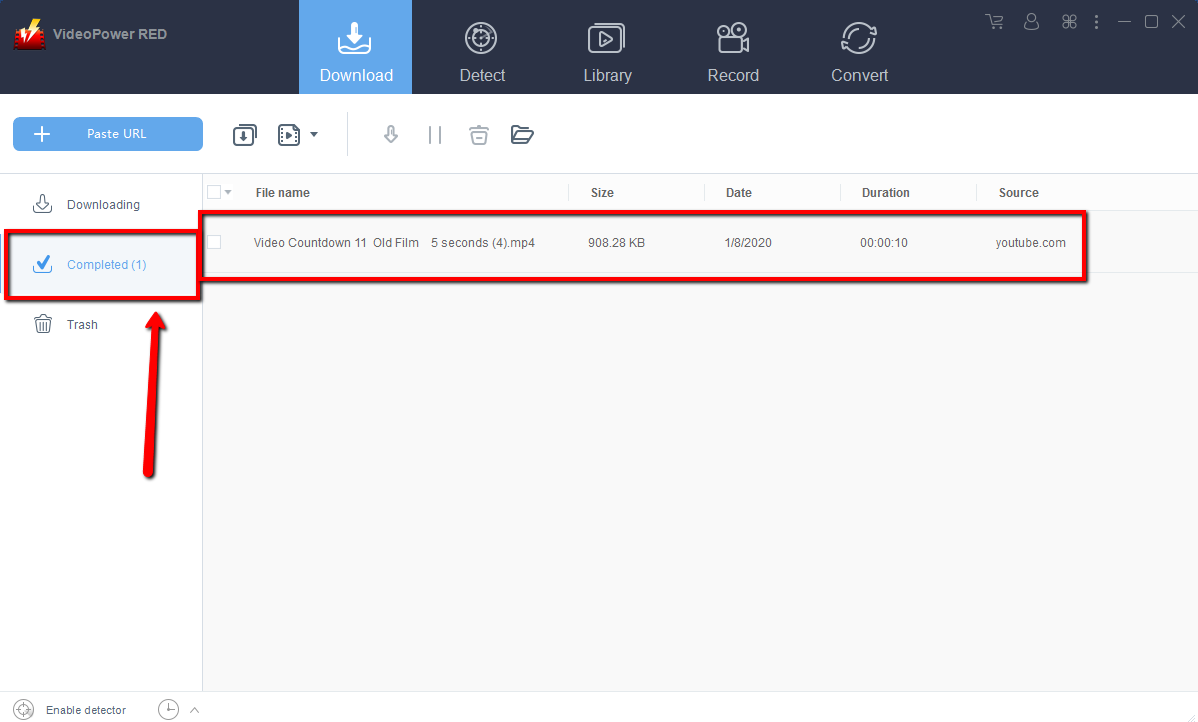
Method 3: Record video
Sometimes because of the web update or slow internet connection, the program can’t download the video anymore but you can still save the video by using the recording function.
Step 1: Record video
Click the “Record” tab to record the video and Select from “Region, Fullscreen, around mouse or Web camera” as preferred.

Step 2: Check the recorded video.
After recording, the recorded file can be seen in the record interface.

Conclusion:
VideoPower RED is one of the fastest and easy to use video downloader software. Have powerful video downloading performance that can download restricted videos from YouTube with very satisfying results. There is more to it than downloading, the app is also capable of recording and converting files. Isn’t it cool to have VideoPower RED? Download now to experience its fun and amazing features.
It’s fast and flexible with a built-in video editor that will enable you to merge multiple videos into one single file. This software will allow you to edit slideshows or videos, apply watermarks, effects, and other basic video editing options such as trimming or cropping. Moreover, it has a split-screen tool for your photos and videos and a screen recorder which allows you to capture any on-screen activity on your computer.


