





Tips Index
YouTube Videos have given most of the valuable information, tutorials, education, life hack, entertainment, and more. The best thing about YouTube videos is that as long as you have internet data you can watch it anytime and anywhere.
You can find unlimited stuff by searching for keywords and you can find what you are looking for. The downside is that advertisements would play before the video or in the middle and you can’t do anything about it aside from the advertisement to finished playing or most likely to click “skip ad” after 5 seconds.
When you have a slow internet connection where you can’t choose the best quality YouTube video that you want to watch due to high data consumption and also when you are offline. I suggest that you download the videos that you want to watch so that you can watch them offline.
Grabbing Video maybe not easy but with the right software, you can do it easily. There’s a lot of downloader software out there that could download videos from Youtube Here’s is one of the best YouTube Video Grabber that you can use called VideoPower RED.
You can download videos easily from different video sites such as YouTube, Vevo, and Dailymotion. This tool can quickly recognize and download videos played on browsers installed on Windows such as Chrome, Firefox, and IE. It also has many functions such as recording, downloading, converting, and editing. It’s an overall software with so many functionalities that can be used in our daily life.
Below is the step by step guide on how to grab YouTube video to Your Computer.
Method 1: Copy and Paste URLto Download
Step 1. Copy and paste URL
Go to your browser and open YouTube website and search for your favorite video and then copy the page URL and paste it on VideoPower RED main interface.
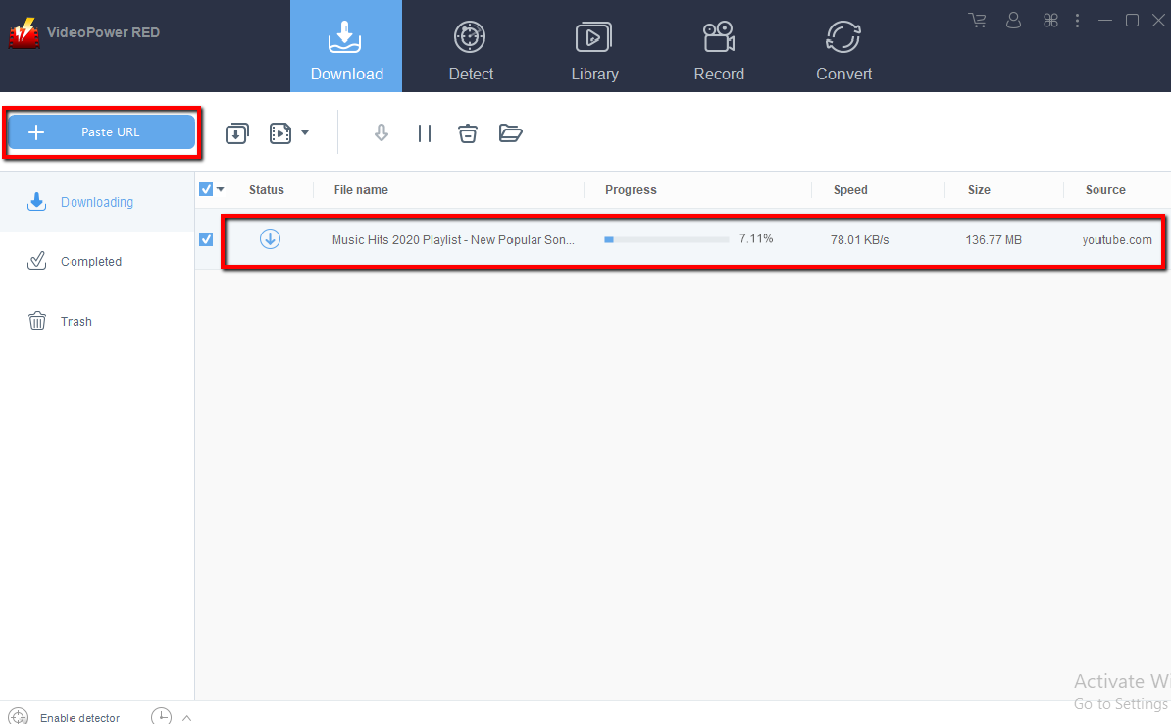
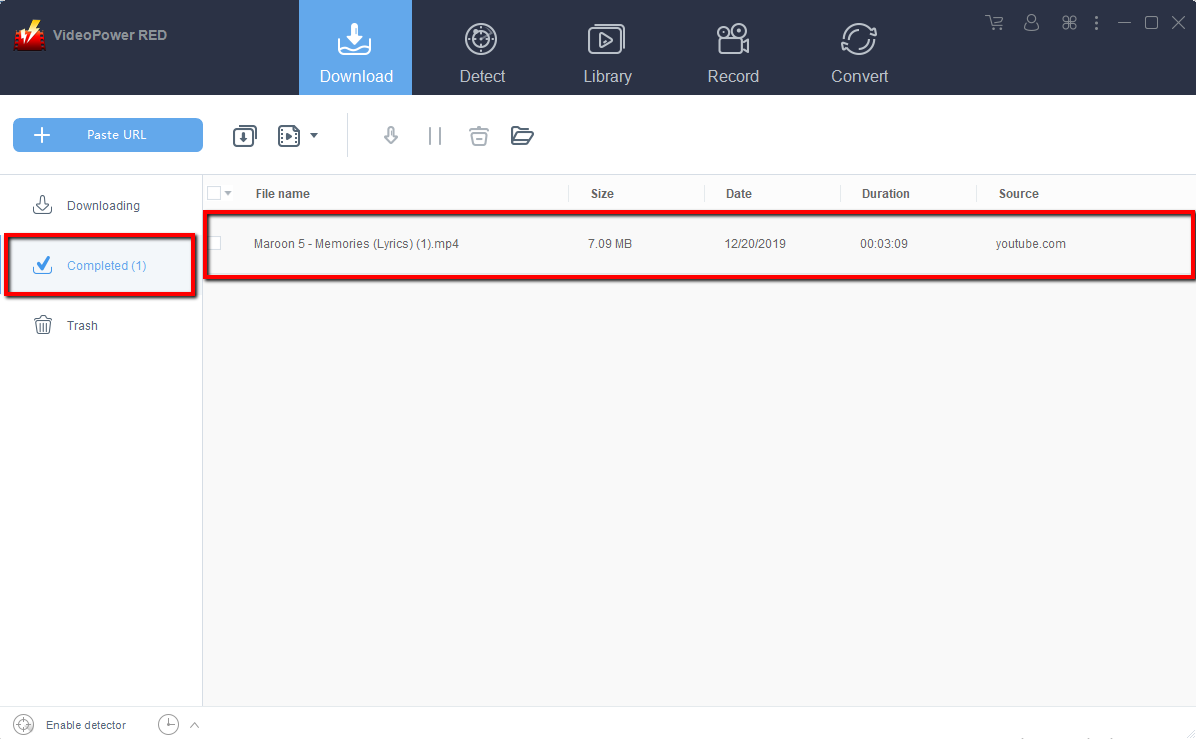
Step 2. Check downloading and downloaded file
Wait for the download to finish, and then go to the “Completed” section to find the downloaded video.
Method 2: Directly Download YouTube Video via Inbuilt Browser
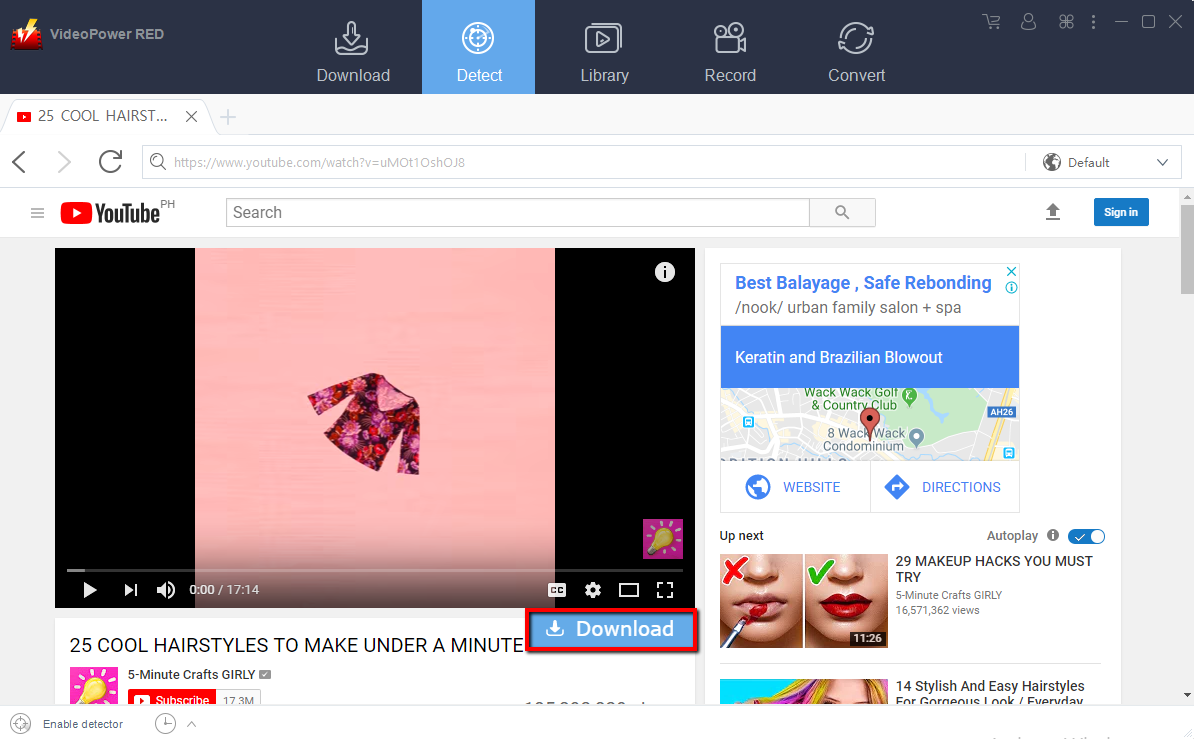
Step 1. Search YouTube video on inbuilt browser
Go to “Detect” Tab on VideoPower RED main Interface and open YouTube and search your favorite Video
Step 2. Check downloading and downloaded file
Wait for the download to finish, and then go to the “Completed” section to find the downloaded video.
Conclusion:
VideoPower RED software that downloads, record, convert any video and music on different sites. This is a comprehensive program that functions as and video downloader, video converter, video editor, music downloader.
It is a user-friendly video downloading software that comes with an awesome variety of tools. Many functions such as video and screen recording, video and audio conversion, editing, etc. are integrated.


