





Tips Index
YouTube – One of the most popular video streaming platforms. You can watch and listen to their music and Video anytime. Choose any quality you like from 144, 240, 360, to HD and 4k quality.
YouTube Playlist is one of the best platforms to listen to popular songs, just type what kind of music playlist you want and Boom you can now listen unto it. But downloading it will be difficult because most of the software today can’t download the entire YouTube playlist at the same time.
Downloading the Entire YouTube Playlist in Mp3 is a bit frustrating but with the right software, you can do it with just a few clicks. And also adverts have really gone unto a new level they are so annoying that you cannot enjoy your music because they always pop up anytime and you cannot do anything about it.
VideoPower RED is an absolutely YouTube playlist downloader which allows you to save entire music playlist at once from YouTube, VideoPower RED can also convert the YouTube playlist that you download to mp3 format for easy playback on a computer or mobile devices.
This software is a flexible music downloader that offers a lot of features and lets you download online music/videos from more than 1,000 websites including YouTube, Vimeo, Dailymotion, TED, Vevo, Udemy and more.
The good thing about this tool is that it can detect and download videos such as RTMP, HTTP, HTTPS, and FTP. In addition to that, it has many helpful tools that you can use such as video conversion, screen recording, and music editing.
Step 1. Copy the URL of the YouTube Playlist you want to download from a browser

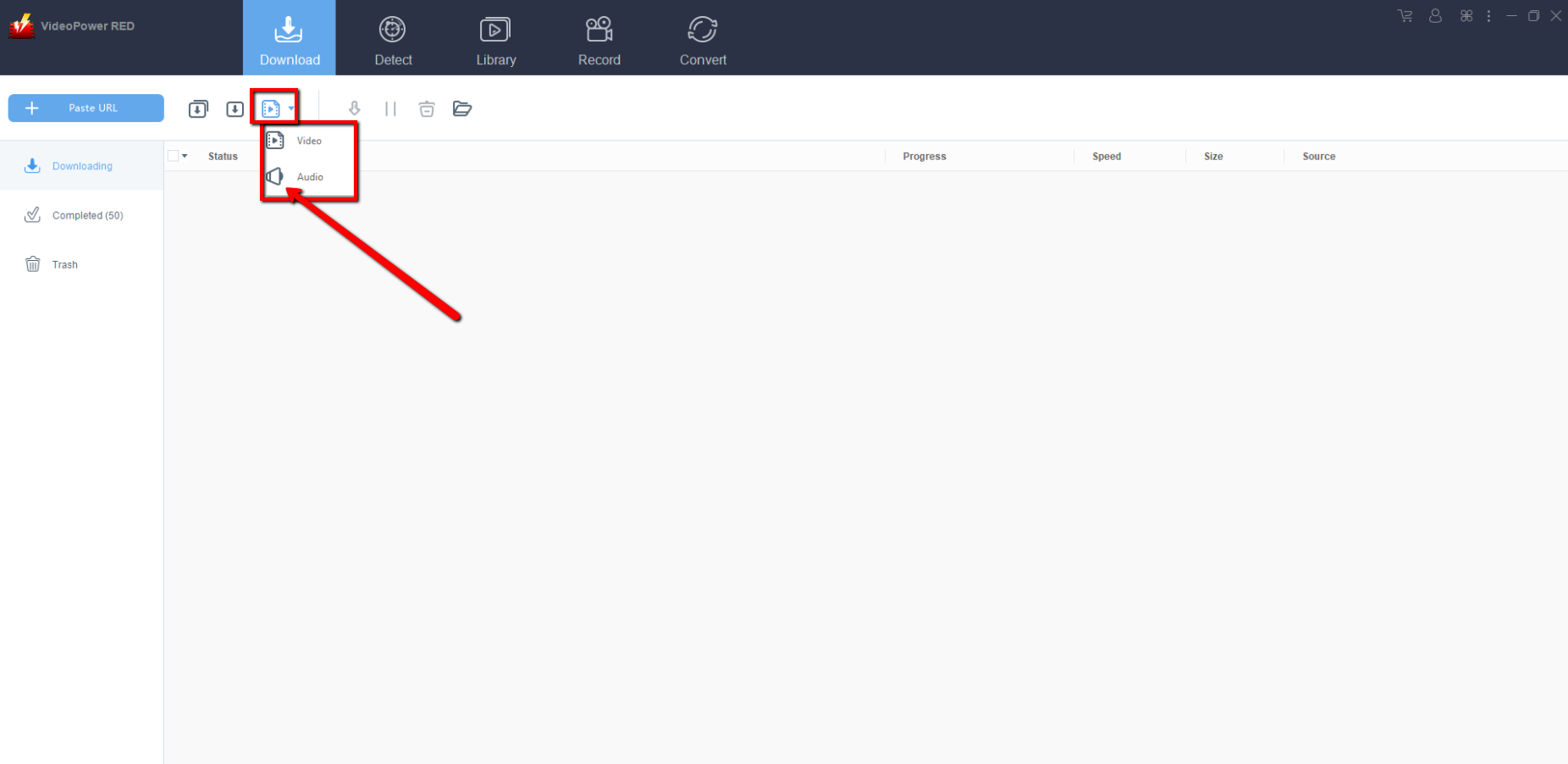
Note: You must click “Download type” and change it to “Audio” before proceeding to download steps.
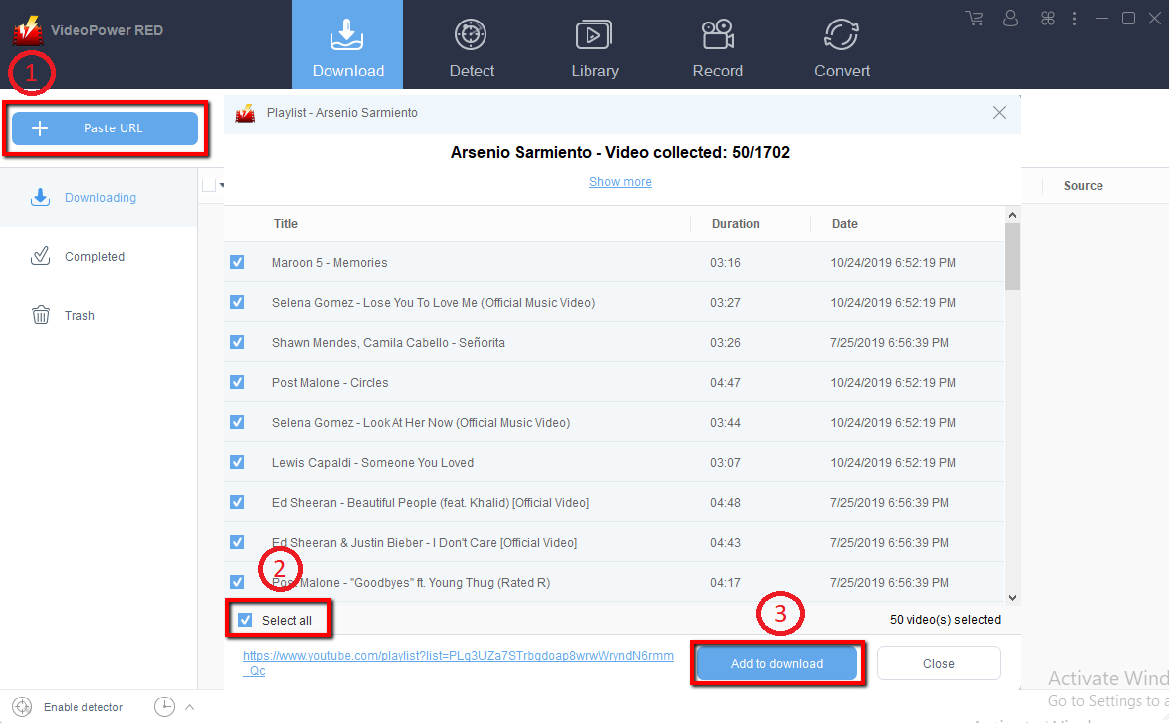
After copying your YouTube Playlist URL Follow these steps to download all your music playlist:
1) Click “Paste URL” on the main interface and a window will pop up
2) Click “Select all”
3) Click “Add to Downloads”
Step 2. Check Downloading and Downloaded file
Go to the “Downloading” section to check the status of your video.
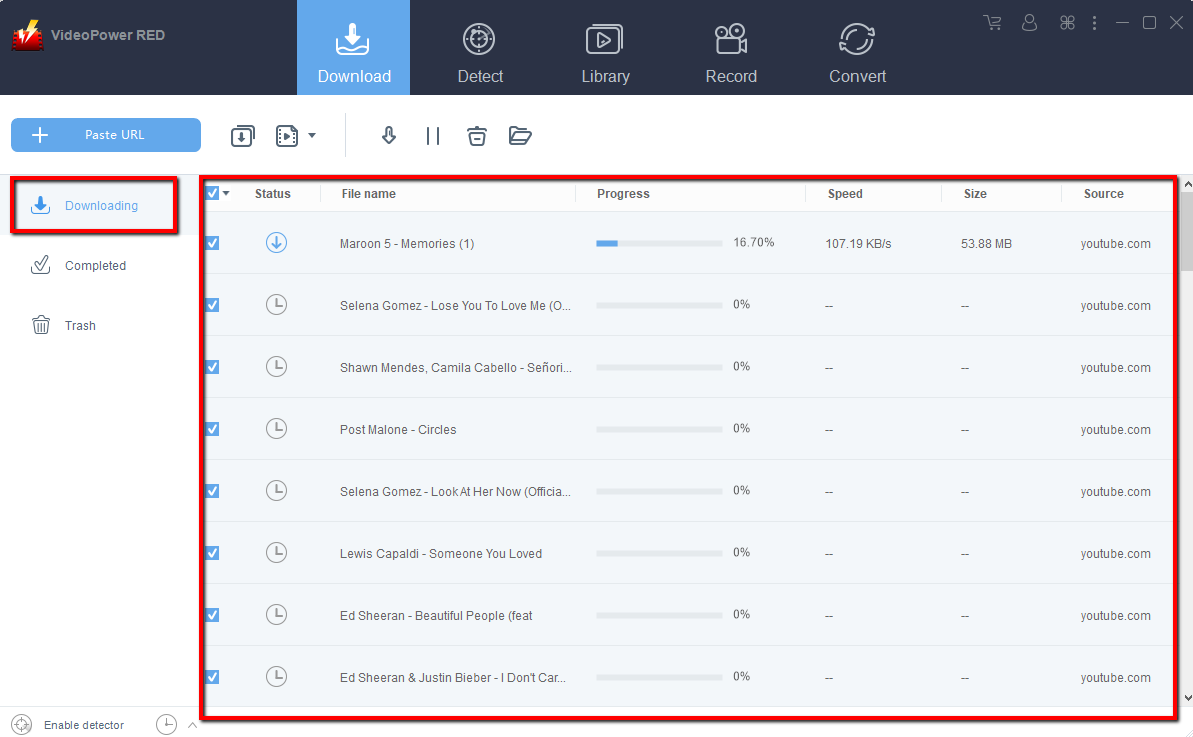
Then go to the “Completed” section to find the downloaded videos.

Conclusion:
VideoPower RED is a powerful video and audio downloader perfect for beginners – to ease novice video downloader into the world of video, and a handy tool for professional and non-professional.


