





Tips Index
Innovations in the world of photography have reached its pinnacle with the emergence of 360-degree videos. Known today as immersive videos or spherical videos, 360 videos give an overarching view instead of the usual traditional linear view in photos and videos.
360-degree videos show multiple views in all directions at the same time. Videographers take those shots using omnidirectional cameras, or by arranging multiple cameras. When these videos are played on a normal flat display, viewers will be able to navigate through the video just like a panorama.
You will be in charge of controlling the viewing direction, thus 360 degrees.
There are lots of video downloaders that are available in the market and with the existence of 360-degree kinds of videos, it became more prominent. Watching 360-degree videos on Youtube will make you go “ooh aah”, but what if your connection is unstable and won’t be able to play these videos smoothly?
Then, downloading such types of videos is great for a clearer and more enjoyable offline watching experience. This is the smartest choice because the higher the resolution, the higher the quality of the image.
VideoPower RED is an amazing, hassle-free, trusted and a fast and flexible software that is capable of downloading 360-degree videos from Youtube in seconds.
Method 1: Copy and paste to download 360 videos from YouTube
Step 1: Copy and paste the URL of the 360 video
Copy the link of the video that you want to download and then paste it into the program by clicking the “Paste URL” button. After that, you will see the video is downloading in the download control panel.
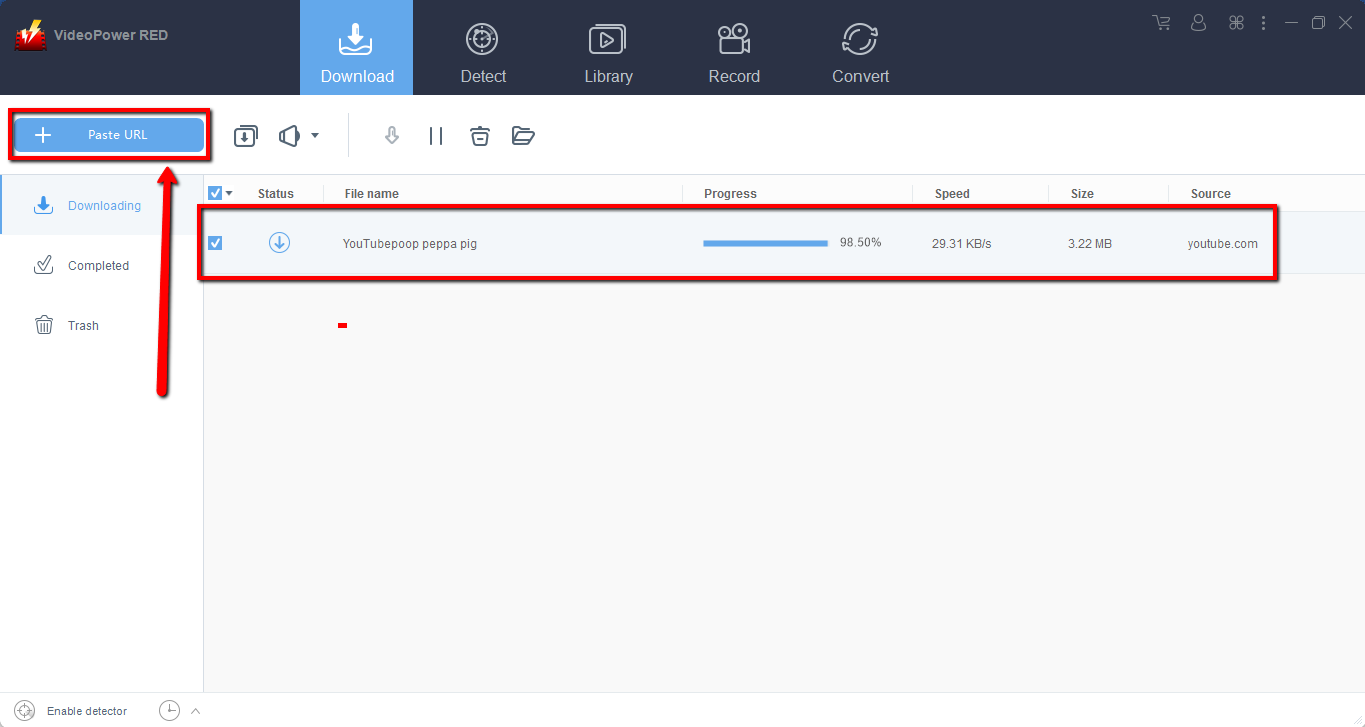
Step 2: Check the downloaded 360 videos from YouTube
Wait for the download to finish, and then go to the “Completed” section to find the downloaded 360 videos.
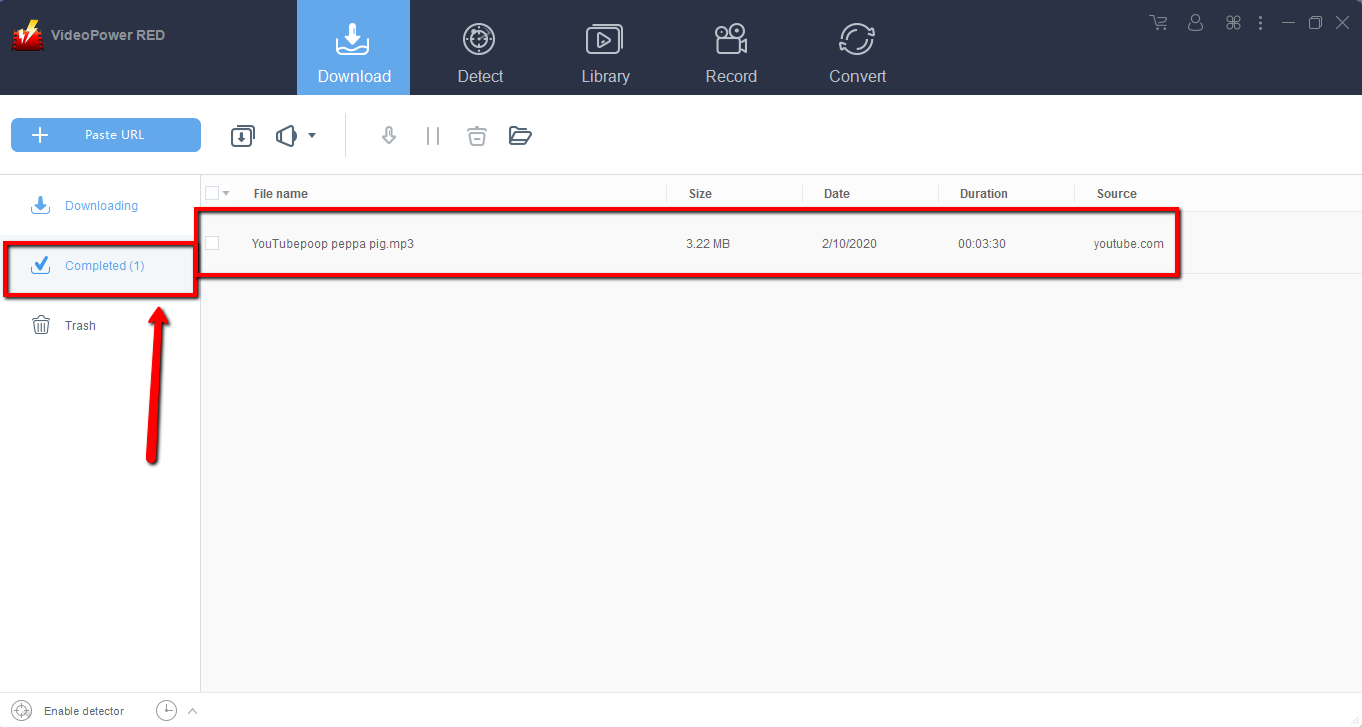
Method 2: Use the embedded browser to download videos
Open the video page via an embedded browser.
If the program supports the site, you can start downloading YouTubes 360 videos by clicking the download button below.
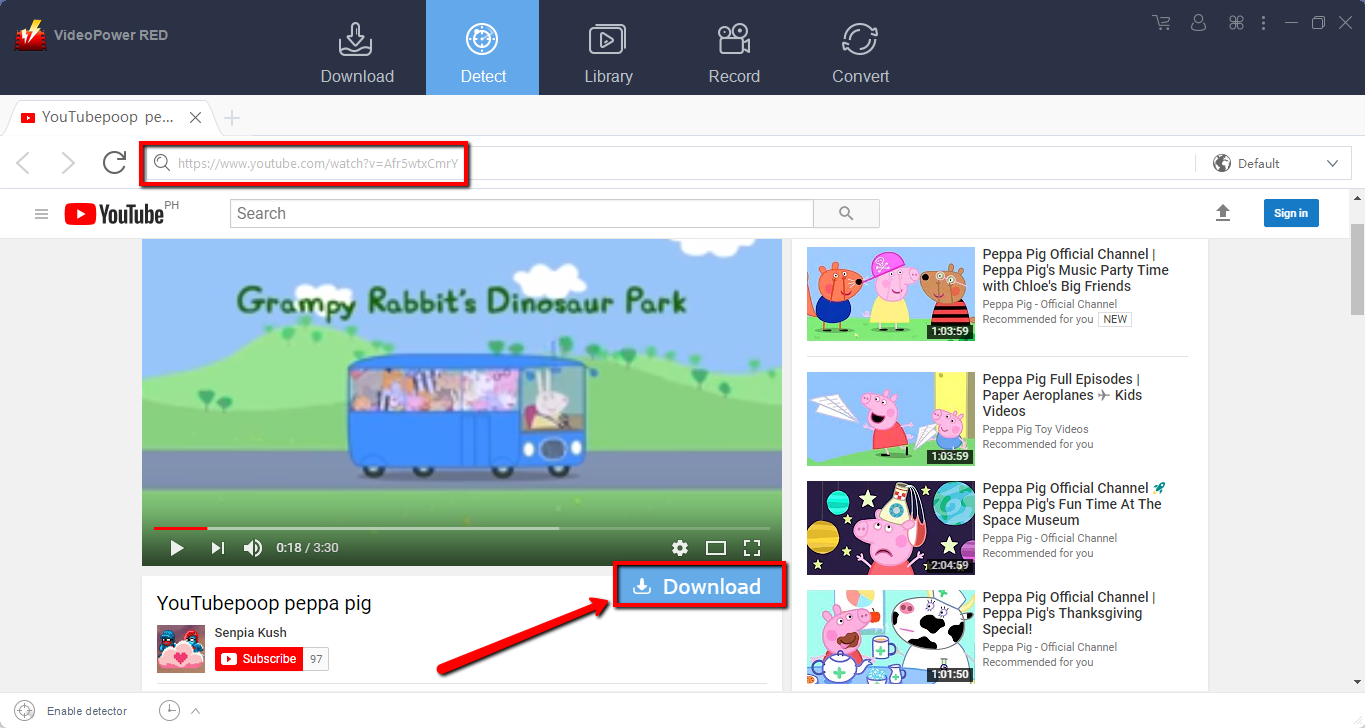
Wait for the download to finish, and then go to the “Completed” section to find the downloaded video.
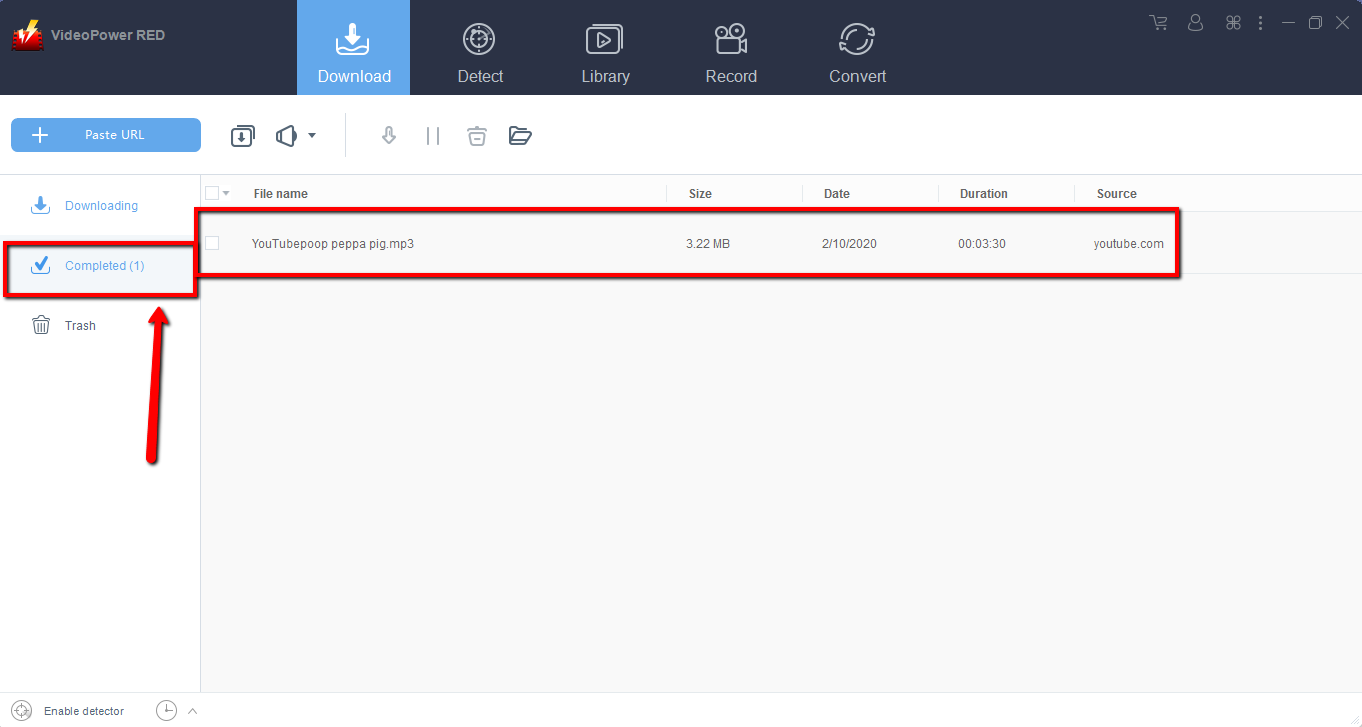
Method 3: Record 360 videos from YouTube
Sometimes because of the web update or slow internet connection, the program can’t download 360 videos from YouTube anymore but you can still save the video by using the recording function.
Step 1: Record 360 video from YouTube
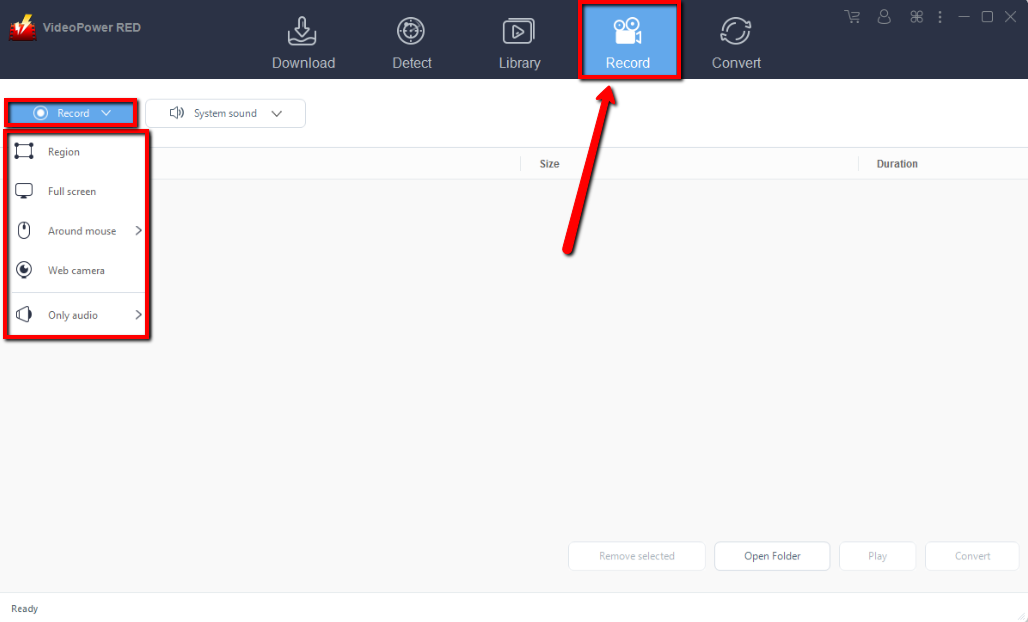
Click the “Record” tab to record the video and Select from “Region, Fullscreen, around mouse or Web camera” as preferred.
Step 2: Check the recorded 360 video.
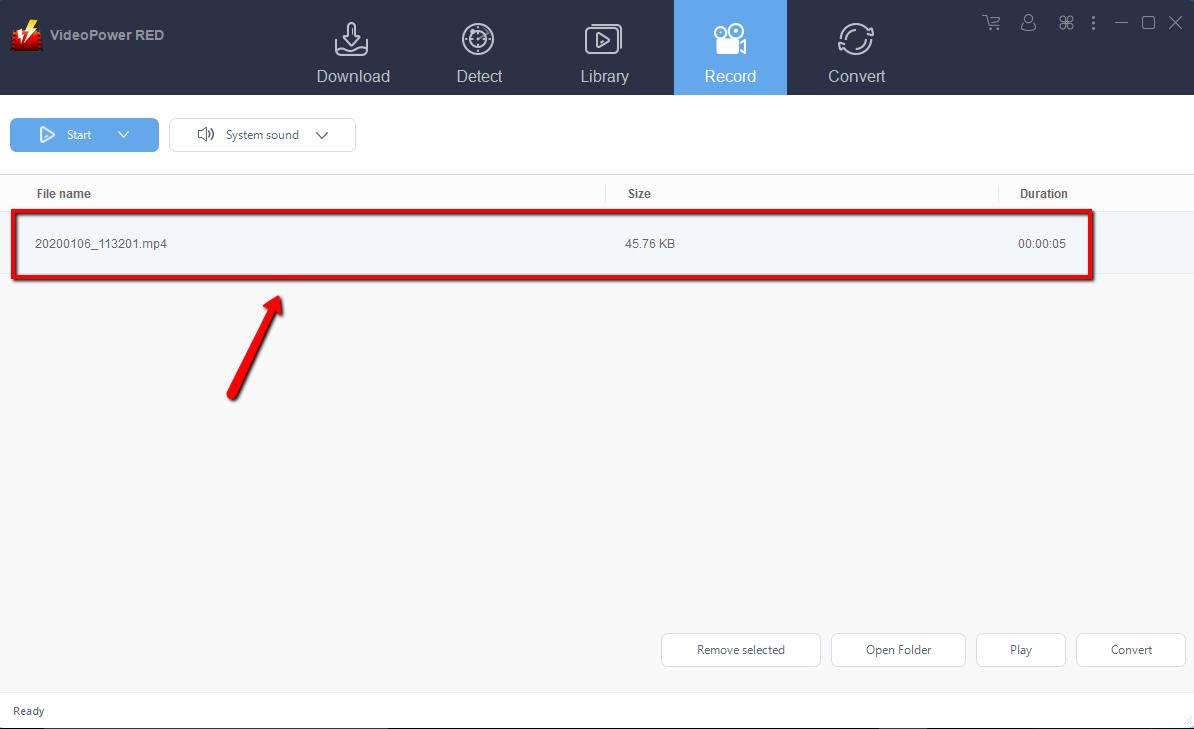
After recording, the recorded file can be seen in the record interface.
Conclusion:
VideoPower RED is an amazing video downloader that can download 3d 360 videos from YouTube and various internet sites like Facebook, Twitter, Instagram and many more. It’s not limited as a downloader, its also a converter and video editor. Download now VideoPower RED to experience its full features.


