





Tips Index
One of the most-played MMO or multiplayer online games today is Minecraft with over millions of registered users. Minecraft can be played by a single player or either play with multiplayer servers with hundreds of other players.
Numerous players on Minecraft multiplayer servers create YouTube channels and record their gameplay. These YouTubers often collect hundreds, or even thousands, of subscribers and followers that support them with their videos uploaded to YouTube.
As an example, one of the most famous Minecraft channels is YOGSCAST Lewis & Simon, which has approximately 7.2 million subscribers. So why should you download videos of Minecraft?
Watching Minecraft videos online is not a problem, just simply browse to the YouTubers channel and watch. But if you want to watch the videos offline, like you’re on a place with no internet connection or a long drive in the bus, traveling in an airplane, or any other time when the internet is not really accessible, time might come you may be unfortunate if you don’t know how to download Minecraft videos to watch offline.
YouTube does not directly provide any way for viewers to download videos from their web site. Nevertheless, there are some awesome third-party applications out there that allow viewers to download content directly from YouTube.
Introducing VideoPower RED, one of the most powerful and reliable video downloader software that can download hundreds of thousands of videos from Facebook, Twitter, Instagram, Dailymotion, Vevo, YouTube, and etc. Just click the link below to download this free app and follow through the guide on How to Download Minecraft Videos on YouTube
VideoPower RED
You can try to use the software for free by downloading its trial version below.
Method 1: Copy and Paste
Step 1: Paste URL and download video
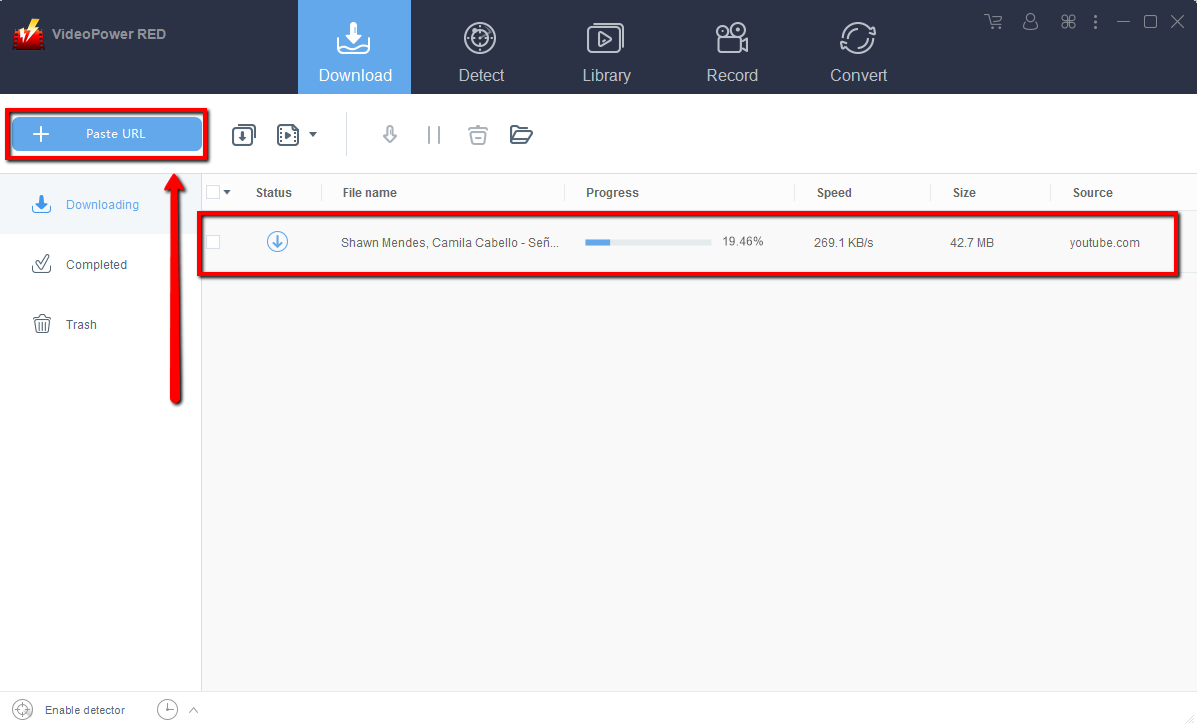
Copy the link of the YouTube video that you want to download and then paste it into the program by clicking the “Paste URL” button. After that, you will see the video is downloading in the download control panel.
Step 2: Check the downloaded file
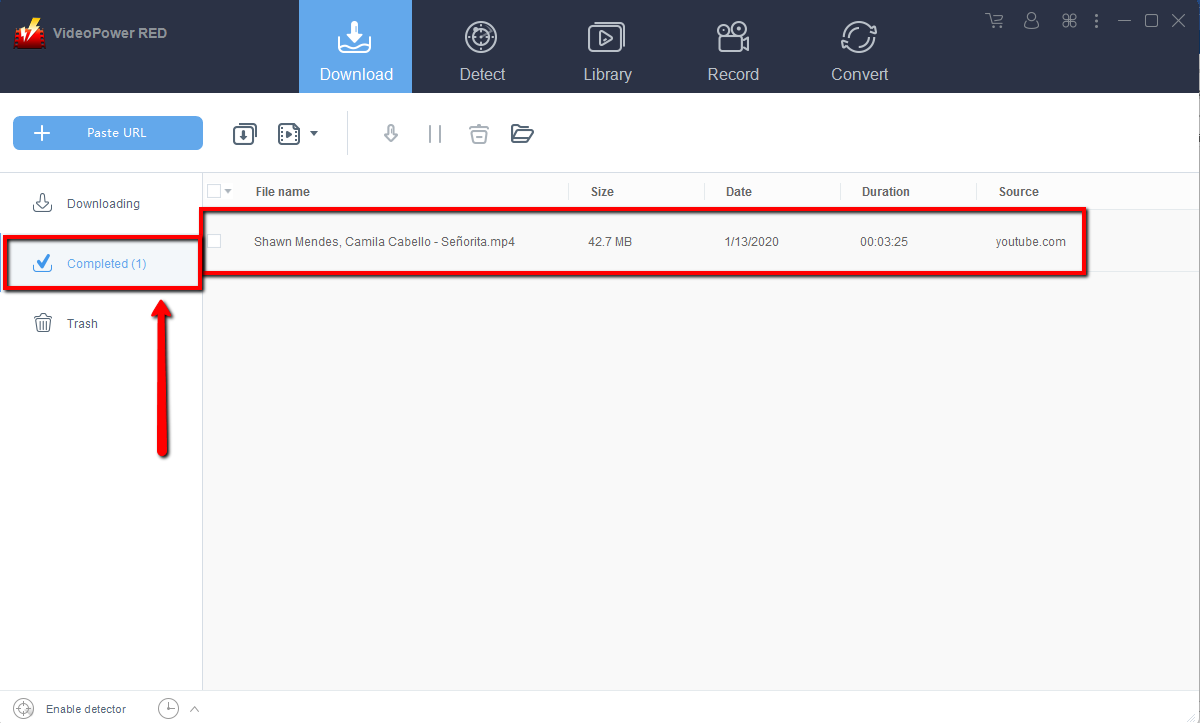
Wait for the download to finish, and then go to the “Completed” section to find the downloaded video.
Method 2: Use the Embedded Browser
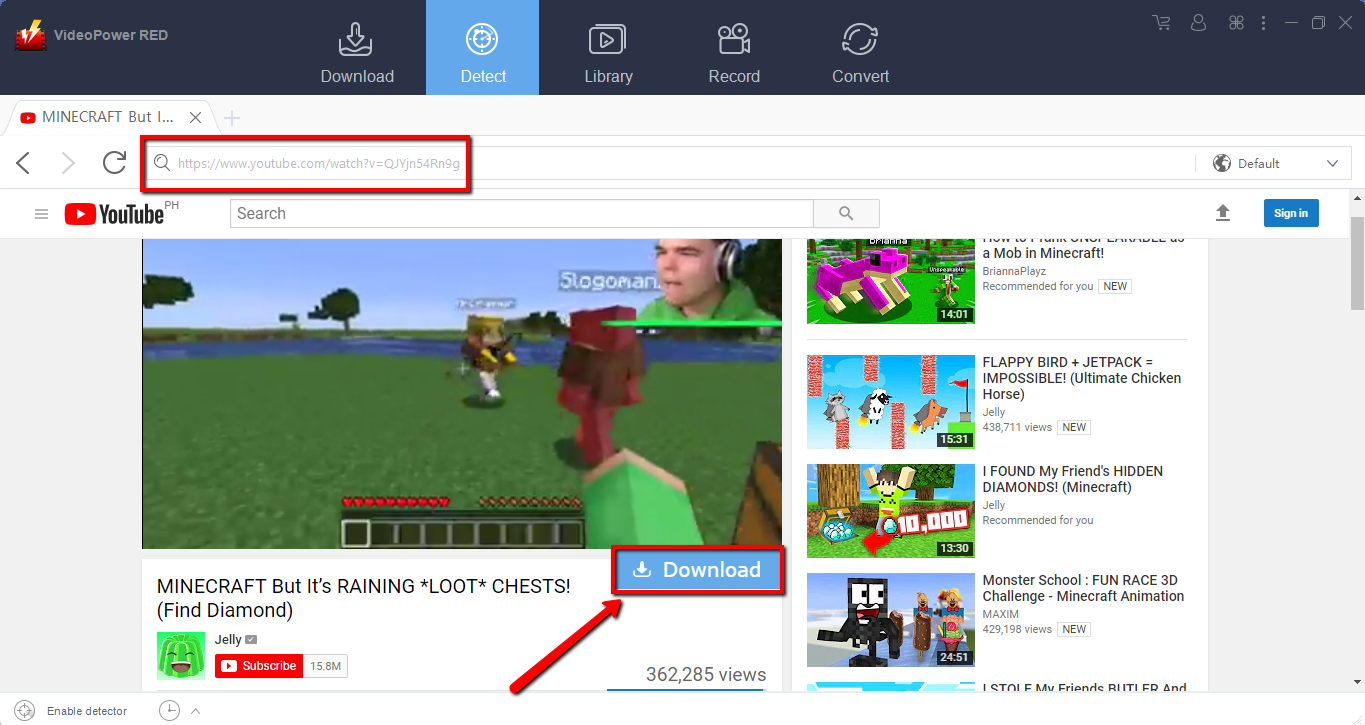
Open the video page via an embedded browser.
The video will be downloaded by clicking the download button below.
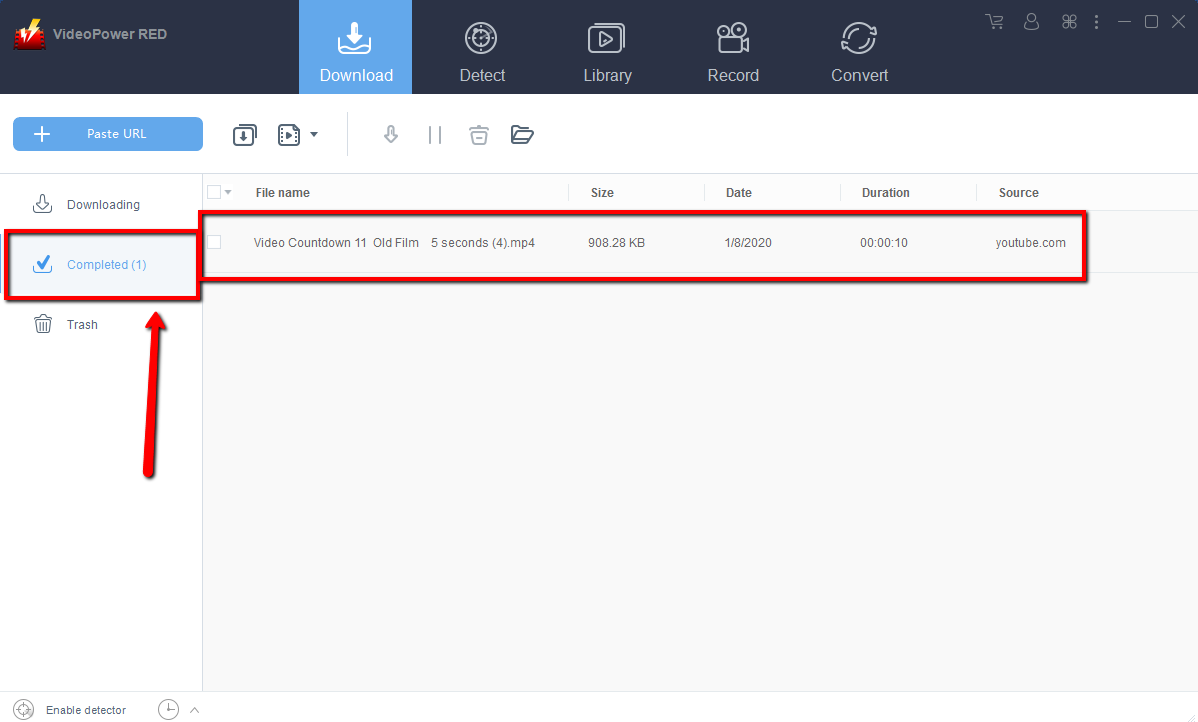
Wait for the download to finish, and then go to the “Completed” section to find the downloaded video.
Method 3: Record video
Sometimes because of the web update or slow internet connection, the program can’t download the video anymore but you can still save the video by using the recording function.
Step 1: Record video
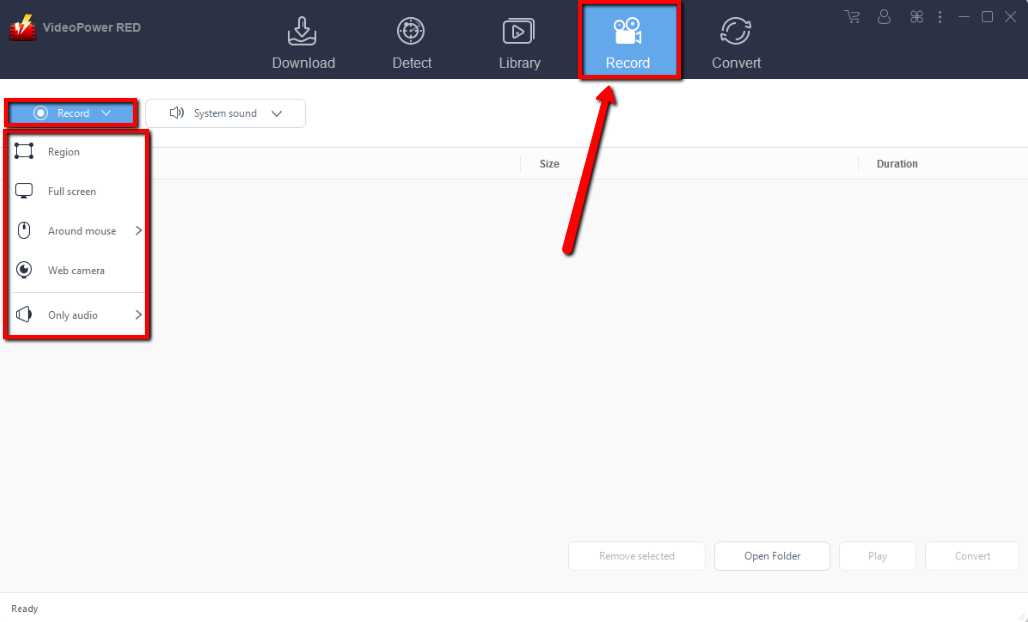
Click the “Record” tab to record the video and Select from “Region, Fullscreen, around mouse or Web camera” as preferred.
Step 2: Check the recorded video.
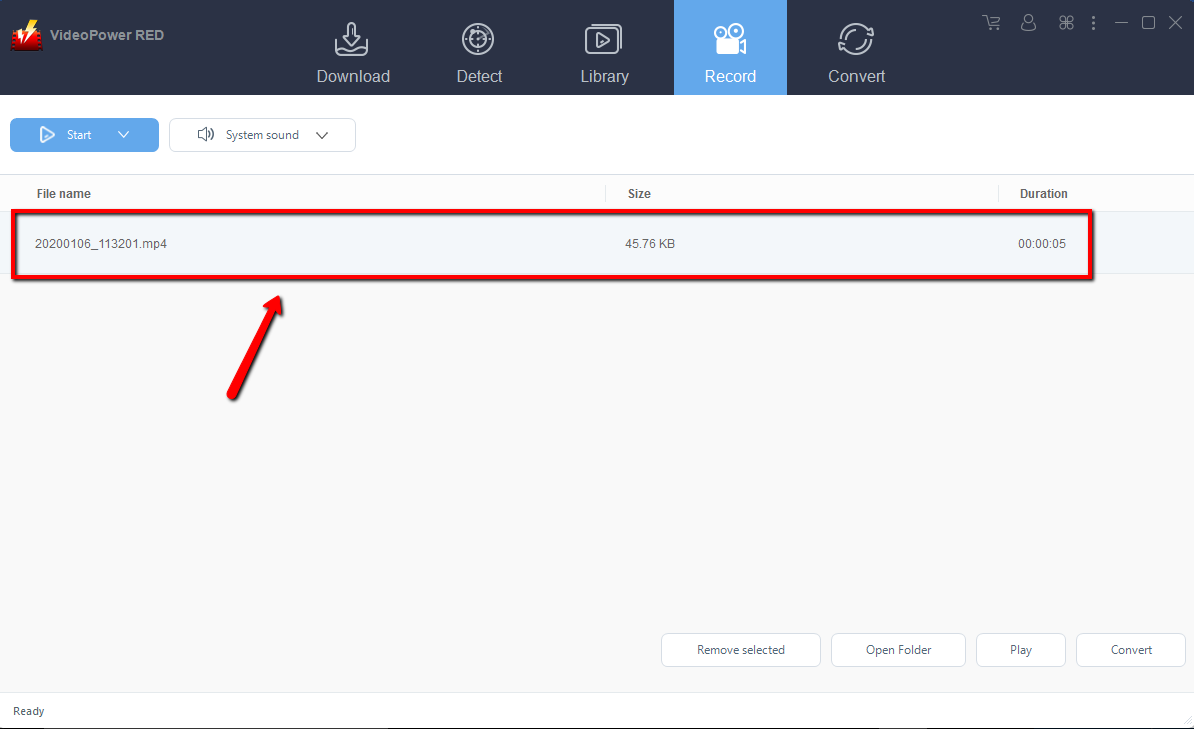
After recording, the recorded file can be seen in the record interface.
Conclusion:
VideoPower RED is one of the resourceful and awesome video downloader software. It has powerful video downloading performance with very satisfying results and can download millions of videos in just one click. The app is very versatile that it can also record and convert files into different kinds of formats like MP4, MKV, AVI, WMV, and ETC.
Yes, aside from being a fast downloader, VideoPower RED is also a converter. There are lots of online converters but the problem with those is the conversion speed that is easily affected by the network status. Using VideoPower RED assures a smooth and easy conversion.
It has a user-friendly and satisfactory interface and fast conversion speed while preserving original quality and that is the reason why it is popular with users. It come along with a video editor tool, split-screen feature for your photos and videos and a screen recorder that allows you to capture any on-screen activity on your computer. So what are you waiting for?


