





Tips Index
From comedy, animation, cooking, daily vlogs, lifestyle, fashion, and many more, these are just samples of the most popular types YouTubers are using to provide diverse content to millions. YouTube has approximately billions of monthly active users, and around more than 80 million users published their videos each and every day. The video-sharing policy is the place to a various range of content creators and has become the number one most popular site online to acquire new skills, connect to others, and have a good time.
YouTubers move to create content concentrated on a specific slot, and so the community can be coordinated by group. There’s something for all content creators on the stage or platform, and viewers can pick from a large array of the category of YouTubers to seek content creators they love.
Any other way, we always want to kill some time by watching videos offline on our phones, tablets or any kind of gadgets for watching videos. There are tons of sites that offer free YouTube channel downloaders but VideoPower RED can download videos with high-quality results and faster downloading speed. It can also download videos from different video sharing sites like Twitch, Facebook, Twitter, Dailymotion, TED, Vevo, Vimeo, Instagram and many more.
With VideoPower RED, your YouTUbe channel downloader problem will be asked. This app is indeed great and is best suited for YouTube channel downloader mp3 and as a YouTube video downloader.
Just click the link below to download this app and follow through the guide below on How to Use YouTube Channel Downloader.
Step 1: Paste URL and download video
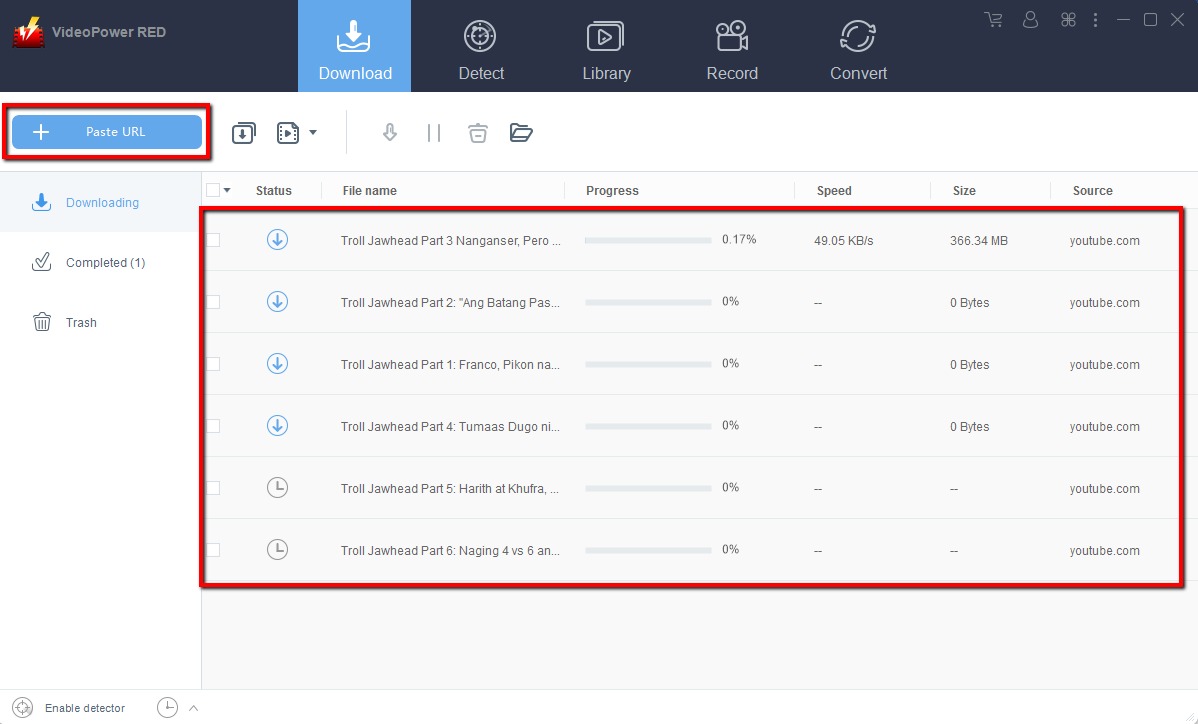
Copy the link of the YouTube channel that you want to download and then paste it into the program by clicking the “Paste URL” button. After that, you will see the video is downloading in the download control panel.
Step 2: Check the downloaded file
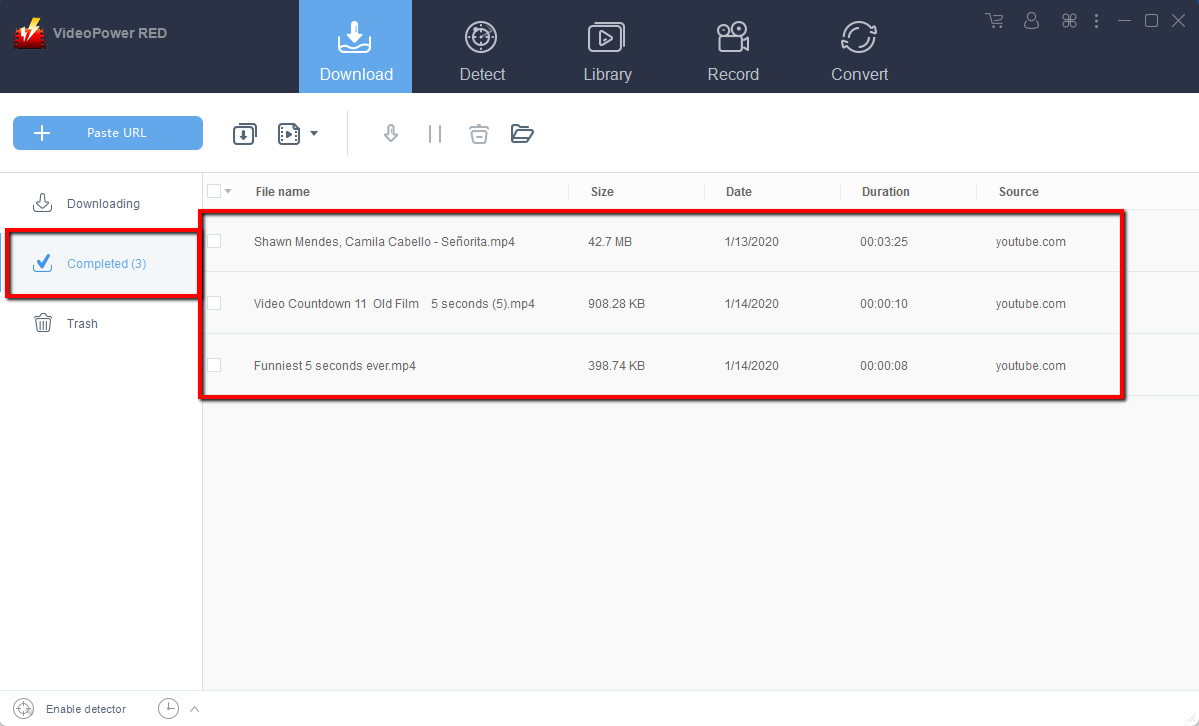
Wait for the download to finish, and then go to the “Completed” section to find the downloaded video. Double-click the downloaded file to preview and right-click to do more operations.
Conclusion:
VideoPower RED is one of the most powerful and fast video downloader software. The best in video downloading performance with very satisfying results. There is more to it than downloading, the app is also capable of recording and converting files into different kinds of formats like MP4, MKV, AVI, WMV, and ETC. it can also record videos using your Web Camera. Isn’t it amazing to have VideoPower RED? Now, downloading videos is just easy. So what are you waiting for? Download now.


