





Tips Index
It’s a tough job keeping a child entertained, especially if they’re sleepy and tired. The patience of kids on focusing could only last for a few minutes or seconds if they’re not interested.
If you’re a mom or a guardian there’s a lot of things you need to accomplish like clean the house or cook food or just take a few minutes of me-time. It’s very challenging to keep a distracted kid to actually do anything.
You may resort to having them watching their favorite movies or videos. But there are times when you won’t have internet access, maybe you are out shopping, at the grocery store, traveling in the car, or anywhere else. How to keep them entertained then? Searching cartoons on YouTube and downloading from KissCartoon could be the solution.
So all you have to do is to download all the videos from YouTube and save them to your computer or mobile devices so the kids can watch them anywhere.
Unfortunately, YouTube does not provide any way for users to download videos from their YouTube web site. In this article, I will teach you how to download cartoon movies from YouTube using a great third party application.
VideoPower RED is a multifunctional video downloader, screen capture software bundled with a variety of useful tools such as basic video editing, audio, and video convert, and browser detection and download. The simplicity of the software and its user-friendly interface allows novice users to grasp and command the functions with ease.
Have a try by downloading this software!
How to download cartoons from YouTube
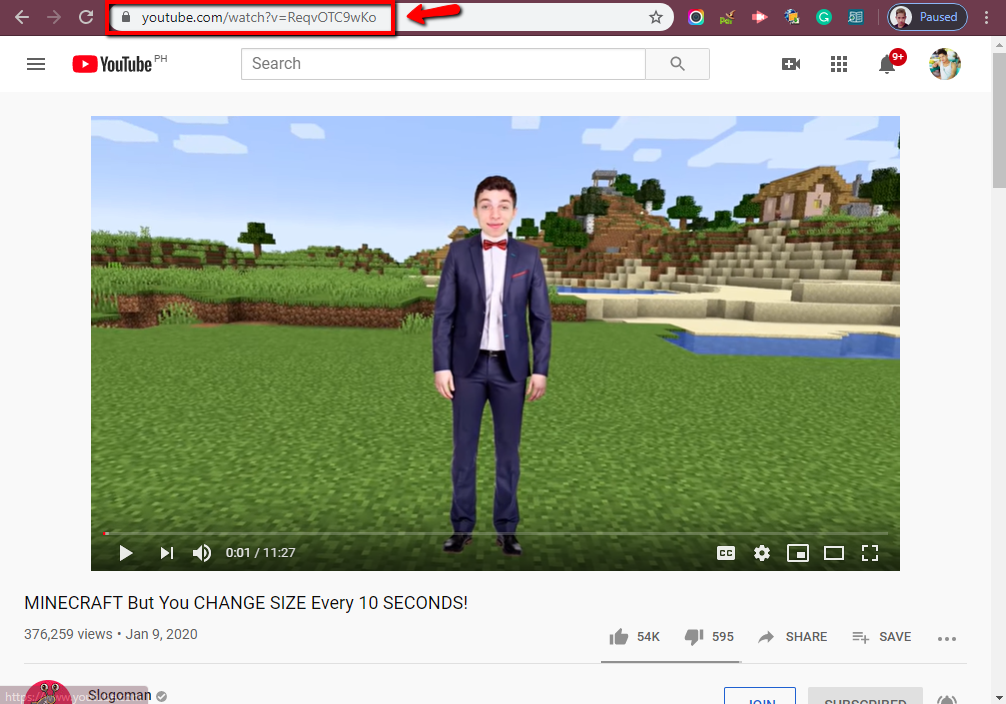
Step 1: Copy and Paste URL
1. Simply copy the URL of the cartoon video
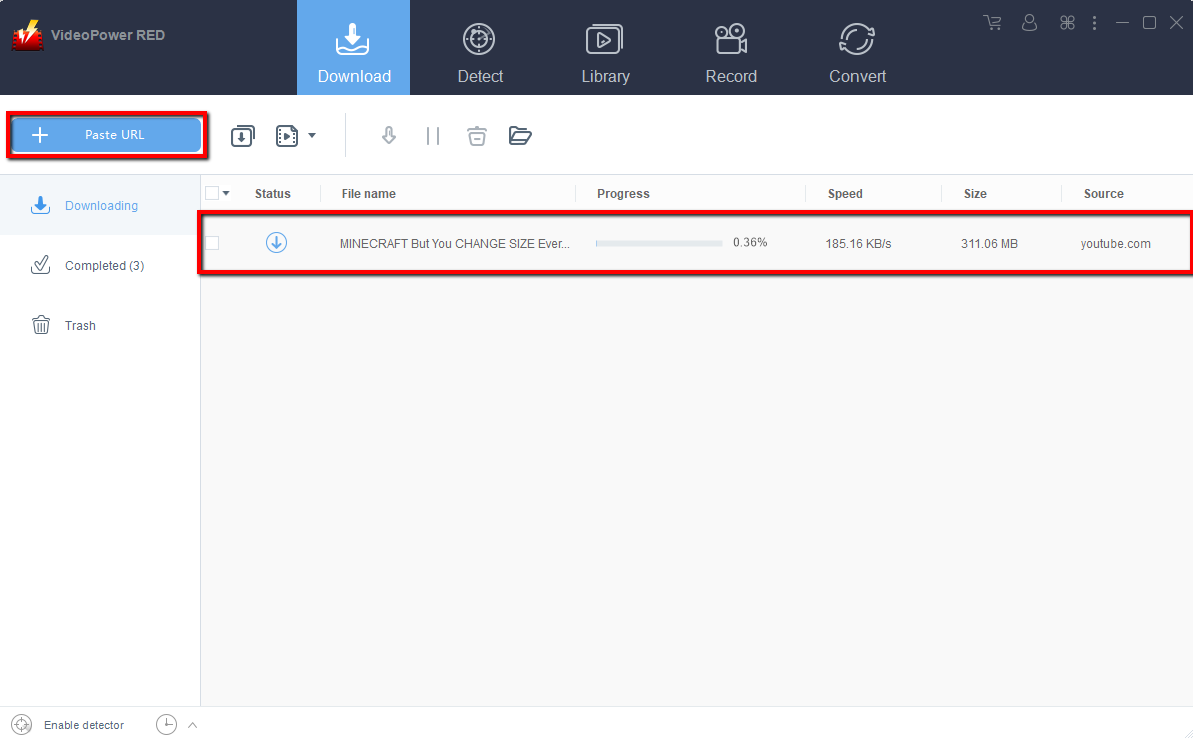
2. Paste the URL to VideoPower RED downloader
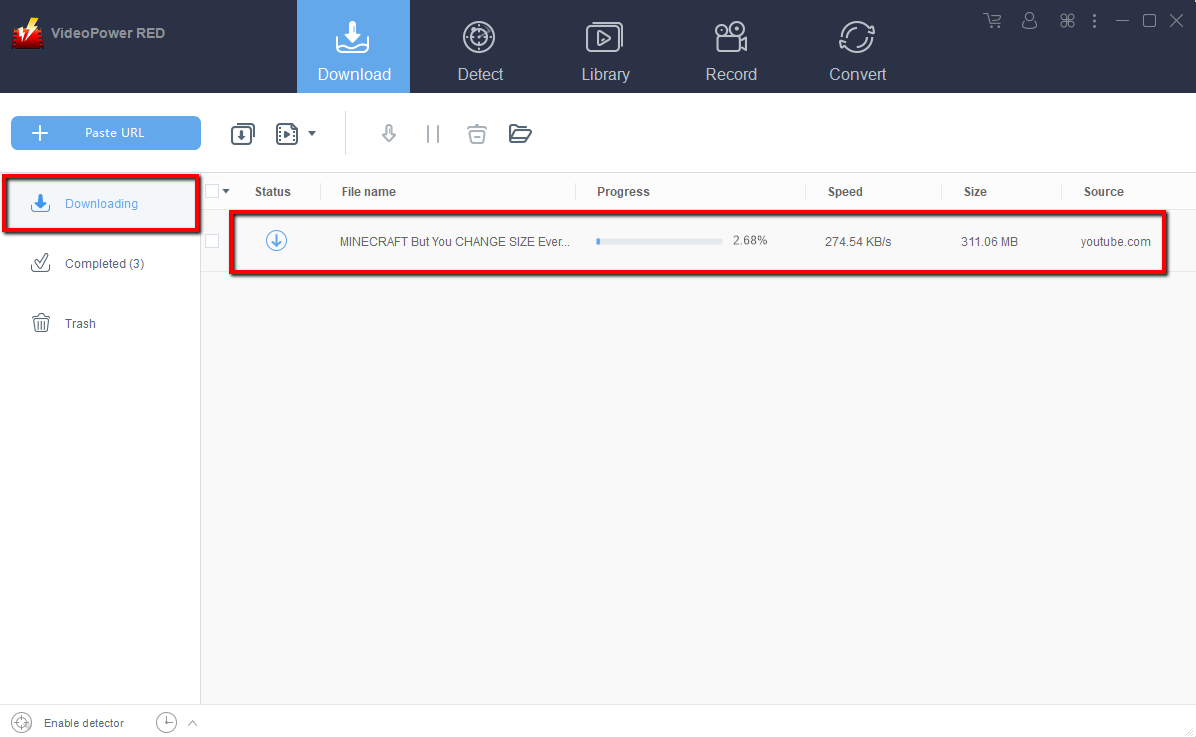
Step 2. Check Downloading and Downloaded file
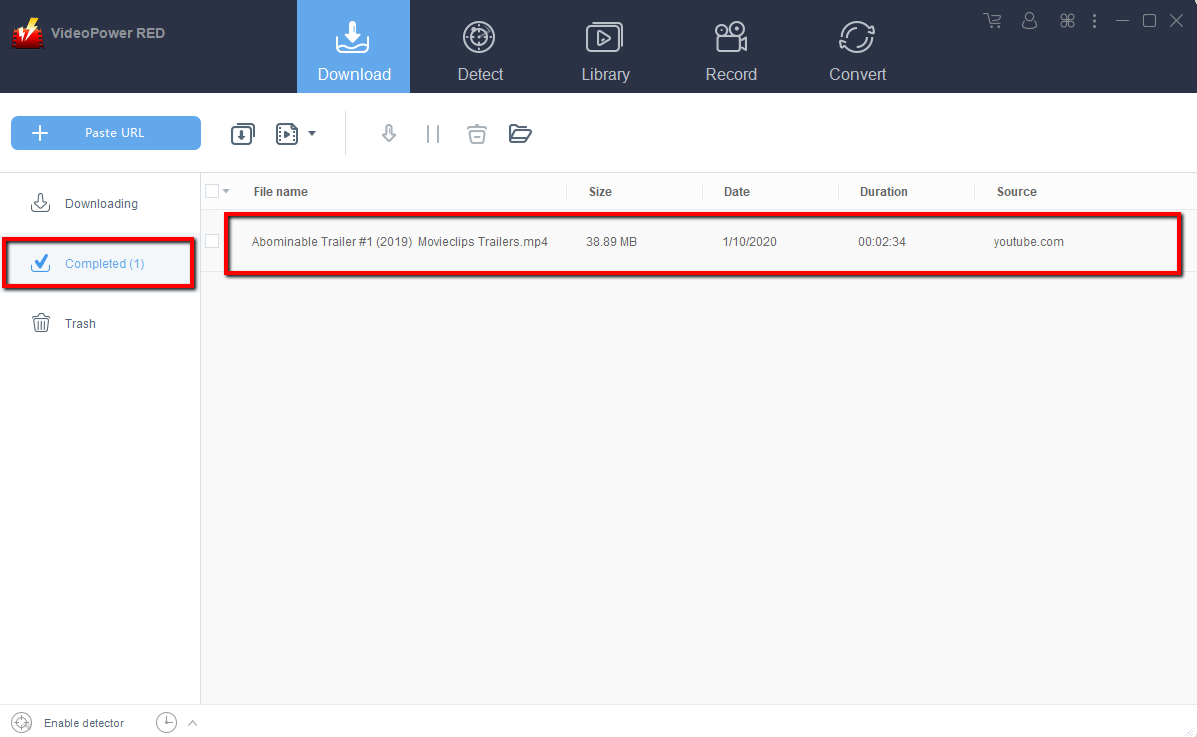
Wait for the download to finish, and then go to the “Completed” section to find the downloaded video.
Conclusion:
The VideoPower RED is not just for YouTube but you can also download from different platforms like Vimeo, DailyMotion, Facebook and more.
No more kids tantrums, you can get a little peace and quiet by downloading the VideoPower RED. Now you can simply watch cartoon movies no matter where you are, and calm the kids down with their favorite shows or videos.


