





Tips Index
KeepVid was launched in March 2004. Public’s recognition towards KeepVid was allegedly spread by word of mouth, and in December 2006, its activity arose, taking it from obscurity into the Alexa Top 500 Sites in just less than two months.
As explained in a CNET article entitled “How to download videos from YouTube, Vimeo, and more”, it is probably the fastest way to get just about any video from any video sharing sites like YouTube, Facebook, Megavideo, Dailymotion, and Vimeo. These are just a few sites compatible with Keepvid.
Well, KeepVid is nearly the first and most well-known online downloader that allows you to download videos using URL and download YouTube by way of Keepvid Bookmarklet. Along with its desktop software, you can quickly grab videos from YouTube and other online streaming sites.
Furthermore, because KeepVid is absolutely free you might be right to believe that it will come with the same packages that come with awesome free staff and since it is free there are also cases of ads appearing. The system of video downloading software is very wide with KeepVid being one of apparently countless apps and services that ensures you the ability to download videos from sites such as YouTube and Vimeo.
Sadly, the worst-case scenario happened. Keepvid has shut down its service for downloading videos. It has been terminated as of March 21, 2018, Keepvid is not available for downloading videos online and will never come back in the future.
This news is like a missile from the abyss to users who have been using Keepvid for a very long time. Some users made a decision to wait for KeepVid to come back, but it appears to be impossible that KeepVid can be put back in use. But there are still tons of video grabber alternatives for Keepvid to download YouTube or save music from SoundCloud and one of them is VideoPower RED.
I’m sure you haven’t heard of this amazing video downloader yet, but I’m telling you, this app is the best among the rest. It has the same features like Keepvid, copying URL and pasting it to the paste link download options, and it has an embedded browser with auto-detect features for you to download those videos without a hassle. So, try this Keepvid alternative app now.
Just click the link below to download this free app and follow through the guide on How to Save Videos with Keepvid Alternative
You can try to use the software for free by downloading its trial version below.
Method 1: Copy and Paste
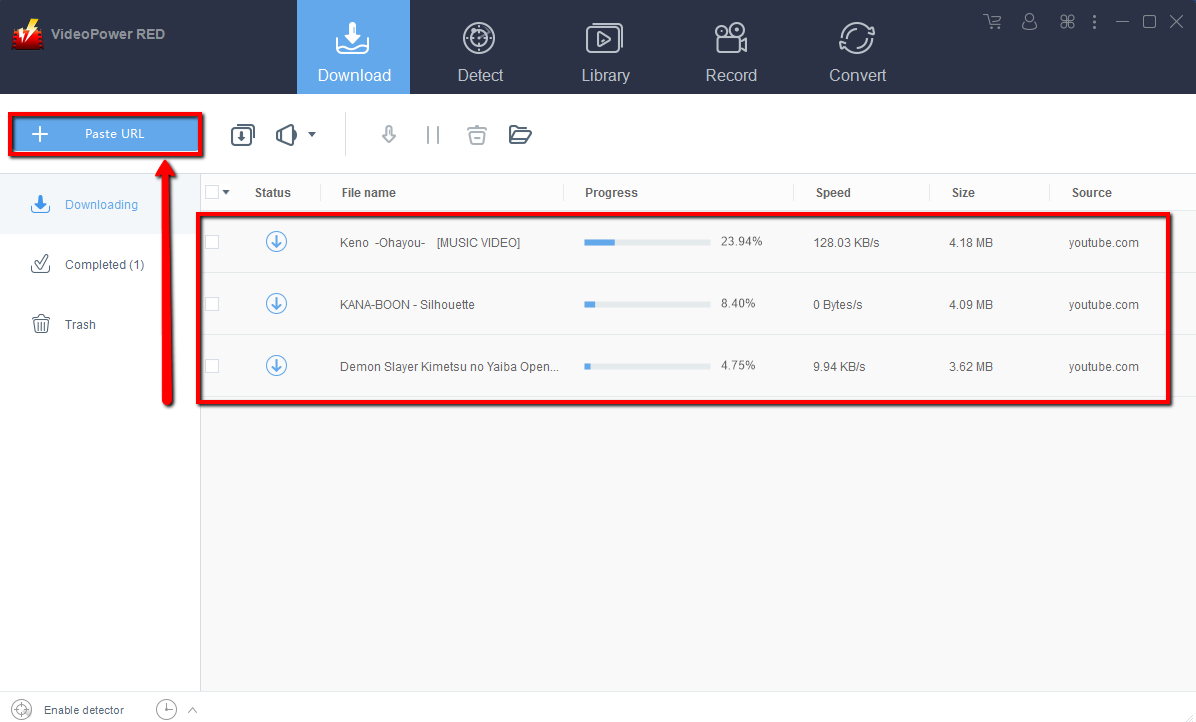
Step 1: Paste URL and download video.
Copy the link of the YouTube that you want to download and then paste it into the program by clicking the “Paste URL” button. After that, you will see the video is downloading in the download control panel.
Step 2: Check the downloaded file
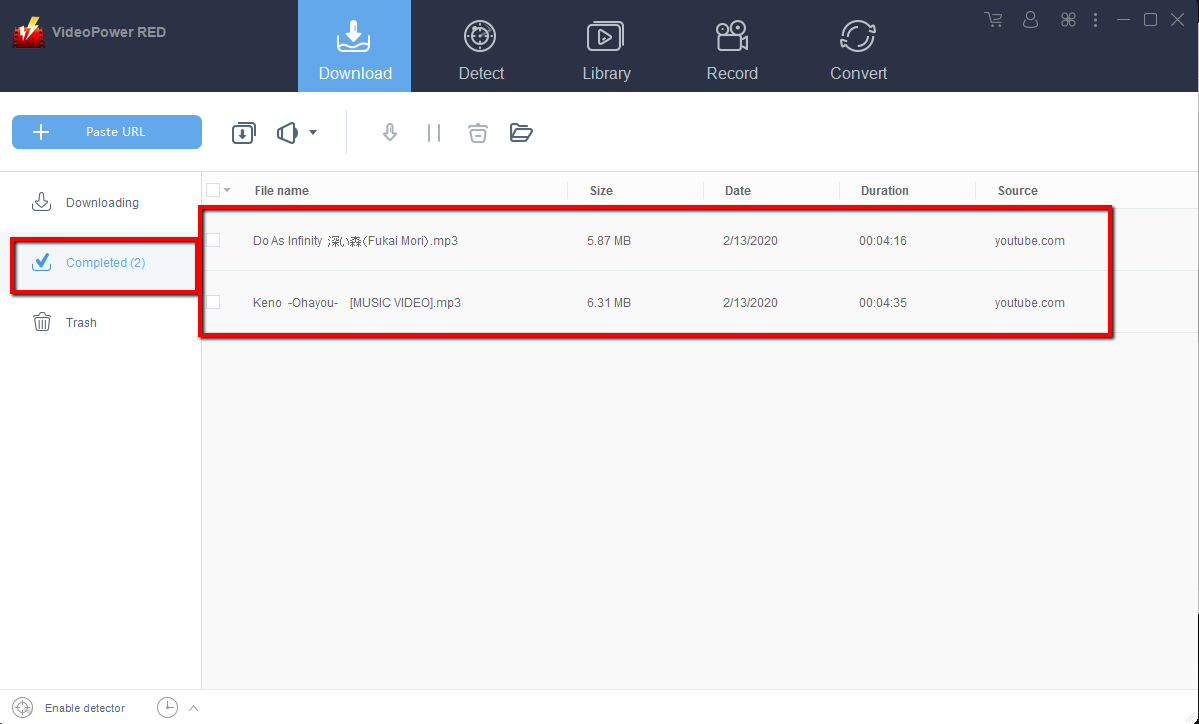
Wait for the download to finish, and then go to the “Completed” section to find the downloaded video. Right-click to do more operations and double-click to preview.
Method 2: Use the Embedded Browser
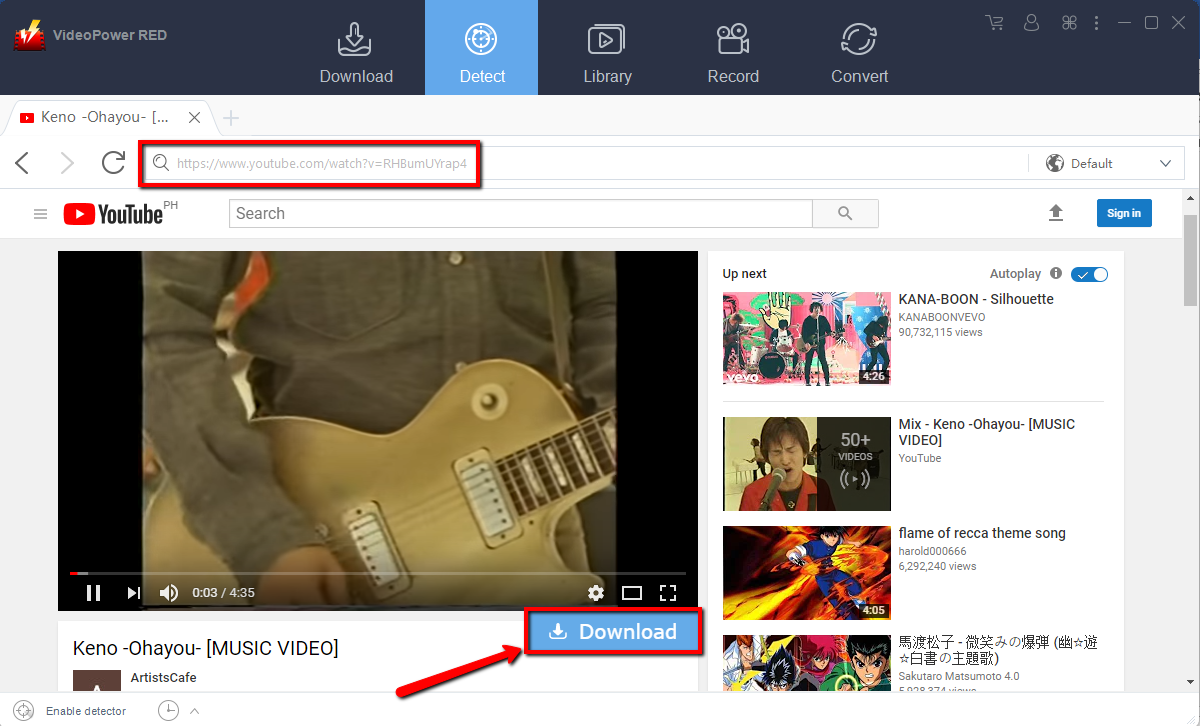
Step 1: Open the video page via an embedded browser
If the program supports the site, the video will be downloaded by clicking the “download” button below if your using the YouTube site because if you use other site the video file will be automatically downloaded after playing it.
Step 2: Download Complete
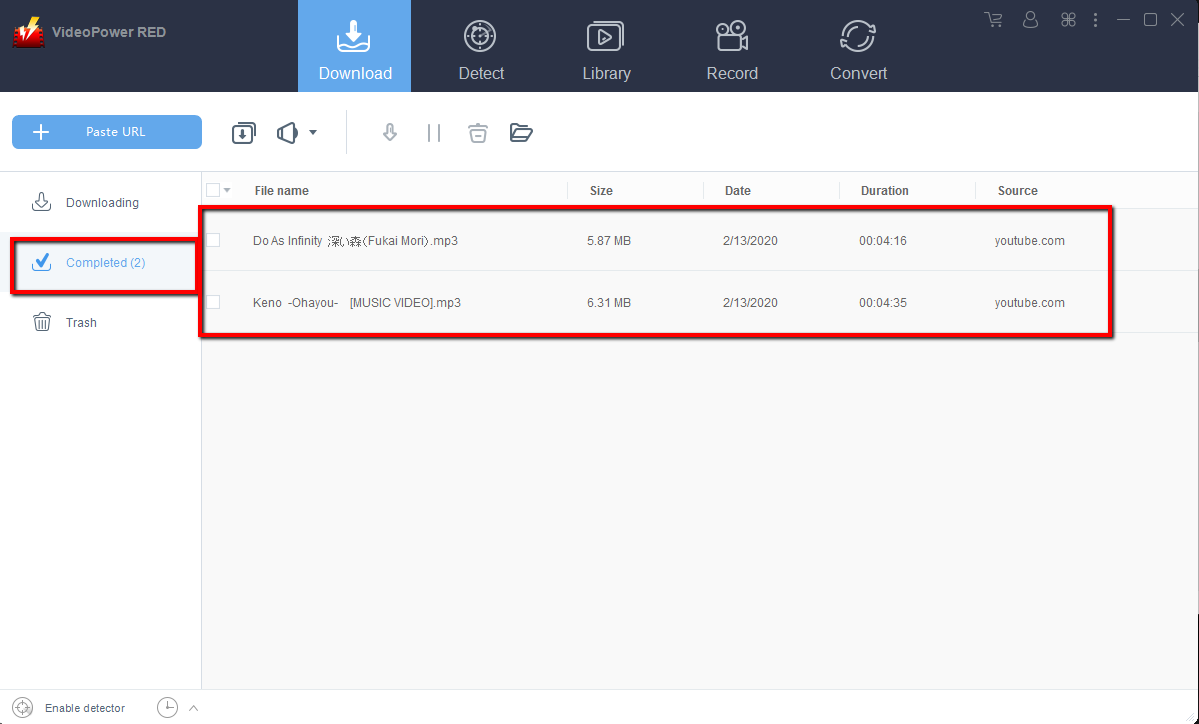
Wait for the download to finish, and then go to the “Completed” section to find the downloaded video. Right-click to do more operations and double-click to preview.
Method 3: Record video.
Sometimes because of the web update or slow internet connection, the program can’t download the video anymore but you can still save the video by using the recording function.
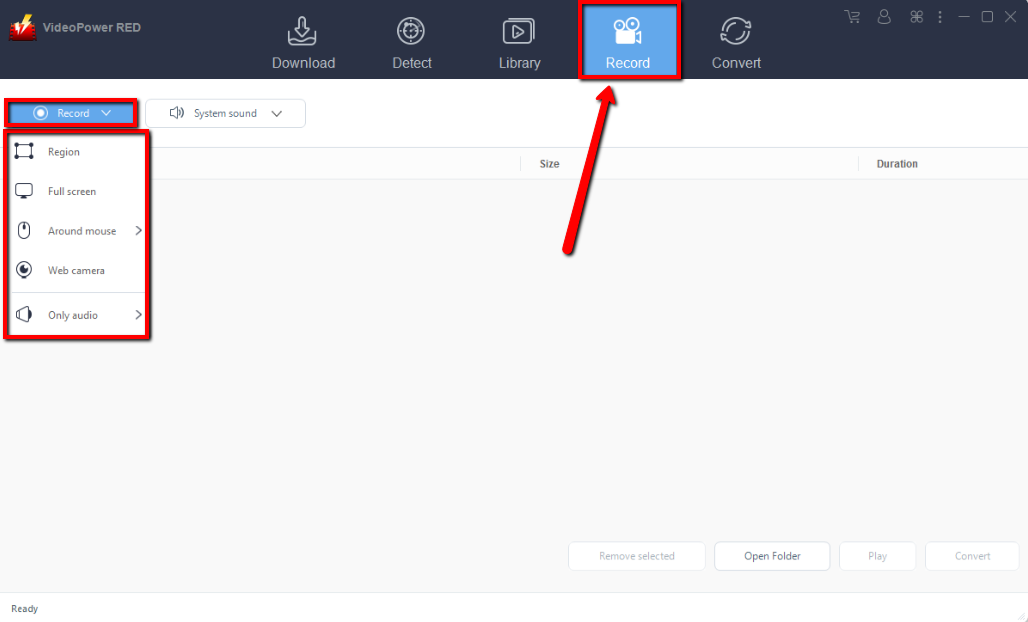
Step 1: Set Recording Mode
Click the “Record” tab to record the video and Select from “Region, Fullscreen, around mouse or Web camera” as preferred.
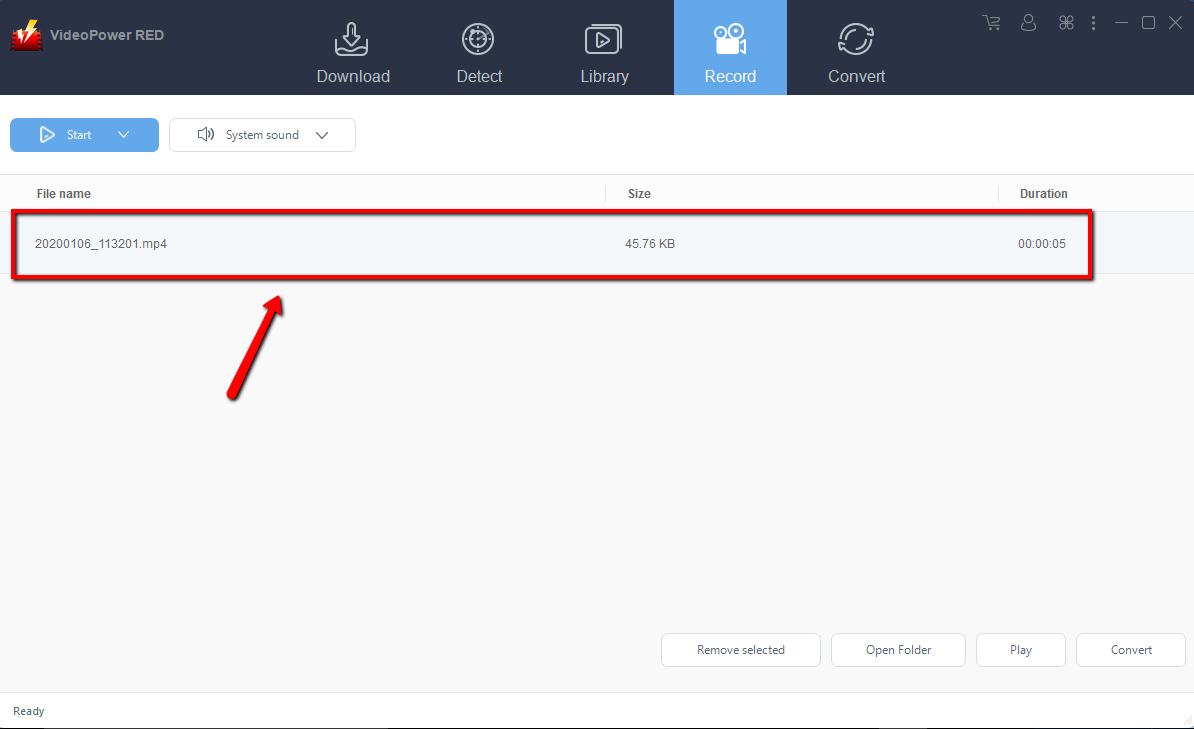
Step 2: Check the recorded video.
After recording, the recorded file can be seen in the record interface. Right-click to do more operations and double-click to preview.
Conclusion:
This reliable VideoPower RED is an absolute alternative to Keepvid. It guarantees users to download videos from YouTube or any other video sharing sites with no difficulty, 100% No ads will be involved and No complex settings even a user with no experience in downloading videos can easily use VideoPower RED. In case you’re looking for a replacement for KeepVid or just simply want to download videos, VideoPower RED is your best pick. So try it now.


