





Tips Index
Reddit used to be on the top 10 of the most visited websites. Though the site is still great and is hanging on the top 20, the user-generated content is still making it alive. When famous Facebook came out and got so popular, it has deduced many great forums and communities, but somehow it didn’t affect Reddit.
Reddit is the place where users gather up together to discuss and make this website works like a daily newspaper that contains everything that is interesting. Reddit is like an exciting digital newspaper and has an interactive platform for readers where they can share the article they wrote, upload amazing photos, videos and so much more.
This website provides the perfect platform where users can upload, share and watch videos except downloading them. So what should you do then?
With VideoPower RED, you can download videos from Reddit easily without limits. It is a software like no other because it could download from more than hundreds of sites. VideoPower RED is the best video downloader and is compatible with various browsers such as Internet Explorer, Google Chrome, Firefox, Safari, Opera, etc.
This software is not limited to downloading videos from your browsers but also provides all available formats of video for conversion including formats MP4, 3GP, FLV, WMV, MP3, WEBM, MOV, etc. which is better for device compatibility issues.
Click the DOWNLOAD button below to try VideoPower RED!
Method 1: Copy and Paste
Step 1: Paste URL and download video
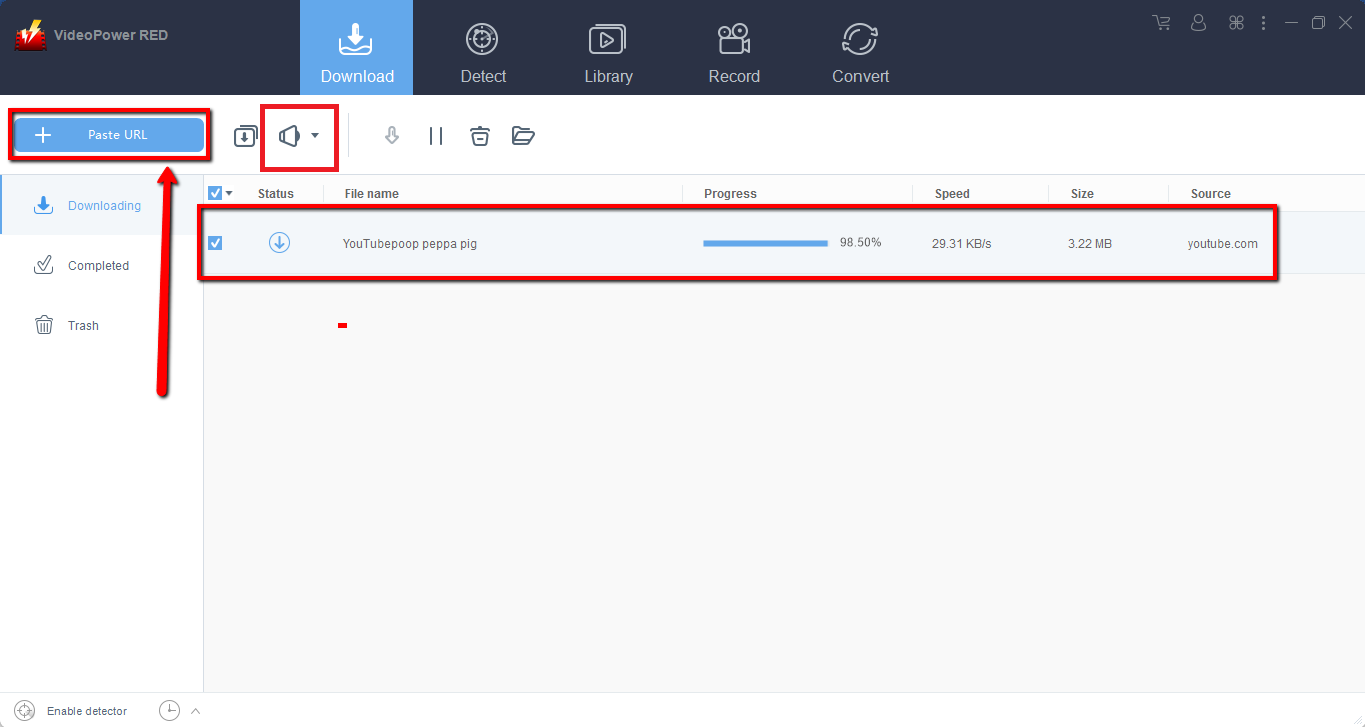
Copy the link of the video that you want to download from your browser and then paste it into the program by clicking the “Paste URL” button. After that, you will see the video is downloading in the download section.
Step 2: Check the downloaded file
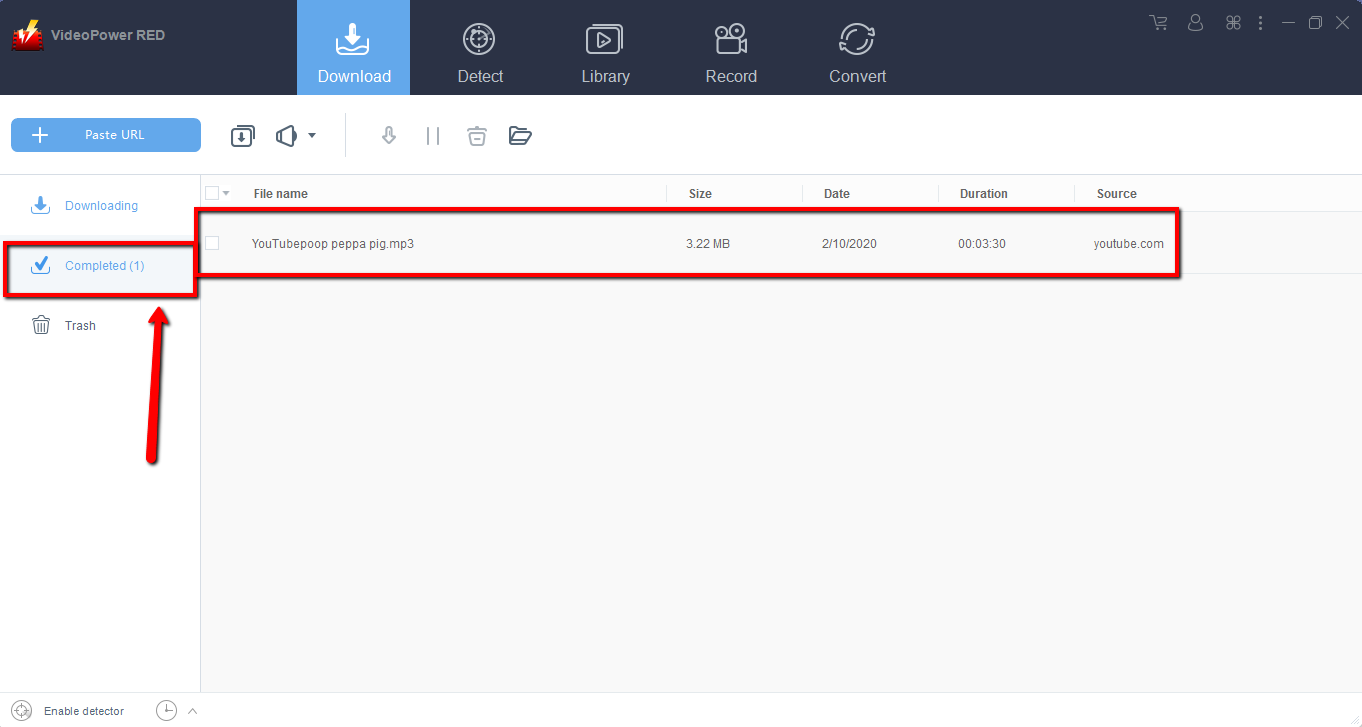
Wait for the download to finish, and then go to the “Completed” section to find the downloaded video.
Method 2: Use the Embedded Browser
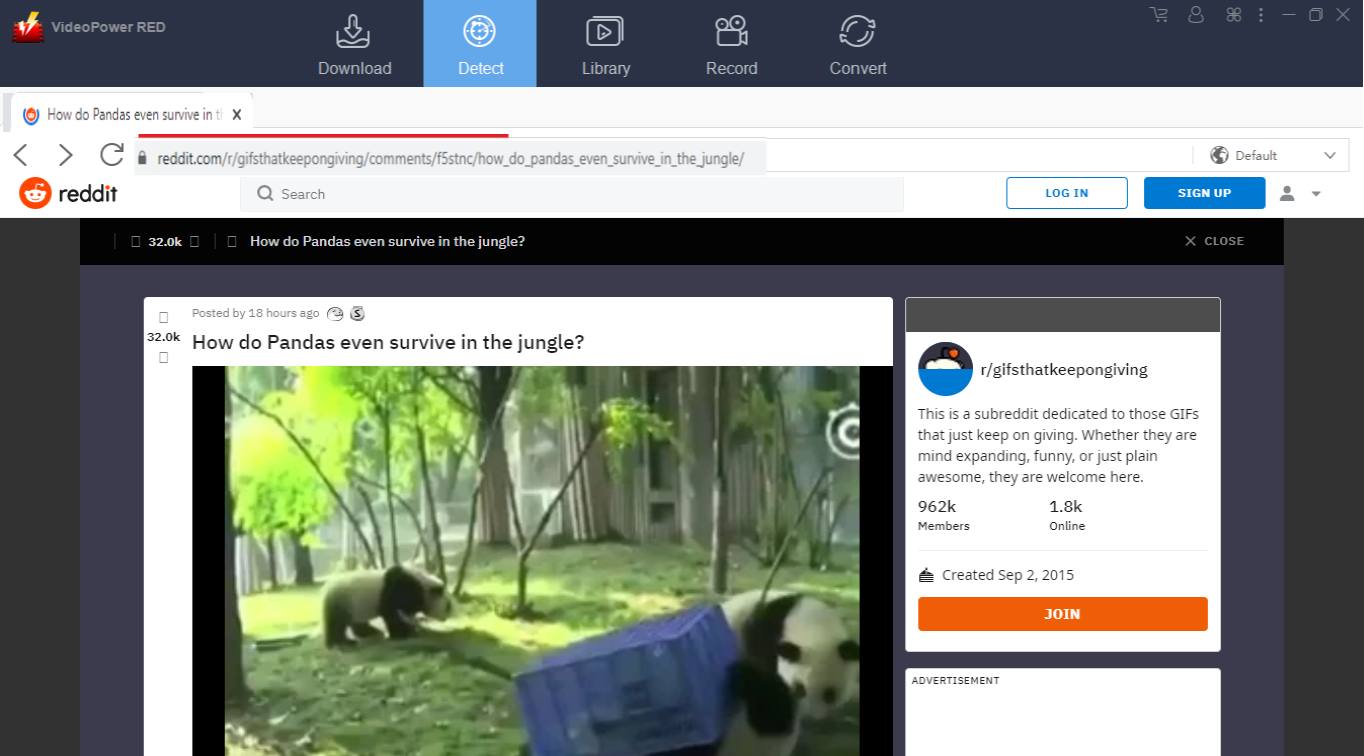
An auto detector in the embedded web browser could analyze any video file online and automatically download the video. Enable the Detect Feature by clicking “Enable detector” at the very bottom left of the interface.
1) Click “Detect” on the top of the interface.
2) Using the built-in web browser, open the website site, and play the video that you want to download.
2) A “Media File Detected” notice will pop-up notifying the user that the chosen file has been detected and will be downloaded automatically.
Method 3: Record video
Sometimes because of the web update or slow internet connection, the program can’t download the video anymore but you can still save the video by using the recording function.
Step 1: Record video
Click the “Record” tab to record the video and Select from “Region, Fullscreen, around mouse or Web camera” as preferred.

Step 2: Check the recorded video.
After recording, the recorded file can be seen in the record interface.

Conclusion:
Using VideoPower RED assures that smooth and easy download and conversion. It has a user-friendly and satisfactory interface and fast conversion speed while preserving original quality and that is the reason why it is popular with users.
Download VideoPower RED now to experience its full features.


