





Tips Index
Ku6.com is a very popular online video website in China. There are many wonderful videos of entertainment, variety shows, TV shows, and movies.
Videos on ku6 can be downloaded locally. Usually, there is a special downloader tool corresponding to each online video site such as “iTudou” for Tudou and “Fast ku6” for ku6.
However, downloading a video downloader for each site would be a hassle and troublesome. Thus, a universal video downloader software that can support the needs of every site in downloading would be needed.
Therefore, VideoPower RED, an amazing, hassle-free, trusted and has various professional features downloader application software is there to help.
Just click the link below to download and install this app.
Method 1: Copy and Paste URL to Download Ku6 Video
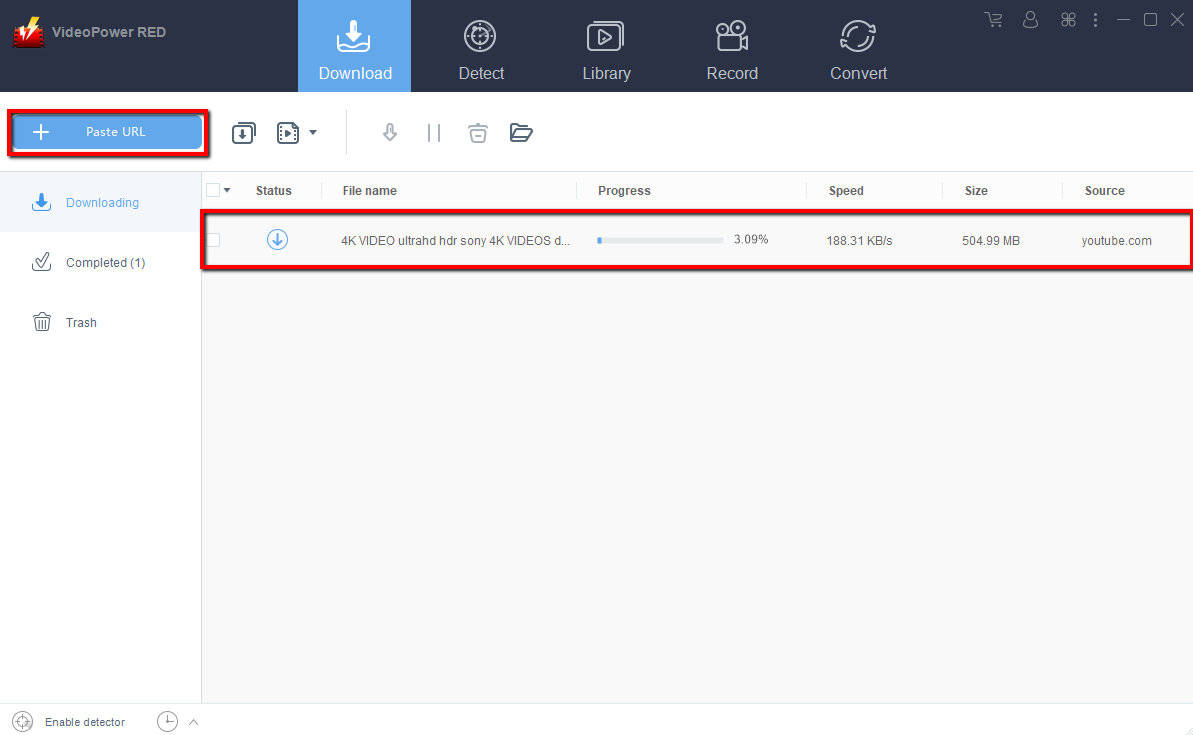
Step 1: Paste URL and download video
Copy the link of the ku6.com video that you want to download and then paste it into the program by clicking the “Paste URL” button. After that, you will see the video is downloading in the download control panel.
Step 2: Check downloading and downloaded file
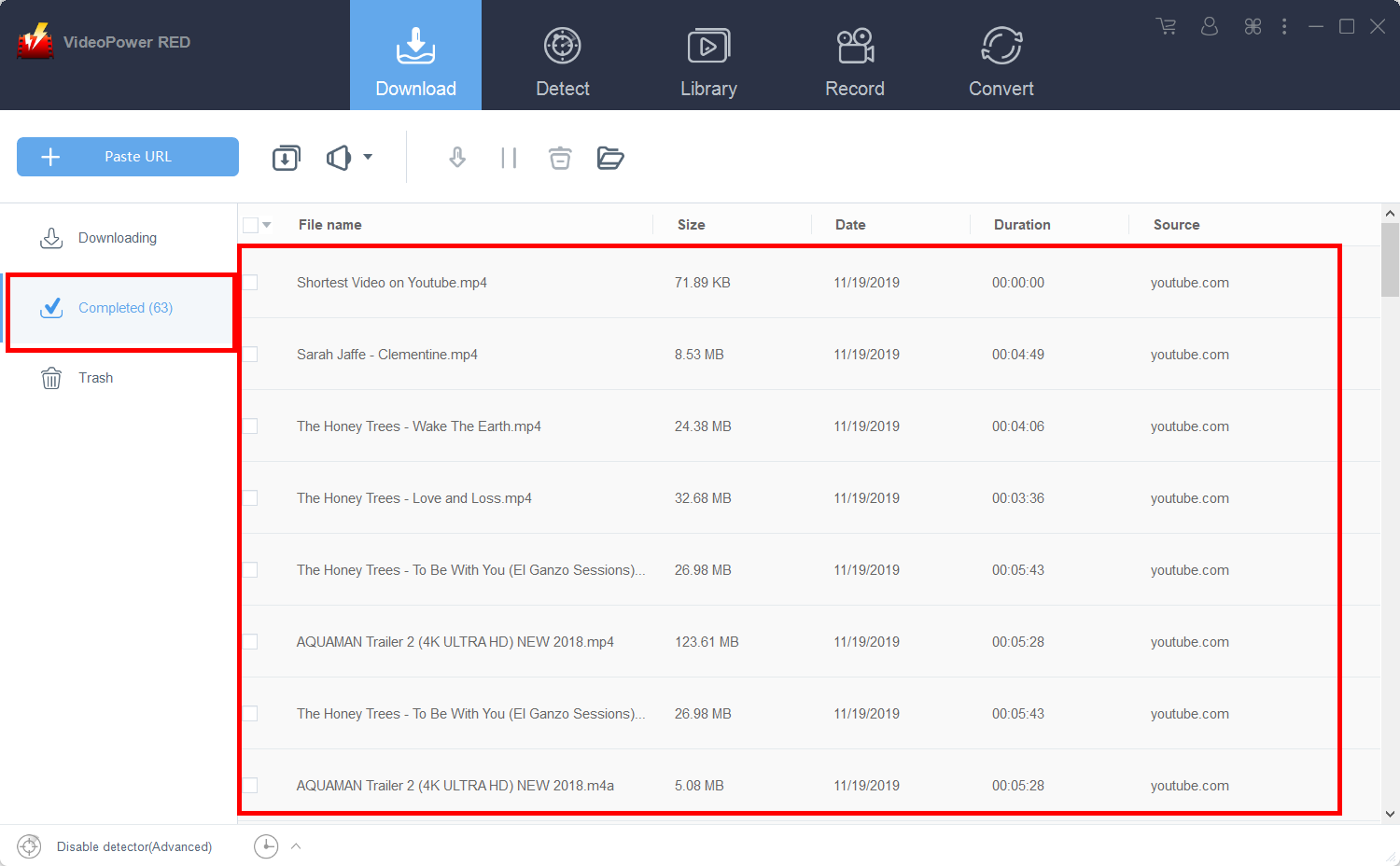
Wait for the download to finish, and then go to the “Completed” section to find the downloaded video.
Method 2: Record Ku6.com video
If you have a slow internet connection and you can’t download the file, recording the video by screen capture is a great alternative. The only downside to this is that the file will have a larger size and will have a few quality issues such as choppiness and lag. Nevertheless, the quality should still be very good.
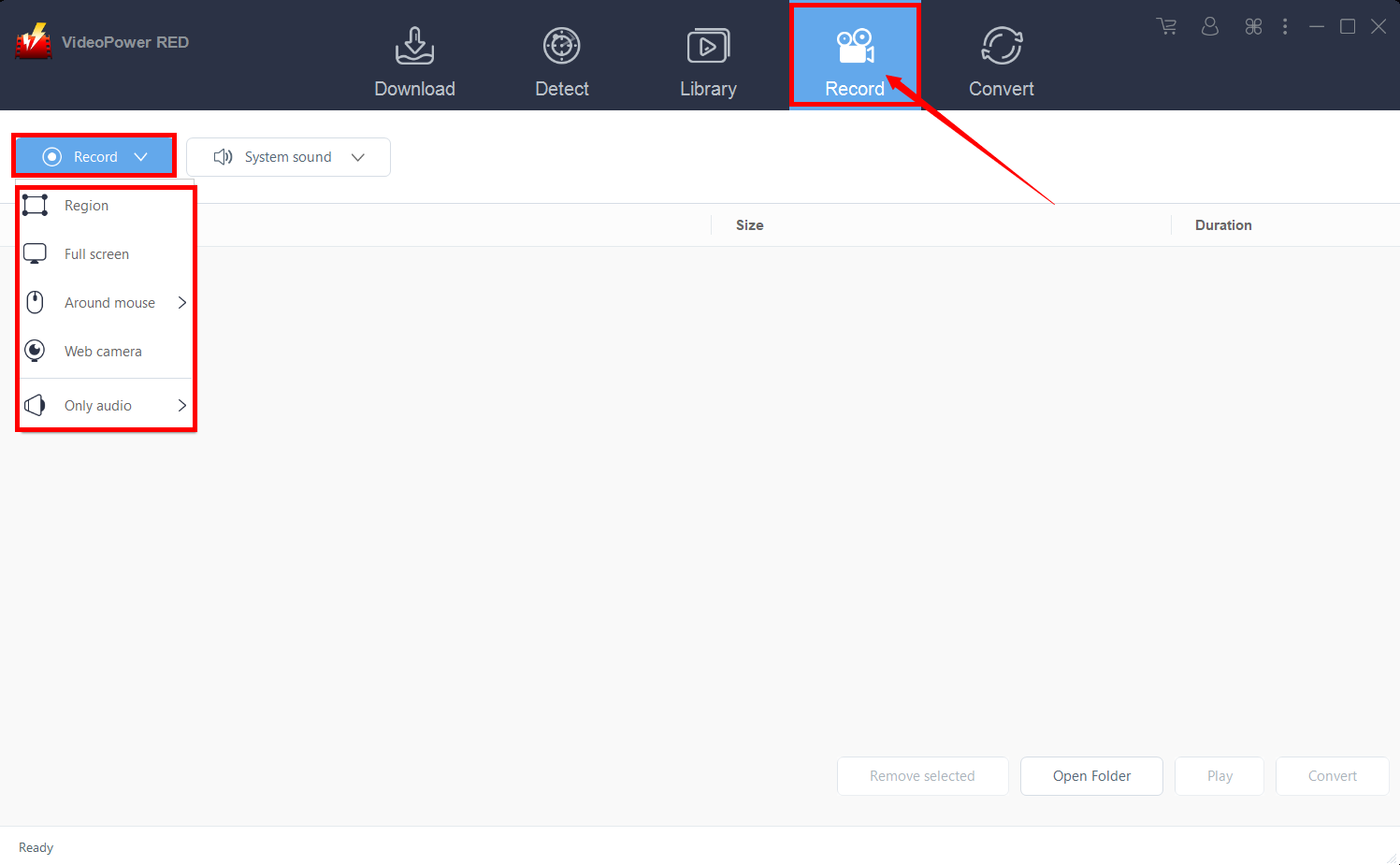
Step 1: Record video
Click the “Record” tab to record the video and Select from “Region, Fullscreen, Around mouse or Web camera” as preferred.
Step 2: Check the recorded video
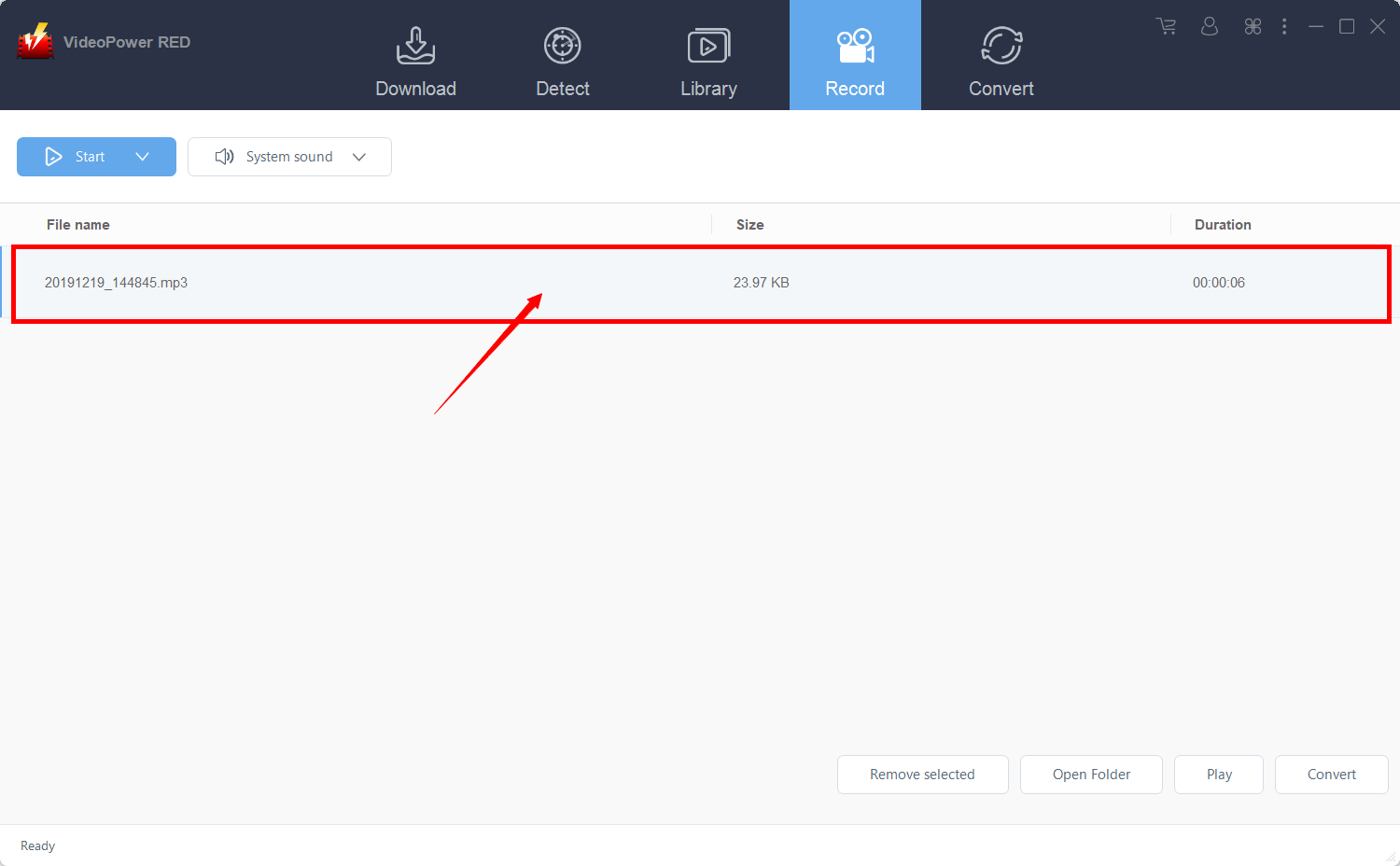
After recording, the recorded file can be seen in the record interface.
Conclusion:
Downloading videos from websites that don’t offer download option or requires complicated procedures is hard to find. It is because most of the sites have a downloader tool that corresponds to each site which makes downloading a hassle and troublesome.
Thus, a universal video downloader software that can support the needs of every site in downloading like VideoPower RED, a hassle-free, trusted and has various professional features downloader application software would be needed.


