





Tips Index
People say that Tumblr is one of the best video sharing sites in the world because you can post videos, and textual contents, music, quotes, etc. from your phone or desktop, wherever you happen to be.
It is a social networking site (like Facebook and Twitter) and a video sharing site where you can often see blogs like YouTube. Often described as a ‘microblog’ because people from Tumblr usually post short snippets of quick snaps and text as an averse to lengthy diary-style entries found in other blogs.
Users love using this site since they can write blogs, post pictures, videos, and music as well.
So sometimes it gets frustrating when you see some great videos on Tumblr like Travel blogs, food blogs, business blogs, etc and you want to download them but you can’t because Tumblr has no download feature.
It is more convenient to watch it offline than watching videos online with an unstable internet connection that might cause the video to buffer. But the question is, is there any Tumblr video downloader out there?
Now downloading Tumblr videos is just a piece of cake because VideoPower RED is capable of downloading videos from any video sharing site like Tumblr, YouTube, Vimeo, VEVO, Dailymotion, Facebook, Twitter, and etc.
Method 1: Use the Embedded Browser
Open the Tumblr video page via an embedded browser
If the program supports the site, the video will be downloaded automatically.

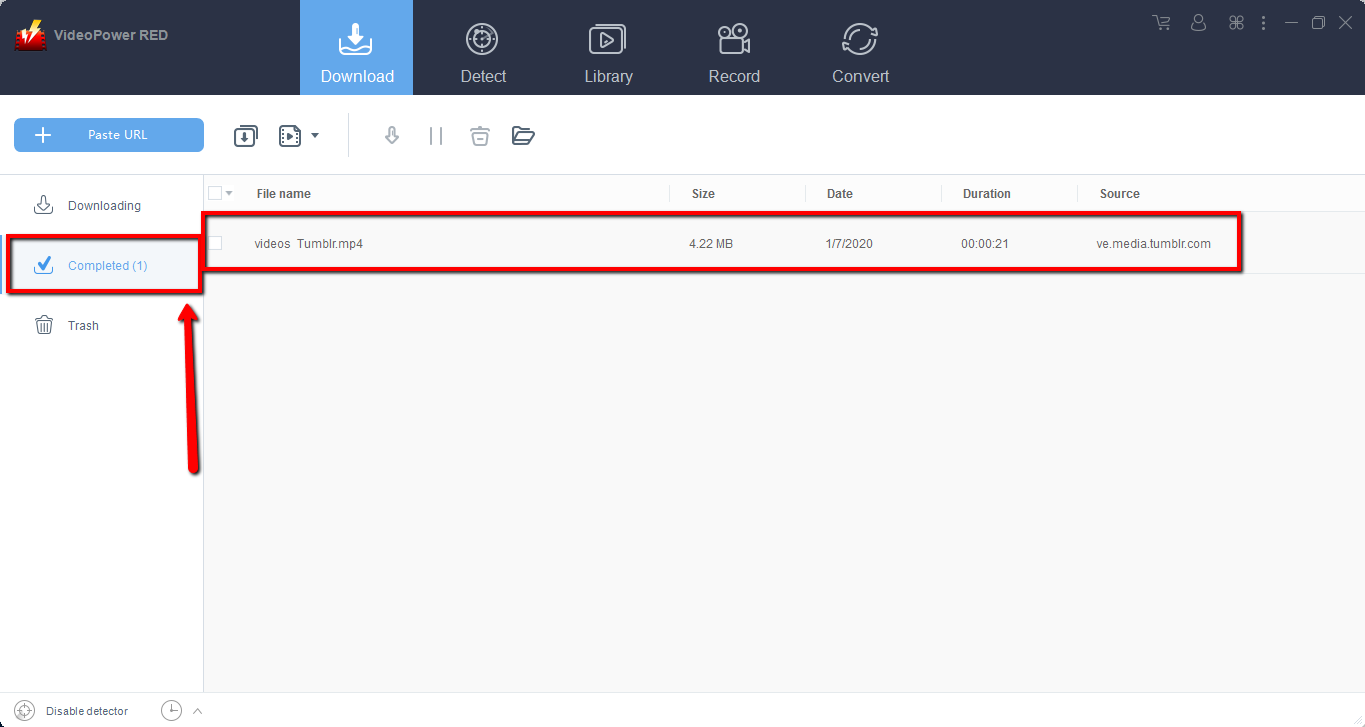
Wait for the download to finish, and then go to the “Completed” section to find the downloaded video.
Method 2: Record Tumblr video
Sometimes because of the web update or slow internet connection, the program can’t download the video anymore but you can still save the Tumblr video by using the recording function.
Step 1: Record video.
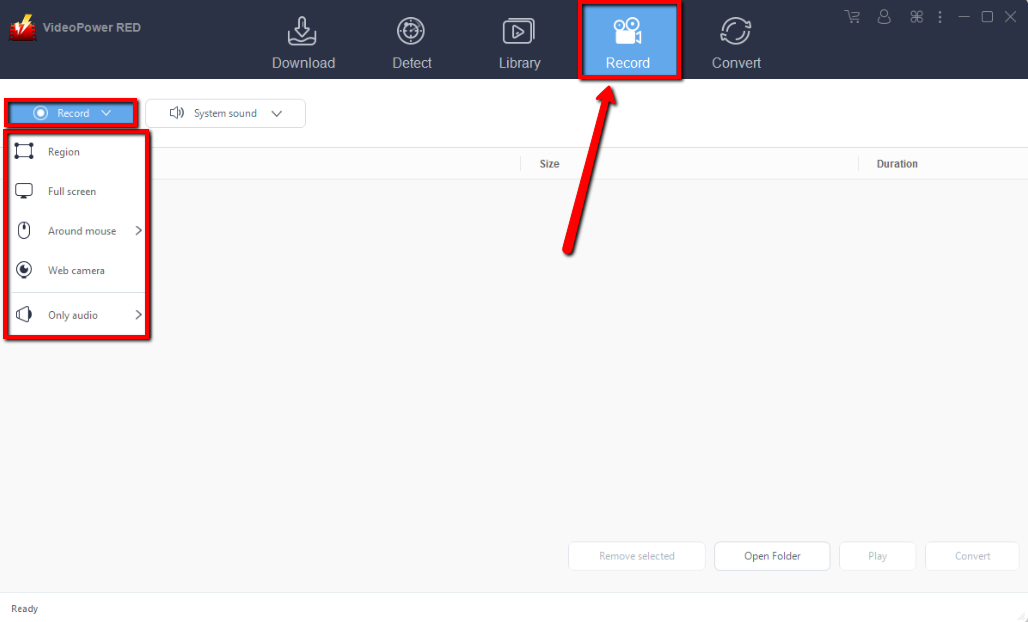
Click the “Record” tab to record the video and Select from “Region, Fullscreen, around mouse or Web camera” as preferred.
Step 2: Check recorded video
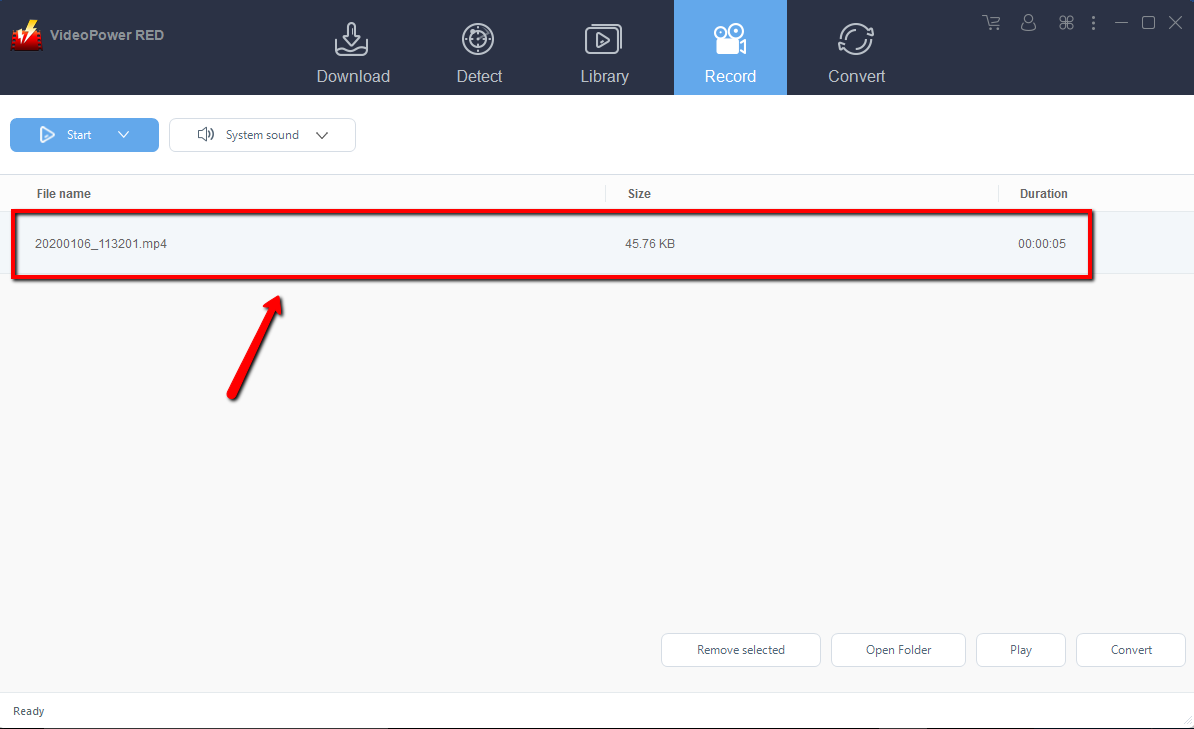
After recording, the recorded file can be seen in the record interface.
Conclusion:
VideoPower RED is a powerful downloader that supports any download and conversion of video and audio formats with video editing function, enables adding subtitles, apply watermarks, make MV and split-screen videos. More importantly, it can record screen activity in many different ways, offline and online.
Using VideoPower RED is a wise choice because of its user-friendly and satisfactory interface and fast download speed while having original quality outputs that is why most people like to use it.


