





Tips Index
LiveLeak is a video sharing website that allows users to post and share videos with anyone in the world. It targets taking politics, war, reality footage, and other world events and blends them with the power of national journalism.
Viewers can read from the site something peculiar, special, and real, something quite fascinating and breathtaking, which allows us to think from an entirely different angle. You have a part of the website where people can just upload their videos freely without restrictions to be viewed by others.
However, new parts appear for quite some time. It was created on 31st October 2006, LiveLeak is among that popular website that originated in London, it enables users to post and share those important videos that they have captured at a specific time and place. Also, the videos on LiveLeak are political. And as days and months go by, LiveLeak today has a far wider scope of videos about world events than other video sharing websites.
There are events appearing all over the world each day, and we may fail to instantly get to know them from television or newspapers or even social media. Therefore, like you who are interested in world events can just go to LiveLeak to know and find some useful videos.
Nevertheless, although sometimes there is always a video that you want to download to watch it later at any time at your convenience, like YouTube, it is still sad to think that LiveLeak does not allow its users to download their video directly. And it seems that many LiveLeak video fans are still on the way to search for the best LiveLeak downloader.
If you are one of those viewers, then you might also want to download the videos from LiveLeak to save it and show it to your friends and family. So we highly recommend you to download VideoPower RED. A reliable and fast video download for LiveLeak, that is also capable of downloading videos from any video sharing site like Facebook, Instagram, and etc.
Just click the link below to download this app and follow through the guide on how to use the Free Liveleak Video Downloader
Method 1: Copy and Paste
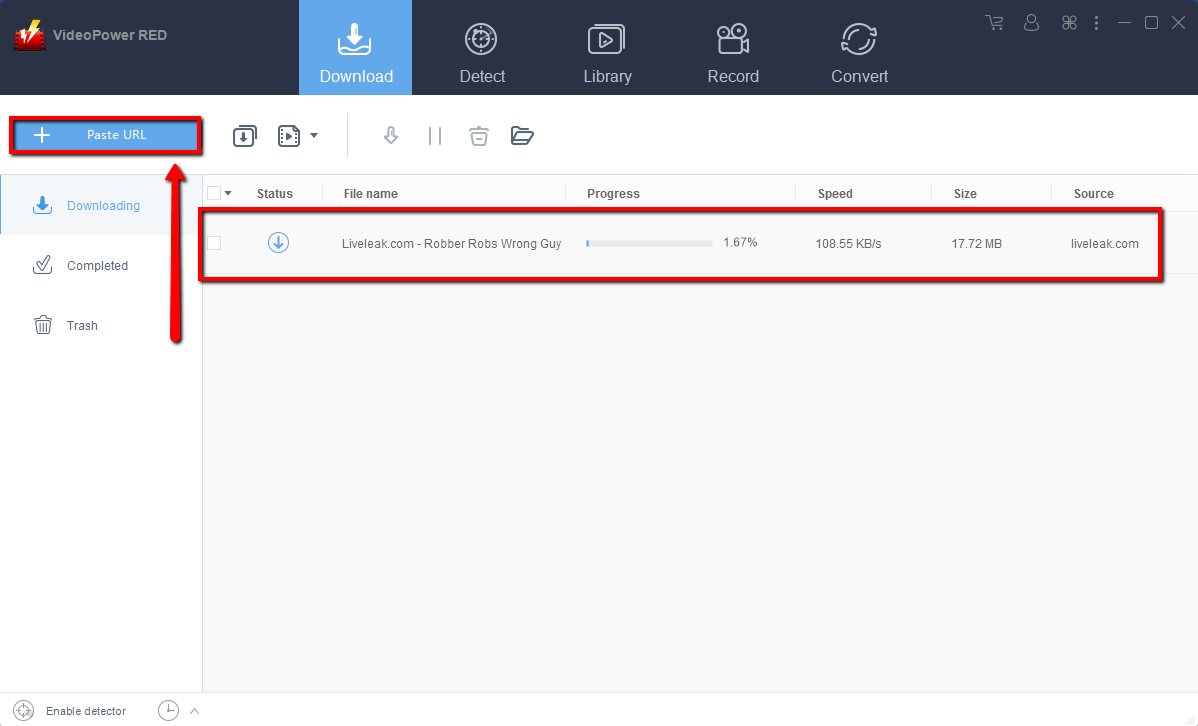
Step 1: Copy and Paste URL and download video.
Copy the link of the video that you want to download and then paste it into the program by clicking the “Paste URL” button. After that, you will see the video is downloading in the download control panel.
Step 2: Check the downloaded file
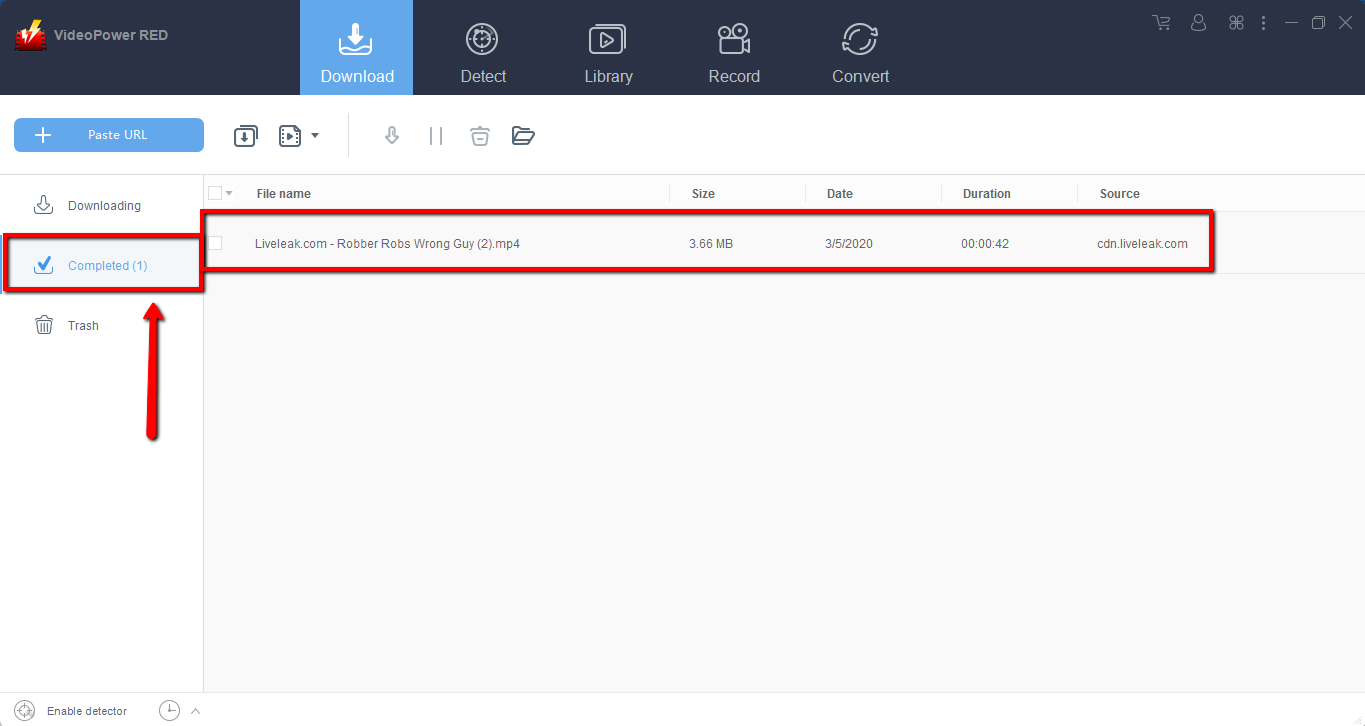
Wait for the download to finish, and then go to the “Completed” section to find the downloaded video. Right-click to do more operations and double-click to preview.
Method 2: Use the Embedded Browser
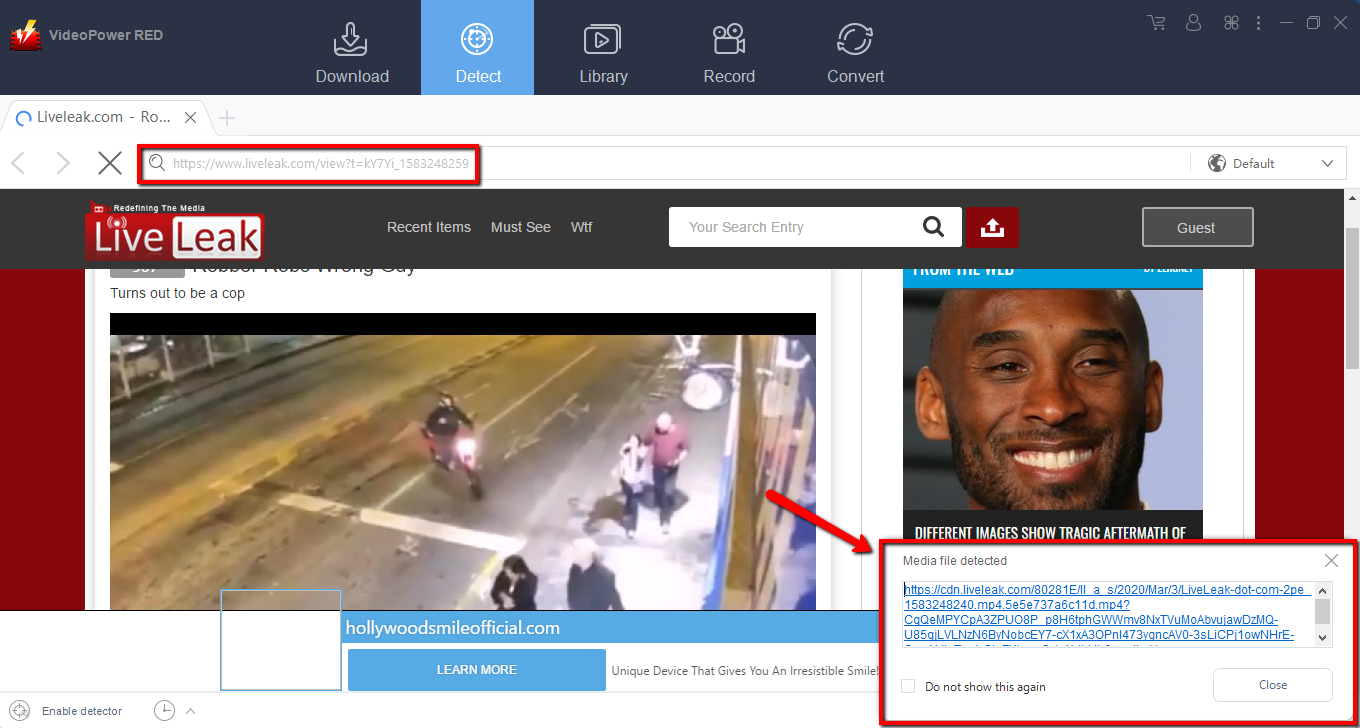
Step 1: Open the video page via an embedded browser
If the program supports the site, the video will be downloaded automatically after the “Media File Detected” notice appear.
Step 2: Check Downloaded File
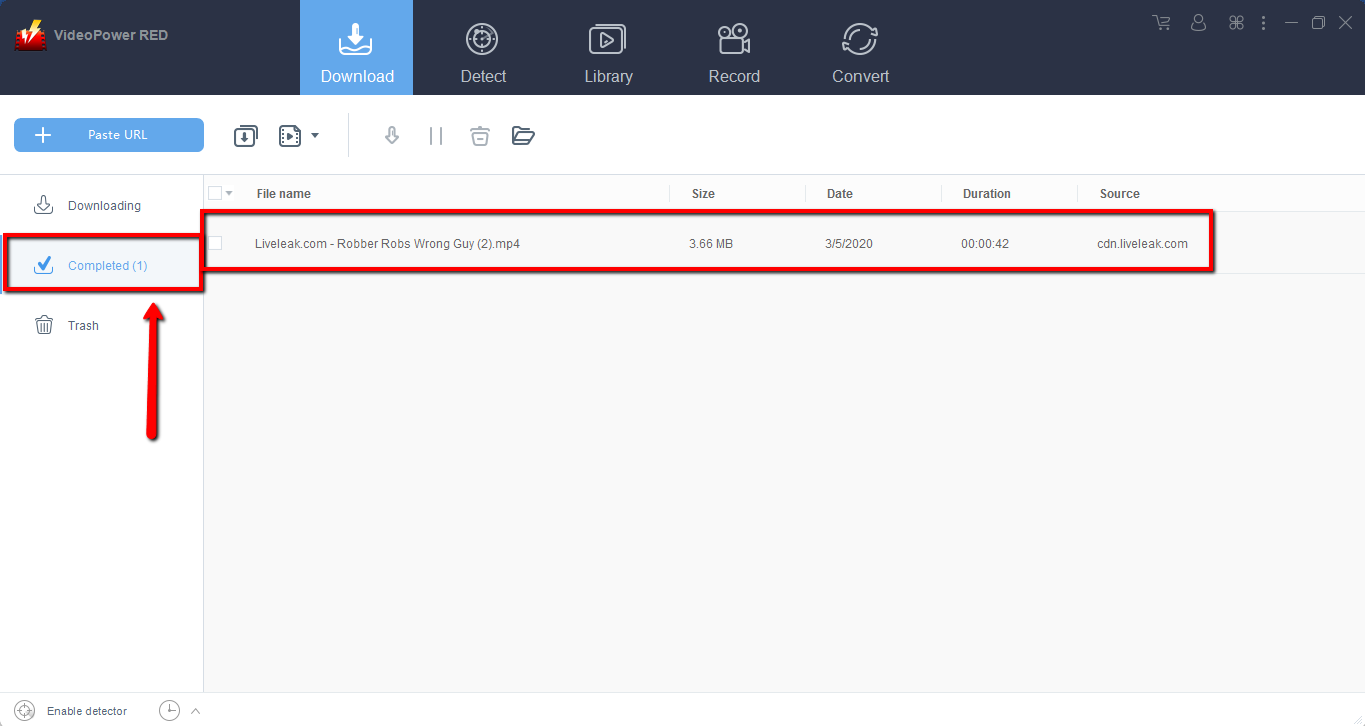
Wait for the download to finish, and then go to the “Completed” section to find the downloaded video. Right-click to do more operations and double-click to preview.
Method 3: Screen Record video
Sometimes because of the web update or slow internet connection, the program can’t download the video anymore but you can still save the video by using the recording function.
Step 1: Set Recording Mode
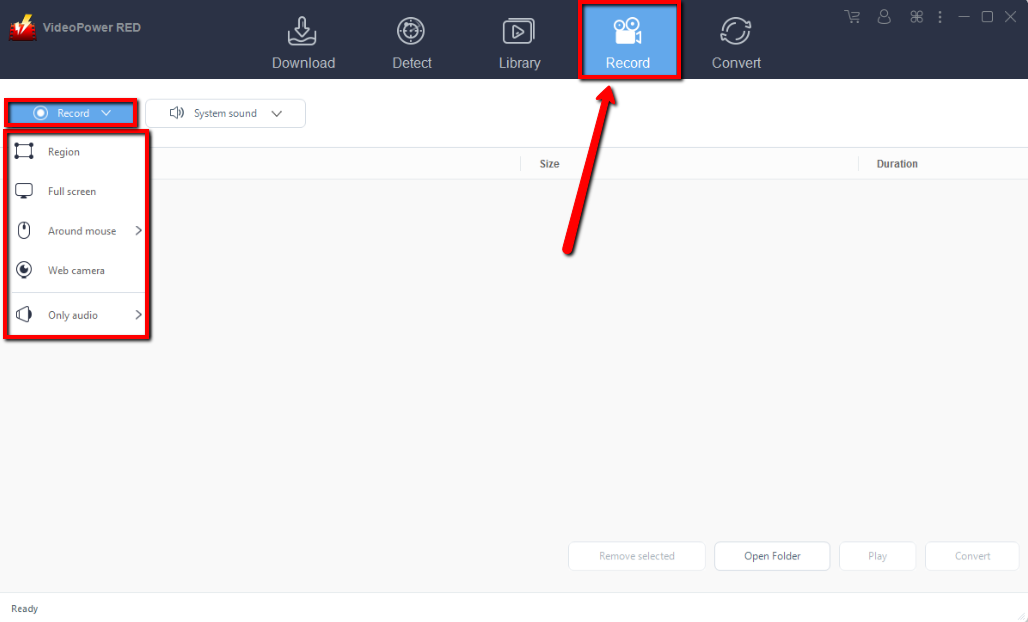
Click the “Record” tab to open the record window and select among the following recording modes such as “Region, Fullscreen, around mouse, and Web camera” to capture the exact and desired range of your screen. Click the preferred one and start recording.
Step 2: Check the recorded video.
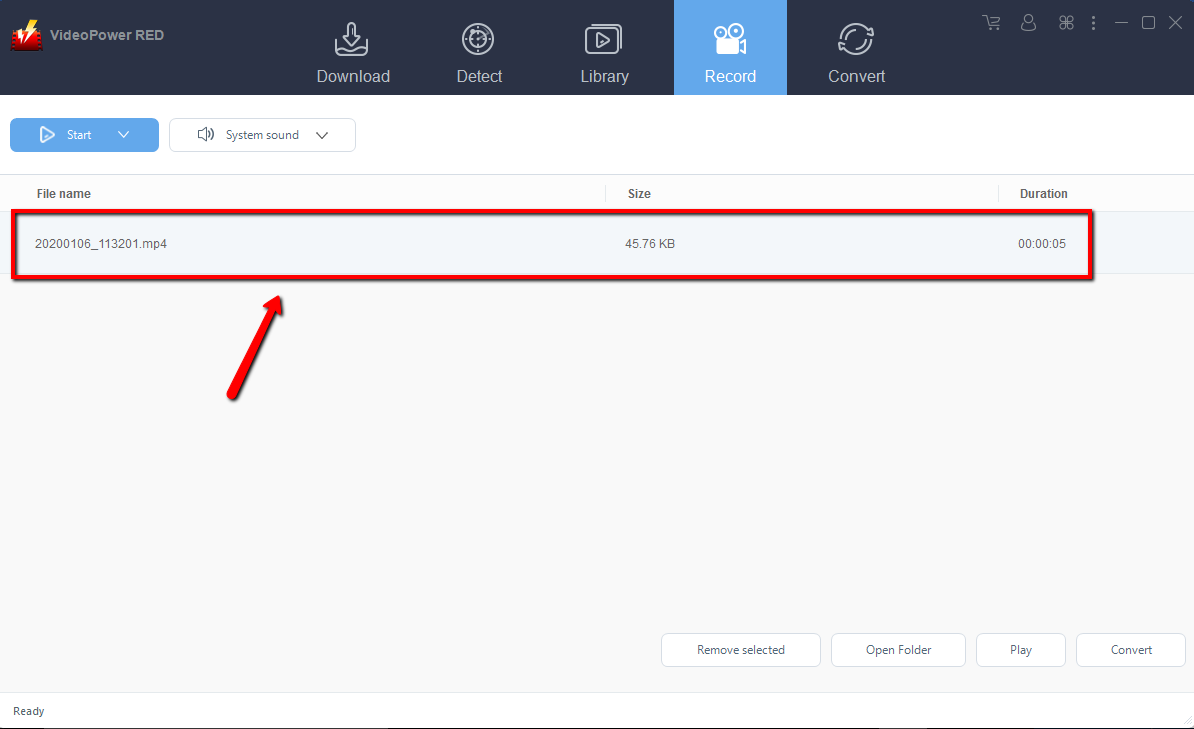
After recording, the recorded file can be seen in the record interface. Right-click to do more operations and double-click to preview.
Conclusion:
VideoPower RED is the fastest Liveleak video downloader. No matter how large or small a video size was, it downloads Liveleak video in just a few seconds. Using VideoPower RED can save videos on your desktop and watch it later without any interruption. It supports a wide range of different formats of videos. While downloading videos through this, you don’t have to pay any charges or download any additional software. This downloader also downloads the video at high -speed so you don’t have to wait for too long. Download now!


