





Tips Index
Samsung Galaxy S6 is one of the most popular smartphones in this world. It features a 5.1-inch screen, 2560 x 1440 pixels, pixel density up to 573ppi, a built-in Exynos 7420 eight-core 64-bit processor, which can provide a stronger performance and lower power consumption.
You can see an amazingly clear screen display with a high resolution of 2560 x 1440.
Users enjoy watching videos using their Samsung Galaxy S6 phones because of the high-quality display, but many of them don’t know how to make full use of YouTube on Galaxy S6, the most popular video-sharing site. So keep reading you will learn how to download YouTube to Galaxy S6.
You should get this free YouTube to Galaxy S6 tool, VideoPower RED first, and then follow the simple guide.
Step 1: Manage Settings
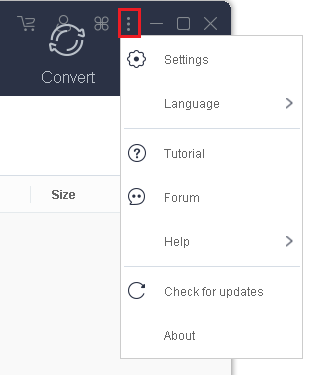
Run the software and go to the Settings icon to select “Settings” from the list.
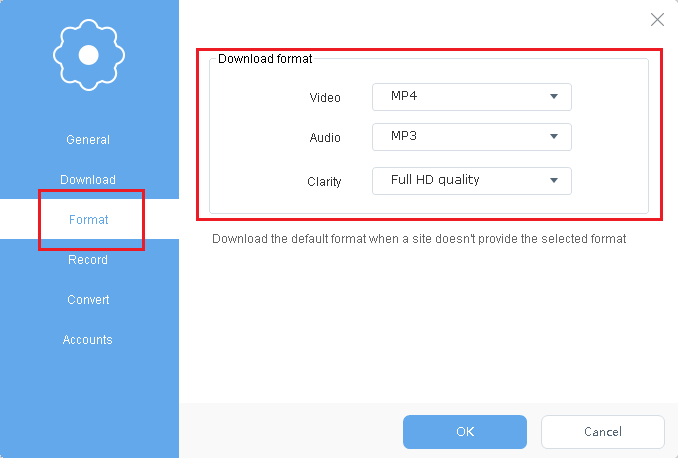
Navigate to the “Download” tab, and set “MP4, MP3, Full HD quality” as the download format. You can set other formats as your preference. Click the “OK” button to save the settings.
Step 2: Paste URL and download video.
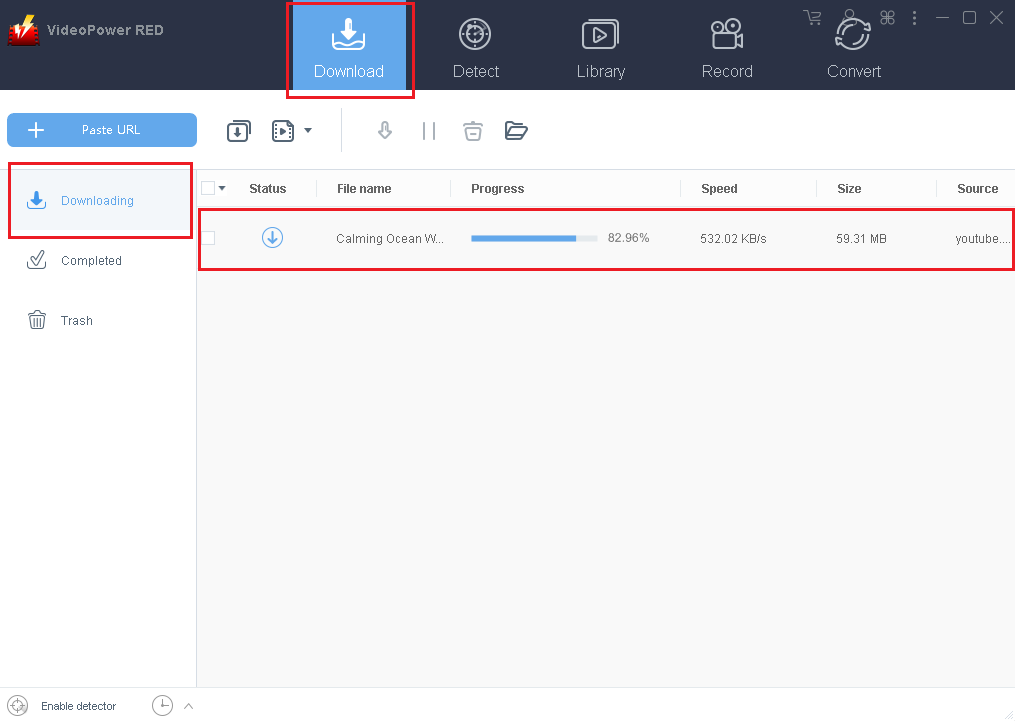
Copy the link of the YouTube video you want to download and click the “Paste URL” button to start downloading. You will see the task is processing on the download control panel.
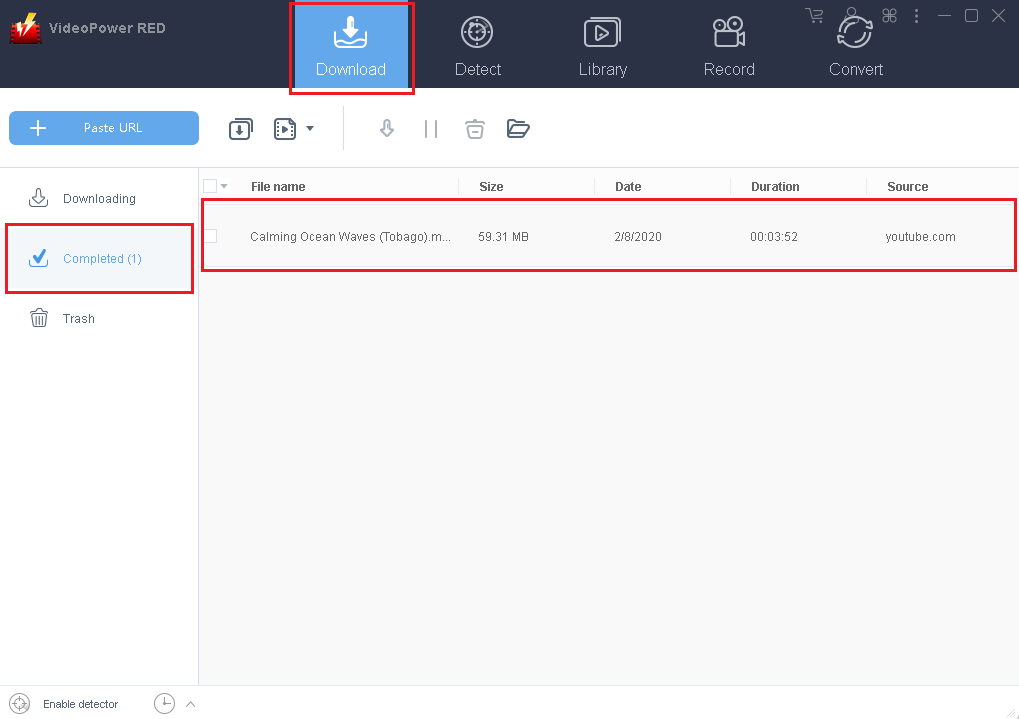
Wait for the download to finish, and go to the “Completed” section to find the downloaded video.
Step 3: Convert downloaded video to Galaxy S6 compatible format.
You can directly convert the video to a format that is supported by Galaxy S6 with the software. Just turn to the “Convert” function, import the video to the program and select the output profile from the list for conversion.

Conclusion:
Using a device that cannot serve most of the things you want, especially downloading videos from youtube is a bit disappointing. To enjoy video and audio files you desired in your Samsung Galaxy S6, a third-party tool is needed.
There is VideoPower RED, an amazing, hassle-free, trusted and has various useful professional features application software is best suited in downloading and converting YouTube videos that are compatible with your Samsung Galaxy S6.


