





Tips Index
One of the distinctiveness of videos can be seen in the extensive usage of videos across social media platforms. Visual content is not difficult to remember, maintain, and use in a long period as compared to textual or pictorial information.
Facebook is a well-known social media platform where sharing videos and all different types of visual content has become an obsession over time. Given the fact that videos make it not difficult for individuals to relate to each other as well as bond with the social community, they are being watched, uploaded, and downloaded at a massive scale.
Videos on Facebook are not limited to any particular genre, and so these Facebook videos can be of great use to all. Now, this might be a surprise to you, that you can download Facebook videos as well.
Yes, downloading and saving Facebook videos onto your desktop and smartphones is available. Looking at the fame of Facebook videos, there are tons of Facebook video downloaders out there for free but we highly recommend you download VideoPower RED that can download Facebook to mp4 HD.
VideoPower RED is a quick and basic platform that is capable of downloading videos from all the popular social media platforms such as YouTube, Vevo, Instagram, TED, Facebook, Vimeo, Dailymotion, and Twitter. The video is converted automatically to HD Quality MP4 after downloading.
You can also convert other video and audio into an array of formats you choose from. Converting is done in super-fast which means you can download and save the file to your computer in no time.
Copy the URL of the video from Facebook, YouTube, Instagram, and other video sites and download it using VideoPower RED. The app comes with screen recording tools and you can choose to record your screen in different regions.
Just click the link below to download this app and follow through the steps on how to download a Facebook video.
You can try to use the software for free by downloading its trial version below.
Method 1: Copy and Paste URL to download Facebook Video
Step 1: Copy and Paste URL and download video.
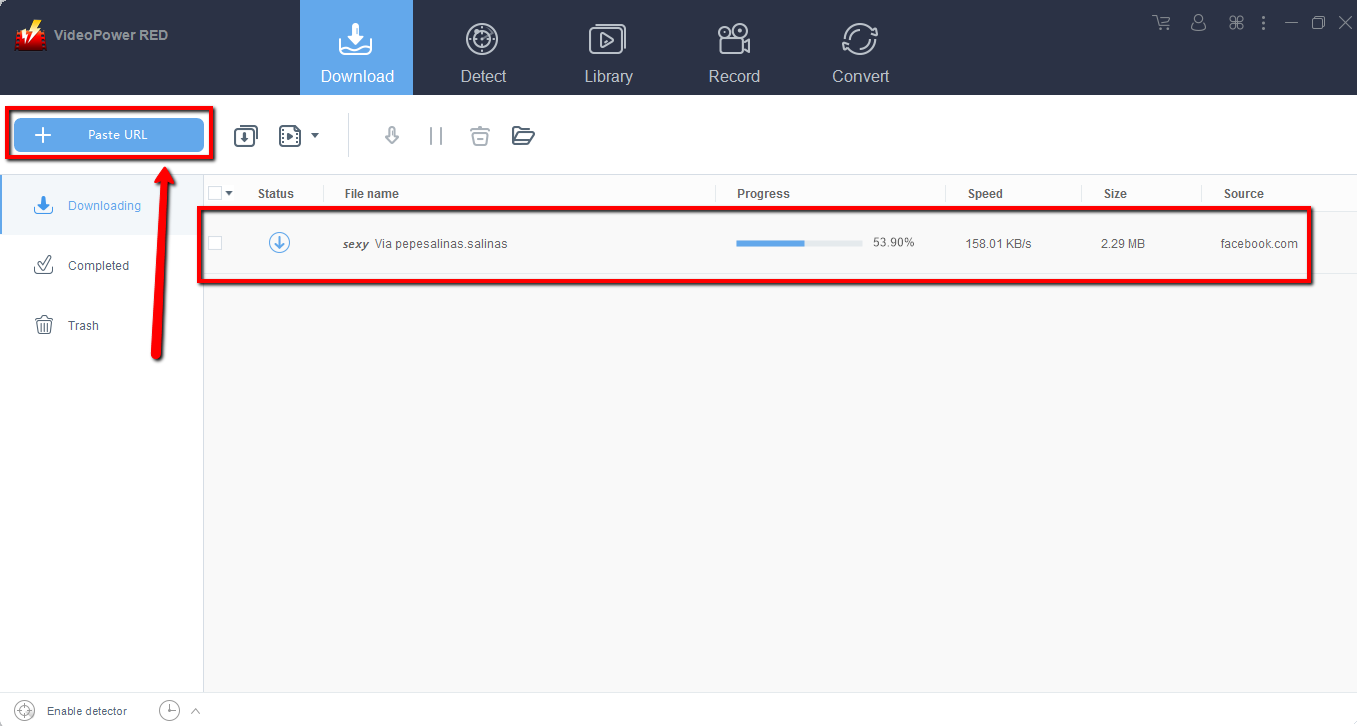
Facebook to mp4 HD can be downloaded by copying the link of the Facebook video that you want to download and then paste it into the program by clicking the “Paste URL” button. After that, you will see the video is downloading in the download control panel.
Step 2: Check the downloaded Facebook video file
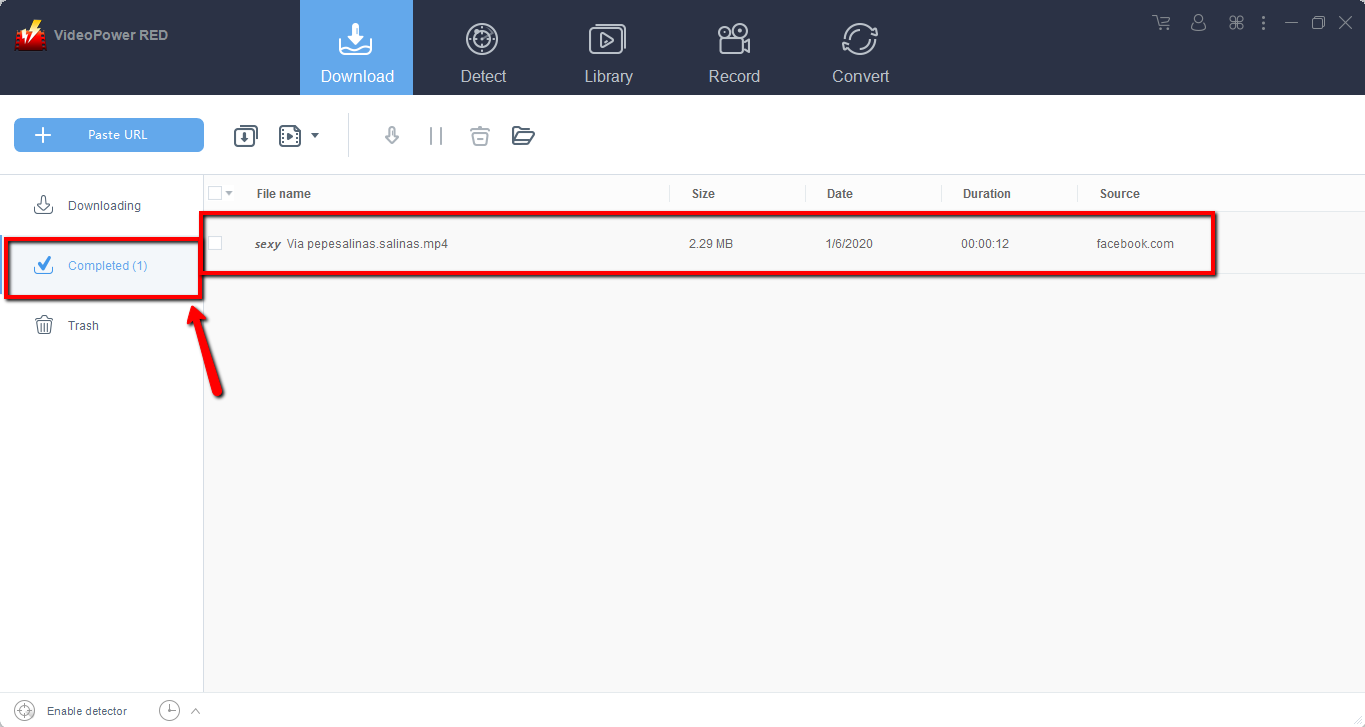
Wait for the download to finish, and then go to the “Completed” section to find the downloaded video. Right-click to do more operations and double-click to preview.
Method 2: Use the Embedded Browser to download Facebook video
Step 1: Open the video page via an embedded browser
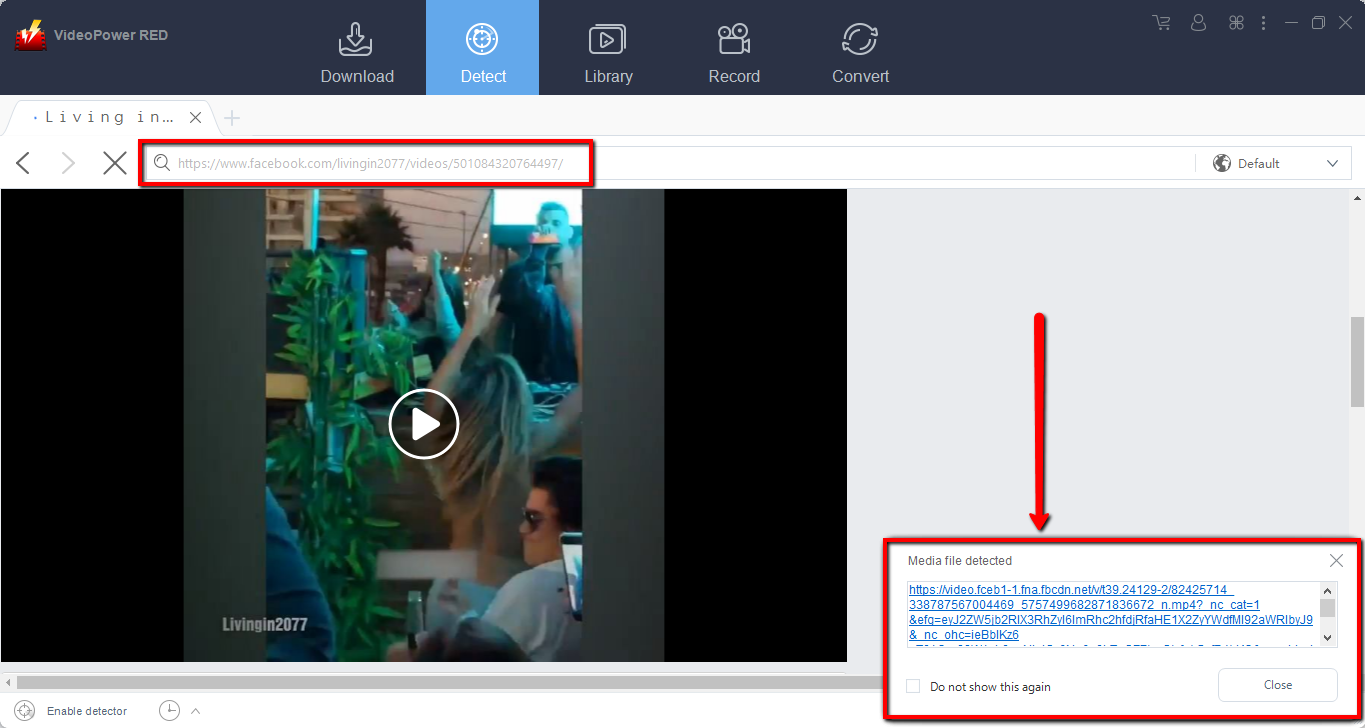
If the program supports the site, saving Facebook videos can be done automatically after the “Media File Detected” notice appears.
Step 2: Check the downloaded video
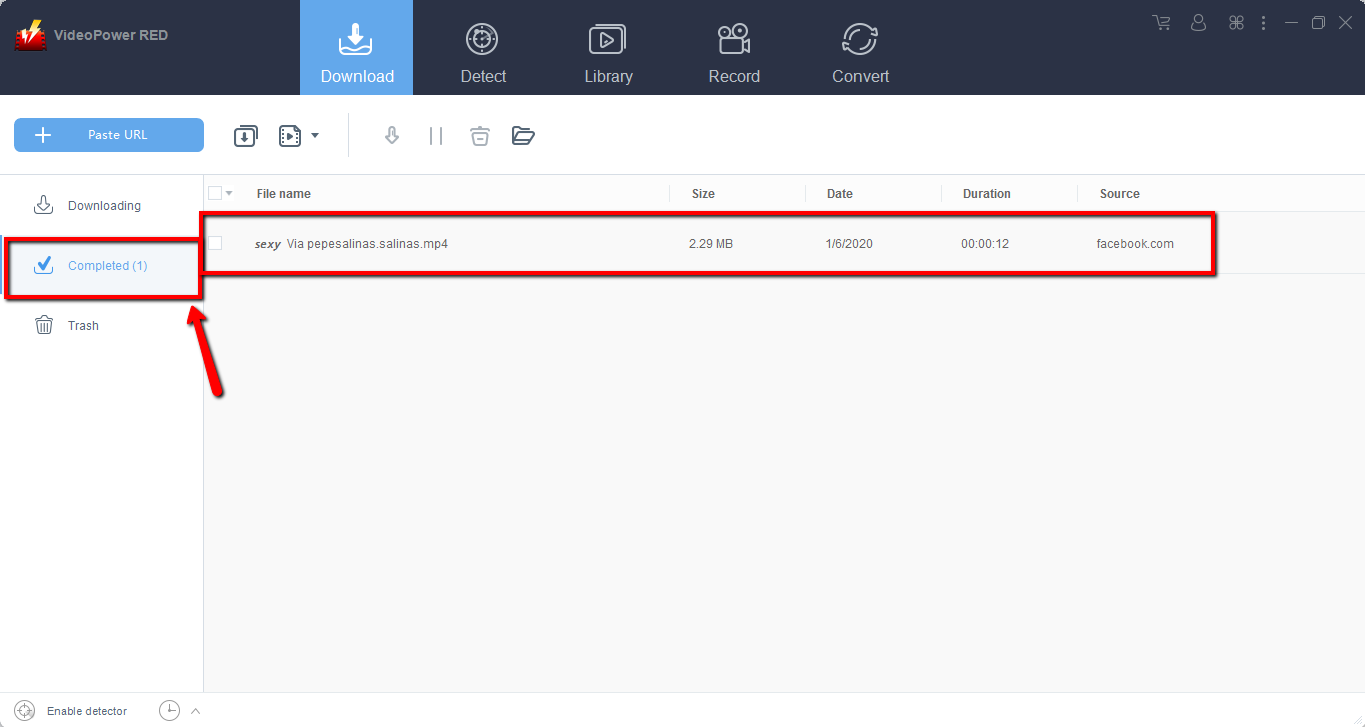
Wait for the download to finish, and then go to the “Completed” section to find the downloaded video. Right-click to do more operations and double-click to preview.
Method 3: Record Facebook video.
Sometimes because of the web update or slow internet connection, the program can’t download the video anymore but saving Facebook videos is still possible by using the recording function.
Step 1: Set Recording Mode
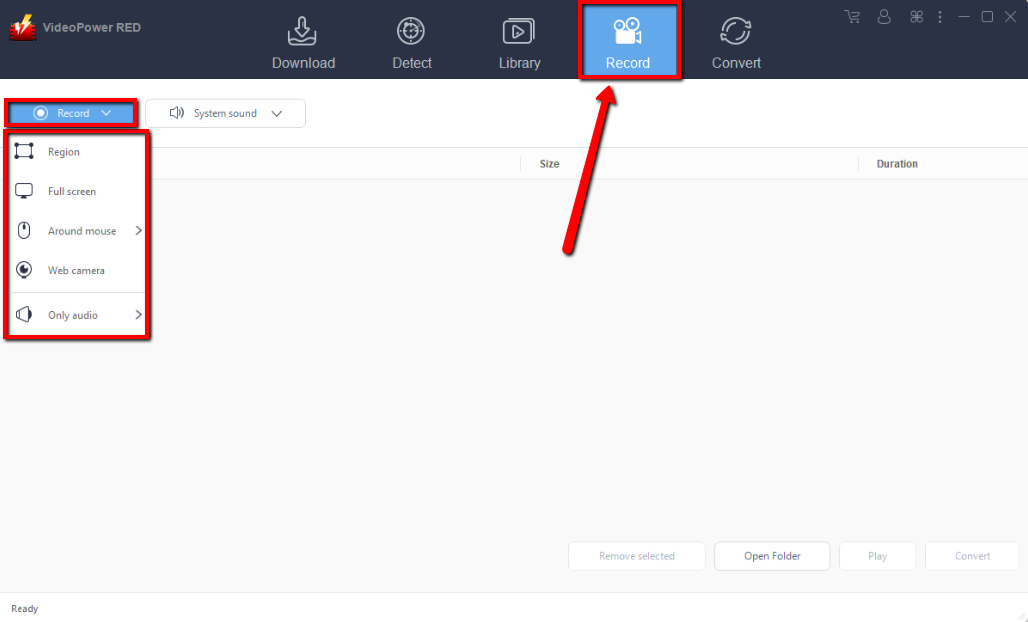
Click the “Record” tab to open the record window and select among the following recording modes such as “Region, Fullscreen, around mouse, and Web camera” to capture the exact and desired range of your screen. Click the preferred one and start recording.
Step 2: Check the recorded video.
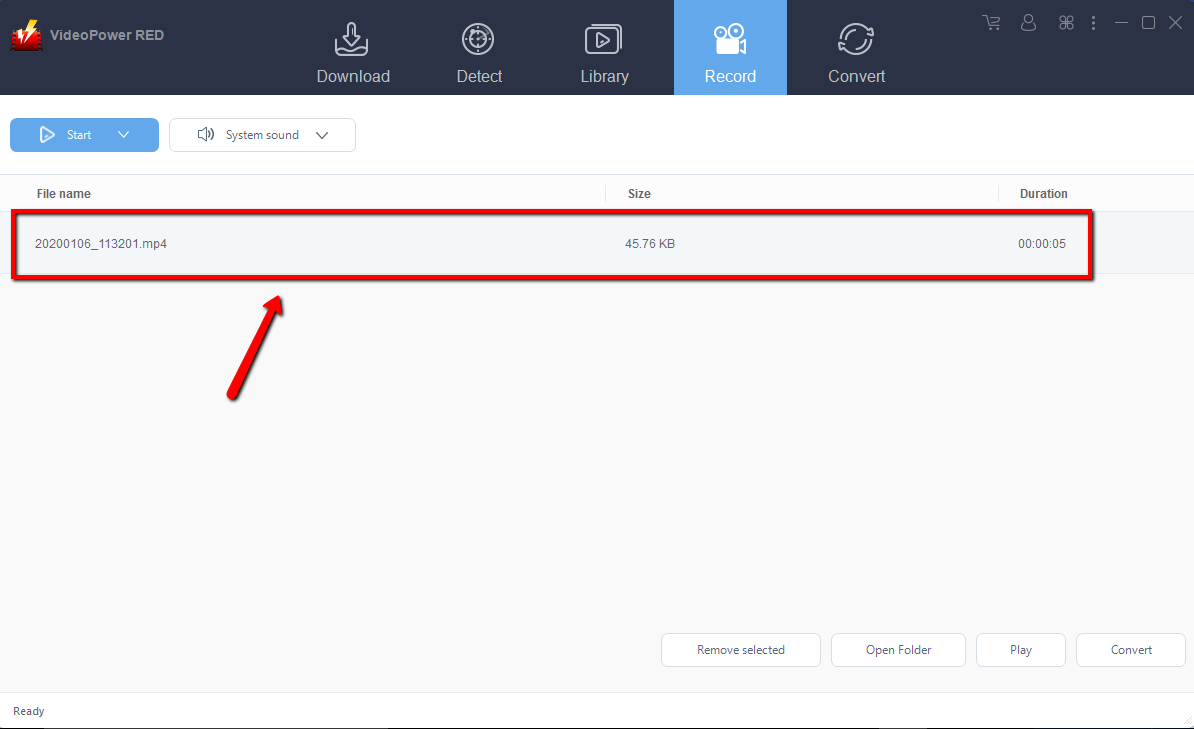
After recording, the recorded file can be seen in the record interface. Right-click to do more operations and double-click to preview.
Conclusion:
VideoPower RED was created so that anyone can download Facebook videos and save their favorite videos using a very intuitive interface in an MP4 format. We designed the software to work across all platforms so you’ll enjoy the same user experience when browsing the website on your PC. It also comes with the detect features for downloading and surfing purposes. This software is completely free to use with limited features when downloaded in the trial version but doesn’t require any third-party software to work. Download this Facebook video downloader now to enjoy watching downloaded videos in MP4 directly.


