





Tips Index
Dailymotion is a popular French online video streaming website with more than 100 million users every day.
Despite its popularity, the website does not offer video downloads for offline viewing but with VideoPower RED, you can download Dailymotion videos.
For many reasons, saving videos for offline viewing is more convenient than online viewing – especially for people in areas with a slow internet connection.
VideoPower RED is an amazing third-party downloader tool. It’s hassle-free and trusted video downloader application software can make this thing happen for most of the users.
To get started, just click the download link below.
Method 1: Copy and Paste the URL to Download Dailymotion Videos
Step 1: Paste the URL and download the video
Copy the link of the Dailymotion video that you want to download and then paste it into the program by clicking the “Paste URL” button. After that, you will see the video is downloading in the download control panel.
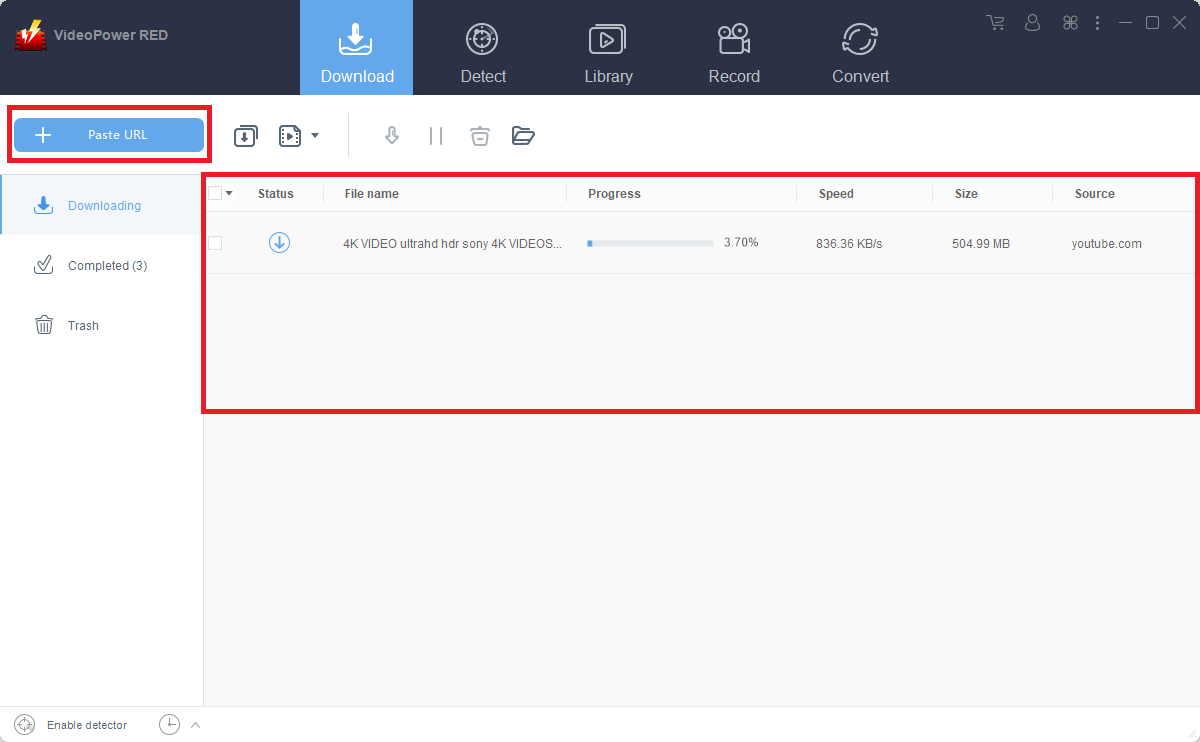
Step 2: Check to download and downloaded file
Wait for the download to finish, and then go to the “Completed” section to find the downloaded video.
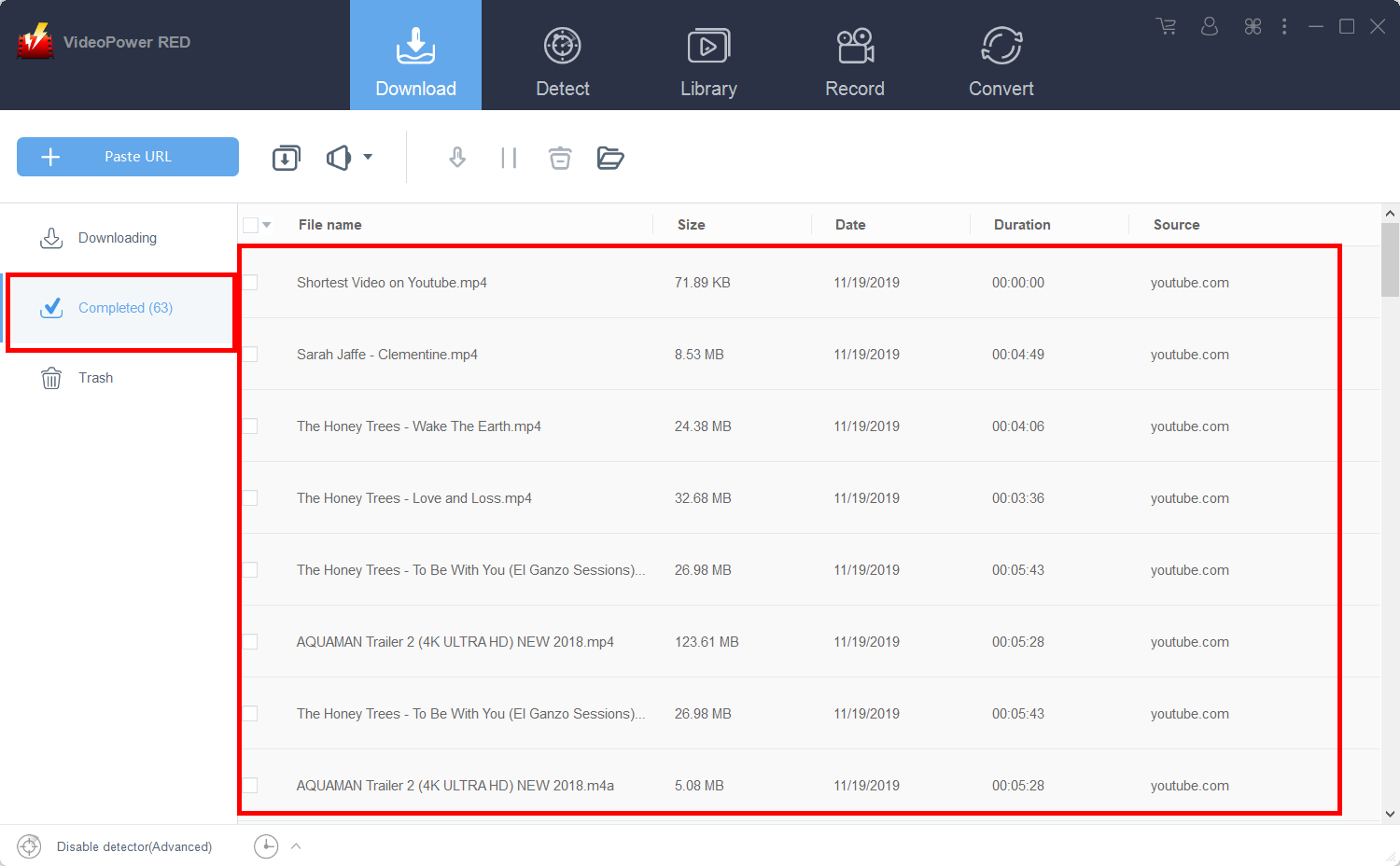
Method 2: Use Embedded Browser to Download Dailymotion Videos
Open the Dailymotion video page via an embedded browser
The video will be downloaded automatically.

Method 3: Record the Dailymotion video in MP4 Format
If you have a slow internet connection, you may opt to record the video. To do this, just follow the instructions below.
Step 1: Record video
Click the “Record” tab to record the video and Select from “Region, Fullscreen, Around mouse or Web camera” as preferred.
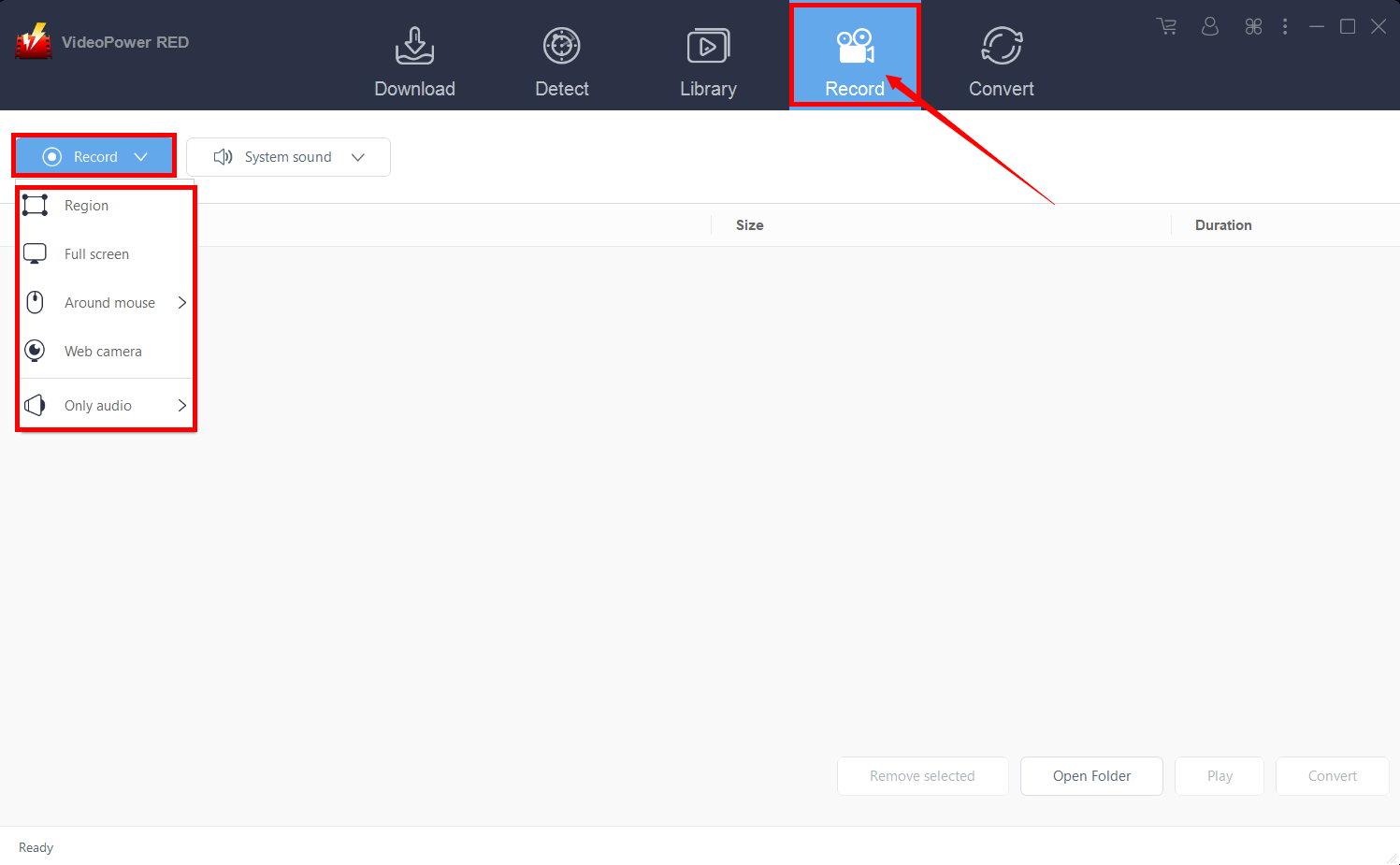
Step 2: Check the recorded video
After recording, the recorded file can be seen in the record interface.
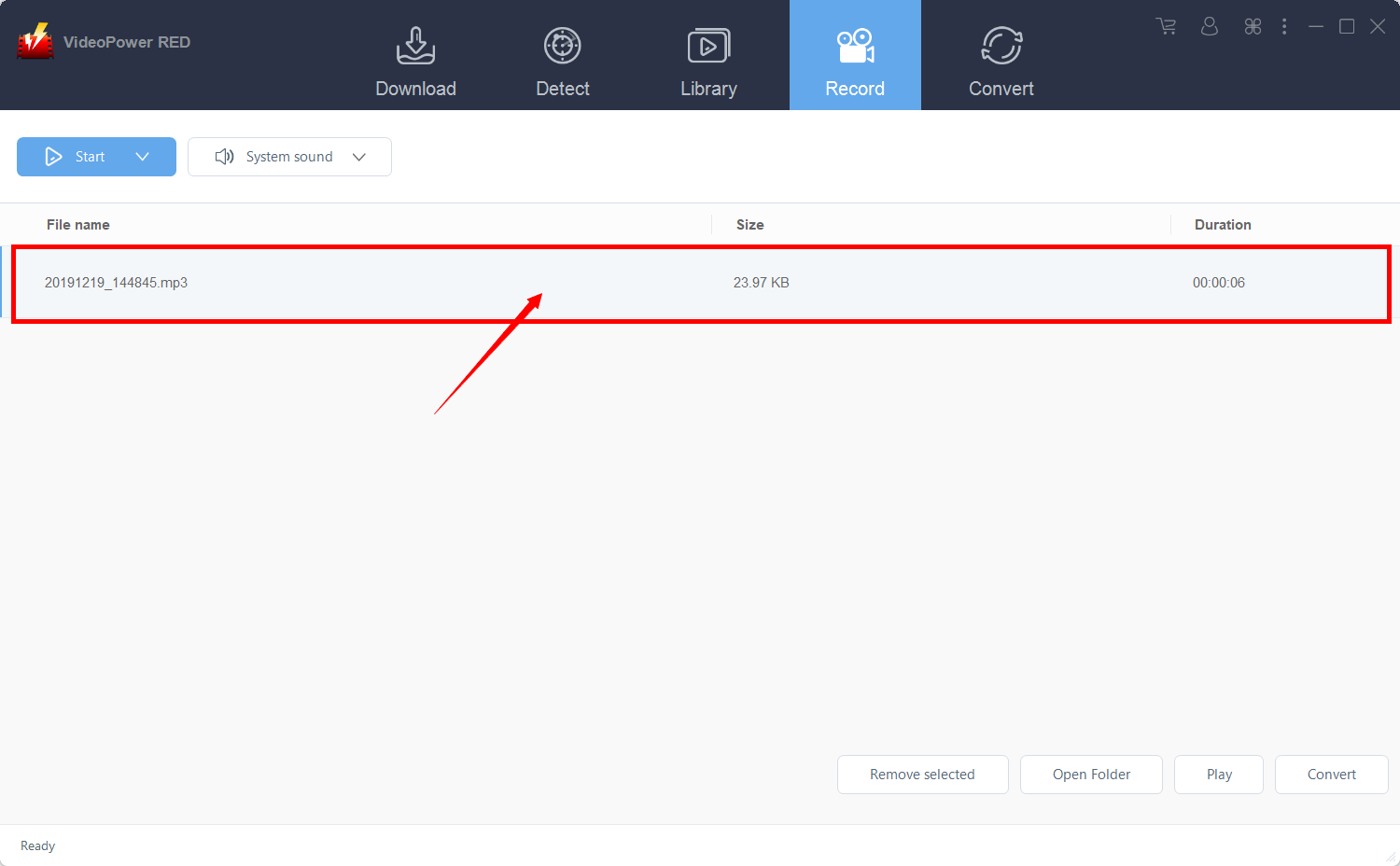
Method 4: Use External detector to Download Dailymotion Videos
The last method is to use the external detector. This would allow you to download videos even if you are using an external browser – the software will automatically detect the video and it will be downloaded.
Step 1: Modify the settings
Click on the “Enable advanced detector(Support HTTPS)” under the “Download” tab.
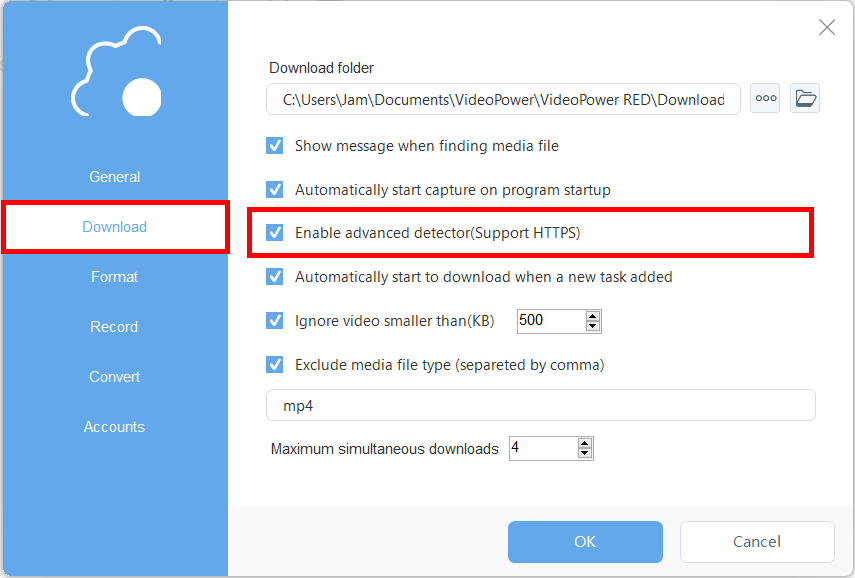
Make sure that the detector on the lower left is enabled.

Step 2: Download streaming video
After enabling the detector, you may now use an external browser for finding videos to download. For example, you may use Google Chrome and go to the video that you want to download. Play the video, and the software will automatically detect and download it.
Conclusion:
One of the online video streaming websites people are visiting is the Dailymotion video-sharing platform. It is a popular French site with various interesting content users can enjoy. But just like other sites, Dailymotion does not offer video downloads for offline viewing. However, with VideoPower RED, you can download Dailymotion videos for offline viewing purposes.


