





Tips Index
There are several reasons why Dailymotion not working on your end. It is not that the site is down or under repair since this is probably the last cause of why the website isn’t really working. But let’s take a look at a more personal side and why this happens. First, Users usually forget that to be able to stream videos on any website flash player should be installed, but this could be figured out automatically since a prompt from your web browser will notify you that you need to download and install a flash player. Secondly, Okay so you have your flash player installed, but is it running or working at your end? This is usually the reason that your Dailymotion video is not playing.
It isn’t as obvious as the first reason and it is hard to figure it out quickly. Go to your browser’s menu and enable your installed flash player in order to play your Dailymotion Videos. Third, it would be the most obvious reason, you have a slow connection or maybe your computer or device is not connected to the internet. Check your connection with your local internet provider. Lastly, maybe your browser just needs to be shut off and opened again, this might solve the issue right away.
So in the case that you will encounter these problems, and you are enjoying much of your Dailymotion videos on a repeated frequency then you need to have a very trusty software that could download your favorite videos without the hassle of encountering such problems again. VideoPower RED is a powerful software that enables you to download videos from different sites and just Dailymotion.
You can try to use the software for free by downloading its trial version below.
Method 1: Copy and Paste
Step 1: Paste the URL and download the video.
Copy the link of the Dailymotion video that you want to download and then paste it into the program by clicking the “+ Paste URL” button. After that, the video will be downloaded into the program.
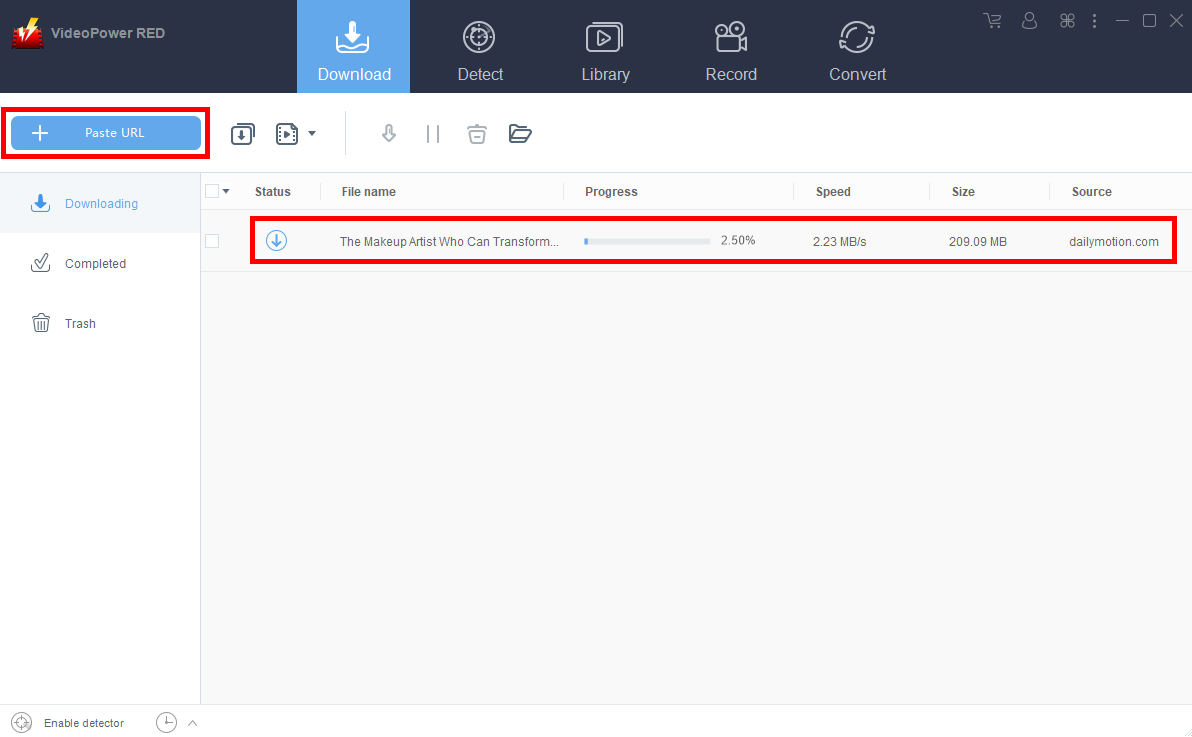
Step 2: Check the downloaded file.
Wait for the download to finish, and then go to the “Completed” tab to find the downloaded video. Right-click to do more operations and double-click to preview.
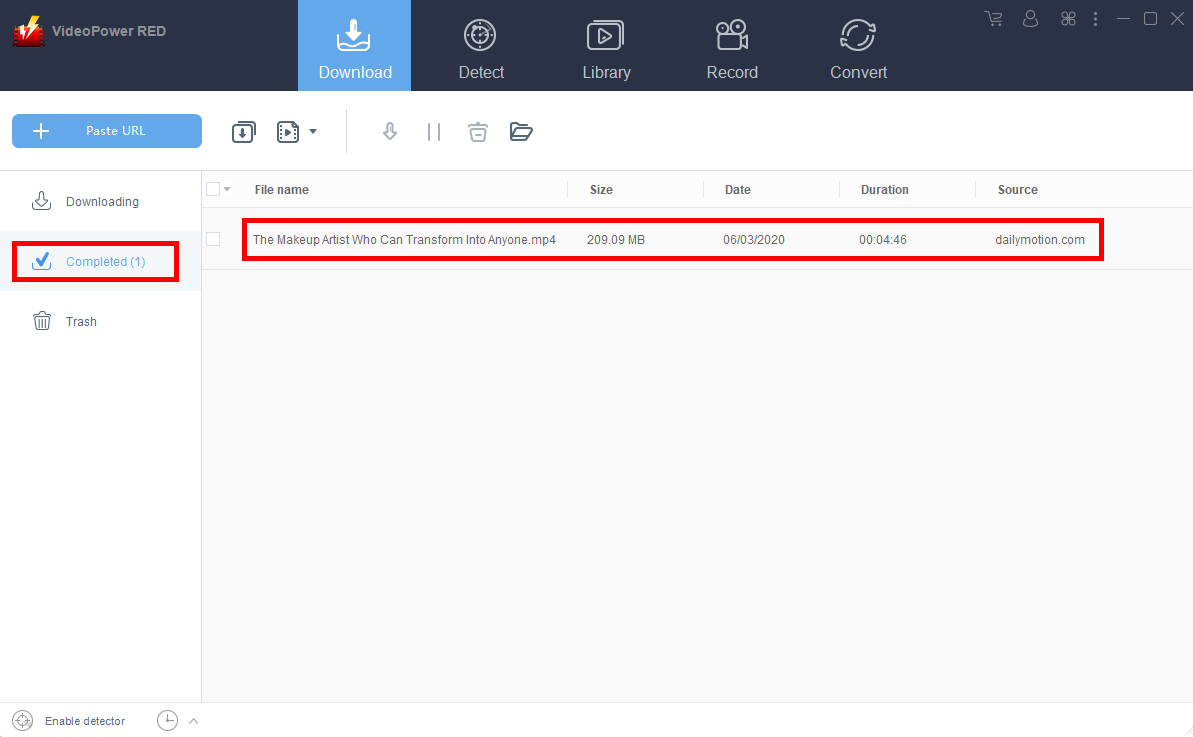
Notice that the default format is converted automatically to MP4.
Method 2: Use the Embedded Browser
Step 1: Open the Dailymotion video page via an embedded browser
If the program supports the site, the video will be downloaded automatically after the “Media File Detected” notice appear.
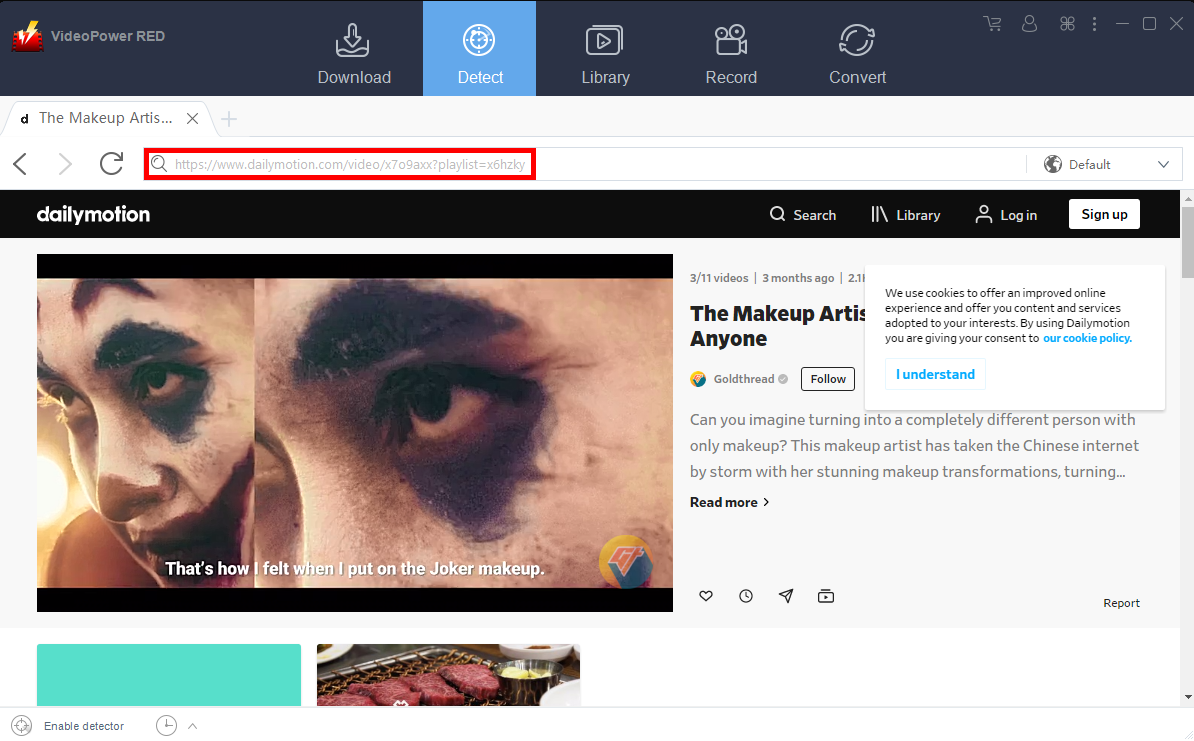
Step 2: Check Downloaded File
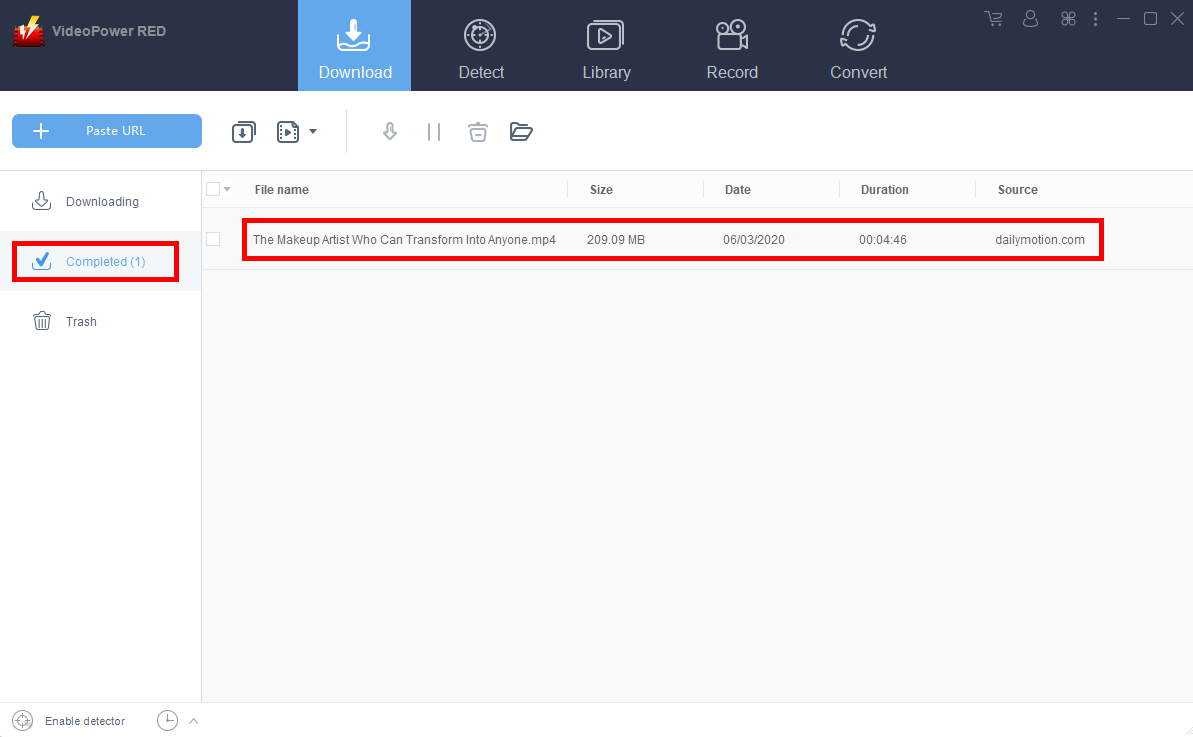
Wait for the download to finish, and then go to the “Completed” tab to find the downloaded video. Right-click to do more operations and double-click to preview.
Method 3: Screen Record the Dailymotion video
For people in areas with a slow internet connection, you may opt to use the record function instead. It also recommended for protected files that isn’t allowed for downloading.
Step 1: Set Recording Mode
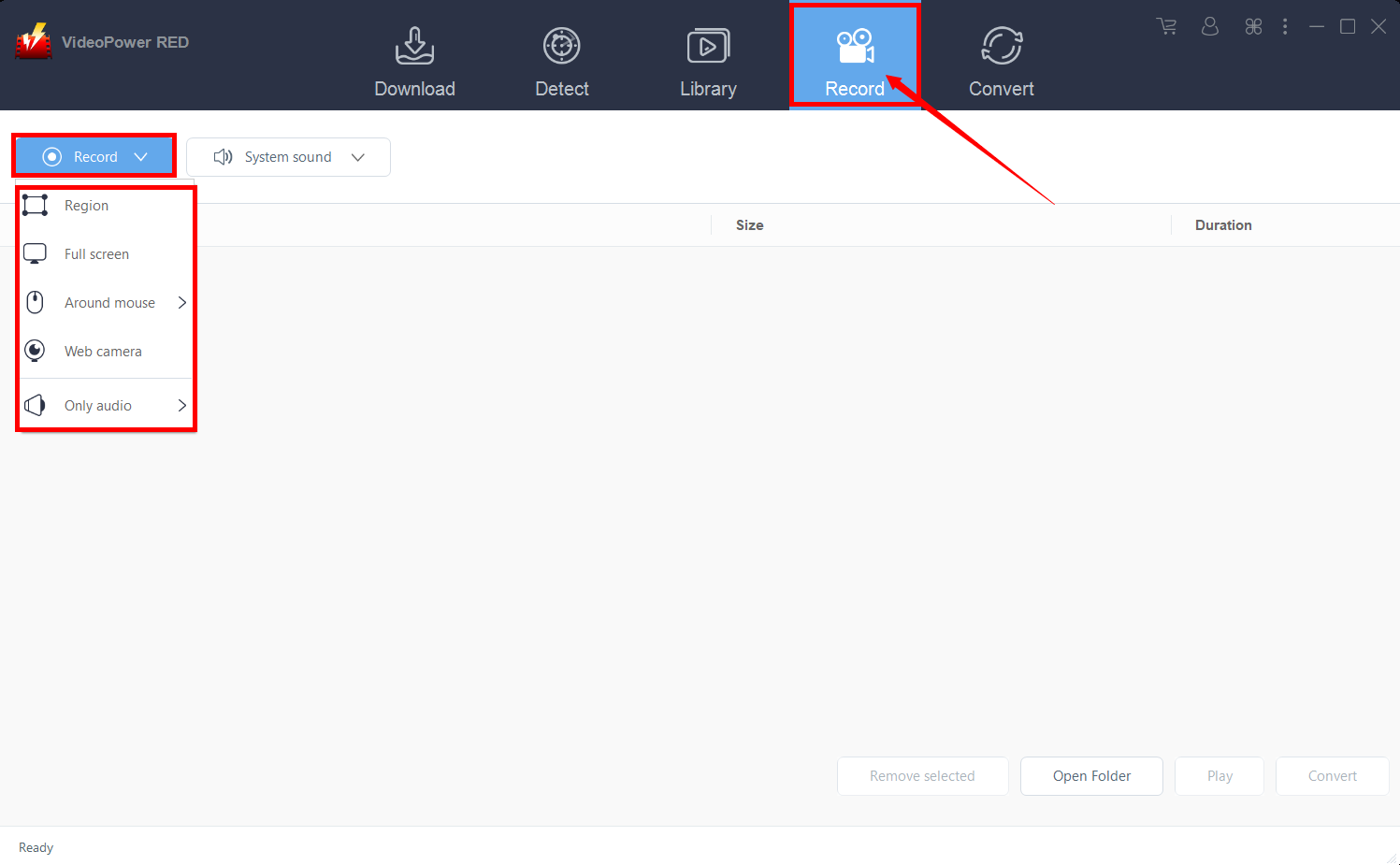
Click the “Record” tab to open the record window and select among the following recording modes such as “Region, Fullscreen, around mouse, and Web camera” to capture the exact and desired range of your screen. Click the preferred one and start recording.
Step 2: Check the recorded video.
After recording, the recorded file can be seen in the interface of the “Record” tab. Right-click to do more operations and double-click to preview.

Conclusion:
VideoPower RED is packed with the most efficient features not only for downloading purposes but can also be used for several tasks whether for personal or school use but also to business-related projects that could stretch your creativity to the next level. It can video download to any website without hassle. It can record your screen and audio that is very useful in different projects such as tutorials and learning stuff. Get yours now!


